
Salesforce Knowledge is a natural starting point for support teams already running Service Cloud. It puts articles directly into the agent console, leverages your existing customer relationship management (CRM) data, and benefits from the broader Salesforce ecosystem. For teams fully invested in Salesforce, it checks a lot of boxes.
But support teams with more complex knowledge needs often run into friction with the format, the platform's Salesforce dependency, and the manual effort required to keep content accurate. Since Knowledge is one module inside a massive enterprise suite, it rarely gets the focused development attention that a dedicated knowledge platform would.
If those limitations are holding your team back, you have options. This side-by-side comparison covers the best Salesforce Knowledge alternatives for support teams, comparing key features, strengths, and tradeoffs to help you find the right fit.
Shortcomings of Salesforce Knowledge
While Salesforce Knowledge is a capable article repository within Service Cloud, several limitations lead teams to explore alternatives:
- Static article format that can't guide complex processes: Salesforce Knowledge stores and surfaces articles, which works for straightforward reference content. But in troubleshooting scenarios, multistep processes, or topics where the right answer depends on the customer's specific situation, agents still have to read, interpret, and decide which parts of an article apply. There's no built-in way to create interactive, branching guidance that adapts based on context and walks agents or customers through the right steps.
- Tightly coupled to the Salesforce ecosystem: Salesforce Knowledge works best when your entire support operation runs on Salesforce. Teams that use Zendesk, Freshdesk, or ServiceNow for ticketing, or that need knowledge distributed across multiple platforms, face real friction. The product was not designed for a multi-platform reality, and getting knowledge to agents outside of Salesforce requires workarounds.
- Knowledge maintenance is a manual burden: Salesforce Knowledge offers versioning and approval workflows, which are solid governance foundations. But keeping content accurate still requires agents or admins to identify what is stale and act on it. Across hundreds of articles and thousands of weekly tickets, that model creates content decay and erodes trust in the knowledge base over time.
- Knowledge is a feature, not the product: Salesforce Knowledge is a module inside Service Cloud, which is itself one product inside one of the largest enterprise software suites in the world. Development priorities compete with CRM, Sales Cloud, Agentforce, and dozens of other product lines. Teams that need a serious, continuously improving knowledge platform often find that innovation in this area moves slowly.
- Customer self-service requires a separate product: Salesforce Knowledge's customer-facing self-service solution depends on Experience Cloud, which is a separate product with its own cost, complexity, and setup requirements. There's no lightweight way to embed interactive, contextual help directly into your product or website without buying into that additional layer.
- Requires Salesforce admin expertise to manage: Creating and maintaining knowledge in Salesforce typically requires admin-level familiarity with the platform. That dependency adds cost and creates bottlenecks when knowledge managers or subject matter experts (SMEs) need to make updates but lack the technical background to do it independently.
With these limitations in mind, here are some alternatives worth evaluating.
Best Salesforce Knowledge Alternatives at a Glance
| Solution | Best For |
| Stonly | High-volume support teams that need knowledge to drive resolutions with interactive guides, customer-facing self-service, AI that executes workflows (not just retrieves articles), and help desk integrations that go beyond search |
| Document360 | Small companies and startups that need a straightforward, self-serve knowledge base with a simple interface and strong documentation tools |
| Zendesk Knowledge | Support teams already on Zendesk that want a tightly integrated, native knowledge base for their help center |
| Helpjuice | Teams that want a dedicated, customizable knowledge base with strong search and simple setup |
| Guru | Organizations that need to centralize scattered knowledge and surface verified information inside existing tools like Slack, Teams, and CRM |
| Bloomfire | Teams focused on internal knowledge sharing, searchability, and cross-departmental collaboration |
| eGain | Enterprise contact centers that need a formal, governance-heavy knowledge management program with strong taxonomy and workflow controls |
Stonly
Stonly is a knowledge base software for customer service teams. As a purpose-built platform that continuously updates, it provides more depth and innovation than an add-on can. Stonly walks agents through resolutions step by step, embeds help inside any ticketing system, and flags stale content before it causes a bad customer experience.
Here's how Stonly helps support teams move from documented answers to consistent execution at scale.
Replace Static Articles with Interactive Guides
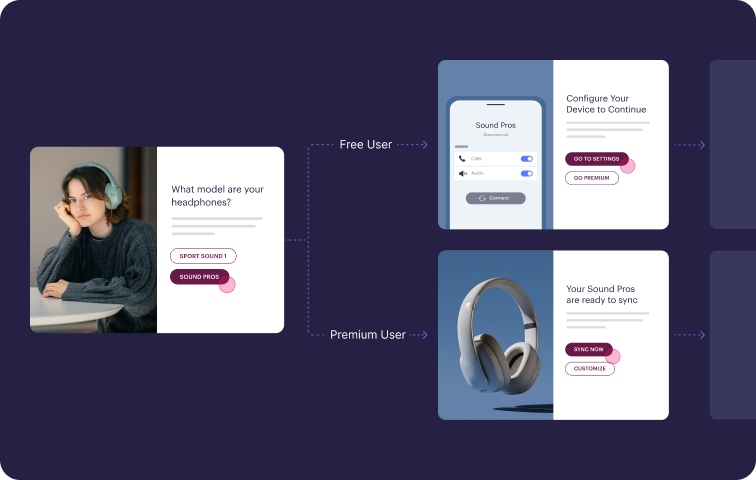
Stonly's interactive guides ask customers and agents a few questions and show them only the steps that fit their use case. This works better than a static article for a typical support issue, where the right answer depends on the customer's plan, product, or situation, and a long article leaves the reader to figure out which parts apply.
It means agents handle the same scenario the same way every time, and customers stop bouncing between articles trying to piece together a solution. Both groups reach a resolution faster, with fewer mistakes along the way.
Deliver Guides Inside the Tools Your Team Already Uses
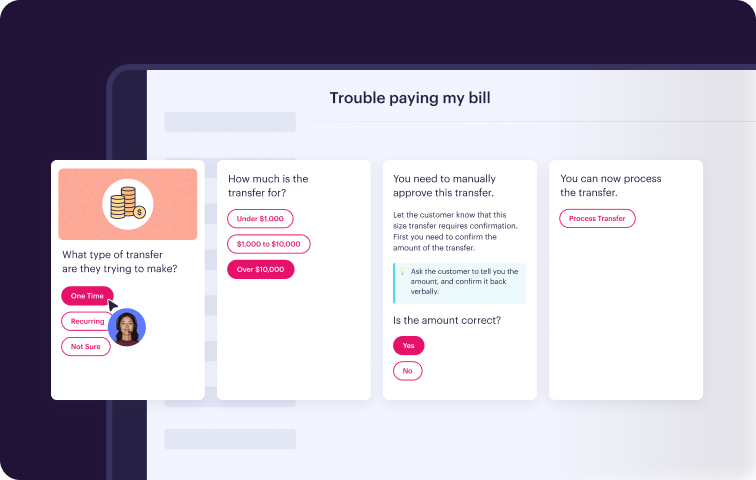
The platform integrates with Zendesk, Salesforce, Freshdesk, and ServiceNow, so guides appear directly in the agent's ticket view. The integration reads ticket data to surface the right guide and skip past steps the agent has already completed.
Customers get the same treatment through embedded widgets, in-app triggers, and a branded help center. You don't need to standardize on a single help desk or CRM to get full value from the platform.
Automate Ticket Actions from Inside the Guide
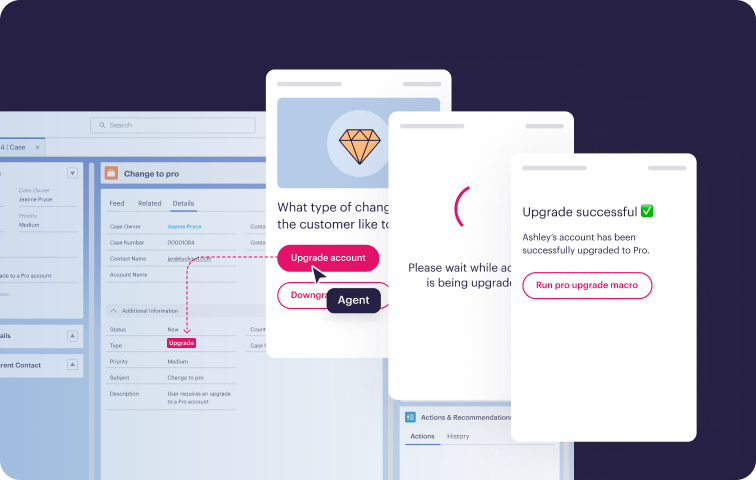
A Stonly guide can update Salesforce fields or fields in another connected help desk, trigger macros, and push data to other systems as the agent works through it. The agent answers the prompts, and Stonly handles the clicks.
That cuts handle time on repetitive tickets and keeps ticket data clean because the guide writes consistent values every time. Compliance also stops being something managers have to spot-check, since every agent follows the same path through the guide.
AI for Search, Chat, and Workflow Execution
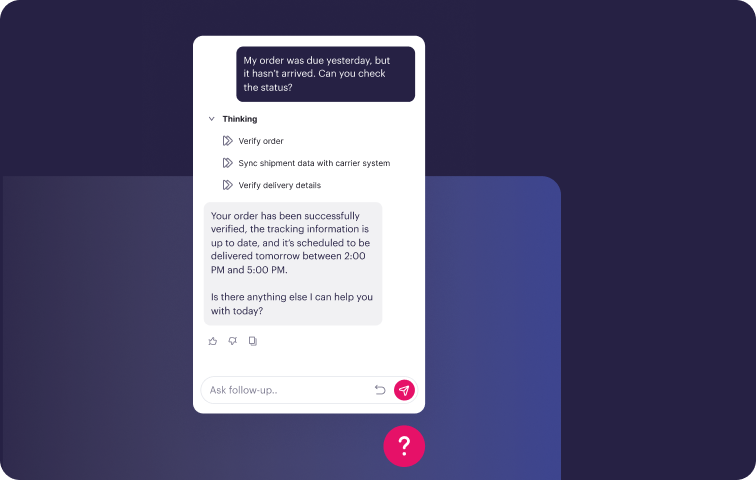
Stonly's AI Answers reads from your structured knowledge to respond to customer questions in search and chat, asking clarifying questions when the right answer depends on context. AI Agent Assist reads the incoming ticket, finds the matching workflow, drafts a reply, and can execute the steps end-to-end with agent approval.
Behind the scenes, Knowledge Agents monitor tickets and source documents to flag missing, outdated, or contradictory content. The insights show you exactly where your knowledge base needs work, so you find out about gaps because Stonly tells you, not because a customer escalates.
Power Customer Self-Service Without a Second Product
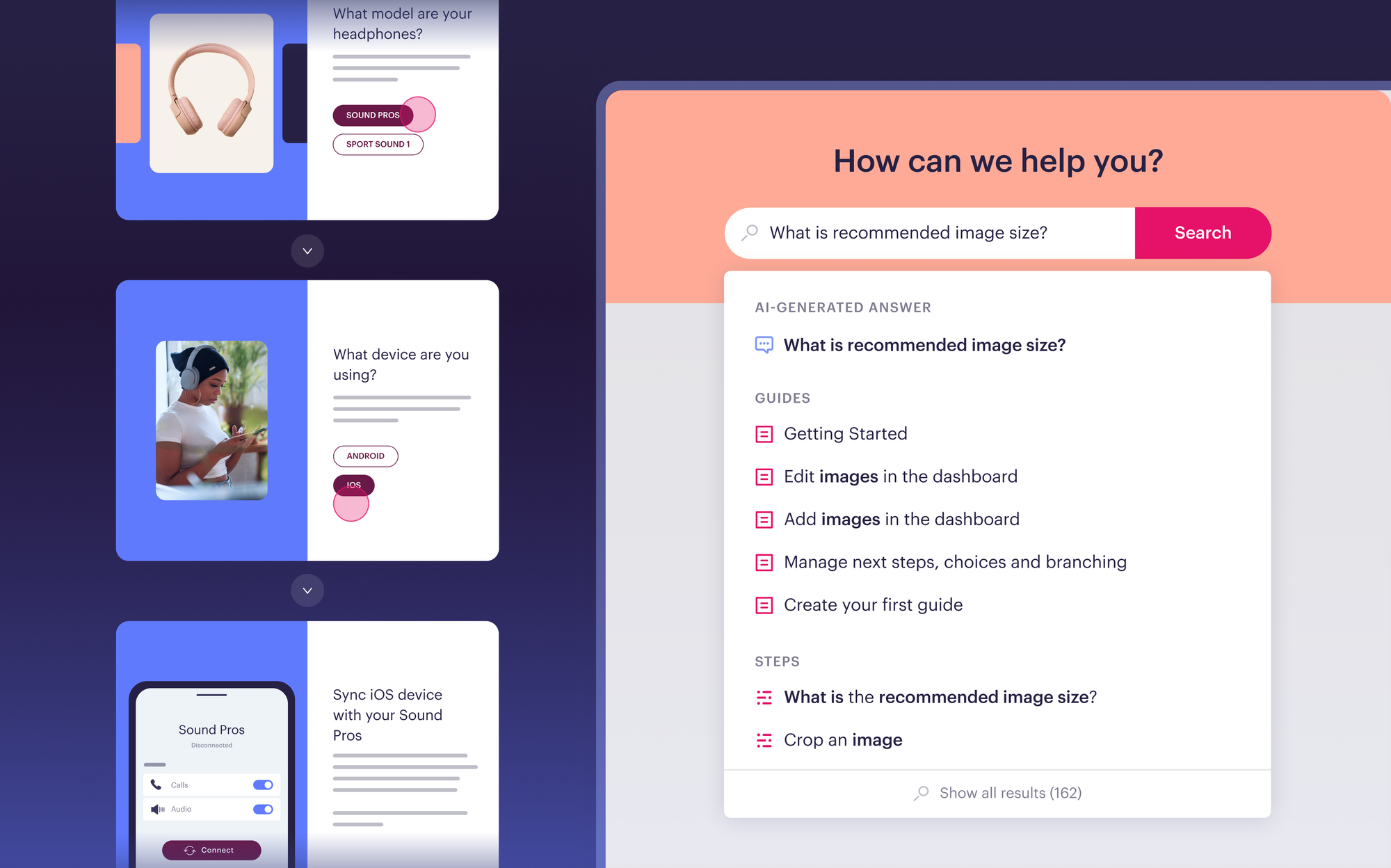
Stonly handles customer-facing knowledge as a core use case, so you don't need a separate portal product to publish a help center, embed contextual help in your app, or build interactive troubleshooters. No-code triggers let team members target content based on who the customer is and what they're doing.
When self-service can't resolve an issue, Stonly passes the full context from the customer's session into the ticket. Customer support agents pick up where the customer left off instead of starting from zero.
Stonly vs Salesforce Knowledge at a Glance
| Feature | Stonly | Salesforce Knowledge |
| Content Formats | Standard articles and interactive guides with branching logic, decision trees, and step-by-step workflows | Static articles only |
| Help Desk Integrations | Deep workflow integrations with Zendesk, Salesforce, Freshdesk, ServiceNow; guides surface contextually based on ticket data | Native to Salesforce Service Cloud; limited functionality outside the Salesforce ecosystem |
| Workflow Automation | Guides automate actions, capture data, and update tickets on behalf of agents and customers | No workflow automation; knowledge is read-only reference |
| AI Capabilities | AI Agent Assist (reads ticket, finds workflow, generates reply, executes process); AI Answers for search and chat; Knowledge Agents for content maintenance | Einstein AI for article suggestions and case classification; no process execution capability |
| Customer Self-Service | First-class use case with interactive flows, embedded widgets, in-app triggers, and no-code targeting | Requires Experience Cloud (separate product, separate cost) for customer-facing knowledge |
| Analytics & Reporting | Outcome-focused: tracks resolution, task completion, drop-off, content effectiveness, and knowledge gaps | Basic: tracks article views, search terms, and attachment rates to cases |
| Knowledge Maintenance | Knowledge Agents proactively flag gaps, outdated content, and inconsistencies; content health monitoring and review workflows | Manual: versioning and approval workflows exist, but identifying stale content falls on your team |
| Content Creation Experience | Intuitive editor built for SMEs and knowledge managers; no admin certification required | Requires Salesforce admin familiarity; steeper learning curve for nontechnical users |
| Platform Independence | Works across any ticketing system and CRM; not tied to a single vendor | Tightly coupled to Salesforce; limited value outside the ecosystem |
| Service & Support Model | Strategic partnership with dedicated PMs and CSMs | Part of broader Salesforce support; knowledge is not the primary focus |
What Real Customers Are Saying About Stonly
"Stonly is more than just a good product. It enables our customers to find answers faster and agents to become experts in specific areas to improve our customer experience even further. What sets the platform apart is Stonly’s customer-first mentality, which is even more impressive than the product."
Marco Ricciardi, Senior Program Manager, Personio
"We wouldn’t be able to live without Stonly. There are no other tools that have the same step-by-step guide capability combined with the ease of setup, AI features, and integrations available."
Alex Arkhipov, Care Operations, Tonal
Pricing
Custom pricing available upon request.
Turn your knowledge into faster, more consistent resolutions with Stonly's interactive guides, embedded self-service, AI Agent Assist, and deep help desk integrations. Get a Stonly demo today.
Zendesk Knowledge
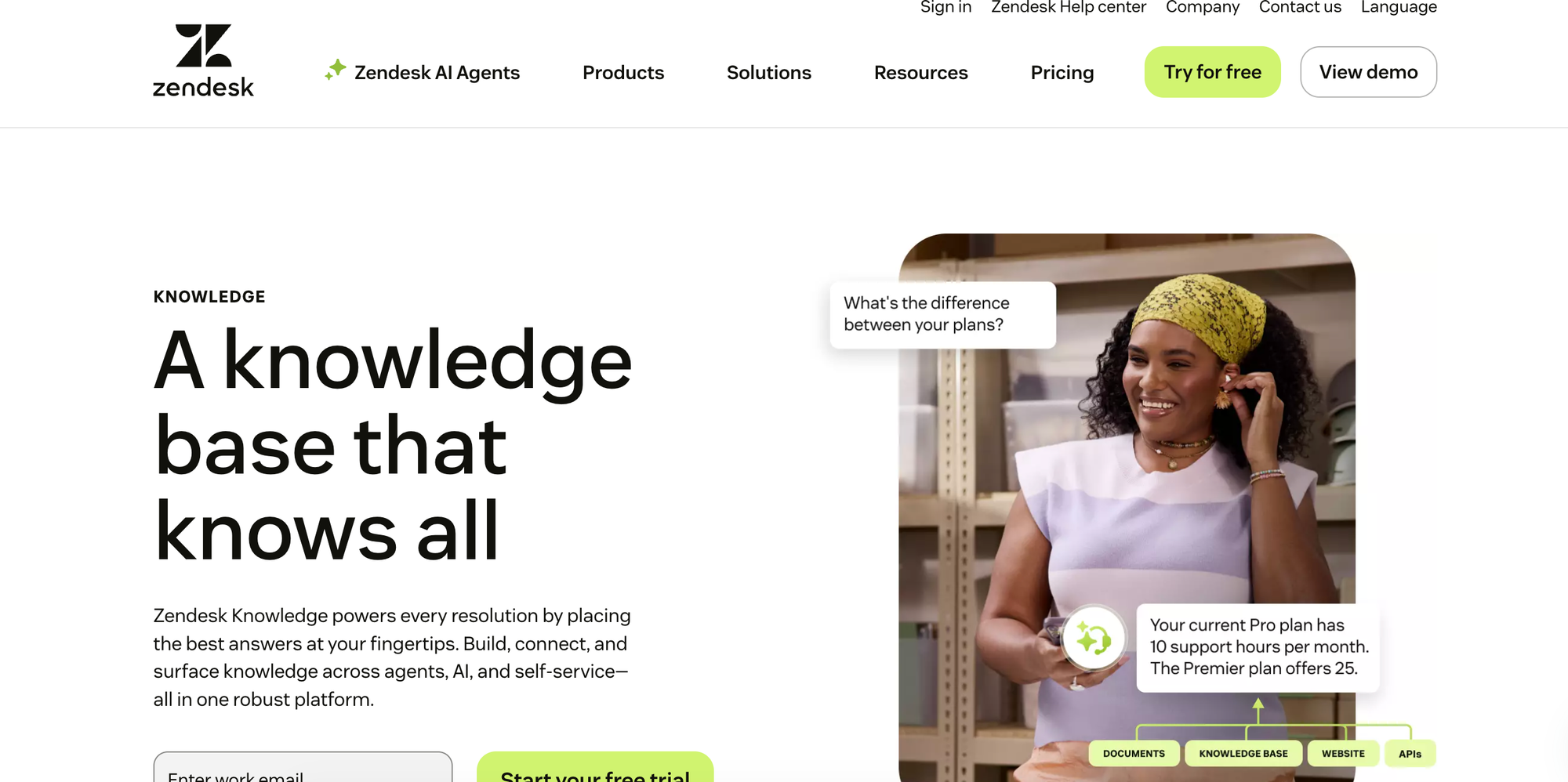
Zendesk Knowledge is the help center and knowledge base embedded in Zendesk's ticketing system. Teams already using Zendesk get it without buying or integrating a separate knowledge tool. And because customer service is Zendesk's entire business, the product gets more development attention than knowledge tools tucked inside broader enterprise software.
But Zendesk Knowledge only offers static articles. Agents and customers read documents and figure out which parts apply to their situation, so the product helps people find information faster without changing what that information looks like once they get to it.
Zendesk Knowledge vs Salesforce Knowledge at a Glance
| Feature | Zendesk Knowledge | Salesforce Knowledge |
| Content Formats | Static articles only | Static articles only |
| Help Desk Integrations | Native to Zendesk; limited functionality outside the Zendesk ecosystem | Native to Salesforce Service Cloud; limited functionality outside the Salesforce ecosystem |
| Workflow Automation | No workflow automation; knowledge is read-only reference | No workflow automation; knowledge is read-only reference |
| AI Capabilities | Generative AI for article drafting, translation, agent quick answers, and AI agents on customer channels | Einstein AI for article suggestions and case classification; no process execution capability |
| Customer Self-Service | Built-in help center and AI agents available across web, mobile, and messaging channels | Requires Experience Cloud (separate product, separate cost) for customer-facing knowledge |
| Analytics & Reporting | Content performance, self-service rate, AI resolution rate, and content health tracking | Basic: tracks article views, search terms, and attachment rates to cases |
| Knowledge Maintenance | AI flags content gaps based on ticket patterns; updates still depend on the team | Manual: versioning and approval workflows exist, but identifying stale content falls on your team |
| Content Creation Experience | WYSIWYG editor with generative AI drafting from historical tickets | Requires Salesforce admin familiarity; steeper learning curve for nontechnical users |
| Platform Independence | Tightly coupled to Zendesk; limited value outside the ecosystem | Tightly coupled to Salesforce; limited value outside the ecosystem |
| Service & Support Model | Part of broader Zendesk support; knowledge is one piece of a larger platform | Part of broader Salesforce support; knowledge is not the primary focus |
Pros
- Customer self-service comes built into Zendesk Knowledge. The same articles power the help center, agent quick answers, and AI agents on chat and messaging without buying a separate portal product.
- Generative AI can turn historical tickets into draft articles, translate content into other languages, and surface quick answers inside the agent workspace, which speeds up both authoring and resolution.
Cons
- Knowledge can't take action on a ticket. The platform surfaces articles for the agent to read, but doesn't update fields, trigger macros, or push data to other systems on the agent's behalf.
- Teams whose customer data is in a major CRM don't get the tight, built-in connection they'd have with a knowledge tool that's part of that CRM. Account history and case context don't flow into articles or AI answers as easily, which may prompt teams to start looking at alternatives.
Pricing
Zendesk Knowledge is included in Zendesk's Suite Team tier, which starts at $55/month per agent (billed annually). Tools like copilot, contact center, and workforce engagement are billed as separate add-ons.
Helpjuice
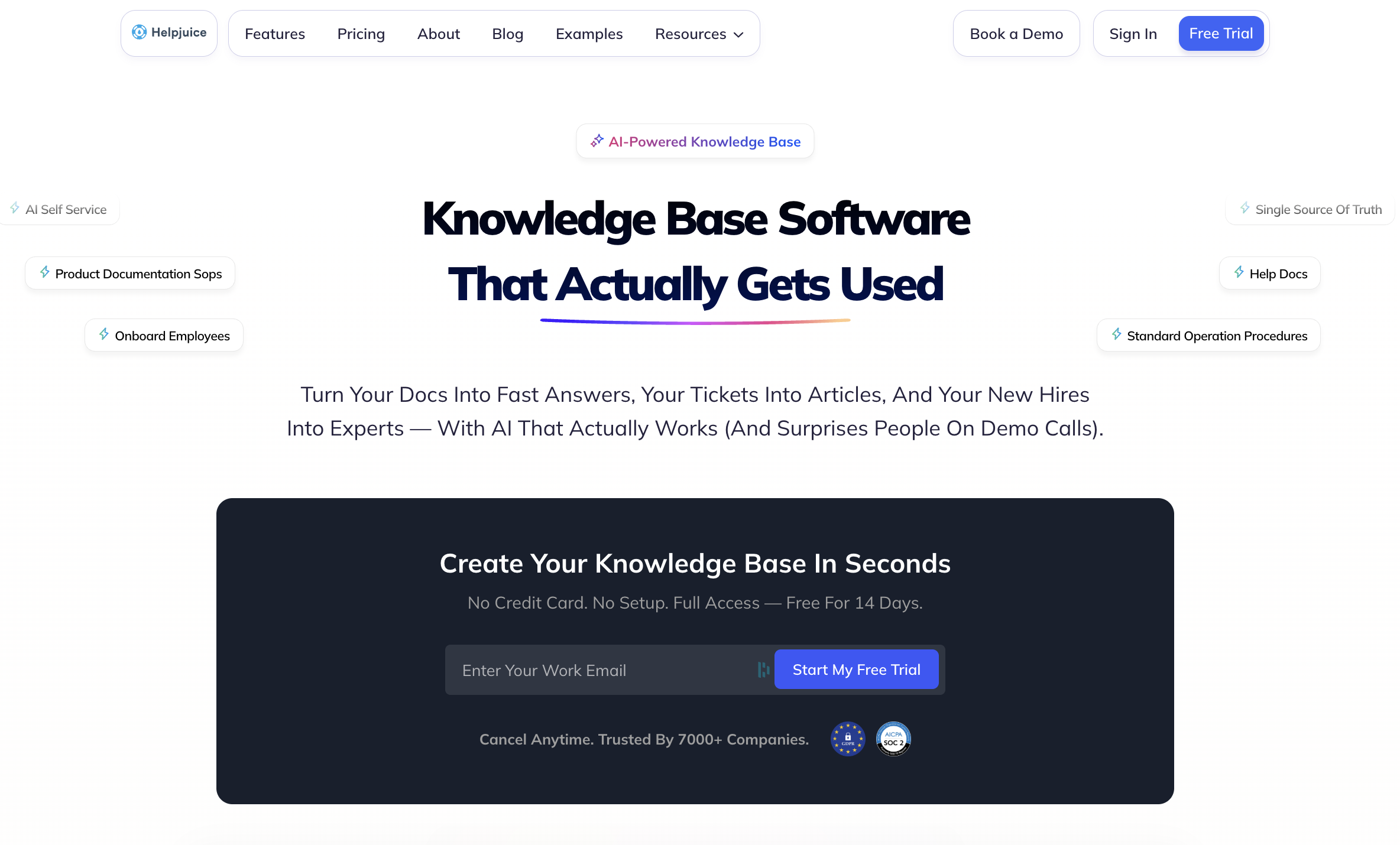
Helpjuice is a dedicated knowledge base platform that companies use for both internal teams and customer-facing help centers. Because it isn't bundled inside a CRM or help desk, teams can run it alongside whatever ticketing system they already use. The platform's content management features include version control, an approval workflow, and extensive customization options.
But Helpjuice is still an article repository at its core. There are no interactive guides or decision trees that walk people through a process, and the AI chatbot can only draw from articles inside Helpjuice, so teams with knowledge scattered across other tools have to either migrate it in or accept gaps in what the AI can answer.
Helpjuice vs Salesforce Knowledge at a Glance
| Feature | Helpjuice | Salesforce Knowledge |
| Content Formats | Static articles only | Static articles only |
| Help Desk Integrations | Integrates with major help desks for content surfacing; not tied to any one platform | Native to Salesforce Service Cloud; limited functionality outside the Salesforce ecosystem |
| Workflow Automation | No workflow automation; knowledge is read-only reference | No workflow automation; knowledge is read-only reference |
| AI Capabilities | Native AI suite for search, chat, and content drafting; AI limited to in-platform content | Einstein AI for article suggestions and case classification; no process execution capability |
| Customer Self-Service | Built-in help center with deep visual customization and free theme design support | Requires Experience Cloud (separate product, separate cost) for customer-facing knowledge |
| Analytics & Reporting | Tracks article usage, search success, content gaps, and AI resolution rates | Basic: tracks article views, search terms, and attachment rates to cases |
| Knowledge Maintenance | Surfaces unanswered queries and content gaps; updates still depend on the team | Manual: versioning and approval workflows exist, but identifying stale content falls on your team |
| Content Creation Experience | Powerful editor with AI writing assistant; no admin certification required | Requires Salesforce admin familiarity; steeper learning curve for nontechnical users |
| Platform Independence | Standalone product that works alongside any help desk or CRM | Tightly coupled to Salesforce; limited value outside the ecosystem |
| Service & Support Model | Dedicated knowledge base vendor with white-glove design and migration support | Part of broader Salesforce support; knowledge is not the primary focus |
Pros
- The platform is a dedicated knowledge base, so teams aren't paying for a sprawling CRM to get the help center. It also works alongside any ticketing system, so swapping help desks later doesn't force a knowledge base migration too.
- Customization runs deeper than many competitors. The visual editor and code editor cover almost any design need, and the Helpjuice team designs custom themes for free.
Cons
- Helpjuice content is limited to static articles, which leaves agents and customers to interpret long-form text on their own for troubleshooting and multistep processes.
- The AI chatbot only pulls from articles inside Helpjuice, so teams with knowledge in other tools have to migrate everything in or accept that the AI won't have the full picture.
Pricing
Basic pricing for the standard knowledge base starts at $249/month. AI-powered knowledge base tools start at $449/month.
Document360

Document360 covers a wider documentation footprint than most knowledge base tools. The same product publishes customer help centers, internal wikis, API references, user manuals, and SOPs. That means engineering, product, ops, and support teams can work in one system instead of stitching three or four together.
The tradeoff is that breadth comes at the expense of depth in customer service. Document360 is built for people who write and maintain documentation, not for agents resolving tickets, so its support workflow features are thinner than what a service-first knowledge management platform offers.
Document360 vs Salesforce Knowledge at a Glance
| Feature | Document360 | Salesforce Knowledge |
| Content Formats | Articles, API references, and interactive decision trees for guided troubleshooting | Static articles only |
| Help Desk Integrations | Connectors for Freshdesk, Zendesk, Salesforce, and Microsoft Teams to surface articles inside the agent view | Native to Salesforce Service Cloud; limited functionality outside the Salesforce ecosystem |
| Workflow Automation | No workflow automation; knowledge is read-only reference | No workflow automation; knowledge is read-only reference |
| AI Capabilities | Native AI handles search, chat, drafting, summarization, glossaries, and FAQ generation; advanced AI features are gated behind a paid add-on | Einstein AI for article suggestions and case classification; no process execution capability |
| Customer Self-Service | Brandable help center site with SEO controls and a separate site builder for the customer-facing experience | Requires Experience Cloud (separate product, separate cost) for customer-facing knowledge |
| Analytics & Reporting | Reader analytics, search analytics, and content performance tracking | Basic: tracks article views, search terms, and attachment rates to cases |
| Knowledge Maintenance | Custom workflow builder for review and approval steps; AI duplicate detection flags overlapping content | Manual: versioning and approval workflows exist, but identifying stale content falls on your team |
| Content Creation Experience | Markdown editor and WYSIWYG editor with a native AI assistant that drafts from prompts, videos, and audio | Requires Salesforce admin familiarity; steeper learning curve for nontechnical users |
| Platform Independence | Standalone product that works alongside any help desk or CRM | Tightly coupled to Salesforce; limited value outside the ecosystem |
| Service & Support Model | DIY migration tools with onboarding support on higher-tier plans | Part of broader Salesforce support; knowledge is not the primary focus |
Pros
- One platform handles customer help centers, internal wikis, API docs, user manuals, and SOPs, so teams don't need separate tools for each documentation type or separate vendors for internal versus external audiences.
- Document360's markdown editor and developer-friendly features like API documentation and code blocks make it a strong fit for technical writers and product teams, in addition to support.
Cons
- The product is designed around authoring and publishing rather than helping agents close tickets. The features that actually help agents close tickets faster, like guides that read the ticket and surface the right steps, aren't part of what Document360 does.
- The best AI features are an add-on, not part of the standard product. Teams that want the strongest AI capabilities have to upgrade to get them.
Pricing
Document360 has three tiers, each with custom pricing. Features like interactive decision trees are only available on the Enterprise tier, and some AI capabilities require a paid add-on.
Guru
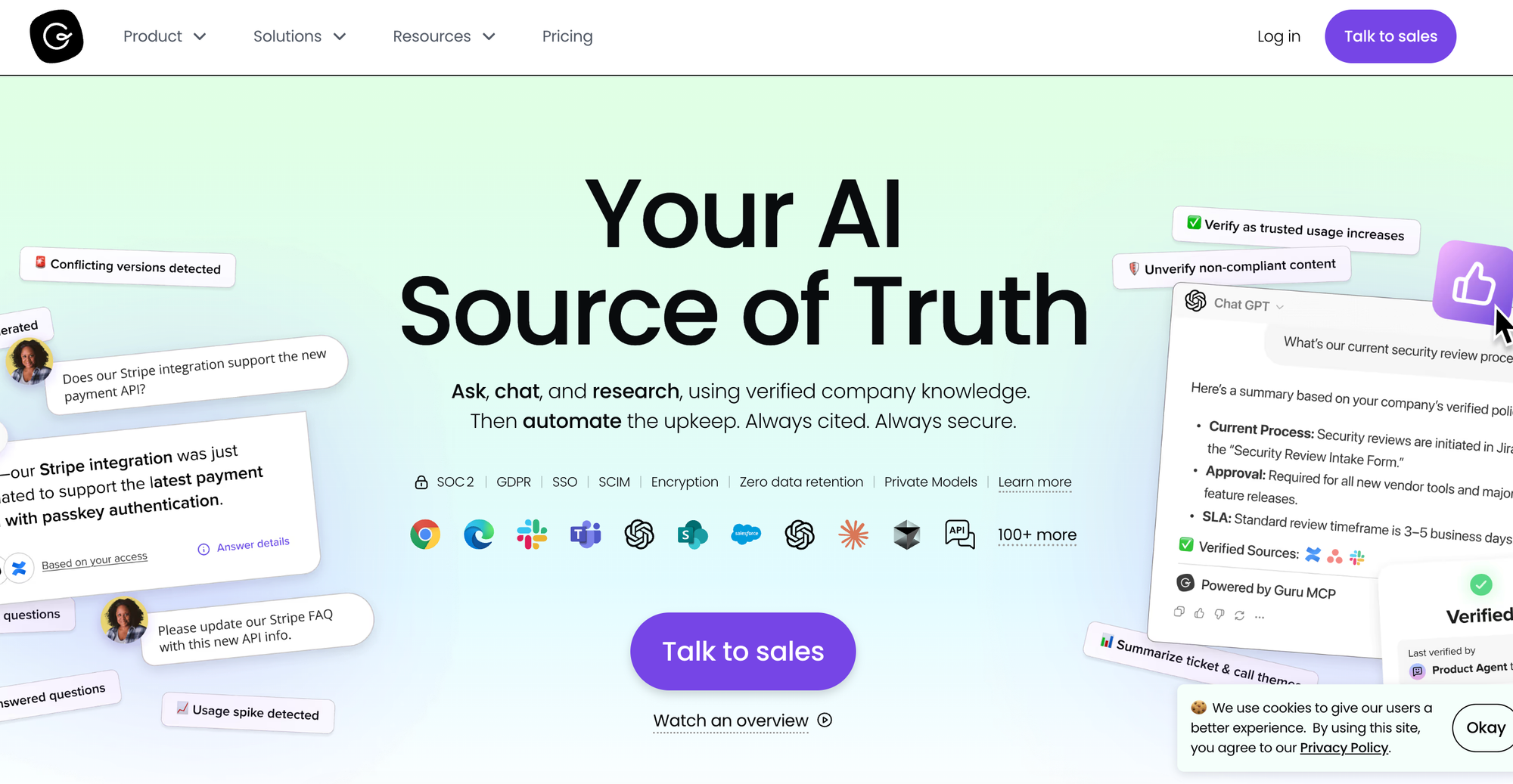
Guru takes a different approach to knowledge than most platforms. Instead of asking employees to leave their work and search a separate help center, the product runs inside Slack, Teams, the browser, and the other tools teams already have open all day. That positioning is meant to drive adoption, since people don't have to remember a new tool exists to use it.
The platform is built for sharing knowledge across teams inside a company. HR publishes policies, sales teams share competitive intel, and support stores internal procedures in the same system. It's focused on internal knowledge, so teams that also need customer-facing self-service will need a separate product for that.
Guru vs Salesforce Knowledge at a Glance
| Feature | Guru | Salesforce Knowledge |
| Content Formats | Bite-sized cards organized into collections, designed for quick consumption rather than long-form articles | Static articles only |
| Help Desk Integrations | Available inside help desk tools through a browser extension and native integrations; surfaces relevant cards based on the ticket context | Native to Salesforce Service Cloud; limited functionality outside the Salesforce ecosystem |
| Workflow Automation | No workflow automation; knowledge is surfaced, not executed | No workflow automation; knowledge is read-only reference |
| AI Capabilities | AI search and chat across all connected content sources with citations on every answer, plus governance controls and audit trails | Einstein AI for article suggestions and case classification; no process execution capability |
| Customer Self-Service | Internal use only; no customer-facing knowledge base or help center capabilities | Requires Experience Cloud (separate product, separate cost) for customer-facing knowledge |
| Analytics & Reporting | Usage analytics, verification status, engagement metrics, and dashboards by team and content type | Basic: tracks article views, search terms, and attachment rates to cases |
| Knowledge Maintenance | Verification workflow with auto-reminders; AI automatically flags stale content, proposes updates, and routes to subject matter experts | Manual: versioning and approval workflows exist, but identifying stale content falls on your team |
| Content Creation Experience | Card-based editor with templates and AI-assisted drafting from source documents | Requires Salesforce admin familiarity; steeper learning curve for nontechnical users |
| Platform Independence | Standalone product that connects to any tool stack through integrations and APIs | Tightly coupled to Salesforce; limited value outside the ecosystem |
| Service & Support Model | Guided onboarding and migration support from the support team | Part of broader Salesforce support; knowledge is not the primary focus |
Pros
- Guru's knowledge reaches employees in the tools they're already using. The browser extension and native integrations with Slack, Teams, and dozens of other apps put answers one keystroke away, instead of requiring people to remember that a separate help center exists and go search it.
- Knowledge governance is built into how Guru works. Cards have owners, verification cycles, and automated checks, and the platform flags outdated content proactively rather than waiting for someone to notice it's wrong.
Cons
- The product is internal-only. Guru has no customer-facing knowledge base, help center, or external chatbot, so teams that need to serve both employees and customers will need to pair it with a separate platform for the customer side.
- The card format works well for quick facts and reference material, but starts to feel limiting for complex troubleshooting that spans multiple variables. Teams handling support cases with branching logic or multistep resolutions often consider alternatives to Guru with content formats designed for that work.
Pricing
Guru has custom pricing based on three components: the platform, the expertise, and the infrastructure.
Bloomfire

Bloomfire is a knowledge platform built to be the central place where a company shares information across departments. Sales, marketing, ops, HR, finance, and support all use the same single platform to publish and search content, and the product is designed to make whatever someone needs easy to find, regardless of which team produced it. In addition to supporting many content types beyond articles, it offers reporting and business intelligence dashboards.
The product is built primarily for internal collaboration. Teams looking to run a customer help center or deflect support tickets often find the product strong on the company-wide knowledge sharing side and thinner on the customer service side.
Bloomfire vs Salesforce Knowledge at a Glance
| Feature | Bloomfire | Salesforce Knowledge |
| Content Formats | Articles, videos, audio, and 25+ file types in one searchable place | Static articles only |
| Help Desk Integrations | Integrations with Salesforce, Zendesk, ServiceNow, Slack, and Teams to surface content where work happens | Native to Salesforce Service Cloud; limited functionality outside the Salesforce ecosystem |
| Workflow Automation | No workflow automation; knowledge is surfaced but not executed | No workflow automation; knowledge is read-only reference |
| AI Capabilities | Conversational AI grounded in approved content, AI writing tools, hallucination detection, and a Q&A engine that mines past questions and answers | Einstein AI for article suggestions and case classification; no process execution capability |
| Customer Self-Service | Can support external use through community-style portals, but the design is primarily internal | Requires Experience Cloud (separate product, separate cost) for customer-facing knowledge |
| Analytics & Reporting | Tracks content engagement, search behavior, knowledge gaps, and content quality | Basic: tracks article views, search terms, and attachment rates to cases |
| Knowledge Maintenance | Continuously scans content for outdated, duplicate, conflicting, or incomplete information; moderation tools for approval and expiration | Manual: versioning and approval workflows exist, but identifying stale content falls on your team |
| Content Creation Experience | WYSIWYG editor with AI writing assistance and broad media support | Requires Salesforce admin familiarity; steeper learning curve for nontechnical users |
| Platform Independence | Standalone product that connects to whatever tool stack the company already runs | Tightly coupled to Salesforce; limited value outside the ecosystem |
| Service & Support Model | Enterprise rollout with implementation services and customer success support | Part of broader Salesforce support; knowledge is not the primary focus |
Pros
- Bloomfire brings every department onto one knowledge layer. A sales rep looking up a competitor brief, an HR lead checking a policy, and a support agent finding a troubleshooting guide all work in the same tool, which makes information easier to find than when each team runs its own wiki or shared drive.
- Knowledge connectors pull content from SharePoint, Google Drive, Confluence, Salesforce, Slack, and dozens of other places into one searchable index. Teams whose information is scattered across tools don't have to migrate everything to make it findable.
Cons
- Bloomfire is built for cross-team knowledge sharing, not customer service. Support-specific features like interactive troubleshooting, ticket-aware guidance, and automated agent workflows fall outside Bloomfire's scope.
- Knowledge surfaces in search results but doesn't follow employees or customers into the moment they need it. A support agent has to leave the ticket to search, and a customer has to find their way to the help center on their own.
Pricing
Bloomfire has three tiers (for teams, departments, and companies), each with custom pricing.
eGain
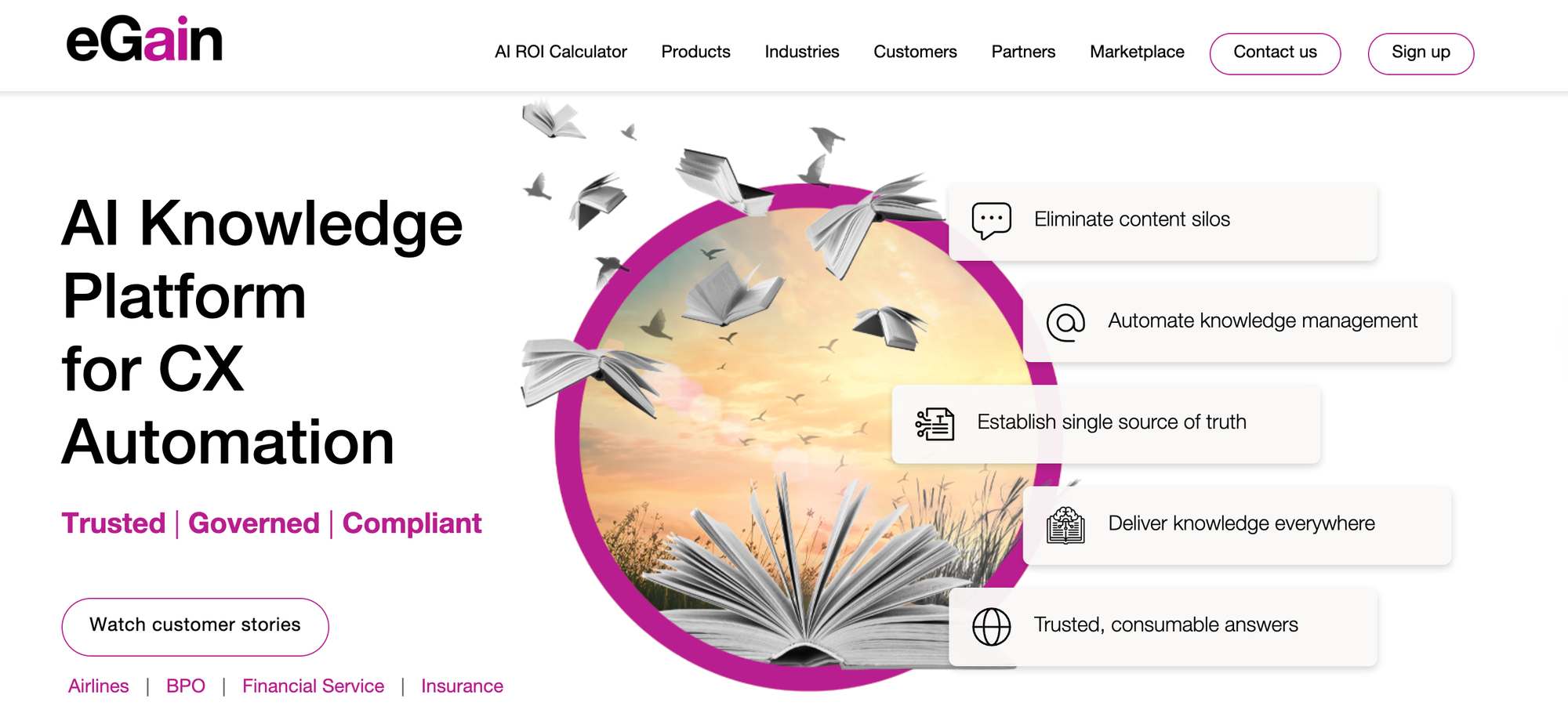
eGain is built for large contact centers in regulated industries, where customer-facing answers are subject to compliance audits. It's designed for banks, insurers, healthcare providers, telecoms, and government agencies, so the product emphasizes knowledge review and approval.
It's an enterprise platform with multiple modules, including a knowledge hub, an AI chatbot, a quality evaluator, channel connectors, and a developer kit. Teams that want a focused knowledge base may find eGain to be too much.
eGain vs Salesforce Knowledge at a Glance
| Feature | eGain | Salesforce Knowledge |
| Content Formats | Articles plus decision trees for guided troubleshooting and step-by-step processes | Static articles only |
| Help Desk Integrations | Works with major contact center platforms, including Amazon Connect, Genesys Cloud, and Salesforce | Native to Salesforce Service Cloud; limited functionality outside the Salesforce ecosystem |
| Workflow Automation | Cobrowse lets agents see and click through a customer's screen during a live session; guides walk agents through the right steps | No workflow automation; knowledge is read-only reference |
| AI Capabilities | AI chatbot for customer self-service, real-time guidance for agents during calls, AI answers with source citations, and automated quality checks on AI responses | Einstein AI for article suggestions and case classification; no process execution capability |
| Customer Self-Service | Built-in AI chatbot for customer self-service across web and digital channels | Requires Experience Cloud (separate product, separate cost) for customer-facing knowledge |
| Analytics & Reporting | Tracks how often AI answers were used, how confident the AI was, how many tickets were avoided, and which agents use AI most | Basic: tracks article views, search terms, and attachment rates to cases |
| Knowledge Maintenance | Formal review and approval workflows for creating, updating, translating, and retiring articles | Manual: versioning and approval workflows exist, but identifying stale content falls on your team |
| Content Creation Experience | WYSIWYG editor with AI-assisted authoring tools | Requires Salesforce admin familiarity; steeper learning curve for nontechnical users |
| Platform Independence | Works with multiple contact center platforms and integrates with major CRM platforms | Tightly coupled to Salesforce; limited value outside the ecosystem |
| Service & Support Model | Enterprise rollout with professional services and industry-tailored setups | Part of broader Salesforce support; knowledge is not the primary focus |
Pros
- Every article goes through a review and approval process before it gets published, and the platform keeps a record of who changed what and when. That's the kind of compliance paper trail banks and healthcare providers need when a regulator asks where an answer came from.
- The same knowledge feeds answers into chat, email, voice, and social channels, so the answer a customer hears on the phone matches what they'd see in a chat or read in an email.
Cons
- The product is sized for big enterprise rollouts. Smaller support teams or mid-market companies often only need a fraction of what eGain sells, making it an expensive option that can be time-consuming to set up.
- The contact center integrations cover the biggest platforms, but not much beyond them. Companies running on anything outside Amazon Connect, Genesys Cloud, or Salesforce will spend more on custom integration work than they would with a more flexible knowledge tool.
Pricing
The eGain AI Knowledge Hub starts at $25/month per user. AI agent usage is priced at an additional $25/month per user or $0.50 per resolution. While connectors cost $249/month per user, additional modules have custom pricing.
Consider the Knowledge Base Solution Purpose-Built for Customer Service Teams
The platforms on this list each solve a different knowledge problem. Some are built for technical documentation, others for cross-team collaboration, others for enterprise contact centers. They handle knowledge well in their own way, but resolving support tickets isn't what they were designed to do.
Stonly is the only platform on this list built specifically to help support teams resolve tickets, with interactive guides, deep help desk integrations, and AI that executes workflows alongside standard articles. Other options help teams find content. Stonly helps them resolve tickets.
If you've been working around the limits of Salesforce Knowledge articles or piecing together a customer service knowledge stack from general-purpose tools, see what Stonly can do. Book a Stonly demo today.