
![5 Best KMS Lighthouse Alternatives [2026 Comparison]](/blog/content/images/2026/05/Blog--KMS-Lighthouse.png)
KMS Lighthouse is a strong knowledge retrieval platform, especially for large contact centers that need agents to find answers fast. Its patented search, structured decision trees, and broad integrations with tools like Salesforce, Zendesk, Genesys, and Microsoft Dynamics have made it popular for enterprise teams that prioritize speed to answer.
But support teams with more complex operational needs often hit a ceiling. The platform is optimized for helping agents find information quickly, which is valuable, but teams that need to execute processes, serve customers directly, or tie knowledge to support outcomes often need more than retrieval alone.
If those gaps are creating friction for your team, there are alternatives designed to close them. The alternatives below are built for support teams, compared by features, strengths, and tradeoffs.
Shortcomings of KMS Lighthouse
While KMS Lighthouse is a capable knowledge retrieval platform with strong search, several limitations lead support teams to explore alternatives:
- Knowledge retrieval without process execution: KMS Lighthouse helps agents find answers quickly, and it does that well. But the knowledge format is fundamentally article-based. For troubleshooting scenarios, multistep processes, or topics where the right answer depends on the customer's situation, agents have to manually read, interpret, and decide which steps apply. Finding the answer and executing the process correctly every time are two different challenges, and Lighthouse is only optimized for the first.
- Built for the enterprise broadly, not customer service specifically: KMS Lighthouse serves a wide range of enterprise verticals (HR, legal, IT, compliance), with customer service as one of several use cases. That breadth often means less depth where support teams need it most: purpose-built ticketing integrations designed for support, customer self-service flows, AI that understands support workflows, and analytics tied to outcomes like handle time and first-contact resolution.
- AI that retrieves answers but can't execute processes: KMS Lighthouse connects knowledge to AI as a content source, so the AI can surface relevant articles. But when the scenario requires branching logic, conditional steps, or multistep processes, unstructured content is the ceiling. The gap opens on the hard tickets, where the right answer depends on context, and the resolution requires following a specific sequence of actions.
- Knowledge maintenance that depends on your team: KMS Lighthouse offers governance workflows and versioning, but the model is reactive. Your team identifies what needs updating and acts on it. Across hundreds of articles and thousands of weekly tickets, that creates an operational burden. Knowledge debt compounds fast, and when content falls out of date, agents go off-script and outcomes suffer.
- Premium pricing with limited admin flexibility: KMS Lighthouse has a premium price point compared to many competitors. Users also report that the permissioning system has a steep learning curve, and limited admin licenses can create bottlenecks when knowledge managers or SMEs need to make updates independently.
With these limitations in mind, here are some alternatives worth evaluating.
Best KMS Lighthouse Alternatives at a Glance
| Solution | Best For |
| Stonly | Support teams that need knowledge agents and customers can actually execute (not just retrieve) with interactive guides, AI that follows processes, and proactive content maintenance |
| eGain | Enterprise contact centers that need even deeper taxonomy controls, formal governance programs, and structured content workflows than what Lighthouse provides |
| Guru | Teams that want verified knowledge pushed into the tools they already use (Slack, Teams, browser) instead of relying on a centralized search portal |
| Zendesk Knowledge | Support teams already on Zendesk that want to consolidate onto their help desk's native KB rather than managing a separate KM platform |
| Document360 | Teams that find KMS Lighthouse too heavyweight for their needs and want a simpler, more affordable knowledge base without enterprise KM complexity |
Stonly
Stonly is a knowledge platform designed around how customer service teams work. It pairs standard articles with adaptive walkthroughs, runs inside your help desk, and uses AI to handle real support work. The platform helps both support agents and customers move from a question to a resolution in one continuous customer interaction, with a user experience built around resolution outcomes.
Turn Static Content Into Guided Resolutions
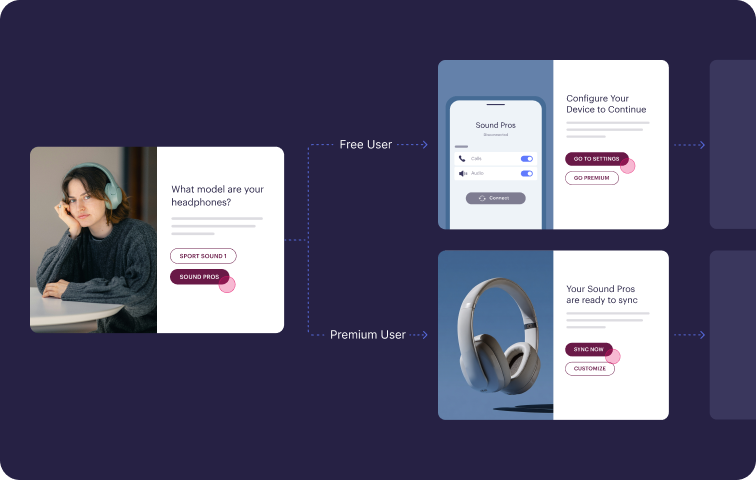
Stonly's editor supports both traditional articles and step-by-step walkthroughs that adapt based on what the user inputs. A single walkthrough can serve dozens of scenarios because it asks targeted questions and routes each person down the path that fits their situation.
This format works well for troubleshooting, multistep procedures, and any topic where the correct response varies by account type, product, or context. Agents and customers see one step at a time, with the system handling the logic of which step comes next. Edge cases that used to require senior reps or escalations become workflows anyone can run.
Embed Workflows Directly in Your Support Stack
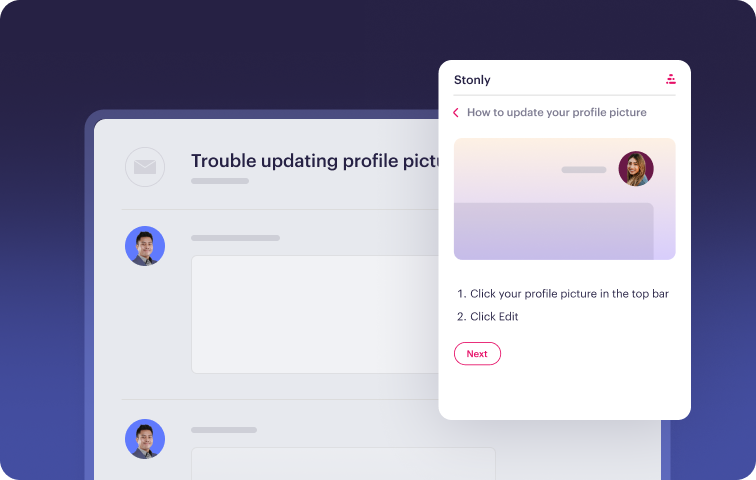
Stonly's integrations with Zendesk, Salesforce, Freshdesk, and ServiceNow go beyond surfacing relevant articles. Walkthroughs open inside the ticket view, read fields from the case to pre-fill or skip questions, and write information back when the agent completes a step. Macros can fire, statuses can change, and custom fields can populate without anyone leaving the help desk.
The benefit is twofold. Agents stay focused in one tool, which speeds up resolution. Every interaction also generates structured data about which paths customers took and where they ran into trouble, which gives your team something concrete to optimize.
Pair AI With Structured Knowledge for Reliable Outcomes
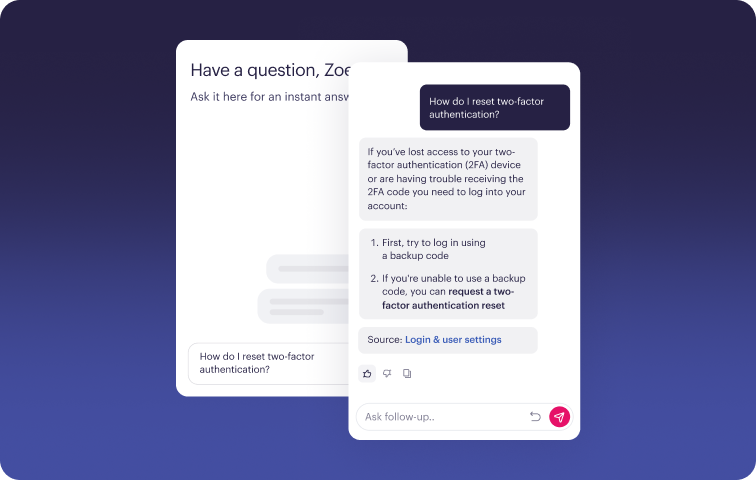
Because Stonly's content includes governed walkthroughs alongside articles, AI has more to work with than a pile of text. AI Agent Assist works in real time with reps, reading the ticket, surfacing the right walkthrough for the situation, drafting a reply, and handling the underlying steps when the case allows. AI Answers powers customer-facing search and chat, asking follow-up questions when a request is ambiguous and stepping users through guided flows when a topic requires a defined sequence.
This produces more dependable answers to harder problems. Generative AI without structure struggles when scenarios become conditional or multistep. Anchoring the model to walkthroughs keeps it on track for those exact cases.
Treat Self-Service as a Primary Channel
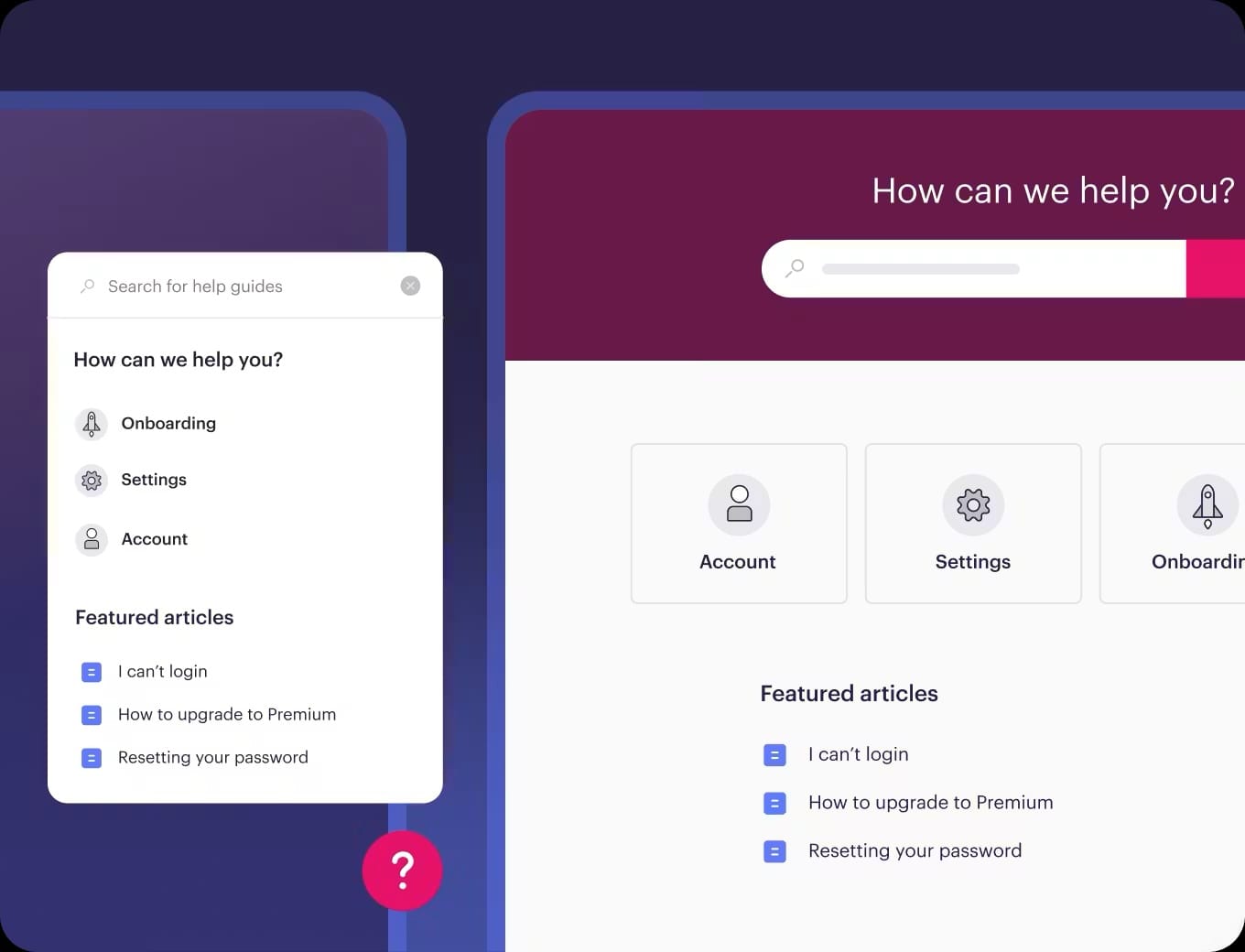
Stonly treats customer-facing experiences as a primary use case in their own right. You can publish a full interactive help center, embed a widget into your website or product, and target content to particular users based on URL, account attributes, or behavior. Triggers, hotspots, and modal prompts help you reach customers before they file a ticket, meeting them where their questions start.
Teams using this approach typically see noticeable drops in contact rate on the topics they target.
Maintain Accuracy Through Continuous Monitoring
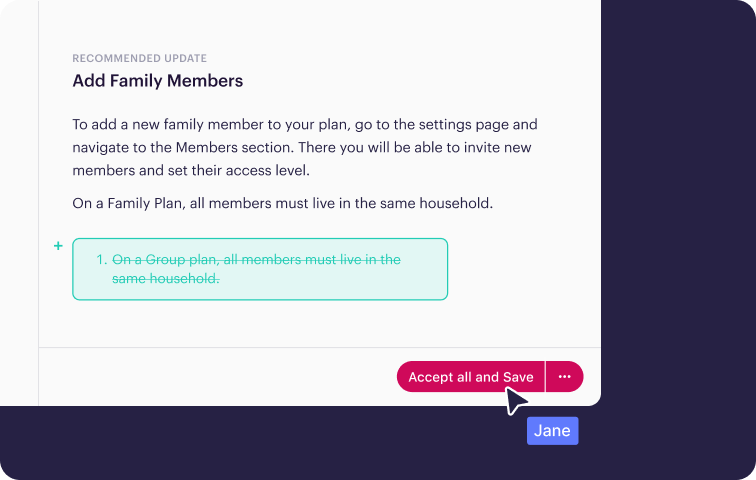
Stonly's AI Knowledge Agents review the ticket stream and underlying source material on an ongoing basis. When they detect a gap, a contradiction between two articles, or a piece of content that no longer reflects how a process works, they surface it for review. Owners get alerts, suggested edits, and a clear queue to work through.
Built-in review cycles, version control, and health scoring on individual pieces of content round out the system. The platform flags what needs attention, and your team decides what to do about it.
Stonly vs KMS Lighthouse at a Glance
| Feature | Stonly | KMS Lighthouse |
| Content Formats | Standard articles + interactive guides with branching logic, decision trees, and step-by-step workflows | Articles, structured snippets, and decision trees; no interactive execution capability |
| Help Desk Integrations | Deep workflow integrations with Zendesk, Salesforce, Freshdesk, ServiceNow; guides surface contextually based on ticket data | Integrations with Salesforce, Zendesk, Freshdesk, Genesys, Microsoft Dynamics; primarily surfaces knowledge for retrieval |
| Workflow Automation | Guides automate actions, capture data, and update tickets on behalf of agents and customers | No workflow automation; knowledge is read-only reference |
| AI Capabilities | AI Agent Assist (reads ticket, finds workflow, generates reply, executes process); AI Answers for search and chat; Knowledge Agents for content maintenance | AI-powered search and article suggestions; no process execution capability |
| Customer Self-Service | First-class use case with interactive flows, embedded widgets, in-app triggers, and no-code targeting | Self-service portal available, but primarily designed around agent-facing use cases |
| Analytics & Reporting | Outcome-focused: tracks resolution, task completion, drop-off, content effectiveness, and knowledge gaps | Usage-focused, with metrics for search terms, article views, and content engagement |
| Knowledge Maintenance | Knowledge Agents proactively flag gaps, outdated content, and inconsistencies; content health monitoring and review workflows | Has governance workflows and versioning, but identifying stale content falls on your team |
| Customer Service Focus | Designed specifically for customer service teams running complex, high-volume support | Serves broad enterprise verticals (HR, legal, IT, customer service) |
| Platform Independence | Works across any ticketing system and CRM; not tied to a single vendor | Broad integration library, including Genesys, Microsoft Dynamics, and major help desks |
| Service & Support Model | Strategic partnership with dedicated PMs and CSMs focused on customer service outcomes | Enterprise support with implementation consulting |
What Real Customers Are Saying About Stonly
"Stonly was easy to work with because the tool is intuitive and simple to deploy. What further sets the platform apart from others is the speed and care with which all my questions were answered. The customer success team instantly responded to my questions, making the setup process smooth and uneventful."
Alexandra LaFarge, Customer Success Manager, Kombo
"Stonly simplifies our complex processes with step-by-step knowledge right where agents and users need support, resulting in a faster and more consistent experience."
Andrea Eskanos, Customer Success Enablement, RemoteLock
Pricing
Custom pricing available upon request.
Move your knowledge from a place where people look things up to a system that drives resolutions, with Stonly's interactive guides, AI-driven workflows, and contextual self-service. Book a Stonly demo today.
eGain
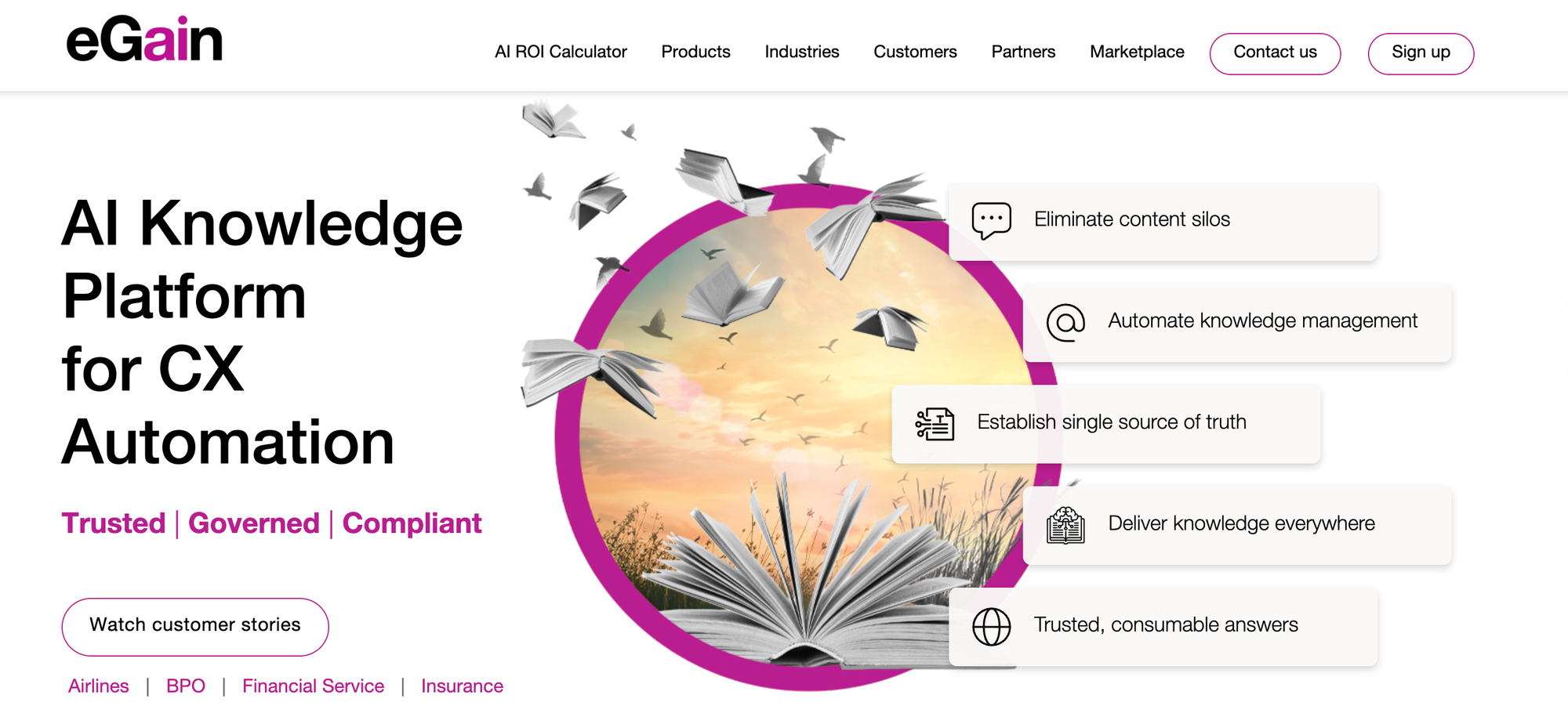
eGain is a long-established enterprise platform that brings serious governance, granular content lifecycle controls, and a sophisticated AI toolset to knowledge management. Its AI knowledge hub centralizes content from across the business and applies structured verification practices to keep answers accurate. That governed content then feeds AI agents for both customer self-service and agent assistance.
That said, the delivery model is portal-based and an article-centric content structure. Because the underlying content is static, the AI can surface relevant material based on a query, but it can't execute the process when a scenario requires branching logic or conditional steps.
eGain vs KMS Lighthouse at a Glance
| Feature | eGain | KMS Lighthouse |
| Content Formats | Articles, structured knowledge pages, and guided workflows with some decision-tree support | Articles, structured snippets, and decision trees; no interactive execution capability |
| Help Desk Integrations | Broad enterprise integrations across Salesforce, ServiceNow, Microsoft Dynamics, and major contact center platforms; native modules for chat, email, and voice | Integrations with Salesforce, Zendesk, Freshdesk, Genesys, Microsoft Dynamics; primarily surfaces knowledge for retrieval |
| Workflow Automation | Multi-agent orchestration across channels and a developer platform for building custom process automation | No workflow automation; knowledge is read-only reference |
| AI Capabilities | AI agents for self-service and contact center, continuous answer quality assurance, connectors that extend knowledge to external AI tools, content generation, and recommendation | AI-powered search and article suggestions; no process execution capability |
| Customer Self-Service | AI agent for customer self-service across web and digital channels; portal-based delivery | Self-service portal available, but primarily designed around agent-facing use cases |
| Analytics & Reporting | Enterprise reporting on containment, deflection, average handle time (AHT), customer satisfaction (CSAT), agent adoption, and answer quality | Usage-focused, with metrics for search terms, article views, and content engagement |
| Knowledge Maintenance | Structured content lifecycle management with verification practices, governance workflows, and quality checks for duplicates and conflicts | Has governance workflows and versioning, but identifying stale content falls on your team |
| Customer Service Focus | Built for customer experience (CX) automation across contact centers, with industry suites for banking, insurance, and government | Serves broad enterprise verticals (HR, legal, IT, customer service) |
| Platform Independence | Connects to many enterprise systems but is heavier to deploy and reconfigure | Broad integration library, including Genesys, Microsoft Dynamics, and major help desks |
| Service & Support Model | Enterprise implementation and consulting services with vertical-tailored deployment models | Enterprise support with implementation consulting |
Pros
- eGain monitors its AI answers after deployment and catches mistakes in real-time, surfacing feedback to content owners as issues come up. If your team works in a regulated space, that gives you a real safety net when generative AI talks to customers or staff.
- eGain can feed its approved content into tools like Copilot, Gemini, Claude, or Cursor. This way, your team gets the same answers across every AI assistant they use.
Cons
- eGain keeps knowledge in a separate portal, so people have to stop what they're doing, look something up, and come back. Every extra step like this chips away at adoption.
- Getting eGain up and running takes time. If your products or policies shift often, expect friction every time you push an update. These friction points are a common reason teams evaluate eGain alternatives, especially those built for complex support with less implementation overhead.
Pricing
The eGain AI Knowledge Hub starts at $25/month per user. AI agent usage is priced at an additional $25/month per user or $0.50 per resolution. While connectors cost $249/month per user, additional modules have custom pricing.
Guru
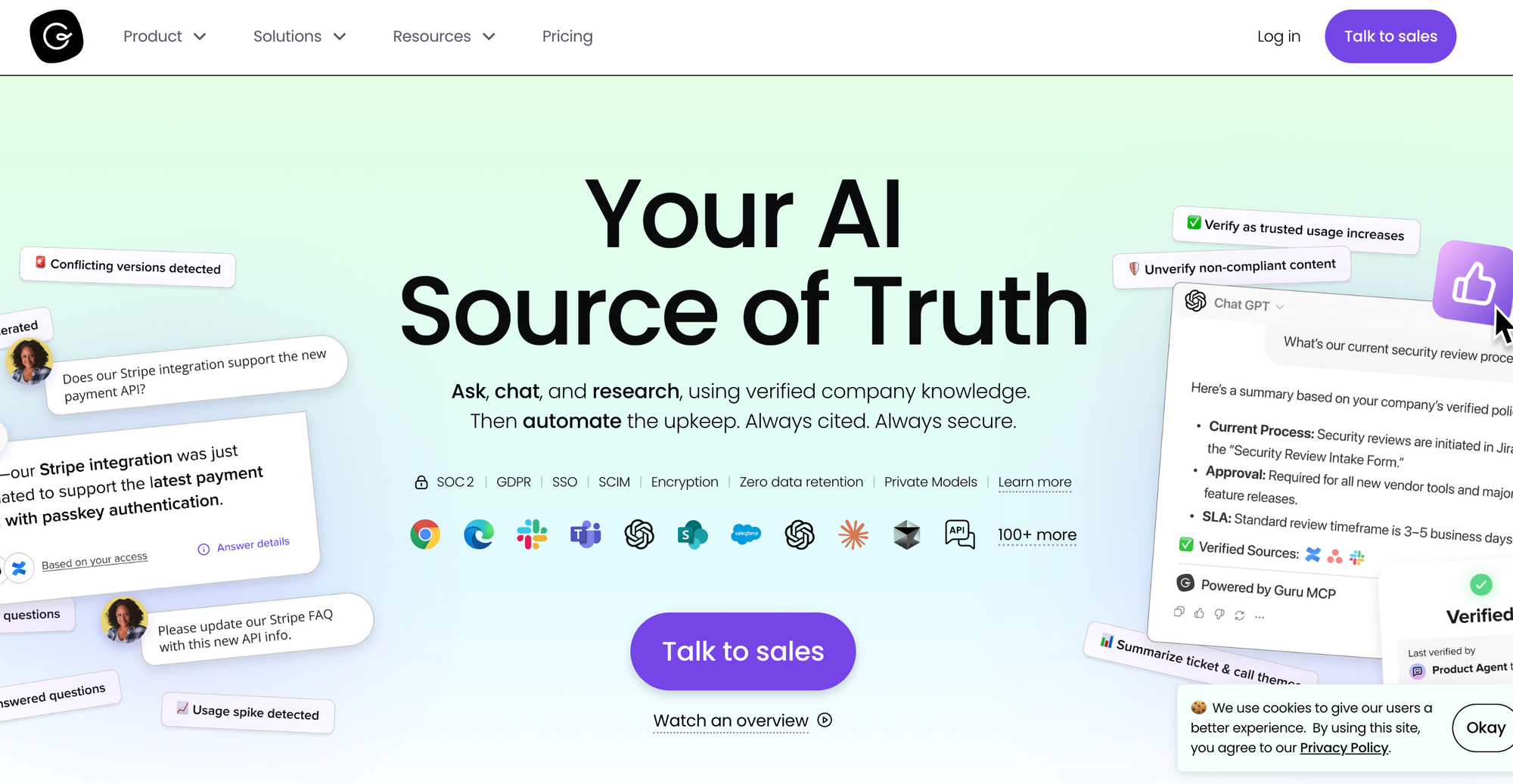
Guru approaches knowledge delivery differently. It pushes verified content into the tools teams already use, including browser tabs, Slack, Microsoft Teams, and help desk apps. The platform centers on bite-sized cards rather than long articles, which keeps lookups fast and gives the AI a focused, well-scoped source to draw from. Team members find answers in seconds, often without leaving the conversation they're working in.
The limitation is reach. Guru serves only internal teams, so customer-facing self-service requires a separate tool. And the card format handles quick answers well, but struggles with complex troubleshooting, where the right step depends on context and a single static card can't guide someone through a multi-step resolution.
Guru vs KMS Lighthouse at a Glance
| Feature | Guru | KMS Lighthouse |
| Content Formats | Short-form cards organized into collections; no interactive branching content | Articles, structured snippets, and decision trees; no interactive execution capability |
| Help Desk Integrations | Surfaces cards inside Zendesk, Salesforce, Freshdesk, and other tools via browser extension and native apps; integrations focus on search and retrieval | Integrations with Salesforce, Zendesk, Freshdesk, Genesys, Microsoft Dynamics; primarily surfaces knowledge for retrieval |
| Workflow Automation | None; integrations help agents find content but don't pass data to tickets or run resolution steps | No workflow automation; knowledge is read-only reference |
| AI Capabilities | AI-powered search and answers grounded in verified cards; card suggestions, content generation, and conversational answers across connected tools | AI-powered search and article suggestions; no process execution capability |
| Customer Self-Service | None; the platform serves internal users only, with no customer-facing help center | Self-service portal available, but primarily designed around agent-facing use cases |
| Analytics & Reporting | Engagement, search, verification status, and card usage metrics | Usage-focused, with metrics for search terms, article views, and content engagement |
| Knowledge Maintenance | Each card has a verified owner who confirms accuracy on a set schedule; the platform sends reminders and flags stale content | Has governance workflows and versioning, but identifying stale content falls on your team |
| Customer Service Focus | Broad horizontal use across teams; customer support is one of several supported functions | Serves broad enterprise verticals (HR, legal, IT, customer service) |
| Platform Independence | Connects to a wide ecosystem of tools through extensions and native integrations | Broad integration library, including Genesys, Microsoft Dynamics, and major help desks |
| Service & Support Model | Guided onboarding and migration assistance | Enterprise support with implementation consulting |
Pros
- Every card has a verified owner who confirms accuracy on a regular cadence, and Guru sends automated reminders when content needs review. As a result, content used for daily reference and employee training stays current without requiring a dedicated knowledge team to chase down updates.
- Card-level permissions let admins control access by group, team, or individual user. This means sensitive content like compensation guidelines, legal policies, or security procedures stays restricted to the people who should see it, even within the same workspace.
Cons
- If you need customer-facing self-service, you'll have to run a second platform and maintain a separate copy of your content.
- Guru's analytics report on card views, search activity, and verification status. Those numbers help knowledge managers but don't tell support leaders whether content resolves tickets, cuts handle time, or deflects requests. For support teams that also need customer-facing tools and outcome-based reporting, other options built for service operations are often the next consideration.
Pricing
Guru has custom pricing based on three components: the platform, the expertise, and the infrastructure.
Zendesk Knowledge
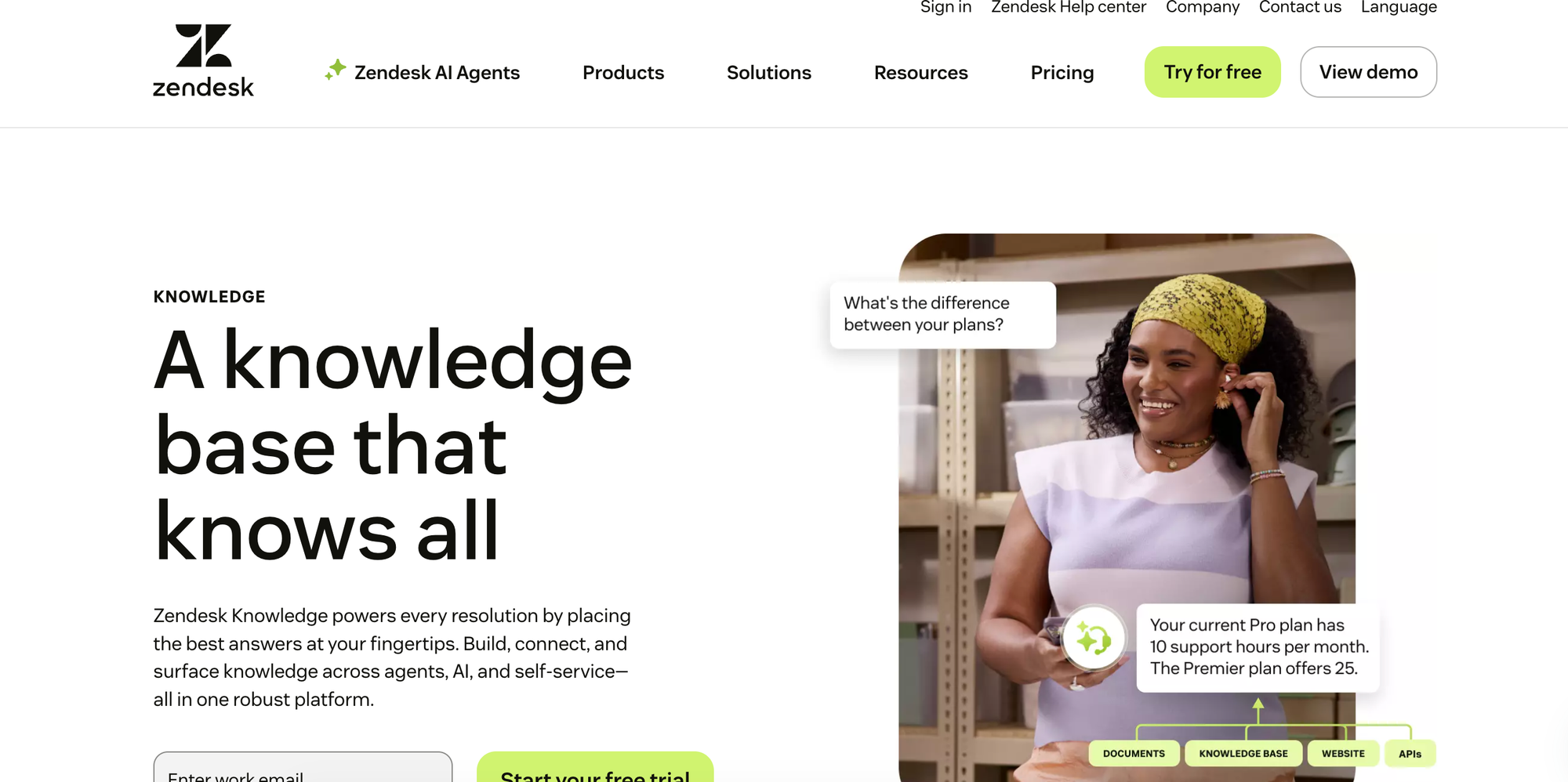
Zendesk Knowledge is the knowledge base built into Zendesk, a widely used customer service help desk. Because the knowledge base, ticketing system, AI agents, and agent workspace all come from the same vendor, content flows naturally from the help center into the tools agents use to resolve cases. Generative search, AI-suggested articles inside the ticket view, and a knowledge builder that turns past conversations into article drafts give support teams a tight loop between answering questions and capturing what they learn.
The tradeoffs are depth and flexibility. The knowledge base supports only static articles, so it can't handle branching scenarios where the right answer depends on a customer's situation. And because the product belongs to the broader Zendesk suite, you anchor your knowledge to one vendor, which makes future platform changes expensive and disruptive.
Zendesk Knowledge vs KMS Lighthouse at a Glance
| Feature | Zendesk Knowledge | KMS Lighthouse |
| Content Formats | Static articles only; no native support for interactive guides, decision trees, or branching content | Articles, structured snippets, and decision trees; no interactive execution capability |
| Help Desk Integrations | Native to the Zendesk help desk; articles surface automatically in the agent workspace based on ticket context | Integrations with Salesforce, Zendesk, Freshdesk, Genesys, Microsoft Dynamics; primarily surfaces knowledge for retrieval |
| Workflow Automation | Process automation around knowledge through triggers, macros, and application programming interfaces (APIs) inside the Zendesk help desk | No workflow automation; knowledge is read-only reference |
| AI Capabilities | Generative search, AI agents for self-service, agent-facing copilot, and a knowledge builder that drafts articles from past tickets; advanced AI features require add-ons | AI-powered search and article suggestions; no process execution capability |
| Customer Self-Service | Hosted help center with web widget and AI agents available across customer channels | Self-service portal available, but primarily designed around agent-facing use cases |
| Analytics & Reporting | Content views, search trends, and agent usage; advanced AI and search reporting available with add-ons | Usage-focused, with metrics for search terms, article views, and content engagement |
| Knowledge Maintenance | Standard versioning and review workflows; AI knowledge builder surfaces gaps based on ticket patterns | Has governance workflows and versioning, but identifying stale content falls on your team |
| Customer Service Focus | Designed for customer service teams; broadly used across industries and company sizes | Serves broad enterprise verticals (HR, legal, IT, customer service) |
| Platform Independence | Knowledge base is tightly coupled to the Zendesk suite; limited use outside the Zendesk ecosystem | Broad integration library, including Genesys, Microsoft Dynamics, and major help desks |
| Service & Support Model | Self-serve onboarding with paid professional services for migrations and advanced configuration | Enterprise support with implementation consulting |
Pros
- Triggers, macros, and APIs let teams automate workflows around their knowledge content, like assigning a ticket when a customer views a particular article or sending a follow-up macro after an agent shares a guide. That level of automation rarely comes built into a knowledge base. It's a benefit of being part of a full help desk suite.
- Native AI agents resolve customer questions across web chat, messaging apps, email, and voice using articles from the help center as their source. The same knowledge base that supports your agents also powers customer self-service across every channel without separate setup.
Cons
- Tying your knowledge to the Zendesk ecosystem creates vendor lock-in. Migrating to another help desk later means rebuilding your knowledge base from scratch, and that risk shapes every downstream decision your team makes about its support stack.
- Customizing the look, feel, or functionality usually requires custom code and developer time. Teams without engineering resources have to accept the default experience or pay outside vendors to make changes that admin tools could handle on a more flexible platform. Lock-in and limited customization are the main reasons teams explore alternatives that work across help desks.
Pricing
Zendesk Knowledge is included in Zendesk's Suite Team tier, which starts at $55/month per agent (billed annually). Tools like copilot, contact center, and workforce engagement are billed as separate add-ons.
Document360
Document360 is a knowledge base platform built around clean authoring, fast setup, and a broad set of AI tools available across its plans. Its ease of use makes it a popular choice for small teams and startup companies that want to launch a knowledge base without a long implementation. The platform handles internal and external content from a single workspace, with an AI chatbot, an AI writing assistant, automatic FAQ and glossary generation, and a ticket deflector widget that tracks how often customers find answers before reaching out.
The limitation is depth. The core content model centers on articles, and the interactive decision tree feature is gated to higher-tier plans. Help desk integrations surface content from inside support tools but stop short of driving the workflow itself, with no two-way ticket data flow and no automated actions.
Document360 vs KMS Lighthouse at a Glance
| Feature | Document360 | KMS Lighthouse |
| Content Formats | Articles and videos, with basic decision trees available only on enterprise plans | Articles, structured snippets, and decision trees; no interactive execution capability |
| Help Desk Integrations | Integrates with Zendesk, Freshdesk, Intercom, Drift, Slack, and Teams for article search and sharing | Integrations with Salesforce, Zendesk, Freshdesk, Genesys, Microsoft Dynamics; primarily surfaces knowledge for retrieval |
| Workflow Automation | None inside support tools; content surfaces in agent workflows but doesn't read or write ticket data | No workflow automation; knowledge is read-only reference |
| AI Capabilities | AI-powered search, AI chatbot, AI writing assistant, article summarizer, FAQ and glossary generators, and duplicate content detection | AI-powered search and article suggestions; no process execution capability |
| Customer Self-Service | Hosted help center with embeddable widget, Chrome extension, ticket deflector, and conditional content blocks by reader group, country, device, or date | Self-service portal available, but primarily designed around agent-facing use cases |
| Analytics & Reporting | Article, reader, search, and team activity analytics; ticket deflector reporting and broken link detection | Usage-focused, with metrics for search terms, article views, and content engagement |
| Knowledge Maintenance | Version control, review workflows, broken link detection, and AI-assisted duplicate content detection | Has governance workflows and versioning, but identifying stale content falls on your team |
| Customer Service Focus | Broad documentation focus across software, support, and product teams; customer service is one of several use cases | Serves broad enterprise verticals (HR, legal, IT, customer service) |
| Platform Independence | Works across any ticketing system and CRM via standard integrations and widgets | Broad integration library, including Genesys, Microsoft Dynamics, and major help desks |
| Service & Support Model | Self-serve with standard support; dedicated account manager available on higher-tier plans | Enterprise support with implementation consulting |
Pros
- Document360 gives teams substantial control over the help center experience, including custom domains, themes, localization in 50+ languages, and dedicated workspaces for multiple products or audiences. The published help center can match your brand and product structure without engineering work.
- Conditional content blocks let authors show different versions of a page based on reader group, country, device, or date. For example, the same article can serve enterprise customers one way and free users another, or show region-tailored instructions to readers in different countries, without maintaining separate copies.
Cons
- Help desk integrations make content searchable inside Zendesk, Freshdesk, and similar tools, but they don't pass ticket data into knowledge flows or trigger actions back in the help desk. So agents look something up and switch context to do the work, which slows resolution on harder cases.
- The platform's core design centers on traditional documentation, which leaves gaps for customer service operations. Support teams that need ticket-data-driven guidance, AI that runs resolution workflows, or analytics tied to handle time and deflection may find the product comes up short as their needs grow. As support needs grow, teams in this position often compare Document360’s alternatives that center on service workflows.
Pricing
Document360 has three tiers, each with custom pricing. Features like step-by-step user guides are included in the AI premium suite, which is a separate add-on.
Consider The Knowledge Base Solution Purpose-Built for Customer Service Teams
While KMS Lighthouse works for HR, legal, IT, and customer service, most of its alternatives are designed for general knowledge management or documentation. Support is just one of several use cases. Stonly takes a different approach by designing every capability around how customer service teams operate.
Stonly combines a full-featured knowledge base with interactive guides that adapt to each customer's situation. Direct integrations with major help desks let those guides run inside the ticket view, AI handles resolution work end-to-end for both agents and customers, and proactive monitoring keeps content accurate as your products and policies change.
A hands-on partnership with product managers and customer success managers (CSMs) supports your team through content architecture, adoption, and ROI.
If you're looking for a KMS Lighthouse alternative with depth in customer service, Stonly is the knowledge management solution that delivers the interactive content, workflow automation, AI capabilities, and outcome-based analytics that support teams need. Book a Stonly demo today.