
Confluence is a widely used documentation and wiki platform, especially for teams already in the Atlassian ecosystem. But like any tool, it has its limitations.
Some teams have noted frustrations with its restriction to long-form wiki pages for complex processes that require different steps for different scenarios, knowledge that stays in a separate browser tab rather than inside the tools where work happens, and manual maintenance processes that lead to stale content. Others point to an editing experience that feels heavy for non-technical teams, search that struggles to surface the right page across large instances, and rising costs compounded by the data center end-of-life timeline.
There are several strong alternatives depending on how your team uses Confluence, which we'll be covering in this article. For each tool, we'll examine how its key features stack up against Confluence, the pros and cons of each, pricing, and much more.
Shortcomings of Confluence
While Confluence remains widely used, several limitations push current users and prospective buyers to explore alternatives:
- Knowledge is pages of prose instead of actionable guidance: Confluence stores knowledge as long-form wiki pages. For support teams dealing with complex troubleshooting or multi-step processes, agents have to read a page, figure out which parts apply to their situation, and decide what to do next. That gap between reading and doing creates inconsistency and adds time to every ticket.
- Built for general team documentation rather than specific workflows: Engineering, product, HR, legal, and support all use the same tool. That breadth means Confluence was never designed around the specific integrations, analytics, or outcomes that support operations, knowledge management, or project teams need. Support teams, for example, leave their ticketing system to open a browser tab, search for the page they need, and come back.
- Knowledge maintenance is entirely manual: Confluence offers page versioning and review reminders, but keeping content accurate is fundamentally a person's job. Someone has to own it, check it, and update it. In fast-moving environments, that process gets deprioritized, pages go stale, and people stop trusting the content.
- AI that searches the wiki, not one that executes processes: Confluence has AI search and summarization features (via Atlassian Intelligence and Rovo) that help users find relevant pages faster. But when a scenario requires branching logic, conditional steps, or multi-system actions, surfacing a page still leaves the agent to do the work.
- Editor performance and complexity: The editing experience can feel heavy, particularly for non-technical teams. Macro dependencies, nested page hierarchies, and formatting quirks slow content creation down and make ongoing maintenance harder than it should be.
- Rising costs and ecosystem lock-in: Confluence pricing has climbed steadily in recent years, and once your documentation lives in the platform, you're often pulled into the broader Atlassian ecosystem. For self-hosted teams, the sunsetting of Confluence Data Center is also forcing platform decisions sooner rather than later.
- Search that doesn't keep up: Teams with large Confluence instances consistently report that search fails to surface the page they need, especially when content spans many spaces. This becomes a bigger issue as the knowledge base grows and more teams contribute.
With this in mind, let's take a look at the alternatives to Confluence. We'll break the list into three categories: knowledge base alternatives for customer support teams, team wiki and internal documentation alternatives, and project management and documentation alternatives.
Knowledge Base Alternatives for Customer Support Teams
If your team uses Confluence to manage internal support knowledge (the processes, troubleshooting steps, and policies your agents rely on to handle tickets), these platforms are designed for that job.
Stonly
Stonly is a knowledge base platform built for high-volume customer service teams. It turns internal processes, policies, and troubleshooting steps into interactive guides that agents follow inside the ticketing systems they already use. Teams that want to extend the same content externally can also publish help centers, self-serve guides, and the AI Answers chatbot.
Build Interactive Guides That Adapt to Each Scenario
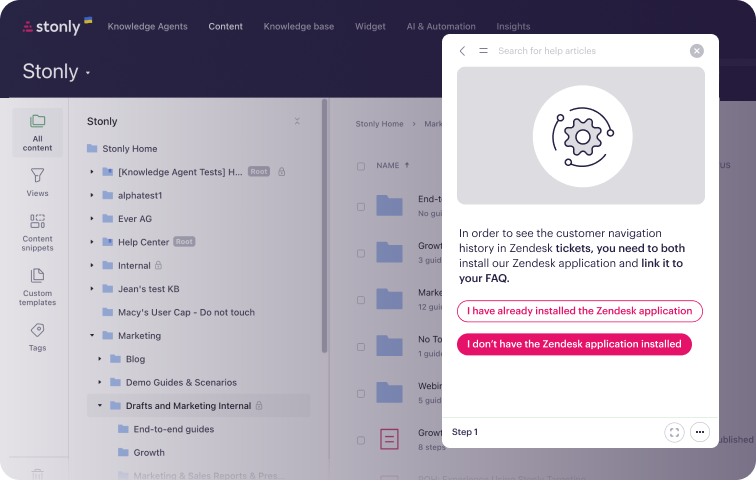
Stonly lets you create standard articles alongside interactive guides that walk agents through a resolution step by step. Branching logic and conditional paths tailor each guide to the ticket at hand, so agents always see the steps that apply to their situation.
This structure removes the interpretation work that wiki pages demand. Instead of deciding which parts of an article apply, agents move through the steps that fit the ticket in front of them. Every agent works from the same process, no matter how complex the issue.
Surface the Matching Guide Inside the Ticketing System
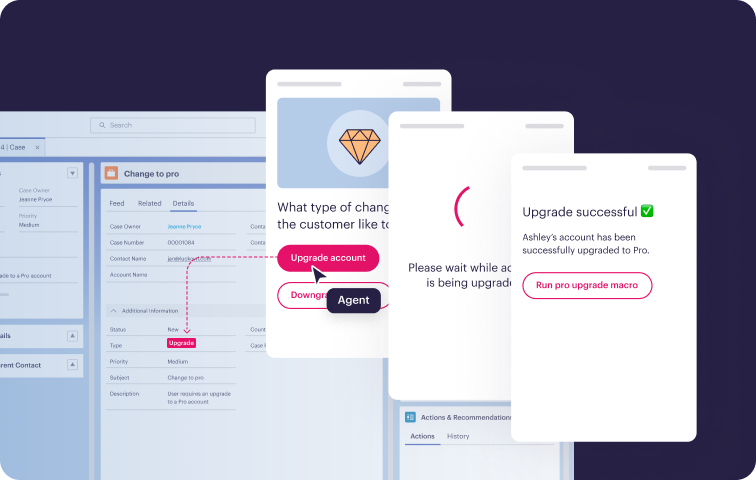
Through deep integrations with Zendesk, Salesforce, Freshdesk, and ServiceNow, Stonly puts guidance directly in the agent console. Guides open from ticket data, pull details to skip irrelevant steps, and push information back to update the ticket. Agents can even trigger macros without leaving the ticket view.
Your knowledge becomes an active part of resolving tickets living inside the agent console instead of a separate tab. Agents get the guidance they need without breaking their workflow, and completed guide steps feed accurate data back into the ticket record.
Let AI Execute the Full Process
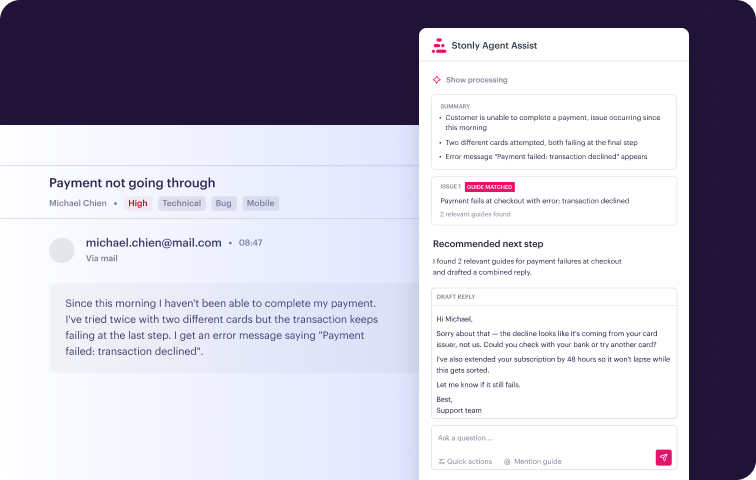
Stonly's AI Agent Copilot reads each incoming ticket, finds the matching workflow, and generates a reply agents can send in one click. For many scenarios, it can complete the resolution steps itself.
The AI draws on structured, governed knowledge, which helps it handle complex tickets with branching steps or policy rules. Where a search tool would return a page for the agent to read, Stonly's AI works the process through to resolution.
Keep Knowledge Accurate With Built-In Maintenance
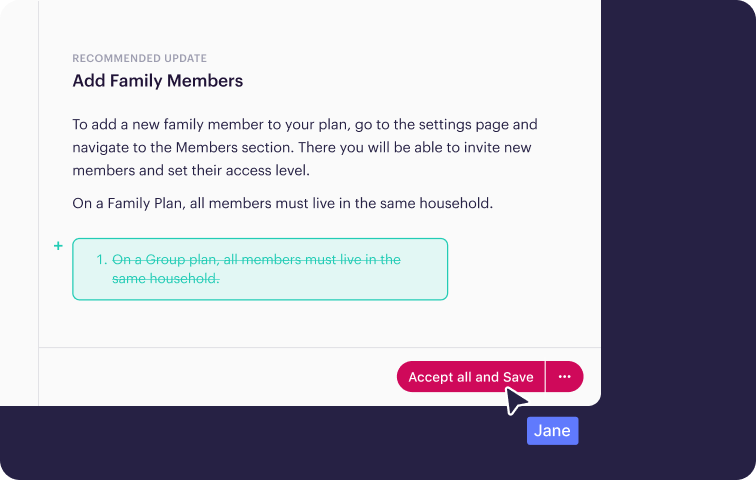
With Stonly, keeping content accurate no longer depends on someone's review calendar. Knowledge Agents monitor every incoming ticket and every change to your connected source documents. They flag gaps, outdated content, and inconsistencies automatically.
Review workflows and content health monitoring help your team close those gaps quickly. Analytics then connect your knowledge to outcomes like handle time and process adherence, so you can see which guides work and which need attention.
Stonly vs Confluence at a Glance
| Feature | Stonly | Confluence |
| Content Formats | Articles and interactive guides, decision trees, checklists, in-app walkthroughs | Wiki pages and live docs, plus whiteboards, databases, and embedded video |
| Help Desk Integrations | Deep integrations with Zendesk, Salesforce, Freshdesk, ServiceNow (guides surface contextually based on ticket data) | Native integration with Jira Service Management only, so agents in other help desks tab-switch to find content |
| AI Capabilities | Agent Copilot (reads ticket, executes process, generates reply), Knowledge Agents for gap detection, AI Answers for customer-facing use | Rovo AI for search, chat, content creation, and agents (included in paid plans, with usage limits by tier) |
| Content Delivery | Embedded in-app, in-workflow, or on key pages via widgets and contextual triggers | Content lives in a separate wiki, so users must navigate to it |
| Analytics | Tied to support outcomes like handle time, resolution, process adherence, content health | Page insights on Standard; site, space, and page analytics on Premium |
| Knowledge Maintenance | Automated: Knowledge Agents monitor tickets and source docs, flag gaps and outdated content | Manual: page versioning and review reminders |
| Agent Experience | Guided workflows surface inside the agent console based on ticket data, so agents follow steps, not pages | Agents leave the ticketing system, open a browser tab, search for the page they need, and come back |
| Authoring Experience | Built for SMEs and knowledge managers, so no admin training is required | Wiki editor with macro dependencies, which can feel heavy |
Stonly Customer Reviews
"We wouldn’t be able to live without Stonly. There are no other tools that have the same step-by-step guide capability combined with the ease of setup, AI features, and integrations available."
Alex Arkhipov, Care Operations, Tonal
"Stonly is more than just a good product. It enables our customers to find answers faster and agents to become experts in specific areas to improve our customer experience even further. What sets the platform apart is Stonly’s customer-first mentality, which is even more impressive than the product."
Marco Ricciardi, Senior Program Manager, Personio
"Stonly's unique step-by-step format helps me create brief, clear, and relevant guidance for our most sophisticated customer scenarios."
Daniel Avissar, Knowledge Manager and Technical Writer, CyCognito
Pricing
Custom pricing available upon request.
Give your support agents knowledge they can follow to a resolution instead of pages they have to interpret. Get a Stonly demo today.
Guru
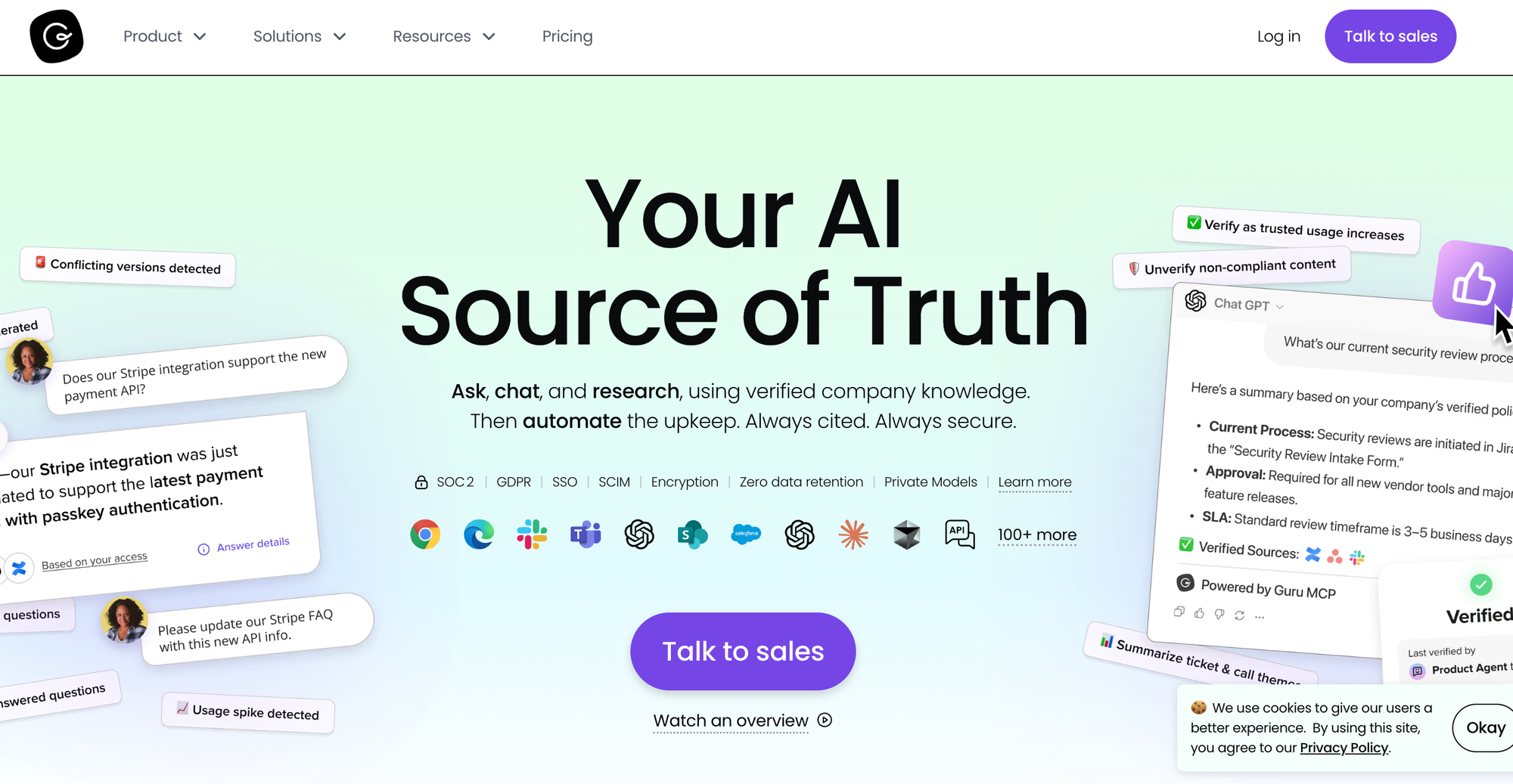
Guru is an AI knowledge platform that turns scattered company content into one governed knowledge source. It connects to more than 100 tools, indexes the content it finds there, and structures it into verified, permission-aware knowledge. Teams then get cited answers through search, chat, a browser extension, and integrations with apps like Slack and Microsoft Teams.
Guru vs Confluence at a Glance
| Feature | Guru | Confluence |
| Content Formats | Cards organized into collections (bite-sized articles) | Wiki pages and live docs, plus whiteboards, databases, and embedded video |
| Help Desk Integrations | Browser extension and app integrations deliver cards and suggested answers in tools like Zendesk and Salesforce | Native integration with Jira Service Management only, so agents in other help desks tab-switch to find content |
| AI Capabilities | Knowledge Agents for cited Q&A, deep research, guided conversations, and automated content upkeep | Rovo AI for search, chat, content creation, and agents (included in paid plans, with usage limits by tier) |
| Content Delivery | Available across work apps via browser extension, Slack, and Microsoft Teams (internal knowledge only) | Content lives in a separate wiki, so users must navigate to it |
| Analytics | Usage, search, engagement, and verification dashboards | Page insights on Standard; site, space, and page analytics on Premium |
| Knowledge Maintenance | Automated verification with expert review workflows and auto-archival | Manual: page versioning and review reminders |
| Agent Experience | Agents search or receive suggested cards in their tools, then interpret and apply the answer | Agents leave the ticketing system, open a browser tab, search for the page they need, and come back |
| Authoring Experience | WYSIWYG editor for bite-sized cards, plus AI-assisted drafting | Wiki editor with macro dependencies, which can feel heavy |
Pros
- Teams connect Guru to the tools where their content already exists, and Guru then answers questions from those sources directly. Nobody has to migrate content into a new platform before seeing value.
- An assigned expert verifies each Guru card on a set schedule, and the visible verification status gives readers transparency into whether an answer is current.
Cons
- Guru's card format favors quick answers over step-by-step processes. When a procedure varies by customer situation, agents still read the card and work out which steps apply.
- Teams can't publish Guru's knowledge base on a custom domain or restyle it with custom HTML and CSS, which limits branding options for anyone who wants a branded experience.
Pricing
Guru has custom pricing.
Document360

Document360 is a knowledge base platform that helps small teams and growing companies build documentation sites, from customer help centers to internal wikis and software manuals. Writers create and manage content in a dedicated portal, then publish it to a branded, searchable site for readers. An AI assistant answers reader questions conversationally and helps writers draft content.
Document360 vs Confluence at a Glance
| Feature | Document360 | Confluence |
| Content Formats | Articles (markdown or WYSIWYG) plus an interactive decision tree feature | Wiki pages and live docs, plus whiteboards, databases, and embedded video |
| Help Desk Integrations | Integrations with tools like Zendesk and Intercom put articles in the ticket view and suggest relevant content | Native integration with Jira Service Management only, so agents in other help desks tab-switch to find content |
| AI Capabilities | Eddy AI for search, chatbot answers, article summaries, and AI-assisted writing | Rovo AI for search, chat, content creation, and agents (included in paid plans, with usage limits by tier) |
| Content Delivery | Hosted help center with full control over branding, embeddable knowledge base widget, and ticket deflector | Content lives in a separate wiki, so users must navigate to it |
| Analytics | Article performance, reader behavior, search reporting, and ticket deflection tracking | Page insights on Standard; site, space, and page analytics on Premium |
| Knowledge Maintenance | Manual, with custom review workflows, revision history, and automated broken-link and duplicate-content checks | Manual: page versioning and review reminders |
| Agent Experience | Agents read suggested articles in the ticket view and decide how to apply them | Agents leave the ticketing system, open a browser tab, search for the page they need, and come back |
| Authoring Experience | Markdown and advanced WYSIWYG editors with templates, snippets, and reusable variables | Wiki editor with macro dependencies, which can feel heavy |
Pros
- Document360's AI Writing Agent turns videos, audio files, and rough prompts into structured articles, which speeds up documentation for teams starting from scattered source material.
- Product teams can generate developer documentation directly from OpenAPI specification files and manage it in the same platform as their help center.
Cons
- Document360 treats interactive decision trees as one feature among many rather than the core content model, so most knowledge still takes the form of articles that readers interpret on their own.
- Articles in Document360 can't trigger actions in other systems. An agent who finds the correct steps still performs them all by hand, including updates to the ticket itself.
Pricing
Document360 has custom pricing.
Bloomfire

Bloomfire is a knowledge management platform that combines a central knowledge hub with AI-powered enterprise search. It connects to more than 25 content sources, so employees can ask a question and get a sourced answer that pulls from documents across the company. The platform serves every department, from HR and legal to sales and customer support.
Bloomfire vs Confluence at a Glance
| Feature | Bloomfire | Confluence |
| Content Formats | Articles, Q&A posts, and more than 25 file types including audio and video | Wiki pages and live docs, plus whiteboards, databases, and embedded video |
| Help Desk Integrations | Integrations with tools like Zendesk and Salesforce let agents search and create content from those systems | Native integration with Jira Service Management only, so agents in other help desks tab-switch to find content |
| AI Capabilities | Conversational AI grounded in approved content with hallucination detection, plus AI authoring and summarization | Rovo AI for search, chat, content creation, and agents (included in paid plans, with usage limits by tier) |
| Content Delivery | Central knowledge hub, with search access from connected tools like Slack, Teams, and Salesforce | Content lives in a separate wiki, so users must navigate to it |
| Analytics | Search queries, answer engagement, source clicks, and content gap reporting | Page insights on Standard; site, space, and page analytics on Premium |
| Knowledge Maintenance | Automated monitoring flags outdated, duplicate, and conflicting content, with approval workflows and role-based access controls | Manual: page versioning and review reminders |
| Agent Experience | Agents search the hub or connected apps for answers, then apply what they find | Agents leave the ticketing system, open a browser tab, search for the page they need, and come back |
| Authoring Experience | Post editor with AI-assisted drafting and summaries, designed for broad contribution | Wiki editor with macro dependencies, which can feel heavy |
Pros
- Bloomfire can require employees to confirm they've read critical content and test comprehension with knowledge checks, giving managers a timestamped audit trail without manual follow-up.
- Its AI answers only from approved content and flags conflicts between sources before responding, which makes the answers easier to trust.
Cons
- Bloomfire stores knowledge as posts and files. For processes that branch by customer situation, agents read the full post and determine the correct path on their own.
- Teams that want customer self-service get a basic external portal rather than a help center they can embed in their product. Bloomfire's focus stays on internal knowledge sharing.
Pricing
Bloomfire has custom pricing.
Team Wiki and Internal Documentation Alternatives
If your team primarily uses Confluence as a company-wide wiki for meeting notes, internal documentation, process guides, and team collaboration, these tools provide a lighter, faster, and often more intuitive experience.
Notion
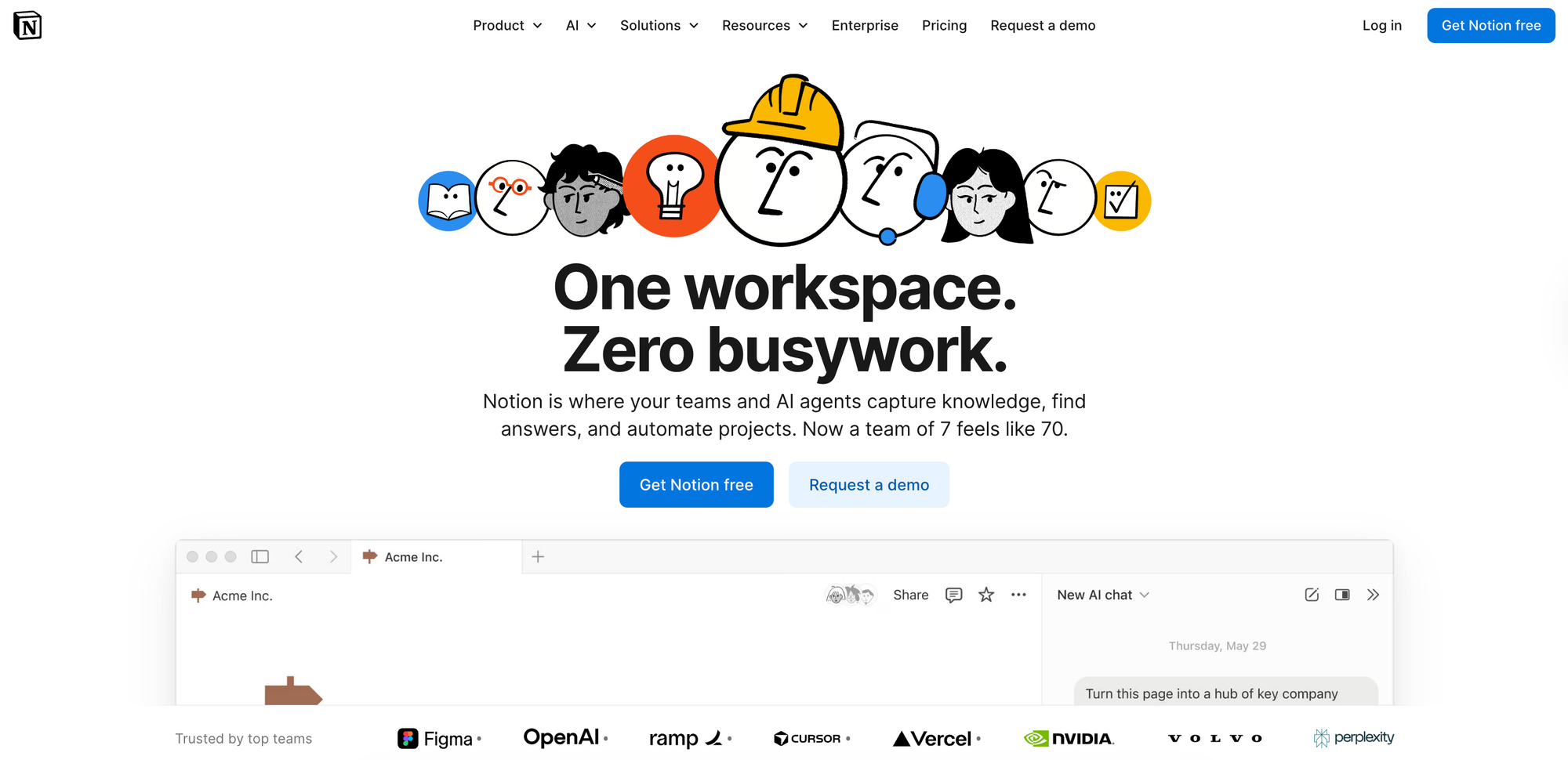
Notion is a popular Confluence replacement for teams that want a lighter, more flexible workspace. Its block-based editor lets writers combine text, media, and structured data on a single page, and its databases turn collections of pages into sortable, filterable views like a project tracker or content calendar. AI features add cross-app search, writing assistance, and agents that automate routine work.
Notion vs Confluence at a Glance
| Feature | Notion | Confluence |
| Editor Experience | Block-based, lightweight, flexible | Wiki-style with macro dependencies |
| Content Organization | Nested pages, databases, templates | Spaces and pages hierarchy |
| Search & AI | AI-powered search, summarization, Q&A (Business plan) | Rovo AI for search, chat, content creation, and agents (included in paid plans, with usage limits by tier) |
| Collaboration | Real-time co-editing, inline comments, mentions | Real-time co-editing, inline comments, mentions |
| Templates | Large template gallery, custom templates | 75+ built-in templates, with more on the Atlassian Marketplace |
| Pricing | Free, Plus $10/user/mo, Business $20/user/mo, Enterprise | Free (up to 10 users), Standard $16,500/year (201–300 users), Premium $31,500/year (201–300 users), Enterprise |
Pros
- Notion's AI agents can create and update pages on schedules or triggers, so routine documentation like a recurring report gets written without anyone prompting it.
- Page owners can mark wiki content as verified and set an expiration date on that status, so readers know at a glance which documentation is current and which needs review.
Cons
- Notion enforces no standard content structure, so each team must set its own conventions for where pages go and who maintains them. Without that discipline, duplicates and abandoned drafts accumulate and clutter search results.
- The platform has no native help desk integrations, so support agents have to read documentation in one tab and work tickets in another.
Slite
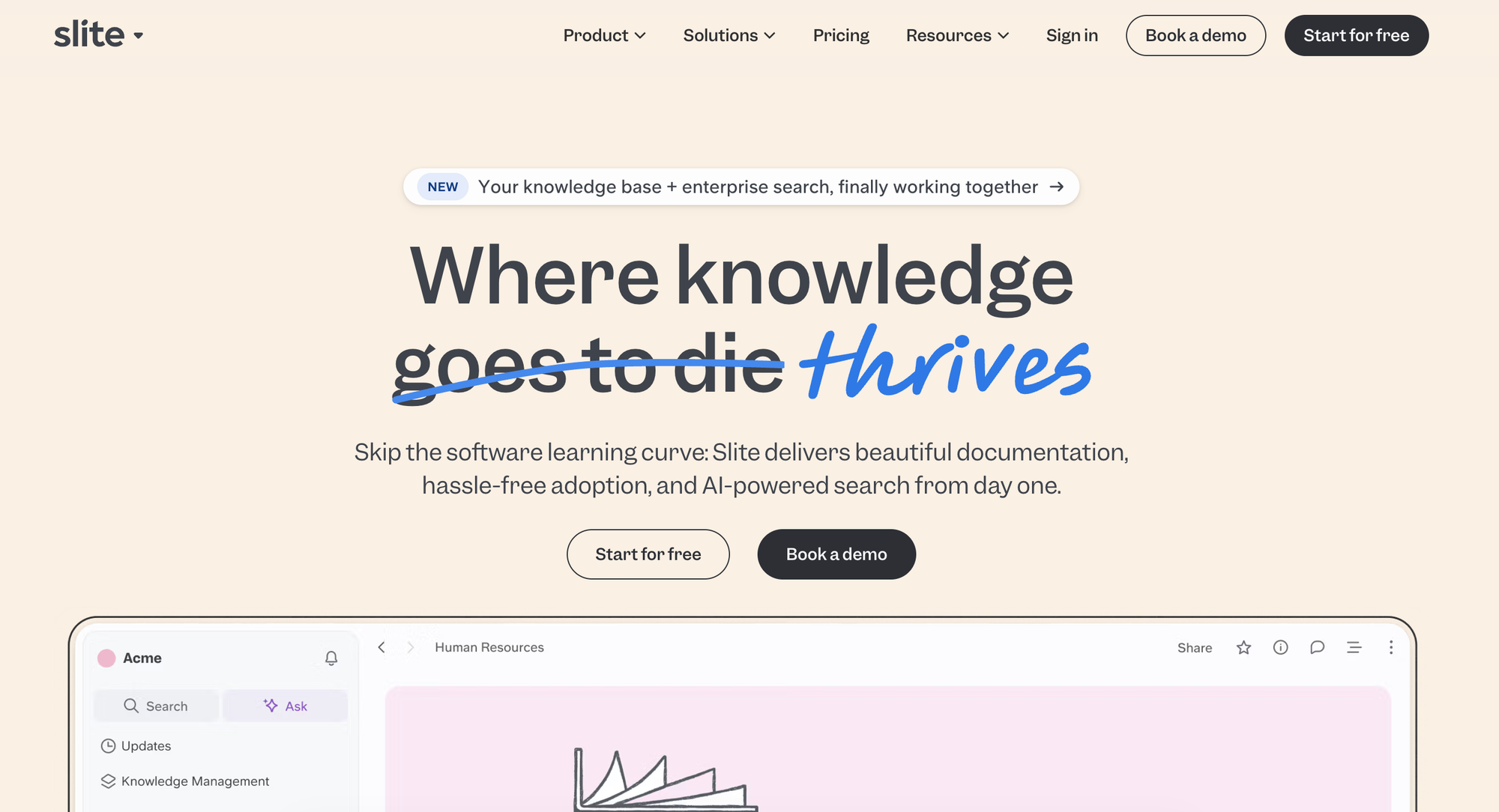
Slite is an internal knowledge base for documenting company processes, policies, and know-how. The platform's focus is keeping that content accurate over time. An AI agent monitors connected tools for changes, proposes doc updates, and routes each one to an expert for approval.
Slite vs Confluence at a Glance
| Feature | Slite | Confluence |
| Editor Experience | Clean, lightweight editor built for ease of use, with no training required | Wiki-style with macro dependencies |
| Content Organization | Channels with nested docs and collections | Spaces and pages hierarchy |
| Search & AI | AI search with cited answers across Slite and connected tools like Slack, Google Drive, and GitHub | Rovo AI for search, chat, content creation, and agents (included in paid plans, with usage limits by tier) |
| Collaboration | Real-time co-editing, comments, and mentions | Real-time co-editing, inline comments, mentions |
| Templates | Template library for common doc types | 75+ built-in templates, with more on the Atlassian Marketplace |
| Pricing | Basic $10/user/mo, Pro $20/user/mo, Enterprise | Free (up to 10 users), Standard $16,500/year (201–300 users), Premium $31,500/year (201–300 users), Enterprise |
Pros
- Slite can spot recurring support ticket topics that have no matching doc and draft the missing guide for an expert to review.
- Teams can plug outside AI assistants like Claude and Cursor into their verified Slite docs, so every tool answers from the same approved knowledge.
Cons
- Slite's agent drafts updates but never publishes them on its own. An expert reviews and approves each change, so freshness ultimately depends on how quickly those reviewers respond.
- Docs in Slite hold text, media, and basic tables but nothing more structured. Teams that keep reference content in databases or custom page layouts have to rebuild it as ordinary text documents.
Nuclino
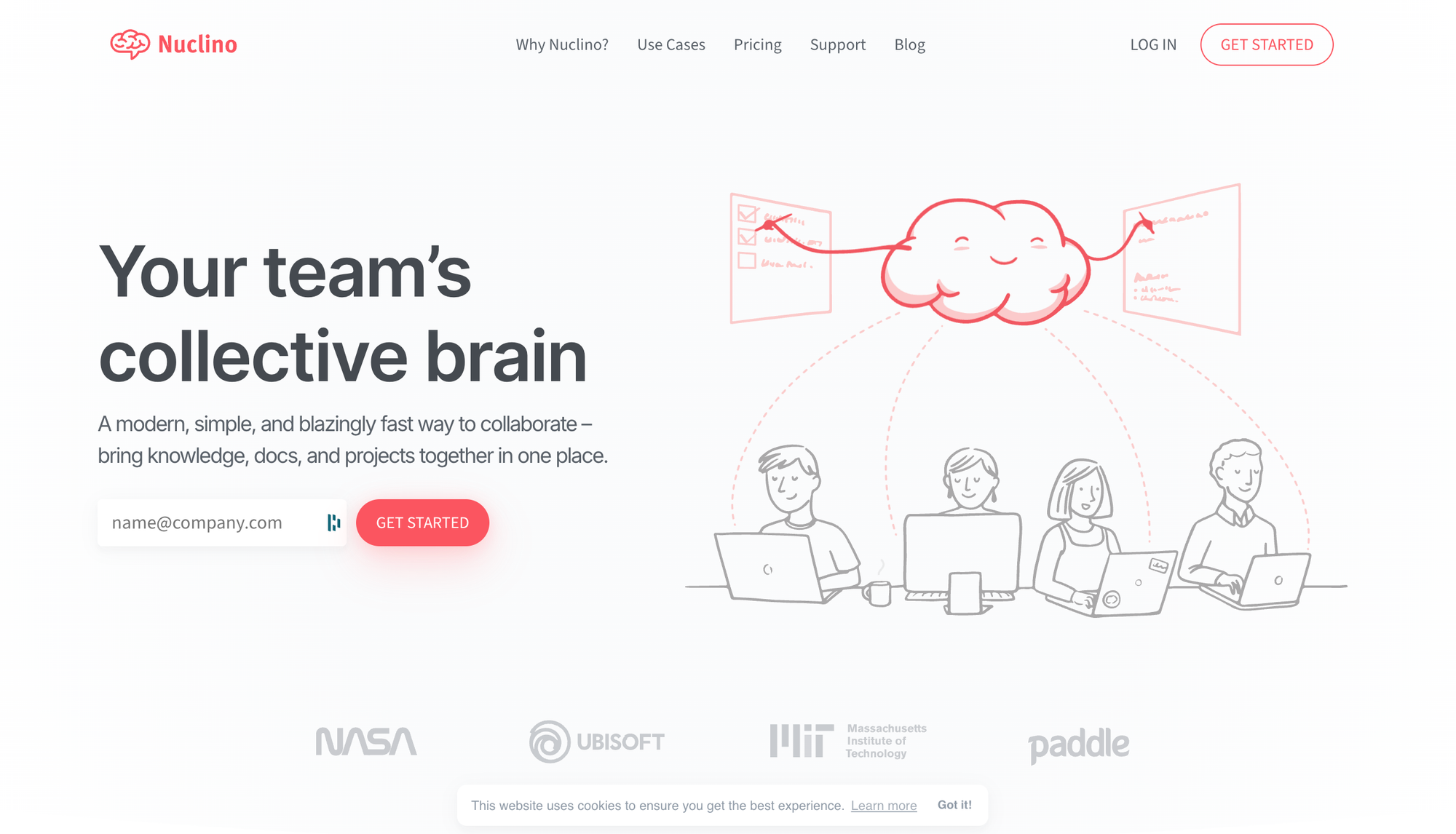
Nuclino is a wiki for internal team documentation, from onboarding guides to meeting notes and project docs. Every doc supports real-time collaboration, and teams can link docs together and organize them into list, board, table, and graph views. The product stays deliberately minimal, trading advanced features for speed and a short learning curve.
Nuclino vs Confluence at a Glance
| Feature | Nuclino | Confluence |
| Editor Experience | Minimal editor with markdown, slash commands, and hotkeys | Wiki-style with macro dependencies |
| Content Organization | Workspaces with list, board, table, and graph views | Spaces and pages hierarchy |
| Search & AI | Instant search with filters, plus AI Q&A, drafting, and image generation (Business plan) | Rovo AI for search, chat, content creation, and agents (included in paid plans, with usage limits by tier) |
| Collaboration | Real-time co-editing | Real-time co-editing, inline comments, mentions |
| Templates | Template gallery for common use cases | 75+ built-in templates, with more on the Atlassian Marketplace |
| Pricing | Free (up to 50 items), Starter $6/user/mo, Business $10/user/mo | Free (up to 10 users), Standard $16,500/year (201–300 users), Premium $31,500/year (201–300 users), Enterprise |
Pros
- Nuclino workspaces can publish to the web as public, searchable sites, so a team can host user-facing documentation from the same tool as its internal wiki.
- Nuclino's team insights show admins the most active contributors and the most-read docs, so they can see which content gets used and which gets ignored.
Cons
- Nothing in Nuclino flags outdated content, so keeping docs accurate depends entirely on team members noticing stale pages and editing them.
- Edits publish immediately, with no draft, review, or approval step. A mistake in a Nuclino doc reaches every reader until someone catches and fixes it.
Project Management and Documentation Alternatives
If your team uses Confluence alongside Jira to manage project documentation, these tools combine project management and documentation in a single platform, so you can keep plans, tasks, and docs in one place without managing two separate tools.
Monday.com
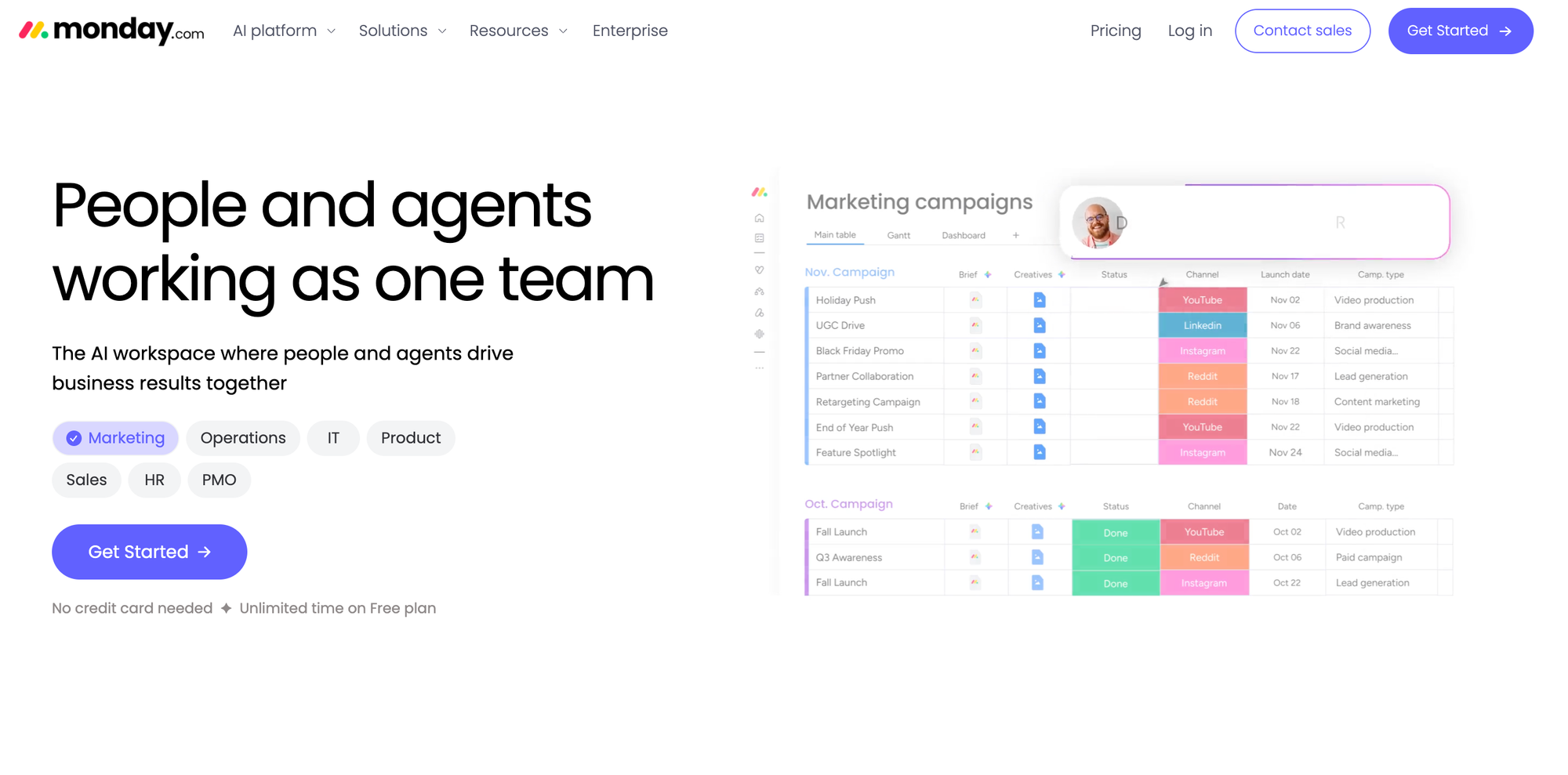
Monday.com is a project management platform that pairs task tracking with documentation through monday workdocs. Teams plan and track work on visual boards that work like flexible spreadsheets, then write connected docs that pull live board data instead of static copies. No-code workflow automations and AI features for generating and summarizing content round out the platform.
Monday.com vs Confluence at a Glance
| Feature | Monday.com | Confluence |
| Documentation | monday workdocs (connected to boards and tasks) | Wiki-style pages and spaces, plus live docs and whiteboards |
| Project/Task Management | Native boards, timelines, Gantt charts, dashboards | Requires Jira (separate product) |
| Workflow Automation | Built-in automations (no code) | Native rule-based automation on Premium and Enterprise; more via marketplace apps |
| Collaboration | Real-time editing in docs and boards, mentions, updates | Real-time co-editing, comments, mentions |
| Integrations | 200+ integrations including Slack, GitHub, Salesforce | Native Jira integration; other integrations via marketplace |
| AI Capabilities | AI for content generation, task suggestions, data insights | Rovo AI for search, chat, content creation, and agents (included in paid plans, with usage limits by tier) |
| Pricing | Free (2 users), Basic $9/seat/mo, Standard $12/seat/mo, Pro $19/seat/mo, Enterprise | Free (up to 10 users), Standard $16,500/year (201–300 users), Premium $31,500/year (201–300 users), Enterprise |
Pros
- Monday.com docs can embed live board data that updates automatically, so a project brief always shows current task statuses instead of a copy that drifts out of date.
- A doc can trigger automations and create board items directly, so meeting notes turn into assigned tasks without anyone copying content between tools.
Cons
- Workdocs exist to support projects rather than run a knowledge base. Teams that need review workflows or staleness detection to keep a doc library accurate will find a dedicated knowledge base a better fit.
- Live data in docs only comes from monday.com boards. Teams tracking work in Jira or another tool get plain documents without the connected context that makes workdocs worthwhile.
ClickUp
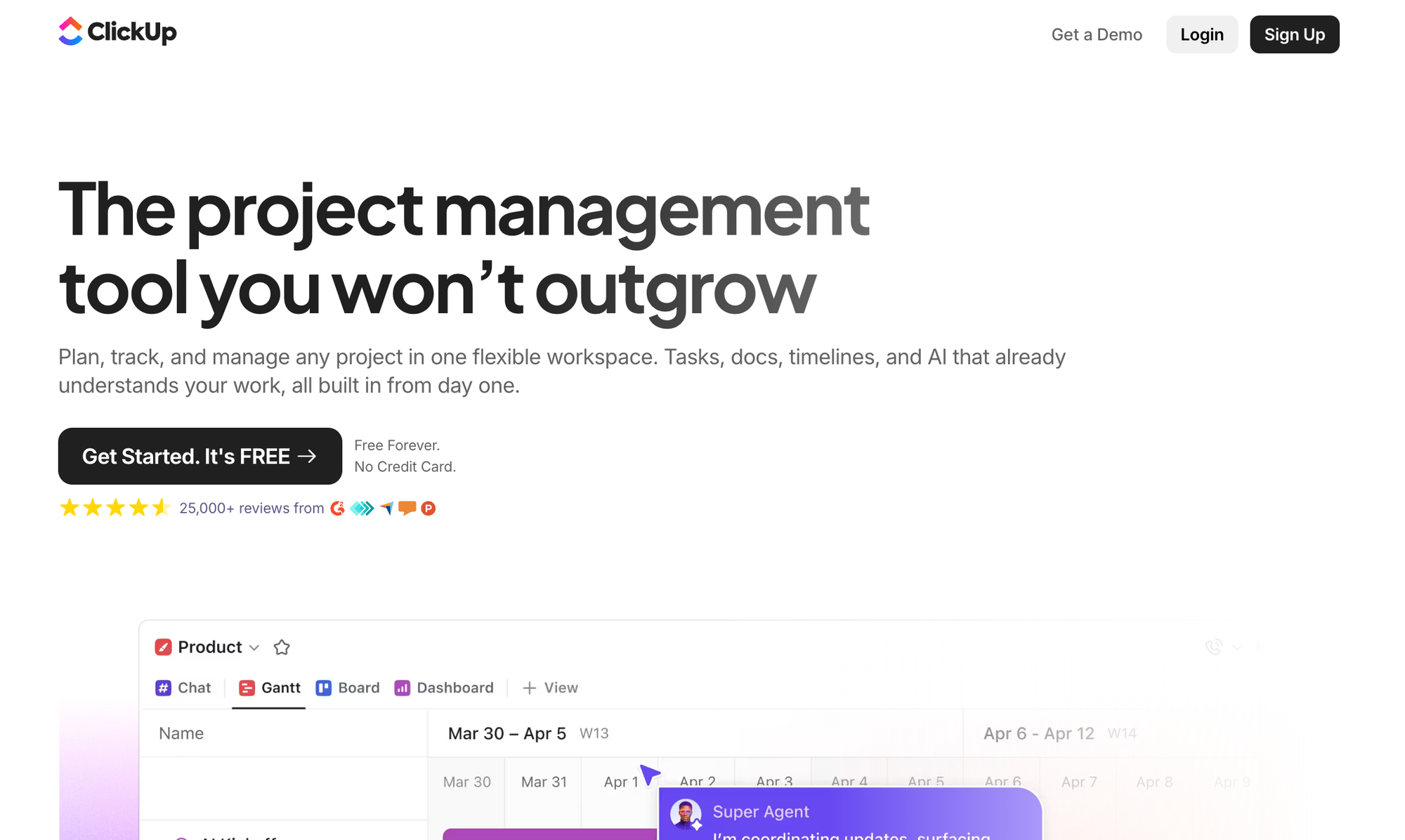
ClickUp is a work management platform that combines tasks, docs, chat, whiteboards, and dashboards in one product. Documentation attaches directly to the work it describes, so a spec links to its sprint and a wiki to the team that owns it. AI features answer questions from docs with linked sources and can update documentation automatically as work progresses.
ClickUp vs Confluence at a Glance
| Feature | ClickUp | Confluence |
| Documentation | Docs and wikis attached to the tasks and projects they describe | Wiki-style pages and spaces, plus live docs and whiteboards |
| Project/Task Management | Native tasks, boards, Gantt charts, sprints, and dashboards | Requires Jira (separate product) |
| Workflow Automation | Built-in no-code automations plus AI agents that act on triggers | Native rule-based automation on Premium and Enterprise; more via marketplace apps |
| Collaboration | Real-time collaborative documentation with live cursors, plus comments that convert to tasks | Real-time co-editing, comments, mentions |
| Integrations | Integrations with tools like Slack, HubSpot, Google Drive, and GitHub, plus an open API | Native Jira integration; other integrations via marketplace |
| AI Capabilities | AI Q&A with cited sources across docs and tasks, enterprise search, and agents that keep docs updated (sold as an add-on) | Rovo AI for search, chat, content creation, and agents (included in paid plans, with usage limits by tier) |
| Pricing | Free Forever, Unlimited $7/user/mo, Business $12/user/mo, Enterprise | Free (up to 10 users), Standard $16,500/year (201–300 users), Premium $31,500/year (201–300 users), Enterprise |
Pros
- ClickUp's AI agents pull updates from conversations, meetings, and completed tasks into the related docs, so documentation gets written while the work happens rather than weeks later.
- A doc comment can convert to an assigned task in one click, so feedback on documentation turns into tracked work instead of an unresolved thread.
Cons
- Docs inherit the structure of the ClickUp workspace around them, so teams building a standalone knowledge base end up navigating spaces, folders, and lists designed for project work.
- Public sharing stops at link-level access. Support teams can't turn ClickUp docs into a branded, searchable help center for customers.
Asana
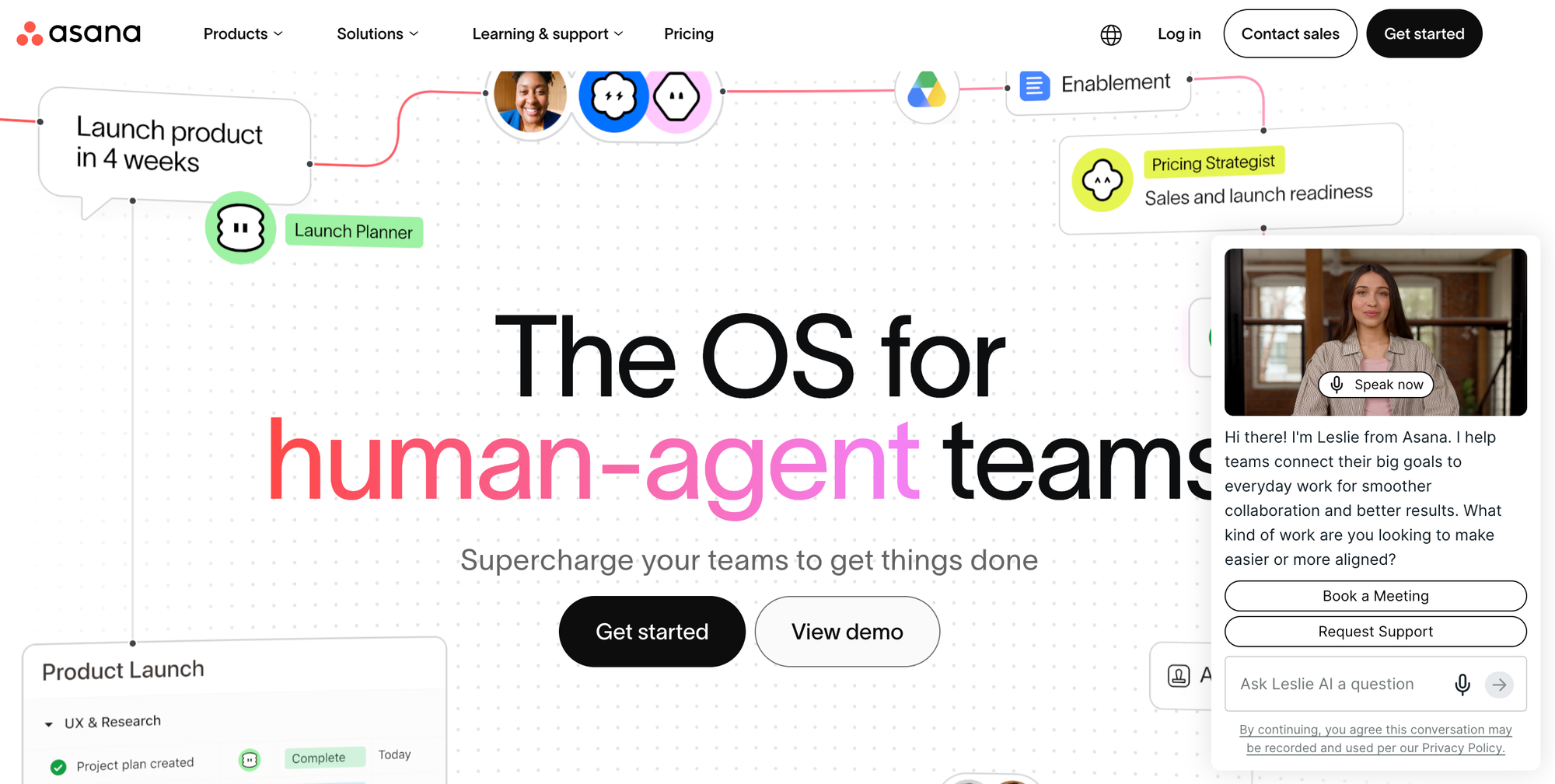
Asana is a project and work management platform for planning, tracking, and coordinating team work. Documentation takes the form of project notes, meeting minutes, and task descriptions that attach to the work they describe, rather than a standalone wiki. AI features run throughout the platform, from drafting status updates to building automated workflows from plain-language descriptions.
Asana vs Confluence at a Glance
| Feature | Asana | Confluence |
| Documentation | Project notes, meeting minutes, and task descriptions attached to projects (no standalone wiki) | Wiki-style pages and spaces, plus live docs and whiteboards |
| Project/Task Management | Native tasks, projects, portfolios, and goals across list, board, timeline, and Gantt views | Requires Jira (separate product) |
| Workflow Automation | Unlimited no-code rules, workflow builder, and forms with branching logic | Native rule-based automation on Premium and Enterprise; more via marketplace apps |
| Collaboration | Comments, messages, proofing, and approvals on tasks and projects | Real-time co-editing, comments, mentions |
| Integrations | 100+ integrations including Slack, Microsoft 365, and Google Workspace, plus two-way Jira sync | Native Jira integration; other integrations via marketplace |
| AI Capabilities | AI chat, writing suggestions, smart summaries, and no-code AI workflows, plus AI agents as an add-on | Rovo AI for search, chat, content creation, and agents (included in paid plans, with usage limits by tier) |
| Pricing | Personal free (2 users), Starter $10.99/user/mo, Advanced $24.99/user/mo, Enterprise | Free (up to 10 users), Standard $16,500/year (201–300 users), Premium $31,500/year (201–300 users), Enterprise |
Pros
- Asana's AI can draft status updates and summarize project activity, which produces a running record of decisions and progress without a writer assigned to it.
- Custom templates let teams standardize their proven processes as ready-made project structures, turning process knowledge into something reusable instead of a document to consult.
Cons
- Asana has no knowledge base or wiki. Notes and task descriptions document individual projects, and company-wide knowledge like policies or troubleshooting steps has no natural home.
- Notes follow the project they belong to. When a project closes, the knowledge inside it gets archived along with the tasks instead of joining a lasting library.
Switching Off Confluence for Customer Support Knowledge? Check Out Stonly
Confluence is a capable general-purpose wiki. But if your support team uses it to manage the knowledge that agents rely on to handle tickets, they end up working around the platform's limits. For many organizations, a platform designed for support operations is a better fit.
Stonly offers interactive knowledge that agents can execute inside Zendesk, Salesforce, Freshdesk, and ServiceNow. Agents follow guided workflows matched to the ticket in front of them, not static wiki pages. Stonly's AI Agent Copilot goes further by reading the ticket, finding the matching process, and completing it end to end.
With Stonly, knowledge maintains itself. Knowledge Agents monitor incoming tickets and source documents, flagging gaps and outdated content long before a scheduled review would catch them.
Our team has helped hundreds of companies build internal knowledge programs that measurably improve handle time, consistency, and resolution rates. And when you're ready to extend the same content to customers, Stonly also supports self-serve help centers.
See how Stonly replaces Confluence for support teams. Get a demo today.