

Self-service tools that simply surface article links don't truly reduce ticket volume.
Customers click through, but when they don't find what they need, they submit a ticket anyway. So your support team is stuck answering the same documented questions manually while the knowledge base remains underused.
Help center software should connect what customers ask with the content you've already created to answer their questions. But the available tools take very different approaches.
What to Consider as You’re Comparing Help Center Solutions
Before you start comparing platforms, these are the criteria we think matter most when evaluating help center software:
- Content that resolves issues instead of solely documenting them. Static articles that force customers to read and interpret are table stakes. Your help center should support interactive step-by-step content that adapts to each customer's situation and walks them through the full resolution.
- AI-powered answers customers can use without creating a ticket. Customers should be able to ask questions in natural language and get accurate, specific answers from your documentation without having to search for articles themselves.
- AI that helps you create and maintain content. Building a help center is never a one-time project. You’ll need to keep it accurate as your product, policies, and processes change. Look for platforms where AI can draft new articles, flag outdated content, identify gaps based on what customers are asking, and prepare updates for your team to review and publish.
- Analytics that show whether self-service is working. You need to know which topics customers search for most, where they drop off, which articles fail to resolve issues, and how many tickets your help center deflects. Content views alone don't tell you anything.
This guide compares nine help center platforms across 10 key features, including AI capabilities, content formats, search, analytics, and SEO. For each tool, you'll find a feature breakdown, pros and cons from real users, G2 ratings, and pricing so you can narrow your short list without spending hours on individual product pages.
Here's a quick look at how the platforms compare on the most important features for help center performance:
| Content Formats | AI Chatbot / Answers | AI Content Maintenance | Self-Service Analytics | Starting Price | |
| Stonly | Articles, interactive guides, decision trees, FAQs | Yes (source-linked answers; asks clarifying questions on ambiguous queries) | Yes (Knowledge Agents flag gaps, outdated content, and inconsistencies; draft updates automatically) | Self-service completion rates, ticket deflection, content gap detection, AI question topic clustering | Custom pricing |
| Zendesk Guide | Articles, FAQs, community forums | Yes (AI agents; add-on) | Yes (drafts articles from ticket data; flags gaps and outdated content) | Self-service rate, AI resolution rate, content health dashboard | $55/agent/mo |
| Intercom | Articles (rich media, CTAs, tables), synced external content | Yes (Fin AI agent; $0.99/outcome) | No | Article performance, search terms, content gaps | $29/seat/mo + $0.99/outcome |
| Freshdesk | Solution articles, FAQs, how-to guides, troubleshooting guides, video tutorials | Yes (Freddy AI; add-on) | No | Article views, search analytics | $19/agent/mo |
| Helpjuice | Articles, FAQs, glossaries, AI-generated tutorials | Yes (Swifty chatbot + helpbar) | Limited (AI writing for drafting) | Search analytics, content gap reports | $249/mo |
| Document360 | Articles, FAQs, API docs, interactive decision trees | Yes (Eddy AI chatbot) | AI content creation (generates articles from videos/recordings); no automated health monitoring | Article views, search analytics, reader feedback | Custom pricing |
| HubSpot Service Hub | Articles, FAQs | Yes (Breeze; credits from $9/1,000) | No | Article views, feedback ratings, failed search terms, content gap reports | $90/seat/mo |
| Zoho Desk | How-to guides, FAQs, help pages | Yes (Zia AI; higher-tier plans only) | Yes (turns closed tickets into draft articles; grammar-checks) | Article views, search terms, Google Analytics integration | $14/user/mo |
| GitBook | Docs, API references, markdown | Yes (AI Assistant) | Yes (AI agent flags drifted, outdated content) | Search queries, AI assistant questions, page views, link clicks | Free; paid plans from $249/site/mo |
How We Chose the Tools on This List
We built this focused list to cover a range of use cases, budgets, and team sizes. Each platform made the cut because it does one thing particularly well, whether that's knowledge-driven self-service, AI-powered answers, developer documentation, or help center features built into a larger support suite.
To evaluate each one, we looked at real user feedback on G2 alongside current feature sets, integration depth, and how each platform handles AI. The list includes widely adopted platforms alongside more focused tools built for narrower needs, like standalone knowledge bases or AI-first support tools. That means you'll find a fit whether you want a dedicated help center or one bundled into broader support software.
Stonly
Stonly is a help center software platform that works both as an external customer knowledge base and an internal tool for support agents. It combines interactive guides, AI-powered answers, and automated knowledge maintenance in a single platform, giving support teams a help center built to resolve issues directly.
Interactive guides that walk customers through a resolution
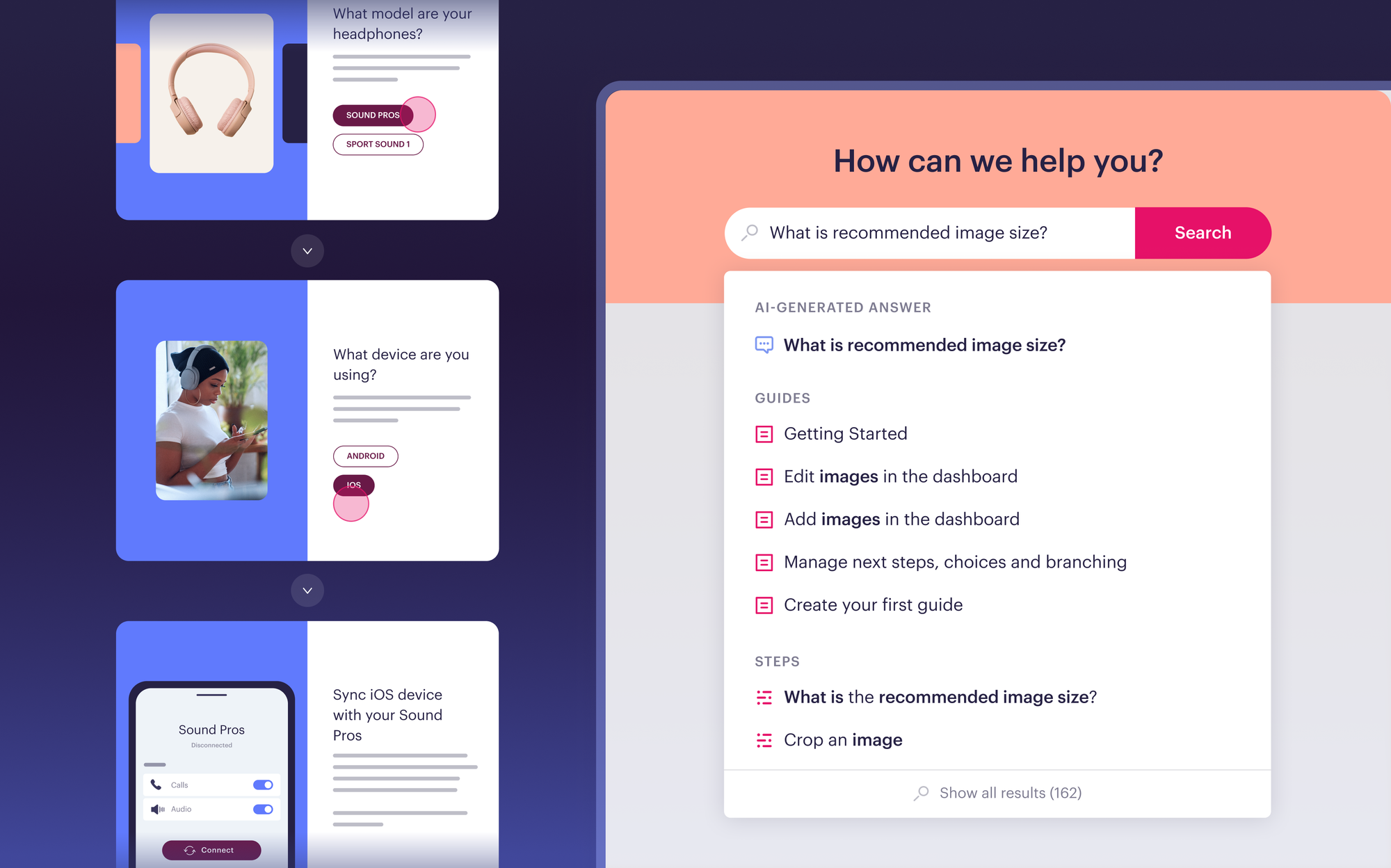
Most help centers rely on static articles that leave customers to figure out the answer on their own. Stonly's interactive guides adapt each step to the reader's answers, so every customer follows the path that fits their product, plan, or situation.
Guides offer choices at each step, branching into different paths depending on what the customer selects. Two people with the same question may follow entirely different steps to reach a resolution. Guides work in an existing help center, as a full Stonly knowledge base, or inside any web or mobile app with no code.
For support agents, the same guides provide consistent decision-tree workflows inside help desk software like Zendesk, Salesforce, Freshdesk, and ServiceNow. This cuts training time and keeps responses consistent across the team.
AI Answers that resolve questions from your existing knowledge
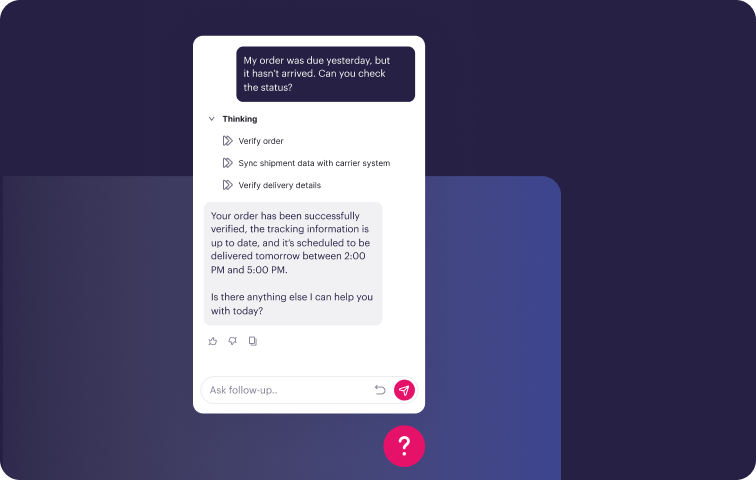
Stonly's AI Answers responds to any question with a direct answer or a matching guide, drawing only from defined knowledge sources. These include Stonly content and connected tools like Zendesk Guides and Google Docs.
When a query is ambiguous, AI Answers asks clarifying questions to narrow down the response rather than guessing. For questions that require a specific process, Guided Answers identifies the intent and immediately routes the customer to the correct guide, so sensitive or complex issues follow the same resolution path every time.
Business Process Agents fully automate multi-step requests, such as refunds or account changes, following a company's exact process end-to-end, either independently or alongside an agent. The same AI-powered answers also reach support agents inside help desks, with Agent Copilot reading incoming tickets, finding the matching guide, and drafting a ready-to-send reply.
Knowledge Agents that keep your help center accurate
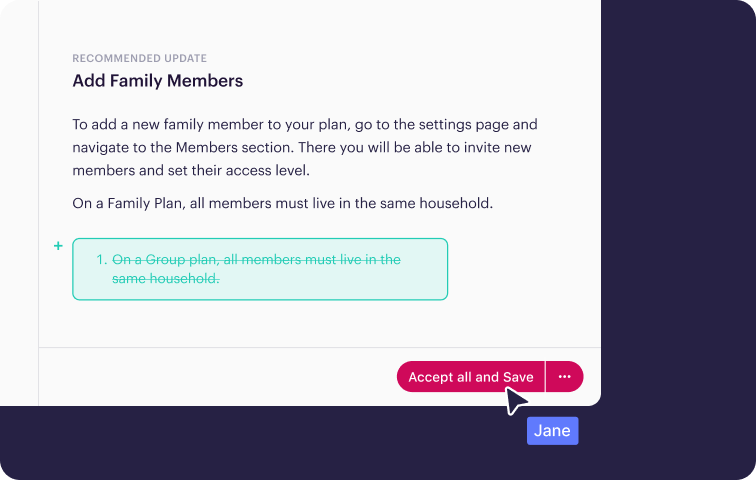
Help center content that's accurate at launch but falls behind as products and policies change will send customers down the wrong path, give agents conflicting information, and feed stale answers to AI.
Stonly's Knowledge Agents monitor tickets, searches, and AI conversations continuously to catch outdated or missing content. They scan for duplicates, inconsistencies, and gaps where knowledge should exist but doesn't. When something needs attention, they draft updates that follow your company's guidelines and send them to your team for review and publishing.
Knowledge Agents also help teams build content faster. Describe what you need, and they'll draft new guides, convert release notes into FAQs, make bulk updates across categories, or analyze which articles have the lowest completion rates.
Embedded help that reaches customers where they are
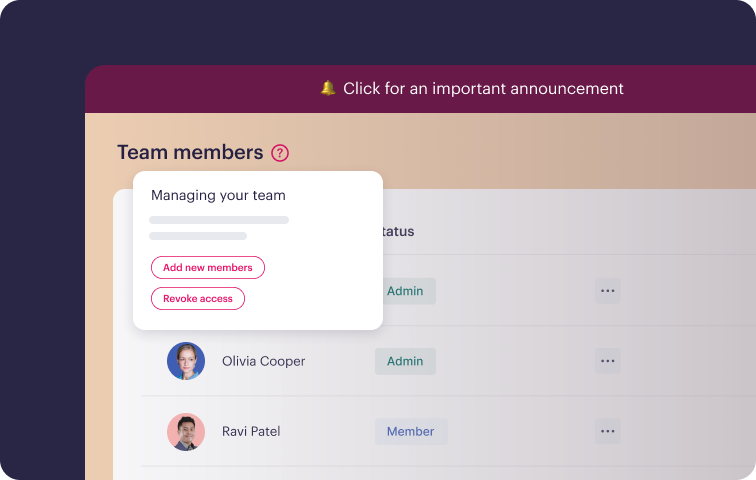
A help center only works when customers visit it. Many issues come up while someone is using your product, and asking them to leave the app to search a knowledge base adds friction that leads to either a support ticket or an abandoned task.
Stonly's Widget puts guides, AI answers, and knowledge base content directly inside your web or mobile app through hotspots, tooltips, banners, and prompts. Each trigger can be targeted using your customer data, so specific users see content tailored to their product, plan, or situation.
Deployment takes one code snippet. From there, your team controls targeting, segmentation, and trigger conditions through a no-code editor. Guides can launch on specific pages, under specific conditions, or in response to specific user actions, with no ongoing developer involvement.
Stonly’s Key Help Center Features
| Help Center Use Cases | External (customer-facing self-service) and internal (for support agents and employees) |
| AI-Powered Search | Yes |
| AI Chatbot / Conversational AI | Yes (uses structured knowledge and OpenAI models to deliver reliable, source-linked answers and asks clarifying questions when a query could have different answers) |
| Content Formats | Standard articles, interactive step-by-step guides, decision trees, FAQs, video embeds |
| Customization & Branding | Yes (custom domains, themes, brand voice configuration for AI) |
| Multi-Language Support | Yes |
| Analytics & Reporting | Questions from AI chats automatically grouped into topic clusters; tracks self-service completion, ticket deflection, content gaps, and search performance |
| SEO Capabilities | Yes (custom domains, SEO-friendly URLs, meta tags) |
| Content Authoring & Management | AI-assisted content creation (draft guides from prompts, convert release notes into FAQs); Knowledge Agents monitor content health and flag gaps, outdated content, and inconsistencies automatically |
| Security & Compliance | GDPR, HIPAA, and SOC 2 compliant; supports SSO |
Pros of Stonly
- Interactive guides that adapt to each customer's situation are central to Stonly, while other platforms treat anything beyond articles as an add-on. Stonly customers using this customer self-service software report up to a 50% decrease in support tickets and a 21% CSAT improvement.
- AI Answers asks clarifying questions on ambiguous queries, while Guided Answers routes process-driven issues to a set guide, keeping responses consistent even on sensitive topics.
- Knowledge Agents monitor content continuously and draft updates for review, so accuracy doesn't depend on manual audits.
- Agent Copilot reads incoming tickets and drafts a ready-to-send reply from the matching guide, so agents aren't drafting each response individually.
- A high-touch customer success team works with you through rollout, configuration, and adoption.
Cons of Stonly
- Stonly's feature set targets mid-market and enterprise support operations, so very small teams may not need everything it includes.
- Pricing isn't public. You'll need to contact sales for a quote, which adds a step to early evaluation.
Who Stonly is Best For
Stonly fits high-volume customer service teams that want self-service to resolve issues, with AI answers and analytics tied to support outcomes. It's also a match for support and CX teams that want help content to walk each customer through a resolution step by step, adapted to their product, plan, or situation.
Organizations that want AI to answer customer questions from their existing knowledge will benefit from its ability to cut ticket volume without losing answer quality, and companies that deliver help beyond the help center can use widgets, tooltips, banners, and hotspots to put guidance inside their app or website.
Stonly’s G2 Rating
4.8/5 (130+ Reviews)
What Real Customers Are Saying About Stonly
“With Stonly, we can offer real-time solutions directly within our application, transforming the customer experience into one seamless interaction.”
Marco Ricciardi, Senior Program Manager at Personio
“We’re expanding the use of Stonly internally and externally, with over 5,000 product experts and employees using the platform for consistent one-to-many guidance.”
Thomas Thieffry, Head of Product at Bpifrance
“Stonly is intuitive, user-friendly, and provides significantly better guidance for our customers.”
Patrick O’Keefe, VP of Customer Experience at Anedot
Stonly’s Pricing
Stonly offers custom pricing plans for small businesses and enterprise companies. Contact Stonly for a quote.
Help more customers self-serve with an interactive help center, AI-powered answers, and knowledge that stays accurate automatically. Learn more about Stonly here.
Zendesk Knowledge
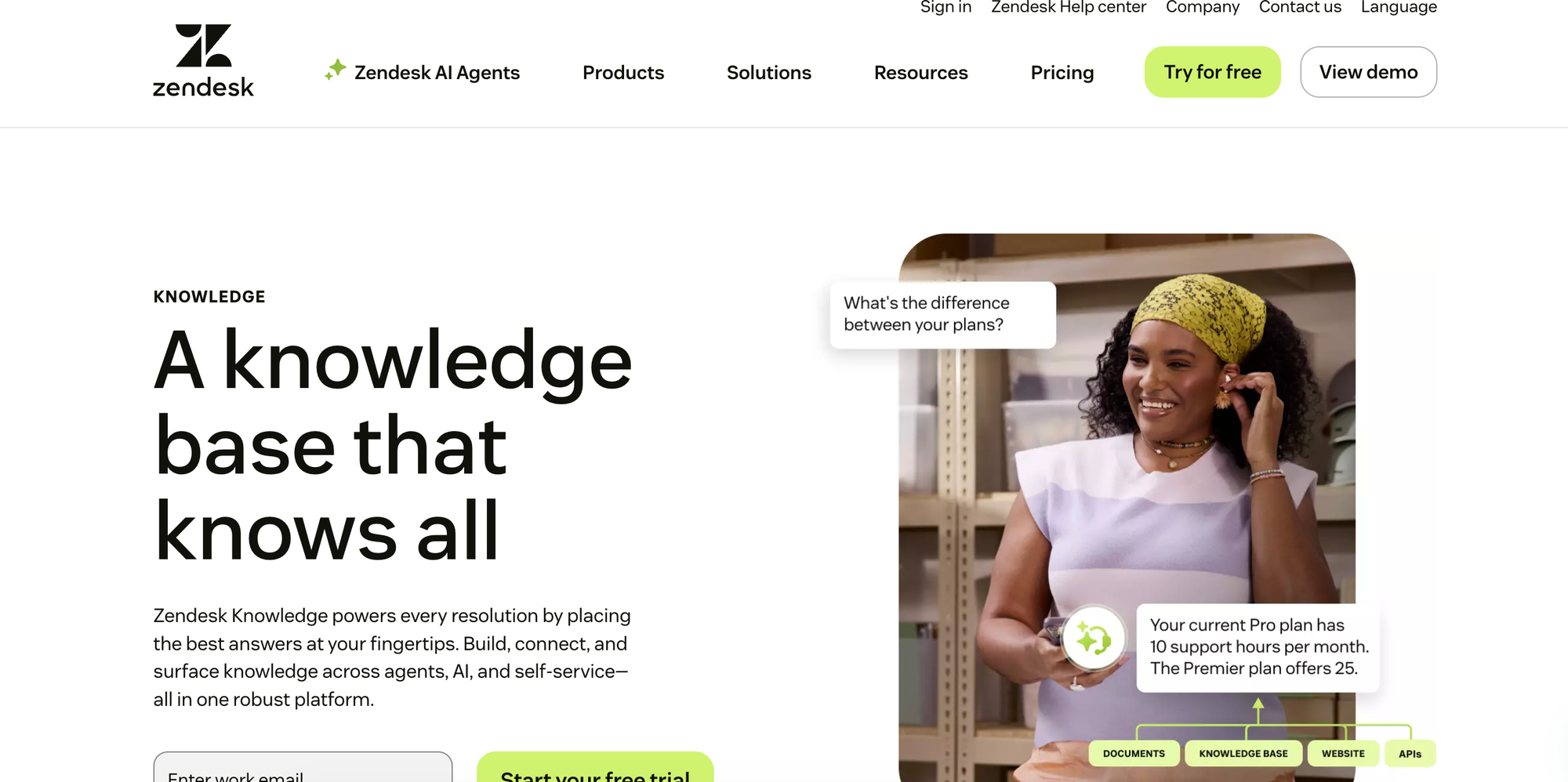
Zendesk Knowledge is a knowledge base and knowledge management product within the Zendesk customer service platform. It centralizes help center content and connects external sources into a single system that powers self-service, agent support, and AI-generated answers. The platform also includes AI tools that draft articles from historical ticket data and flag outdated or missing content for review.
Zendesk Knowledge’s Key Help Center Features
| Help Center Use Cases | Internal (agent-facing) and external (customer-facing self-service) |
| AI-Powered Search | Yes (generative search returns AI answers grounded in help center content, with source articles) |
| AI Chatbot / Conversational AI | Yes (AI agents answer from approved knowledge sources across messaging, email, and other channels) |
| Content Formats | Help center articles, plus connected external content (Google Drive, Confluence, SharePoint, PDFs) |
| Customization & Branding | Yes (custom domains, theme customization, Marketplace themes) |
| Multi-Language Support | Yes |
| Analytics & Reporting | Self-service rate, AI resolution rate, content health dashboard |
| SEO Capabilities | Yes (meta descriptions, readable URL structure, internal/external linking) |
| Content Authoring & Management | AI drafts articles from ticket data; flags content gaps and outdated articles |
| Security & Compliance | SOC 2, ISO 27001, GDPR, and HIPAA (via BAA) compliant; supports SSO |
Pros of Zendesk Knowledge
- Zendesk pulls in external sources like Google Drive, Confluence, and SharePoint, so scattered content ends up in one searchable system instead of staying spread across tools.
- Customers see relevant help center articles before a ticket even gets assigned to an agent, which cuts down on tickets that need human assistance.
Cons of Zendesk Knowledge
- Some users report the Analytics module showing incorrect metrics with no way to correct the data themselves, leaving some reporting unreliable.
- Reviewers also say Zendesk's native AI and chatbot lag behind specialized third-party tools, so some teams have switched to an external chatbot instead.
Who Zendesk Knowledge is Best For
Teams already using Zendesk for ticketing that want a unified help center inside the same platform.
Zendesk Knowledge’s G2 Rating
4.3/5 (7,000+ Reviews)
Zendesk Knowledge’s Pricing
Starts at $55/agent per month (paid yearly). Plans with AI-powered writing tools start at $115/agent per month (paid yearly), and the AI copilot requires a $50/agent per month add-on (paid yearly).
Intercom
Intercom is a customer service platform that combines an omnichannel inbox and ticketing with a built-in AI agent. Companies use its help center to publish self-service articles that customers can search on their own, and the same articles ground the AI agent's answers. Teams can also sync content in from other knowledge bases and control which articles the AI agent is allowed to use.
Intercom’s Key Help Center Features
| Help Center Use Cases | Internal (agent-facing) and external (customer-facing self-service) |
| AI-Powered Search | Partial (help center search itself is keyword-based; AI-generated answers come from the AI agent, which retrieves from the same content) |
| AI Chatbot / Conversational AI | Yes (AI agent known as Fin answers customer questions using Help Center and other connected content) |
| Content Formats | Help center articles (rich media, CTAs, tables), plus internal articles, snippets, and synced external content (e.g., Zendesk, Confluence, Notion) |
| Customization & Branding | Yes (no-code styler for layout, colors, and fonts; multiple branded help centers) |
| Multi-Language Support | Yes |
| Analytics & Reporting | Article-level reporting on search terms, performance, and content gaps |
| SEO Capabilities | Yes (auto-generated meta descriptions, canonical tags, automatic redirects on migration) |
| Content Authoring & Management | Central hub to create, sync, and organize content, with bulk actions to manage what's available to AI, agents, and self-service |
| Security & Compliance | SOC 2, ISO 27001 and related ISO certifications, GDPR, and HIPAA compliant; supports SSO |
Pros of Intercom
- Intercom automatically handles redirects and canonical tags during help center migrations, protecting SEO rankings without manual cleanup.
- Some users say the AI agent's answers feel less generic because it draws on both the help center and past conversation history.
Cons of Intercom
- The AI agent is priced per outcome, and some users say conversations get billed even when the outcome is unclear.
- Some users say the AI agent doesn't always hand off to a human right away, even when a customer asks for one, which frustrates customers who want to speak with a person.
Who Intercom is Best For
Product-led SaaS companies with customers who work inside a web or mobile app.
Intercom’s G2 Rating
4.5/5 (3,900+ Reviews)
Intercom’s Pricing
Starts at $29/seat per month (paid yearly) and $0.99 per AI agent outcome. Advanced AI features require add-ons that start at $99/month.
Freshdesk
Freshdesk is Freshworks' customer support platform, combining ticketing, self-service, and AI-assisted resolution. Its knowledge base organizes help articles into a branded customer-facing portal, with search, article suggestions, and automated email responses drawn from the same content. The platform also includes no-code automations for routing and repetitive tasks, team collaboration tools, and reporting on support performance.
Freshdesk’s Key Help Center Features
| Help Center Use Cases | Internal (agent-facing) and external (customer-facing self-service) |
| AI-Powered Search | Partial (article suggestions surface by keyword during ticket submission; full generated answers come through the email AI agent) |
| AI Chatbot / Conversational AI | Yes (email AI agent generates responses grounded in knowledge base content) |
| Content Formats | Solution articles, FAQs, how-to guides, troubleshooting guides, user guides, and video tutorials |
| Customization & Branding | Yes (branded self-service portal; portal layout and meta info customization on higher plans) |
| Multi-Language Support | Yes |
| Analytics & Reporting | Article views, ratings, and feedback tracked to spot content gaps |
| SEO Capabilities | Yes (per-article meta titles, descriptions, and keywords; automatic XML sitemap generation) |
| Content Authoring & Management | Ticket replies can be converted into articles in one click; categories, folders, and templates organize content |
| Security & Compliance | SOC 2 Type 2, ISO 27001, ISO 27701, GDPR, and HIPAA (via BAA) compliant; supports SSO |
Pros of Freshdesk
- Freshdesk supports a wide range of content formats in this list, from solution articles and FAQs to troubleshooting guides and video tutorials, so teams can match the format to the issue.
- The platform maintains numerous compliance standards, including SOC 2 Type 2, ISO 27001, ISO 27701, GDPR, and HIPAA through a signed BAA, which regulated industries like healthcare and finance need for compliance.
Cons of Freshdesk
- Some users say Freshdesk is slow, creating delays when managing multiple tasks or generating detailed reports.
- AI features require a separate paid add-on, so teams on the base plan get limited AI capabilities.
Who Freshdesk is Best For
Support teams that need a wide range of content formats and broad compliance coverage, especially those already using other Freshworks products.
Freshdesk’s G2 Rating
4.4/5 (3,760+ Reviews)
Freshdesk’s Pricing
Starts at $19/agent per month (paid yearly). Plans with the AI copilot start at $55/agent per month (paid yearly) plus a $29/agent per month add-on (paid yearly).
Helpjuice
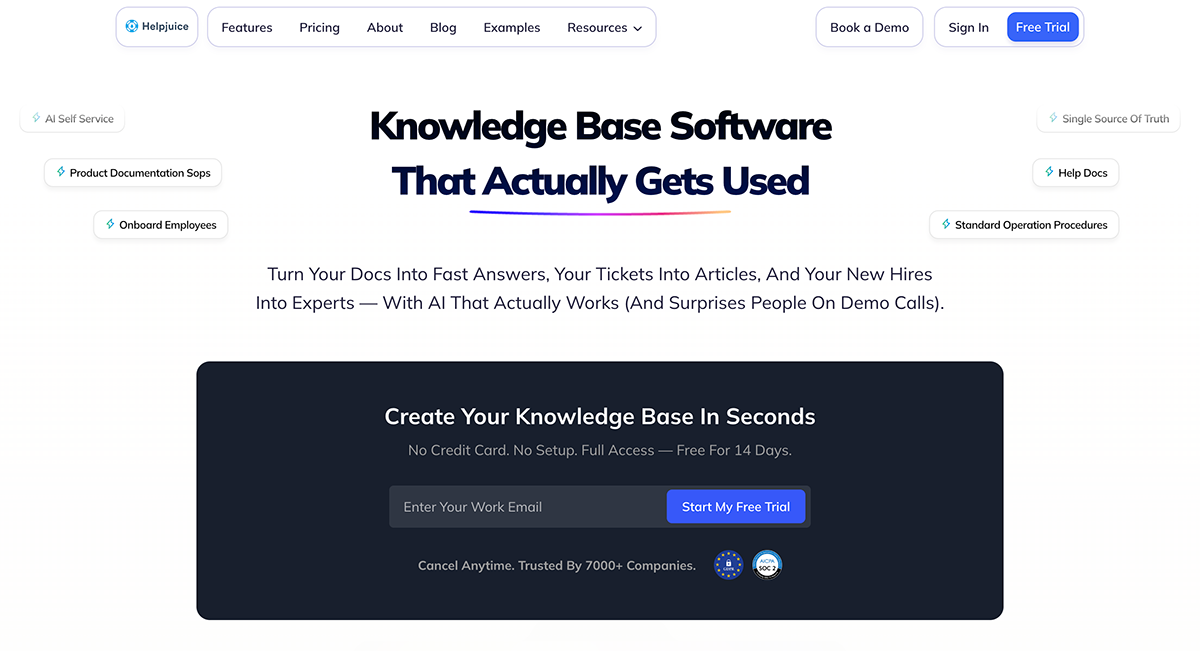
Helpjuice is standalone knowledge base software with an emphasis on customization. Visual and code editors control the portal's themes, layout, branding, and domain, so the knowledge base matches the rest of a company's site. Readers find answers through AI search and chat in the portal itself or through embeddable widgets, an in-product helpbar, and a Chrome extension.
Helpjuice’s Key Help Center Features
| Help Center Use Cases | Internal (employee documentation, standard operating procedures (SOPs)) and external (customer-facing self-service) |
| AI-Powered Search | Yes (interprets intent and typos, searches within PDFs and images) |
| AI Chatbot / Conversational AI | Yes (chatbot answers from Helpjuice content only, embeddable on any site) |
| Content Formats | Articles, FAQs, glossaries, AI-generated step-by-step tutorials, media embeds |
| Customization & Branding | Yes (custom domains, visual and code theme editors, prebuilt themes) |
| Multi-Language Support | Yes |
| Analytics & Reporting | Search analytics, article impact, content gap and usage reporting |
| SEO Capabilities | Yes (SEO-friendly structure, metadata management, custom domain mapping) |
| Content Authoring & Management | Rich editor with real-time collaboration, version history, approval workflows, and an article planner; AI assists with drafting, keywords, and tags |
| Security & Compliance | SOC 2 and GDPR compliant; supports SSO |
Pros of Helpjuice
- Helpjuice designs a custom theme for the knowledge base at no extra charge, on top of visual and code editors for teams that want to go further.
- The platform's AI search can look inside PDFs and images alongside article text, surfacing answers other help center platforms might miss.
Cons of Helpjuice
- Helpjuice's AI only draws on content already inside Helpjuice, so it has no visibility into other tools like Zendesk or Google Docs.
- Some users report the editor can be clunky for complex formatting, with some also citing auto-save reliability concerns.
Who Helpjuice is Best For
Teams that need extensive visual customization and branded help centers without engineering resources.
Helpjuice’s G2 Rating
4.7/5 (380+ Reviews)
Helpjuice’s Pricing
Starts at $249/month for basic knowledge base features. Plans with the AI writer, search, and chatbot start at $449/month.
Document360
Document360 is knowledge base software for product and technical documentation. Its ticket deflector suggests relevant articles while a customer fills out a support form, answering the question before it becomes a ticket. A Model Context Protocol (MCP) server supplies articles to AI assistants like ChatGPT and Claude, and 60+ integrations connect the knowledge base to helpdesks like Zendesk and Intercom.
Document360’s Key Help Center Features
| Help Center Use Cases | Internal (employee documentation) and external (customer-facing self-service), though not optimized for both simultaneously |
| AI-Powered Search | Yes (conversational search cites source articles) |
| AI Chatbot / Conversational AI | Yes (AI chatbot answers from documentation, tickets, files, and FAQs) |
| Content Formats | Articles, FAQs, user manuals, API documentation, interactive decision trees |
| Customization & Branding | Yes (custom domains, home page builder, site customization) |
| Multi-Language Support | Yes |
| Analytics & Reporting | Article performance, search analytics, reader feedback, AI conversation tracking |
| SEO Capabilities | Yes (SEO customization tools) |
| Content Authoring & Management | Custom workflow builder for reviews and approvals, scheduled publishing, PDF and Word import; AI writing agent drafts articles from videos and files |
| Security & Compliance | GDPR, SOC 2, and ISO compliant; supports SSO |
Pros of Document360
- Document360's AI writing agent can turn videos, audio recordings, and files directly into documentation, cutting out the need for manual transcription.
- AI-powered duplicate content detection flags overlapping articles as the knowledge base grows, helping teams avoid publishing conflicting answers.
Cons of Document360
- Document360 technically supports both internal and external knowledge bases, but it isn't optimized to run both at once. Teams doing both may need workarounds.
- Analytics don't consolidate across multiple workspaces, making it hard to see documentation performance in one place.
Who Document360 is Best For
Teams that need a dedicated, documentation-focused help center with strong authoring and version control.
Document360’s G2 Rating
4.7/5 (540+ Reviews)
Document360’s Pricing
Custom pricing.
HubSpot Service Hub
HubSpot Service Hub is HubSpot's customer service software, running on the same CRM as its marketing and sales products. Its knowledge base publishes help articles to a searchable, branded help center, and the shared CRM records which articles each customer has already viewed. Customers who don't find an answer can submit a ticket from the help center. Agents work tickets, chat, and email from one inbox.
Hubspot Service Hub’s Key Help Center Features
| Help Center Use Cases | External (customer-facing self-service) with articles doubling as an agent reference |
| AI-Powered Search | Partial (help center offers article search and topic browsing; AI-generated answers come through the AI customer agent) |
| AI Chatbot / Conversational AI | Yes (Breeze AI customer agent answers on live chat and email using company content) |
| Content Formats | Help articles and FAQs organized by category and subcategory |
| Customization & Branding | Yes (design customization through HubSpot's CMS tools, custom domain hosting) |
| Multi-Language Support | Yes |
| Analytics & Reporting | Article views, feedback ratings, failed search terms, content gap reports |
| SEO Capabilities | Yes (articles optimized for search engines) |
| Content Authoring & Management | Comments and approval workflows, article cloning, AI drafting assistance, API-based content workflows |
| Security & Compliance | SOC 2 Type 2 audited and GDPR compliant; supports SSO |
Pros of Hubspot Service Hub
- HubSpot Service Hub's article cloning lets teams duplicate an existing article to quickly build near-identical content for a different product or category, cutting the time needed to write similar articles from scratch.
- The platform tracks failed search terms, showing what customers searched for and didn't find, which flags content gaps to fix.
Cons of Hubspot Service Hub
- HubSpot supports the narrowest range of content formats in this list, limited to help articles and FAQs, so teams needing longer guides or tutorials may outgrow it.
- Some users say the knowledge base page customization options are limited, especially for companies that want more flexibility in branding and user experience.
Who Hubspot Service Hub is Best For
Teams already using HubSpot for sales or marketing that want a help center connected to the same CRM data.
Hubspot Service Hub’s G2 Rating
4.4/5 (2,920+ Reviews)
Hubspot Service Hub’s Pricing
Starts at $90/seat per month (paid yearly) plus a one-time $1,500 onboarding fee. The Breeze AI customer agent costs $0.50 per resolved conversation, billed through HubSpot's credit system (credits start at $10 per 1,000, or $9 per 1,000 on annual commitments).
Zoho Desk
Zoho Desk combines a knowledge base, community forums, an AI bot, and ticket tracking in one branded portal. Companies running several brands can give each brand its own help center. The platform connects to 360+ apps, spanning telephony providers, productivity and collaboration tools, project management tools, and the rest of the Zoho suite.
Zoho Desk’s Key Help Center Features
| Help Center Use Cases | External (customer help center) and internal (employee self-service portal) |
| AI-Powered Search | Partial (help center search is standard; AI-generated answers come through the answer bot) |
| AI Chatbot / Conversational AI | Yes (AI bot answers in chat using knowledge base content) |
| Content Formats | How-to guides, FAQs, and help pages, with a shared gallery for media |
| Customization & Branding | Yes (direct HTML and CSS control over help center design) |
| Multi-Language Support | Yes |
| Analytics & Reporting | Article views, likes and dislikes, customer feedback, search keyword reports, Google Analytics integration |
| SEO Capabilities | Yes (meta titles, keywords, and descriptions per article) |
| Content Authoring & Management | Article templates, version restore, review and approval workflows; AI turns closed tickets into draft articles and checks grammar |
| Security & Compliance | ISO 27001 certified, SOC 2 Type 2 and GDPR compliant |
Pros of Zoho Desk
- Zoho Desk gives admins direct HTML and CSS access, so teams that want full custom-coded control over their help center design can build a fully custom layout.
- It offers a native Google Analytics integration, letting marketing teams track help center content inside tools they already use.
Cons of Zoho Desk
- Zoho Desk offers only static how-to guides, FAQs, and help pages, with no interactive or branching guide format for issues that need more than one path to a resolution.
- Users say the learning curve is steep due to a cluttered interface and functionality scattered across Zoho Desk's applications.
Who Zoho Desk is Best For
Small to mid-sized teams looking for help center features at the lowest possible price.
Zoho Desk’s G2 Rating
4.4/5 (7,840+ Reviews)
Zoho Desk’s Pricing
Starts at $14/user per month (paid yearly).
GitBook
GitBook is documentation software that syncs help center content two ways with GitHub or GitLab. Developers can edit the underlying files in their code editor while writers use GitBook's visual editor, letting engineering and support teams maintain the same help content without leaving their own tools. An AI agent checks published content against the product on an ongoing basis and flags pages that have drifted out of date.
GitBook’s Key Help Center Features
| Help Center Use Cases | External (published docs, developer docs, help centers) and internal (private knowledge bases with authenticated access) |
| AI-Powered Search | Yes (single AI-powered search across documentation, FAQs, and help content) |
| AI Chatbot / Conversational AI | Yes (AI assistant trained on the help center guides users or opens a support ticket) |
| Content Formats | Markdown-based articles, API documentation, embedded product docs |
| Customization & Branding | Yes (custom logos, fonts, colors, and site themes) |
| Multi-Language Support | Yes (one-click translation into localized site versions) |
| Analytics & Reporting | Search queries, AI assistant questions, page views, link clicks |
| SEO Capabilities | Yes (pages are also optimized for citation by AI tools like ChatGPT and Google AI Overview) |
| Content Authoring & Management | Branch-based review and merge workflow shared with Git, built-in AI linting, user feedback on individual pages |
| Security & Compliance | SOC 2, ISO 27001, and GDPR compliant; supports SAML-based SSO |
Pros of GitBook
- GitBook's two-way Git sync uses a code-repo collaboration model, letting developers and writers work in their own tools.
- Every page is optimized to be cited by AI tools like ChatGPT and Google AI Overview, helping customers find answers through AI search as well as traditional search engines.
Cons of GitBook
- The list of supported content formats is narrow and focuses on markdown articles and API docs, so teams needing video or interactive guides will need another tool.
- GitBook has no native ticketing, so support requests still need a separate tool or integration.
Who GitBook is Best For
Developer-facing teams that need professional product documentation, API references, and technical help centers.
GitBook’s G2 Rating
4.7/5 (200+ Reviews)
GitBook’s Pricing
Free plans are available. Plans with the AI assistant, search, and insights start at $249/site per month plus $12/user per month (paid yearly).
How Stonly Helps You Build a Help Center That Resolves Issues
Publishing and organizing content is only half the job. Stonly makes self-service work by keeping relevant content easy to find, easy to follow, and able to resolve the issue without a ticket.
Whether you're building out a new help center or looking to get more value from the one you already have, Stonly adds the knowledge and AI layer that makes self-service work.
Interactive guides and decision trees walk customers through a resolution step by step. AI Answers responds to questions using your own knowledge and opens a matching guide when one fits.
When a conversation requires a full process, like a refund or account change, Business Process Agents within AI Answers follow your exact steps to gather the necessary information from the customer, take action, and resolve the issue end-to-end.
Knowledge Agents scan tickets and conversations to catch gaps or outdated information. Widgets, tooltips, and in-app triggers put that guidance in front of customers before they file a ticket, and the same knowledge reaches agents inside tools like Zendesk, Salesforce, Freshdesk, and ServiceNow.
Analytics tied to self-service completion and ticket deflection show whether the guides and AI are resolving issues, going beyond article view counts.
Speed up your support agents and help more customers self-serve with personalized knowledge, powerful AI, and process automation. Learn more about Stonly here.