Your customers want to unlock the full value of your product and utilize all its features without having to wade through tons of irrelevant information to find their answers. Your customer support team wants to be able to address an ever-growing pile of tickets but is stuck answering the same basic questions over and over again.
You could hire more support agents, but there is a more cost-effective way that will also improve the day-to-day experience of your support team and your customers: build a knowledge base.
Chances are, you’ve considered this in the past but the task seems overwhelming. The thing is, creating a knowledge base doesn’t need to be a gigantic initiative.
In fact, your first knowledge base can have a fast time-to-value and is easy to build with the right knowledge base software.
In this article, we’ll get you started creating a new knowledge base. Instead of giving you some vague, high-level tips about creating one, you’ll feel fully prepared to build your knowledge base by following this guide.
Together we’ll:
- Get started on your first set of articles
- Publish your knowledge base where your customers will get the most use out of it
- Manage your customer relationships with powerful analytics
Want a knowledge base that works? We help you build intuitive, easy-to-use knowledge bases with no code. Start a FREE Trial
What is a knowledge base?
A knowledge base, sometimes called a help center, is a collection of self-serve content that customers or employees can use to solve problems and learn how things work.
It often starts as a set of frequently asked questions (FAQ), which are then loaded into a knowledge base to make them easier to manage and reuse throughout your site.
Creating a good knowledge base ensures more of your customers and employees will be successful because they can get the help they need instantly.
A customer knowledge base is useful before and after a sale. It can help future customers become more familiar with your product and can guide new customers as they get started.
An internal knowledge base is a great asset for your employees, allowing them to get instant answers to their questions without having to tap other team members on the shoulder.
What it isn’t
A knowledge base is different from a knowledge management system, which is intended to be a knowledge collaboration tool. It’s also distinct from a ticketing system, although it may integrate with a ticketing system in a comprehensive help center. And while a knowledge base can be adapted to script a chatbot, the self-guided nature of a knowledge base creates a more organic and effective customer experience.
So let’s get started building a new knowledge base.
Related post: 15 Best Knowledge Base Examples in 2021 [Critically Reviewed]
How to create a knowledge base
Since people in your company are already helping customers daily, you probably have most of the content you need as “tribal knowledge.” We’ll guide you through finding your internal experts and getting their expertise loaded into your knowledge base.
Here are the steps we’ll take:
- Select your team
- Choose a tool
- Decide how to organize your knowledge base
- Establish general guidelines
- Identify the questions your customers ask the most
- Source your answers
- Build your first article
- Post it where your customers will find it
- Review and update articles based on what works
1. Select your team
First, you’ll need somebody to lead the team. If you’re reading this, there’s a good chance that’s you!
If not, this doesn’t need to be an executive or a titled project manager, but it does need to be someone organized and who’s respected by their co-workers. Preferably somebody who knows the support team and the product inside out.
The leader will facilitate decisions about tools and processes and keep track of which articles are the highest priority and who is authoring or updating them.
Next, you’ll need to identify your key subject matter experts (SMEs) to help you.
Find the people on staff who other colleagues go to when they get stuck, who are always the strongest advocates for customers, who fix the unfixable. Again, the expert doesn’t have to be a person with formal authority, but they should be respected by their colleagues for their expertise.
To spread the workload and get the most accurate information, you’ll want to enroll additional contributors. Since expertise often comes from being closest to customers or products, engineering and customer service are good places to look for contributors.
Make sure to have a kickoff meeting where you explain the purpose and strategy to get team members excited and ready to do their best work.
2. Choose a knowledge base tool
There are several features you’ll want to look for in an effective knowledge base tool.
It should feature a content editor that guides you intuitively through authoring powerful knowledge base content. It should enable you to present this content to users where contextually relevant and in step-by-step fashion.
It must also have features to help you organize and highlight key information so that it’s easily navigable.
Every knowledge base will have a search function, but as we’ll see later, an even more powerful customer experience is to place knowledge base content conveniently alongside other content which your customers are already using.
The best knowledge base tools will also provide metrics and analytics so you can see how well your content is connecting with your customers.
Other features you may need are connections to social media, SEO, and integration with a ticketing system.
Stonly is a great option because of how easy it is to create great-looking, powerful knowledge base content and make that available exactly where customers and employees need it most.
Want a knowledge base that works? We help you build intuitive, easy-to-use knowledge bases with no code. Start a FREE Trial
3. Decide how to organize your knowledge base
You should organize your knowledge base around what your customers are looking for. Keep in mind that this organization is not set in stone: you can add and merge categories later as your needs change and you learn more about your customers.
Look at your top questions, and think about how they might be grouped. To help you get started, here are some of the categories that we commonly see:
- Getting started
- Returns/exchanges
- Troubleshooting
- Shipping
- Integrations
- Team management and admin
- Frequently asked questions
- Privacy and security
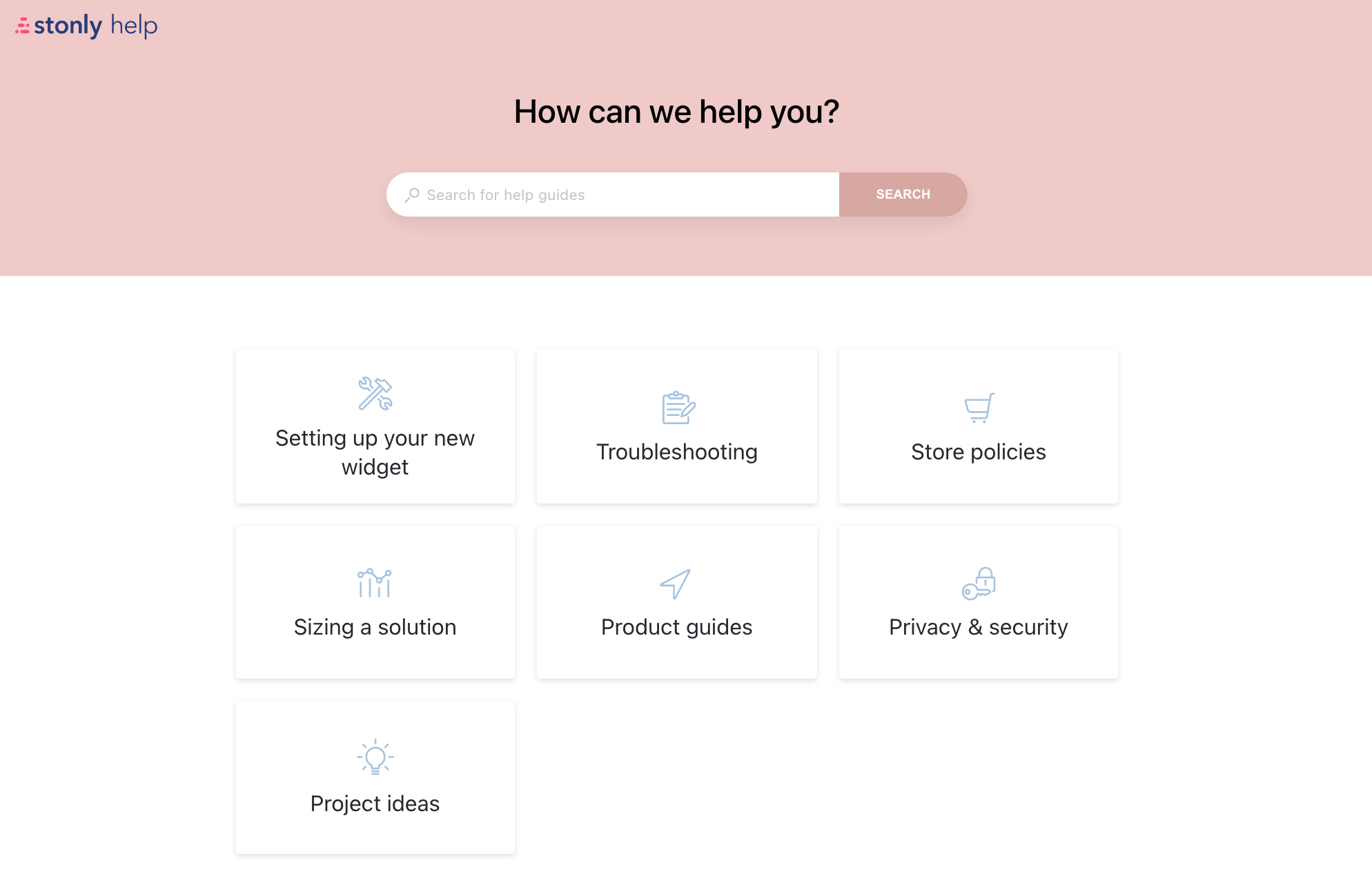
Customers will gravitate to the categories most relevant to them. If you have defined customer segments, you should use those segments as categories. You might also use your personas as categories–one section for users and a separate one for administrators, for instance.
One way a knowledge base really shines compared to a simple FAQ is that categories enable you to include a lot of information without it being overwhelming.
Related post: 7 Essential Benefits of a Knowledge Base for Support Teams
4. Establish general guidelines
The culture of your company and that of your customers will impact the tone of your articles. Are you looking to be personal and informal? Or a bit more formal and authoritative? Sometimes it helps to take a look at some of your other communications and use them as examples:
- Letter or email templates you send your customers
- Your website landing page
- Brochures or other literature
Make sure all contributors are familiar with the tone you’re going for in your knowledge base.
How technical and knowledgeable are your customers?
You want to meet people where they are when they come to your knowledge base. Are you dealing with people who already know a lot about your offering? Or are you helping customers or employees with very little knowledge about what you’re showing them?
Many business-to-business (B2B) websites have very sophisticated customers who understand what the product is for and are most interested in technical specifications; they may be asking very in-depth questions. With these customers, using industry-specific jargon may convey a sense of authority.
Many business-to-consumer (B2C) websites, on the other hand, have customers with a wide range of expertise. They are likely looking for information on using the product and perhaps basic how-tos. You want to avoid using jargon and simplify information for customers as much as possible.
Have this conversation with all of your contributors to make sure they understand their audience.
Related post: What is a self-service portal?
5. Identify the questions your customers ask the most
You can make a big impact by starting with a few of your most important topics.
There’s a good chance you already know what some of these topics are. If you don’t have a list of potential topics already selected, here are some places you can look:
Ask your current agents and sales reps
Few could ever know your customers better than the people who reassure and guide them on a daily basis. Ask them what questions they get over and over—these questions are great candidates for your knowledge base. Not only will your customers get the most use out of these questions, but these are also the ones you have the most experience with and therefore should have the most developed answers for.
Schedule some time with your reps when you can sit down and interview them, either individually or in small groups. Ask them open-ended questions about their experiences working with customers. Record these sessions and take good notes.
Evaluate your support tickets
Other than asking people directly about their experiences, your help desk ticket system is the best source of information about common issues and their resolutions.
There are sophisticated tools that can use machine learning to organize and classify issues, but the simplest way is to pull sample tickets and read through them, tag entries with their broad themes, then count up which themes occur most often. Look for topics that your customers could solve on their own if the right information was made available.
Check your email and/or messaging tools
What are the issues you find your colleagues talking about the most? As they go about solving customer problems, many of those conversations will be captured in your email, group chat, and other tools.
Review what people search for
Talk to the people managing your current website, advertising, social media, and search engine optimization (SEO). They should have a pretty good idea about what your customers are looking for online.
6. Source your answers
Now that you have a good idea of your customers' questions, you can start collecting the answers. Fortunately, you probably already have a lot of them covered somewhere.
Here are some places to look:
Help desks and sales scripts
Many of the best answers are the ones your agents give out every day by phone, email, or chat. You can re-use these time-proven answers in your self-serve knowledge base. As your agents continue to refine them, you can update them.
Brochures and websites
Once again, make use of your documented institutional knowledge. The materials you created to help explain your product are the perfect distillation of what you know already works.
Talk to support agents
There’s even more information available that hasn’t been written down yet. Use your agents’ creativity and wisdom. Remember, they know how to help your customers better than anyone.
Find an internal expert to fill in the gaps
For those questions that just don’t have a good answer yet, put your best minds on it. Draw on the network of experts you built at the beginning of this project to figure out new solutions to the previously unsolvable problems.
Related post: Intercom Alternatives: 10 Tools That Give You More for Less
7. Write your first article
A knowledge base article should be as interactive as possible. To make it easier to follow, break the whole process down into individual steps, and include all of the relevant information on one screen, if possible.
Write out the first step using short paragraphs and bullets that are easy to scan quickly. The last thing you want is to frustrate a user with a wall of text. If a branch is appropriate, give the customer choices on how to proceed to make the experience feel smooth and move along quickly.
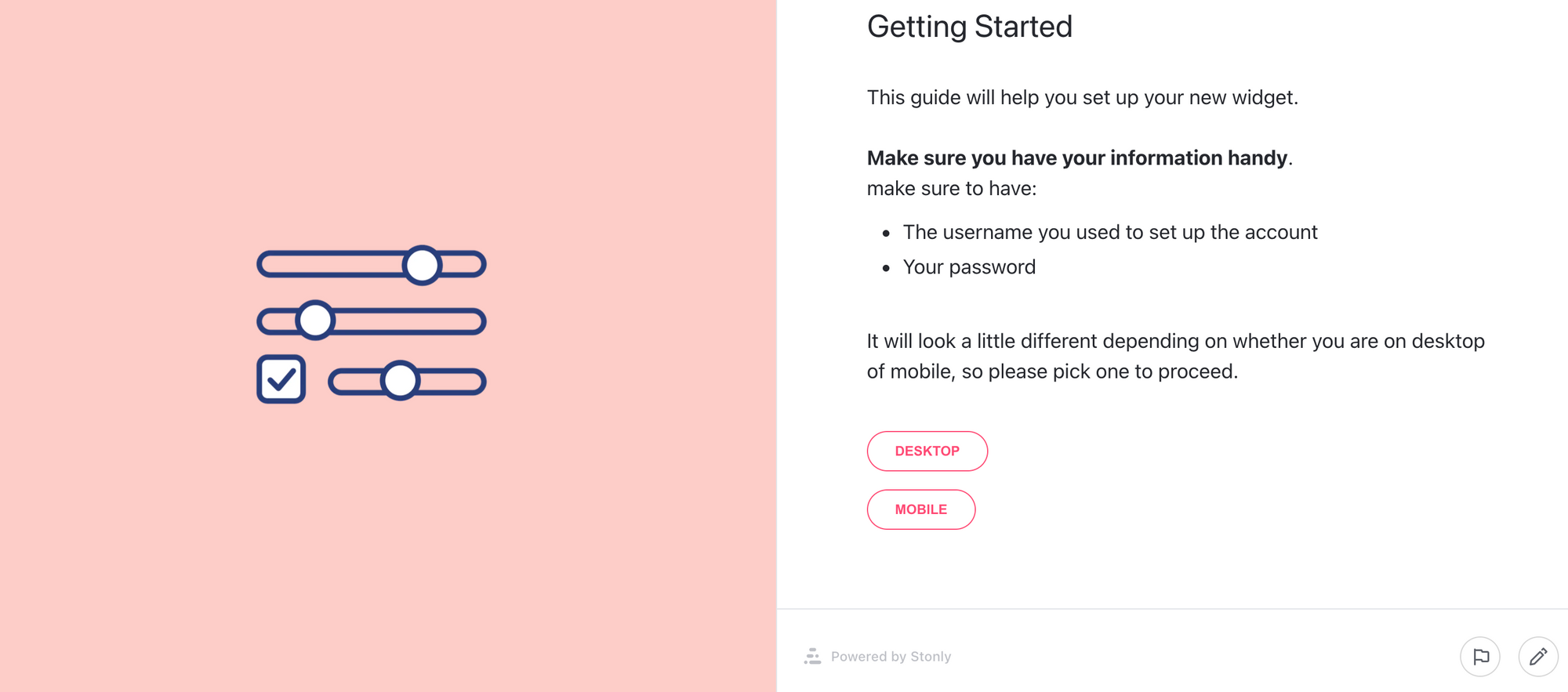
The step in an article might instruct the user on what information they need to get started and give them choices so that they can tailor the experience to their specific needs. For instance, the user might need to keep an error code on hand.
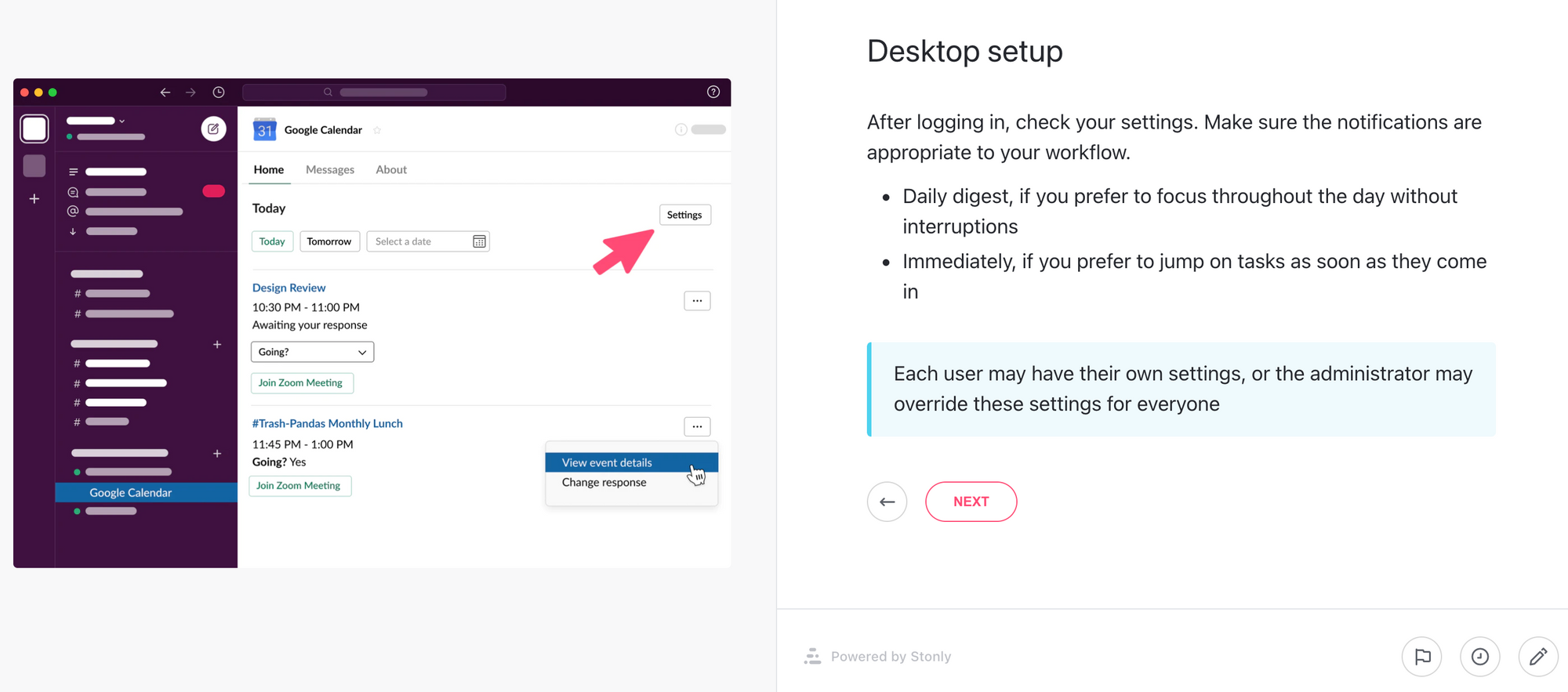
Include useful illustrations to help the customer understand exactly what you’re talking about. Use callouts to provide additional information that might be useful in this context.
Keep adding steps, branching as necessary, to walk your customer through the process. Include as many illustrations and screenshots as appropriate to make the guide easy to follow and to clear up any ambiguities.
Before publishing, you’ll want to test your article and validate the information, to ensure it’s easy to follow and you haven’t missed any steps. Show it to other members of your team or other knowledge base contributors. Your company may require additional approvals before publishing content online.
Implement changes based on the feedback you receive. And then, once you’re sure it’s easy to follow and contains all the necessary information, it’s time to publish the article.
8. Put it where your customers will find it
The purpose of the knowledge base is to make it available to your current and future customer base. You should promote your help center in various places on your website, such as in the main navigation and the footer.
With Stonly, you can use our widget to provide your knowledge base right on your website or in your app, and even choose which guides or categories to show on specific pages.
Remember, providing your knowledge base content right when and where people need it is the key. The easier it is to find, the more likely they are to use it.
Knowledge base management
Now that your knowledge base is live and seeing traffic, you’ll want to keep it fresh as you learn more about your customers and you introduce new products.
Keep the SMEs and contributors you enrolled at the start engaged by giving them articles to review periodically.
Existing articles should be reviewed to make sure they are still useful and still accurate. The actual schedule will depend on the pace of your industry, but once a quarter is a good place to start.
Keep listening to those close to your customers—sales, support, and web analytics—to stay on top of new topics that should be added to your knowledge base.
Work with engineering, marketing, and/or product development to establish a standard operating procedure that all new or revised product introductions should include a step to update the knowledge base, just as they would update sales and support.
Knowledge base examples
Here are some examples of knowledge bases in a few different industries:
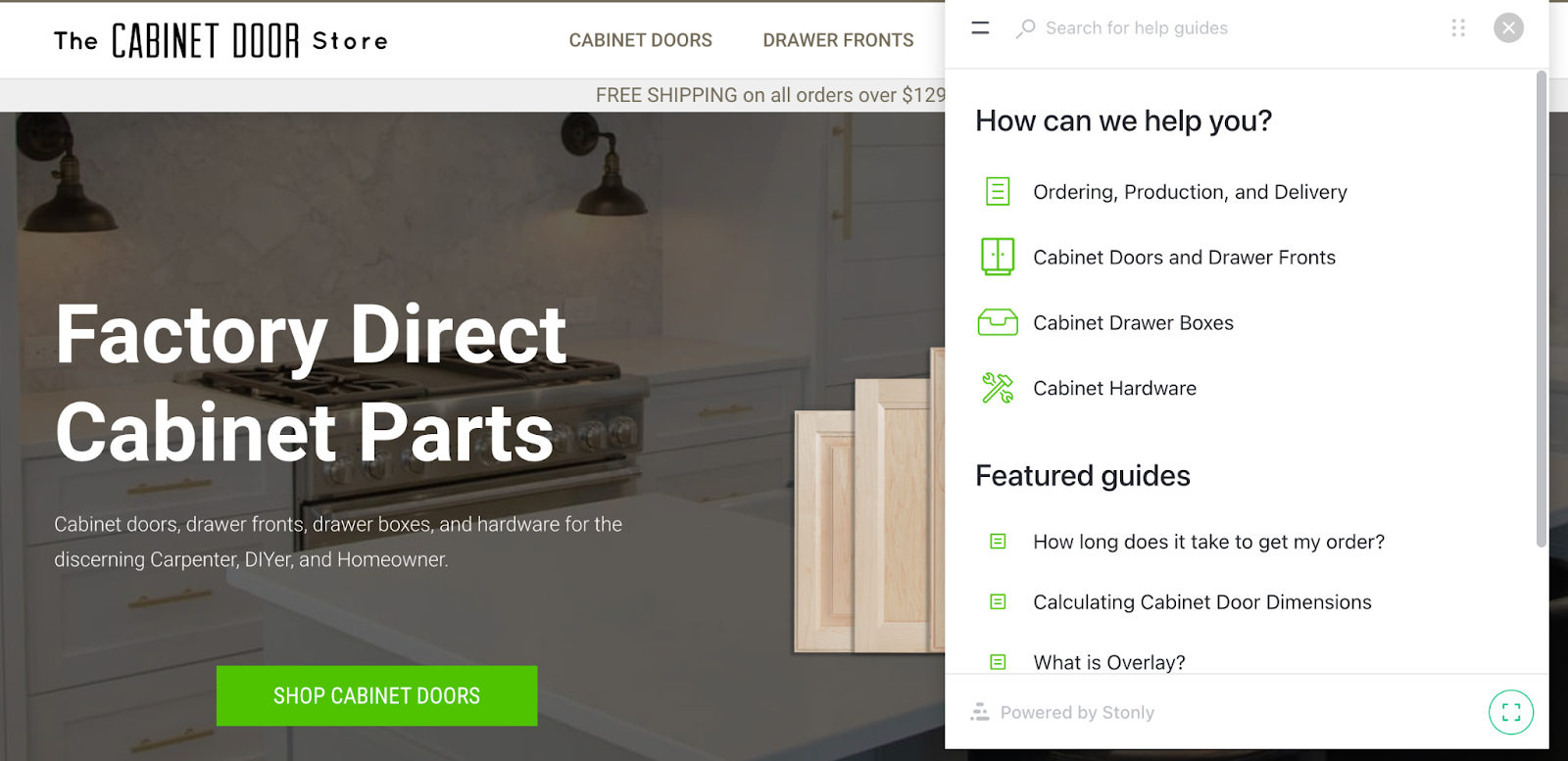
The Cabinet Door Store has an extensive knowledge base. They provide contextual help on their product detail pages and use a widget to provide the full knowledge base on all pages. The Cabinet Door Store – Where the Web Buys Cabinet Parts.
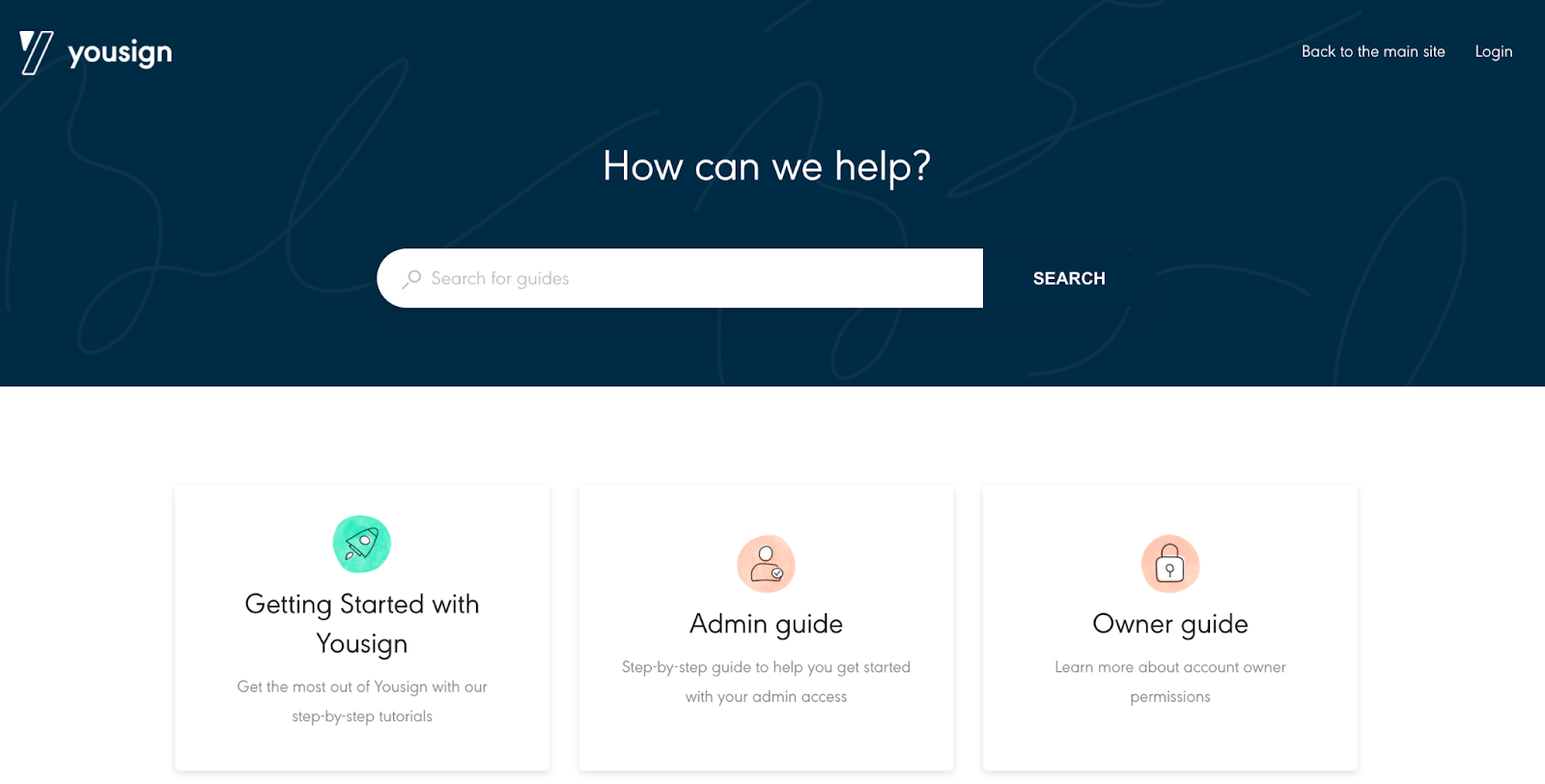
Yousign has a robust help center for existing and potential customers at Yousign Help Center. They also provide access to their knowledge base in-app so customers can get immediate help without any friction.
Knowledge base software
Of course, in order to create a knowledge base that drives customer and employee success, you’ll need to invest in the right knowledge base software tools for the job.
Stonly is a completely interactive knowledge base platform that replaces static articles with engaging, interactive guides and makes it easy to provide your knowledge base right where people need help—on your website, in your app, and in the other tools your team uses.
With Stonly, teams are able to build a beautiful, modern knowledge base with no design resources and no coding. Plus the interactive format allows for more powerful search and analytics than any other knowledge base provider.
Stonly is designed to give customers and employees the exact information they need, when (and where) they need it. It’s best for companies looking to build a modern knowledge base that decreases support costs and drives success.
Create your knowledge base
Customers appreciate the freedom that comes with having a real-time interactive knowledge base that answers their questions at their own pace. It can support them throughout the sales cycle, from the time they are first exploring options through adopting and mastering your products.
A knowledge base can also save you time and effort by giving you relief from answering the same questions over and over. As you can see, it’s much easier than you thought to harness the knowledge you already have in your company and publish it online.
Want to easily create a best-in-class knowledge base? We help you build intuitive, easy-to-use knowledge bases with no code. Start a FREE Trial
Frequently asked questions about creating a knowledge base
Who should manage your knowledge base?
It will be useful going forward to have someone responsible for making sure your knowledge base is kept fresh and to coordinate with the team.
Since contributing to the knowledge base will stretch across multiple functional areas, this person needs to be able to communicate and earn the respect of their colleagues. The support team usually owns the knowledge base, sometimes with a person dedicated to maintaining it. Other times it will be part of a support manager's job.
Who should write knowledge base articles?
You’ll want to keep a tight feedback loop between the information you learn about your customers and your knowledge base. The culture within your company and the nature of your business will determine how you need to manage approvals for new and updated articles, but your contributors should be as close to your customers as possible.
Product feature entries should be written by product management and the support team, whereas help and task articles should be written by someone close to customer service and support.
How do I know if customers are getting value from my knowledge base?
Your visitor analytics should show you which articles and flows are visited the most, and places where customers may be abandoning their sessions. Every successful hit on a how-to article is a saved phone call, and every dig into a product feature is a more successful customer. You can also use surveys on your website to gauge customer sentiment.
How do I know what articles I should write in my knowledge base?
In the same way you decide which articles to write first: stay close to those with direct contact with customers, and learn about the issues they are dealing with.
What tone of voice should I use in a knowledge base?
Your tone of voice should match your other materials, including your emails, brochures, and website. Also, make sure to tailor your use of jargon to how technical your users are.
What should be included in a knowledge base?
There are many other types of articles you can write, depending on your needs:
- Product features
- Tutorials
- How-to-get-started guides
- Troubleshooting guides
- Frequently asked questions (FAQ)
Also consider organizing your how-to articles into basic, intermediate, and advanced skill sets to support adoption and mastery after the sale.