

If you’re comparing knowledge base software for a customer-facing help center, the features customers use most are the hardest to compare. They include search that surfaces the correct article, content that changes based on the reader’s plan or role, and help that appears where customers already are, inside the product or on the page where they’re stuck.
Most platforms look similar in a demo, and the differences usually show up a few months after rollout, when articles go stale, or your AI chatbot starts giving customers outdated answers.
Below, we cover what to look for in a customer-facing knowledge base and nine tools to consider, along with the type of team each one suits best.
What Teams Need From a Customer-Facing Knowledge Base
A customer-facing knowledge base serves people who don't know your product the way your team does. They use their own words, often arrive frustrated, and want an answer that fits their specific situation.
- Accurate AI answers in the help center: Customers increasingly ask questions in a chat or search bar instead of browsing categories. AI should answer from your own content, link to the source, and hand off when it can’t help.
- Search that understands how customers ask: Customers rarely use your internal terminology. Search should handle natural language, typos, and vague questions, and point to the exact answer instead of a list of loosely related articles.
- Content personalized to the customer: A customer on a basic plan, an admin, and a customer in another country often need different answers to the same question. Look for ways to filter or personalize content by plan, product, region, role, or language.
- Formats that handle processes and troubleshooting: Some questions have a one-paragraph answer, while others depend on the customer's setup and what they've already tried. Your knowledge base should support content that works for both.
- Help where customers already are: The best help often appears before a customer goes looking for it, on the website, inside the product, or in a mobile app.
- A clear path to a human: When self-service can’t solve the problem, customers need an easy way to reach your team without having to repeat what they already tried.
- Content that stays current: Customers stop trusting self-service after one wrong answer. Every product update, pricing change, or policy revision can make articles outdated, so you need a reliable way to find and fix what a change affects before customers see it.
- Analytics on where customers get stuck: Failed searches, low-rated articles, drop-off points, and self-service resolution rates show where customers give up and contact support.
Very few tools cover all of this equally well. The tools below are grouped by what each does best.
The Best Knowledge Base Software for Customer-Facing Help at a Glance
| Best For | AI Self-Service | In-Product Help | Starting price | |
|---|---|---|---|---|
| Stonly | Customer service teams that want to deliver personalized help at the point of need, with accurate AI and self-service that resolves issues end to end | AI Answers with clarifying questions, Guided Answers, and Business Process Agents | No-code widget for websites and web and mobile apps | Custom pricing |
| Guideflow | Teams that want interactive product walkthroughs alongside their help center | None for customer questions; AI builds demo content | Embedded interactive demos and guides | Free plan; paid plans from $35/member/month |
| Zendesk | Teams already on Zendesk that want a help center built into their help desk | AI agents included in Suite plans, billed per resolution | Web widget | $55/agent/month (Suite Team) |
| Intercom (Fin) | Teams that want a help center paired with an AI agent and in-product messaging | Fin AI agent, billed at $0.99 per outcome | Messenger on websites and in products | $29/seat/month, plus Fin usage |
| Document360 | Teams that want a documentation-style knowledge base with strong authoring and translation tools | Eddy AI search and chatbot, billed in AI credits | Knowledge base widget | Custom pricing |
| Featurebase | Product-led SaaS teams that want support, a help center, and feedback tools in one product | Fibi AI agent, billed at $0.49 per resolution | Messenger in products and on websites | Free plan; paid plans from $29/seat/month |
| Help Scout | Small teams that want a simple help desk with a knowledge base that's quick to launch | Scout AI agent in the Beacon widget, billed at $0.75 per resolution | Beacon widget for websites and apps | Free plan; paid plans from $25/user/month |
| Knowmax | Enterprise contact centers that need decision trees and visual guides for complex troubleshooting | AI search and conversational chatbot | Self-service portal and widgets for websites and apps | Custom pricing |
| Heroic KB | WordPress sites that want a self-hosted knowledge base for a flat annual fee | Heroic AI Assistant on the Pro plan | Help assistant widget on your WordPress site | From $169/year |
Stonly
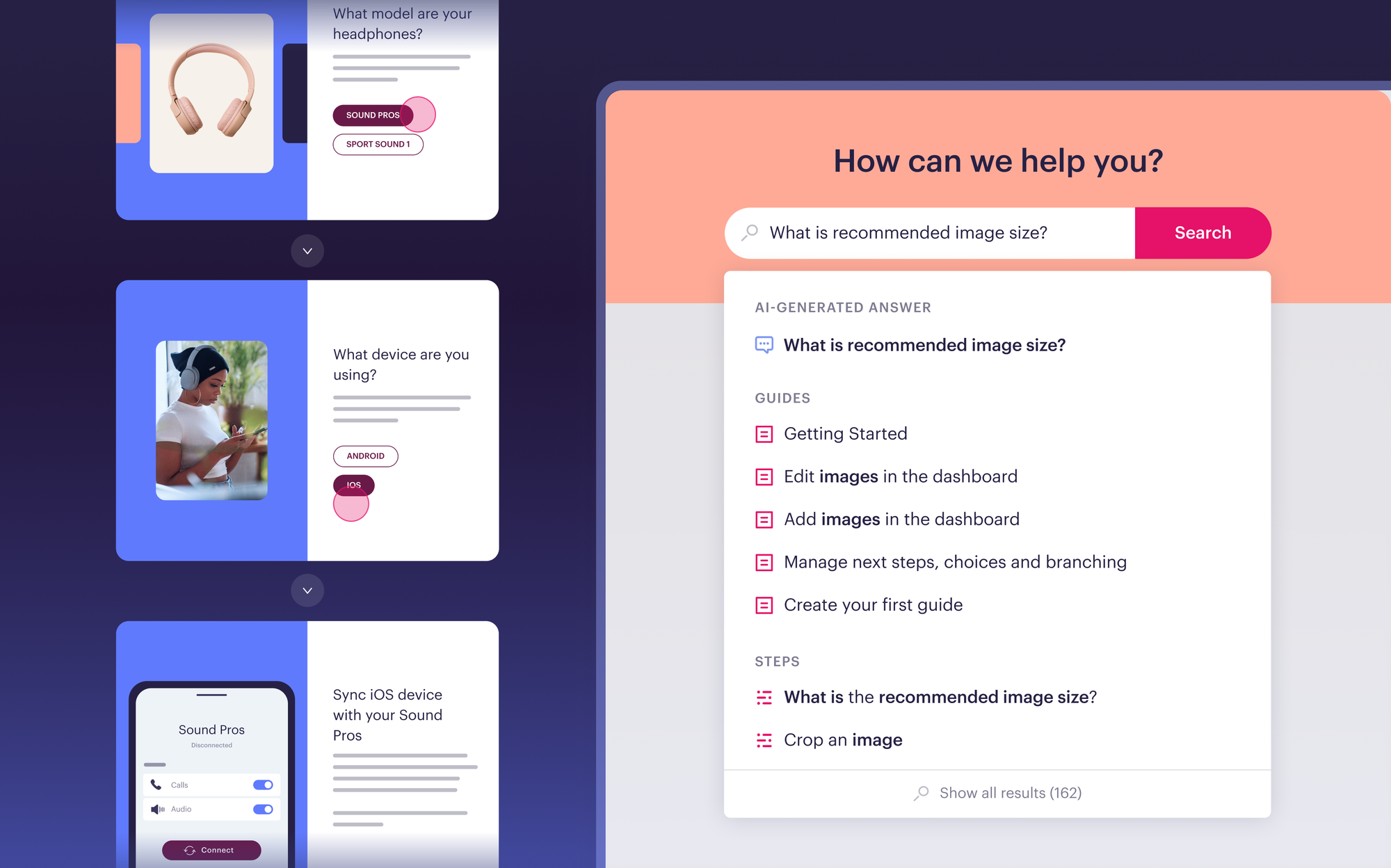
Stonly is a knowledge management platform built for customer service. It gives customers help at the point of need, whether that’s in your help center, on your website, inside your product, or in AI chat, with answers personalized to their situation.
A Help Center Personalized to Each Customer
You can personalize individual pieces of content or your entire help center using customer data. Two customers can open the same help center and see the answers that apply to their plan, product, region, or role, without wading through content meant for someone else.
AI Answers
AI Answers gives customers conversational self-service in your help center search or as a standalone chat.
- Accurate answers that link to the source: Stonly’s structured, metadata-rich knowledge gives AI a reliable foundation. Every answer is easy to follow and links directly to the guide or article it came from, so customers can check the details themselves.
- Clarifying questions: When more than one answer could apply, AI asks a follow-up question instead of guessing. It also rephrases incomplete, vague, or misspelled questions automatically.
- Guided Answers for important questions: For situations that need a specific process or word-for-word answer, such as billing disputes, account security, or compliance topics, AI follows predetermined processes and pre-approved answers.
- Business Process Agents (BPAs) for complex resolutions: BPAs gather the information each request needs, take action in connected systems, and resolve requests end-to-end, such as updating a subscription or processing a change to an account. They follow the same Stonly guides your customers use, so they’re easy to update when things change.
- Smooth handoff to your team: When AI can’t answer a question, it creates a ticket or opens a live chat and passes along the full conversation, so customers don’t have to repeat themselves.
Proactive Help on Your Website and in Your Product
Stonly’s Widget puts your knowledge on your website and inside your web or mobile app. No-code triggers let you show a specific guide or answer at a specific moment through popups, tooltips, banners, and hotspots.
Customer data decides which content appears, so a new customer can see onboarding help while an admin sees setup guidance for a feature they just enabled. Custom contact forms let customers reach your team from the same place they were looking for help, and site-wide announcements catch repetitive questions during outages or launches.
Knowledge Agents That Keep Content Current
Outdated content is one of the main reasons self-service fails. Knowledge Agents take on much of the work of keeping it accurate.
They connect to the places where questions and changes come from, including incoming tickets, search results, AI conversations, and product or policy changes. They scan your knowledge continuously for duplicates, mistakes, outdated content, and topics that have no content yet.
When something needs attention, they outline what’s required and draft an update that follows your brand guidelines. Your team reviews and publishes it, so nothing goes live without human approval.
Analytics That Show Where Customers Get Stuck
Stonly shows which content gets used, where customers drop off in a guide, and which searches return nothing. Because search works at the step level within guides, customers land on the exact instruction they need, and your team can see which steps cause the most trouble.
Step-by-Step Guides for Processes and Troubleshooting
Stonly is the only full-featured knowledge base that offers both standard articles and step-by-step guides. A guide breaks a process into steps, asks what the customer is working with, and shows only the path that applies. This works well for troubleshooting, setup, and account changes, where the answer depends on the customer’s situation.
Guides can also connect to your systems and take actions as customers move through them, such as checking account details or submitting a request, so customers can finish a process without contacting support.
Security and Compliance
Stonly holds SOC 2 Type II certification and is GDPR and HIPAA compliant.
Key Features
| Self-Service Channels | Help center, AI chat, website and in-app widget (web and mobile), Slack, WhatsApp |
| Content Formats | Standard articles and step-by-step guides that branch by customer situation |
| Content Personalization | Content and full help center personalized by customer data (plan, product, region, role) |
| AI Answers | Source-linked answers, clarifying questions, Guided Answers, Business Process Agents |
| Escalation to a Human | AI creates a ticket or opens live chat with full context; custom contact forms in the widget |
| Content Maintenance | Knowledge Agents flag outdated, duplicate, and missing content and draft updates for review |
Customer Results
Ahead of a major firmware migration, Devialet expected about 10,000 support tickets. A single Stonly guide with separate paths and screenshots for each product type walked more than 10,000 customers through the update on their own. Devialet deflected more than 90% of the expected tickets and avoided over 9,000 in one month.
“Stonly enabled nearly all of our customers to migrate to new software on their own without having to contact support, saving our team a ton of work!”- Sébastien Faure, Head of Customer Service, Devialet
Anderson America reduced daily ticket volume by 80% with Stonly’s knowledge base, guides, and AI.
“Thanks to Stonly, we’re leading the charge in our industry by giving customers quick and accurate resolutions and freeing up our technicians to tackle more complex tasks.”- Justin Wilder, Service Manager, Anderson America
Pricing
Stonly offers custom pricing for small businesses and enterprise companies.
Best for: Customer service teams that want to deliver personalized help, with accurate AI and self-service that resolves issues end to end.
See how Stonly helps customer service teams cut ticket volume and help more customers find answers on their own.
Guideflow
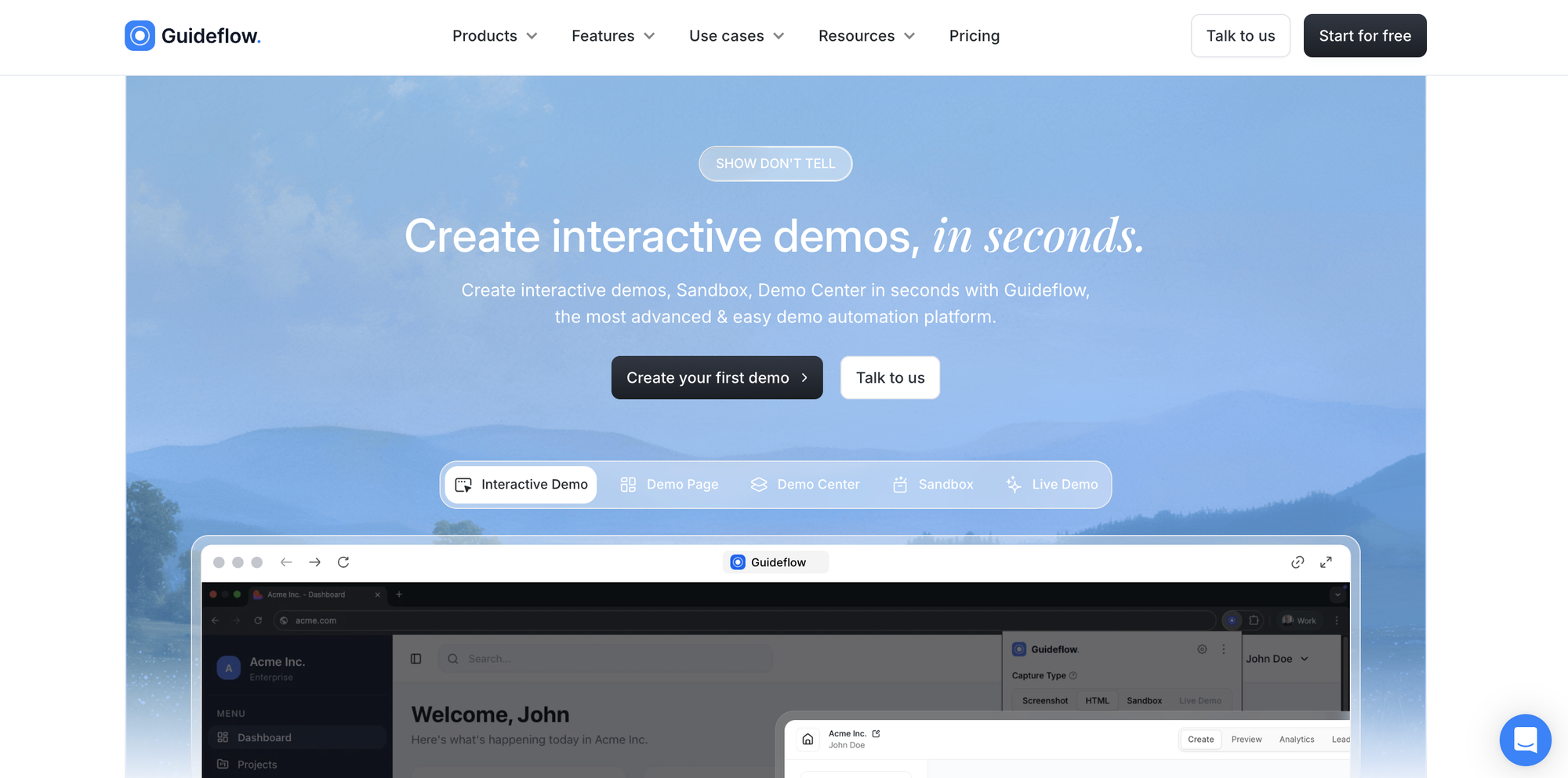
Guideflow is a demo automation platform that turns a product into interactive demos customers can click through themselves. Support and documentation teams use it to replace static screenshots in help content with a running copy of the product, so customers can try a process before applying it to their own account. It covers the show-me side of self-service rather than hosting articles, so it sits alongside a knowledge base rather than replacing it.
Key Features
| Types of Self-Service Tools | Interactive demos, demo pages, demo centers, sandboxes, live demos and mobile demos, embedded in help centers, websites and apps |
| Standard Content Articles | No |
| Step-by-Step Guides | Yes |
| Content Personalization | Yes (Edit text, numbers, images and charts inside the demo, and use variables and conditional branching to show each viewer a version matched to their plan, role or use case) |
| AI-Powered Answers | No (AI generates demo content, voiceover and translation into 100+ languages, rather than answering questions from a knowledge base) |
| Search Capabilities | Demo centers group demos by product, use case or audience so customers open the one that matches their situation |
| Contact Forms | Yes (Lead forms and surveys inside the demo collect details and pass them to the CRM) |
| Integration and Automation Capabilities | Native integrations with HubSpot, Salesforce, Pipedrive, Zoho and Marketo, plus Slack alerts and an MCP server so an AI assistant can build, personalize, translate and publish demos |
| Reporting and Analytics | Completion rates, time on each step, drop-off points, returning visitors and company-level visitor identification |
Advantages
- Lets customers learn by doing, clicking through a copy of the product inside a help article instead of reading a sequence of screenshots that goes stale after the next release
- Builds demos with no code and no engineering time: capture through the Chrome extension or the desktop app, and a demo is ready in about two and a half minutes
Shortcomings
- Does not host standard articles or run help center search, so it covers the demonstration layer of self-service and needs a knowledge base beside it
- Built around showing a product interface, so support content that is mostly billing, policy or account questions will use less of the platform
Pricing
Free plan available, with paid plans starting at $35/month per user (billed annually).
Best For
Companies whose most common support questions are about how to do something in the product, and who want customers to click through the steps inside the help center instead of reading them.
Zendesk
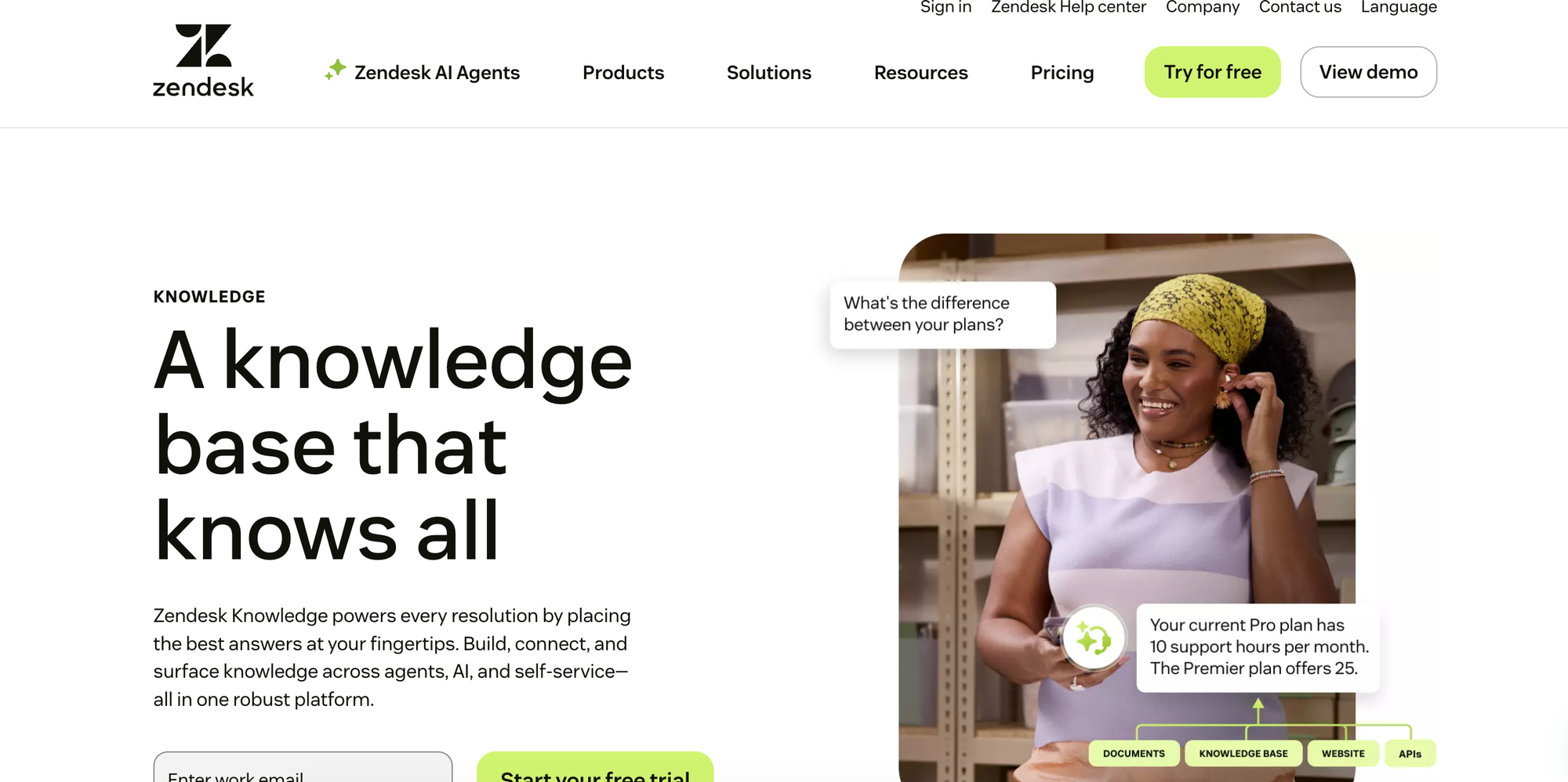
Zendesk Knowledge is the knowledge base inside the Zendesk Suite. It powers the customer-facing help center and feeds Zendesk’s AI agents across messaging, email, and other channels.
Key Features
| Self-Service Channels | Help center, web widget, messaging, mobile SDKs |
| Content Formats | Standard articles with reusable content blocks |
| Content Personalization | Visibility by user segment and role; multiple brands and languages |
| AI Answers | AI agents answer from your help center across channels, billed per resolution |
| Escalation to a Human | AI agent hands off to live agents; ticket request forms |
| Content Maintenance | Approval workflows, verification intervals, scheduled publishing, bulk updates |
Advantages
- Help center connected to every channel: The same articles power the help center, the web widget, messaging, and AI agent answers, so customers get consistent answers wherever they ask.
- AI answers on every Suite plan: Starting with Suite Team, AI agents answer customers from your help center in messaging, email, and the web widget.
- Fewer outdated answers: Verification intervals and scheduled publishing flag stale articles, so customers are less likely to land on outdated help.
Shortcomings
- AI costs grow with usage: AI agents bill per resolution, so costs rise as more customers self-serve.
- Standard article format: Customers working through troubleshooting that depends on their setup get long articles instead of a guided path, unless you build one with custom development.
- Help center limits on the entry plan: Suite Team includes one help center, Suite Professional supports up to five, and advanced knowledge management sits in the quote-only Suite Enterprise + Copilot plan.
Pricing
Zendesk Suite Team costs $55 and Suite Professional $115 per agent per month, billed annually, with Suite Enterprise + Copilot priced on request.
Best for: Teams already on Zendesk that want a help center built into their help desk.
Intercom (Fin)
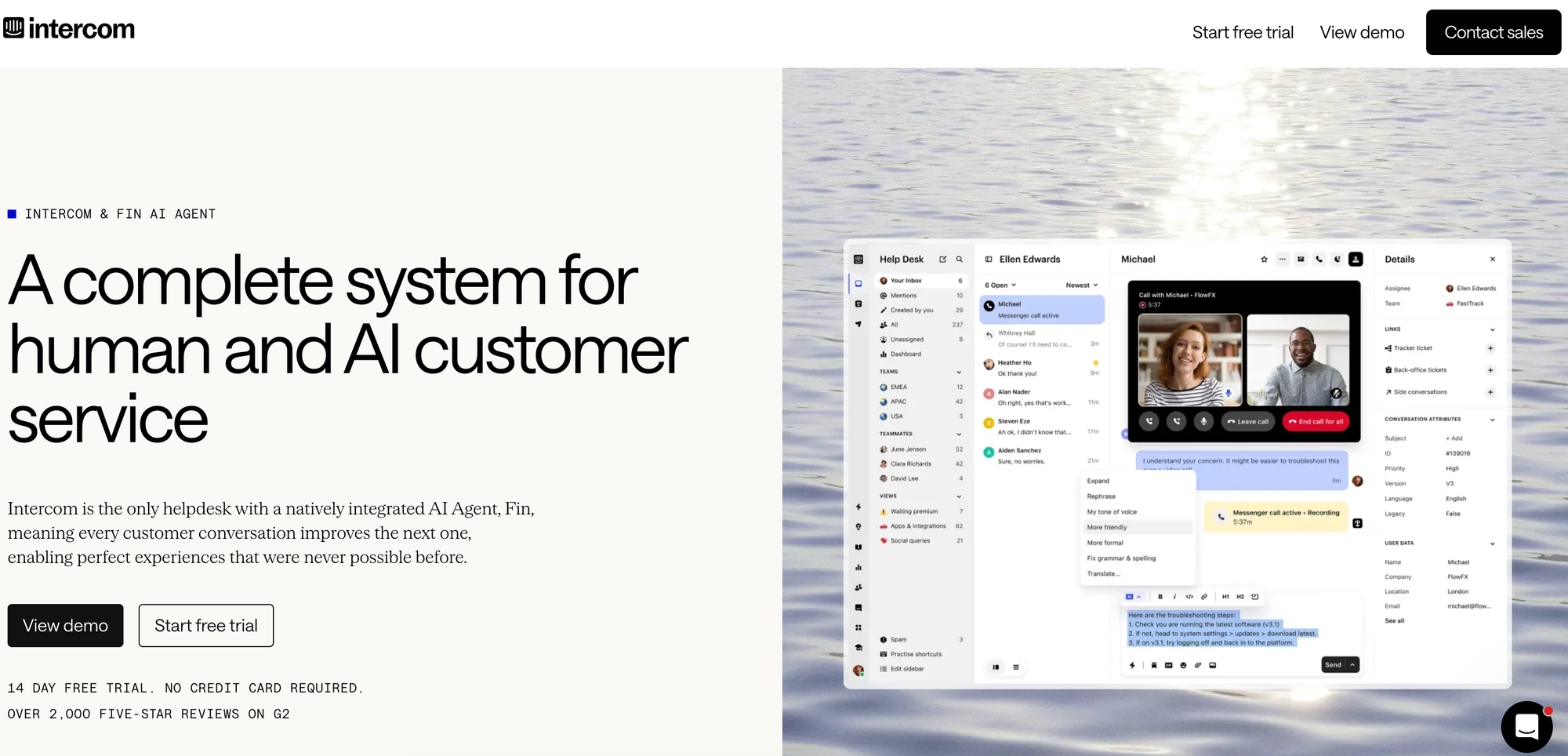
Intercom is a customer service platform built around its Messenger and help center, with the Fin AI agent answering customer questions from your help content. The company now goes by Fin, though the help desk and its plans still carry the Intercom name.
Key Features
| Self-Service Channels | Help center, Messenger on websites and in products, mobile SDK, email and social via Fin |
| Content Formats | Articles, plus AI-only snippets; product tours and checklists for in-app guidance |
| Content Personalization | Audience targeting by content type; multilingual and private help centers on Advanced |
| AI Answers | Fin answers from articles, snippets, and synced sources, billed per outcome |
| Escalation to a Human | Fin hands conversations to your team in the same Messenger thread |
| Content Maintenance | Knowledge Hub with AI suggestions for gaps, unclear, duplicate, and contradicting content |
Advantages
- Help center connected to the Messenger: Customers can search articles and get AI answers in the same widget they use to chat with your team, on your website or inside your product.
- Fin AI agent: Fin answers questions from your help center and other content, and it can also work on top of other help desks such as Zendesk and Salesforce.
- Proactive in-product help: Product tours and in-app messages guide customers through a feature before they need to ask.
Shortcomings
- AI costs grow with success: Fin is billed per outcome, so as self-service improves and Fin resolves more conversations, the bill goes up and gets harder to budget.
- Built to work alongside the Messenger: Intercom’s help center is designed to run with its Messenger, so it’s a weaker fit if you only want a standalone knowledge base.
- Ownership change: Salesforce completed its acquisition of the company in September 2026, and the deal may bring changes to the roadmap, packaging, or pricing.
Pricing
Intercom’s seat plans cost $29 (Essential), $85 (Advanced), and $132 (Expert) per seat per month, billed annually. Fin is billed separately at $0.99 per outcome.
Best for: Teams that want a help center paired with an AI agent and in-product messaging.
Document360
Document360 is a knowledge base and documentation platform from Kovai. Customers can browse a branded help site, search it with Eddy AI, or get answers from a widget inside your website or app.

Key Features
| Self-Service Channels | Knowledge base site, Knowledge base assistant widget for websites and apps |
| Content Formats | Articles and templates; decision trees on higher plans |
| Content Personalization | Conditional content by reader group, country, device, or date; 50+ languages |
| AI Answers | Eddy AI search and chatbot with source-linked answers, billed in credits |
| Escalation to a Human | Ticket deflector forms that create tickets in Zendesk or Freshdesk |
| Content Maintenance | Version history and rollback, approval workflows, review reminders, stale-content status |
Advantages
- Conditional content: Customers see the content blocks that match their reader group, country, device, or date, so one article can serve several audiences.
- Answers before a ticket is sent: The ticket deflector suggests relevant articles as customers fill out a support form, so many find the answer before submitting.
- AI answers with sources: Eddy AI answers customer questions with source-linked responses and article summaries, so customers can check the details themselves.
Shortcomings
- Pricing is quote-only: Document360 removed its public pricing tiers, so you’ll need a sales conversation to compare costs.
- AI usage is metered: Each AI search or chatbot question uses credits from an account-wide allowance, so usage and renewal costs can climb as self-service grows.
- Advanced formats on higher tiers: Decision trees for branching content are only available on higher plans.
Pricing
Document360 offers several plans with custom pricing on request, with AI features priced as part of the package.
Best for: Teams that want a documentation-style knowledge base with strong authoring and translation tools.
Featurebase
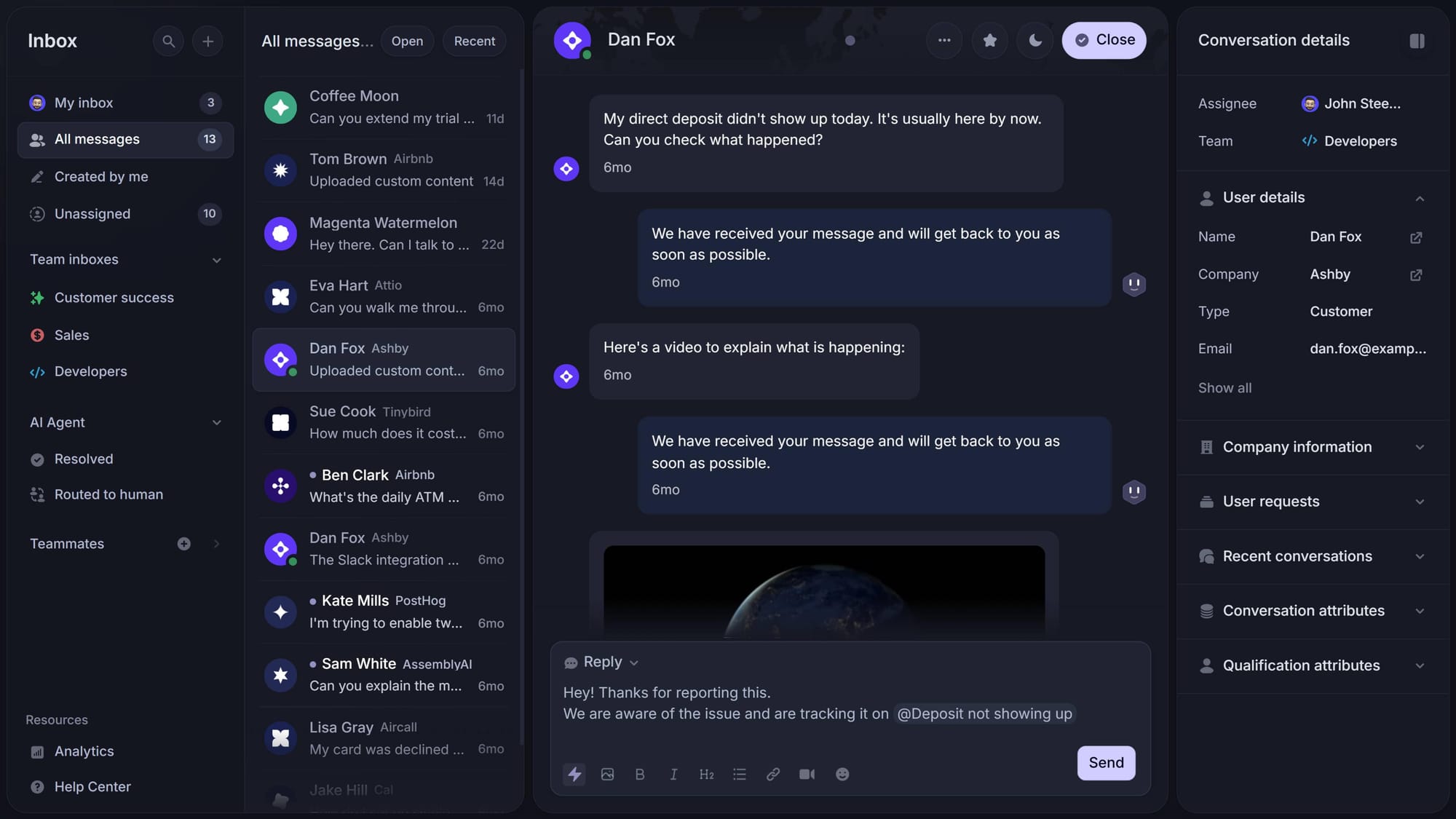
Featurebase is a customer self-service platform that gives teams a shared space for product updates, feedback, and documentation. It brings together a public knowledge base, a feedback board, and announcements in one place so users can find answers, share ideas, and stay informed without jumping between tools. The editor supports rich formatting, images, and embeds, which makes it easy to publish clear guides, FAQs, and release notes that feel like a natural part of your product site. You can also customize branding and layout so the portal matches your product's look and tone.
A built-in search helps users find articles and requests quickly, while topic categories and upvote systems surface the most useful content. Featurebase connects feedback with documentation and changelogs so teams can close the loop by turning requests into updates and articles. Integrations with tools such as Slack, Jira, and GitHub keep product and support teams in sync, and user authentication lets you protect content or personalize what different customers see. Moderation tools, reactions, and comments make it easier to understand what customers need and where content should improve.
Using Featurebase, companies give customers a single hub for answers and communication. This reduces repeated questions and cuts down on support volume while building trust through clear updates and transparent decision-making. Whether you are publishing a simple help center or running a full feedback program, Featurebase offers an organized way to support users and keep them engaged.
Key Customer Self-Service Features
| Types of Self-Service Tools | Knowledge base, AI chatbot, messenger widget |
| Standard Content Articles | Yes |
| Step-by-Step Guides | No |
| Content Personalization | Yes (Restrict articles to specific user groups or teammates, segment content by user attributes) |
| AI-Powered Answers | Yes (AI search summaries deliver instant answers in the search bar, AI agent automatically resolves customer questions, and runs custom workflows) |
| Search Capabilities | AI-powered search with instant summaries and full-text search |
| Contact Forms | Yes (Messenger widget enables customers to start conversations and submit support requests) |
| Integration and Automation Capabilities | Integrations with Slack, Linear, Jira, Discord, and HubSpot to sync support emails and automate workflows |
| Reporting and Analytics | Track article performance, views, search results analytics showing keywords searched and gaps, and real-time performance metrics |
Advantages
- Combines a self-serve knowledge base, a customer feedback board, and product announcements in a single platform
- Connects feedback with documentation and changelogs so teams can show customers how their requests became features
Shortcomings
- Some users mention that the AI agent doesn't actively learn from questions or trigger content creation from solved conversations
- Others note that Featurebase's multilingual support is limited and lacks a one-click translation feature for the customer portal
Pricing
Starts at $29/month per seat, plus $0.29 per AI resolution.
Best For
Support teams that want to reduce repetitive questions by combining self-service documentation with customer feedback collection.
Help Scout
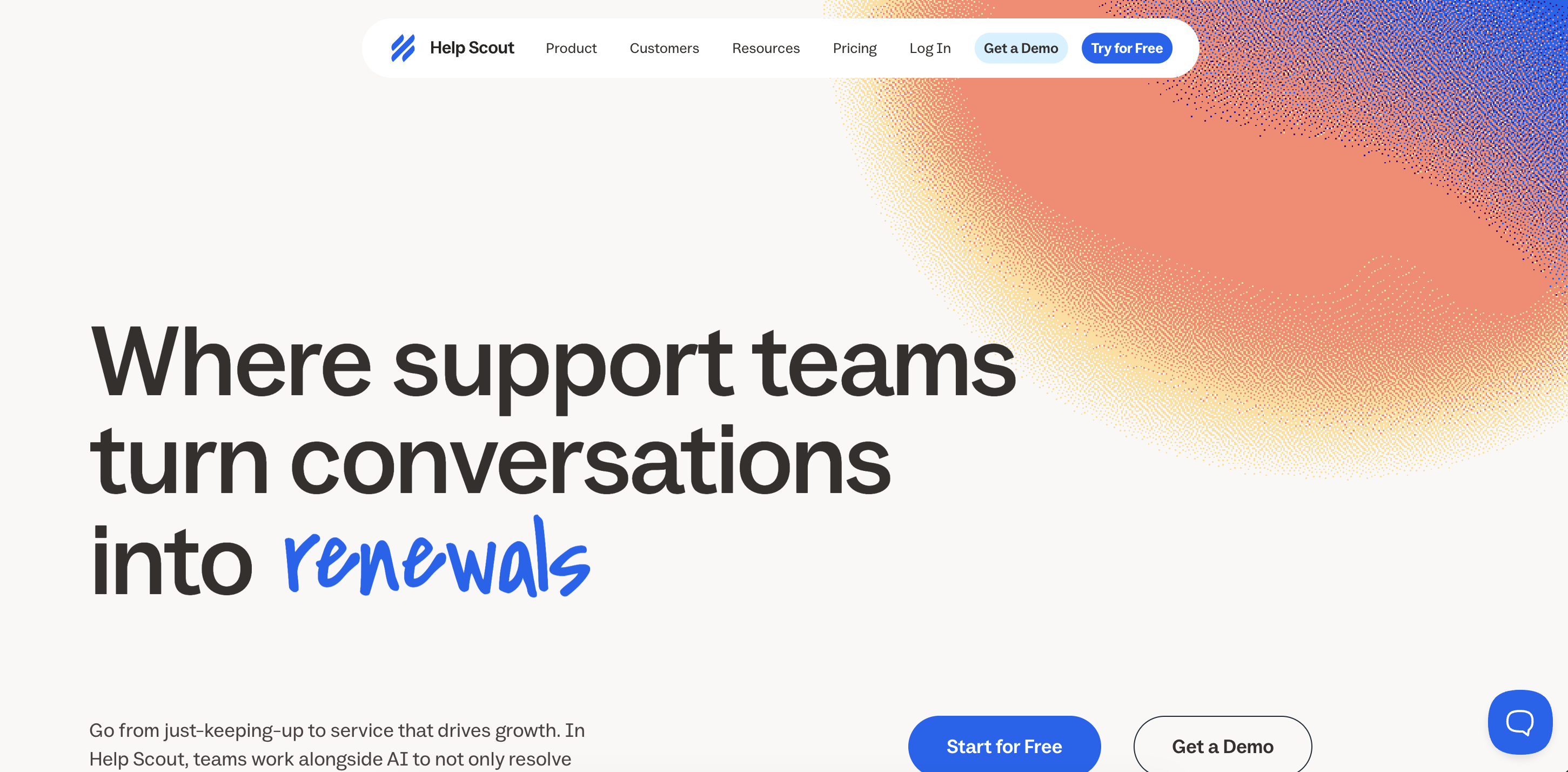
Help Scout is a help desk built around a shared inbox, with Docs for the knowledge base and Beacon, an embeddable widget that brings articles, chat, and contact forms to your website or app.
Key Features
| Self-Service Channels | Docs knowledge base, Beacon widget for websites and apps |
| Content Formats | Standard articles organized in collections |
| Content Personalization | Beacon options and content by page and logged-in status |
| AI Answers | Scout AI agent (formerly AI Answers) in Beacon, drawing on Docs and web sources, billed per resolution |
| Escalation to a Human | One click from Scout to your team; Beacon chat and contact form |
| Content Maintenance | Limited; no version control on articles |
Advantages
- Beacon widget: Beacon surfaces help articles, live chat, and contact forms anywhere on your site or in your app, with AI answers from Scout, its AI agent.
- Journey-based help options: Teams can show different support options and content depending on whether a customer is logged in or where they are in their journey.
- One click to a person: If Scout can’t help, customers can reach your team from the same Beacon without starting over.
Shortcomings
- Limited help center options: The highest plan includes only 5 Docs sites, with extra sites at $20 per month each, which limits separate help centers for different brands or audiences.
- Reporting limits: Some users find reporting too limited to see where customers get stuck in self-service.
- Standard article format: Docs is built around articles and collections, which are harder to apply to multi-step troubleshooting.
Pricing
Help Scout offers a free plan for up to 5 users with one inbox, one Docs site, and 100 contacts per month. Paid plans start at $25 per user per month, with extra Docs sites available for an additional fee. AI resolutions are billed separately at $0.75 each.
Best for: Small teams that want a simple help desk with a knowledge base that’s quick to launch.
Knowmax
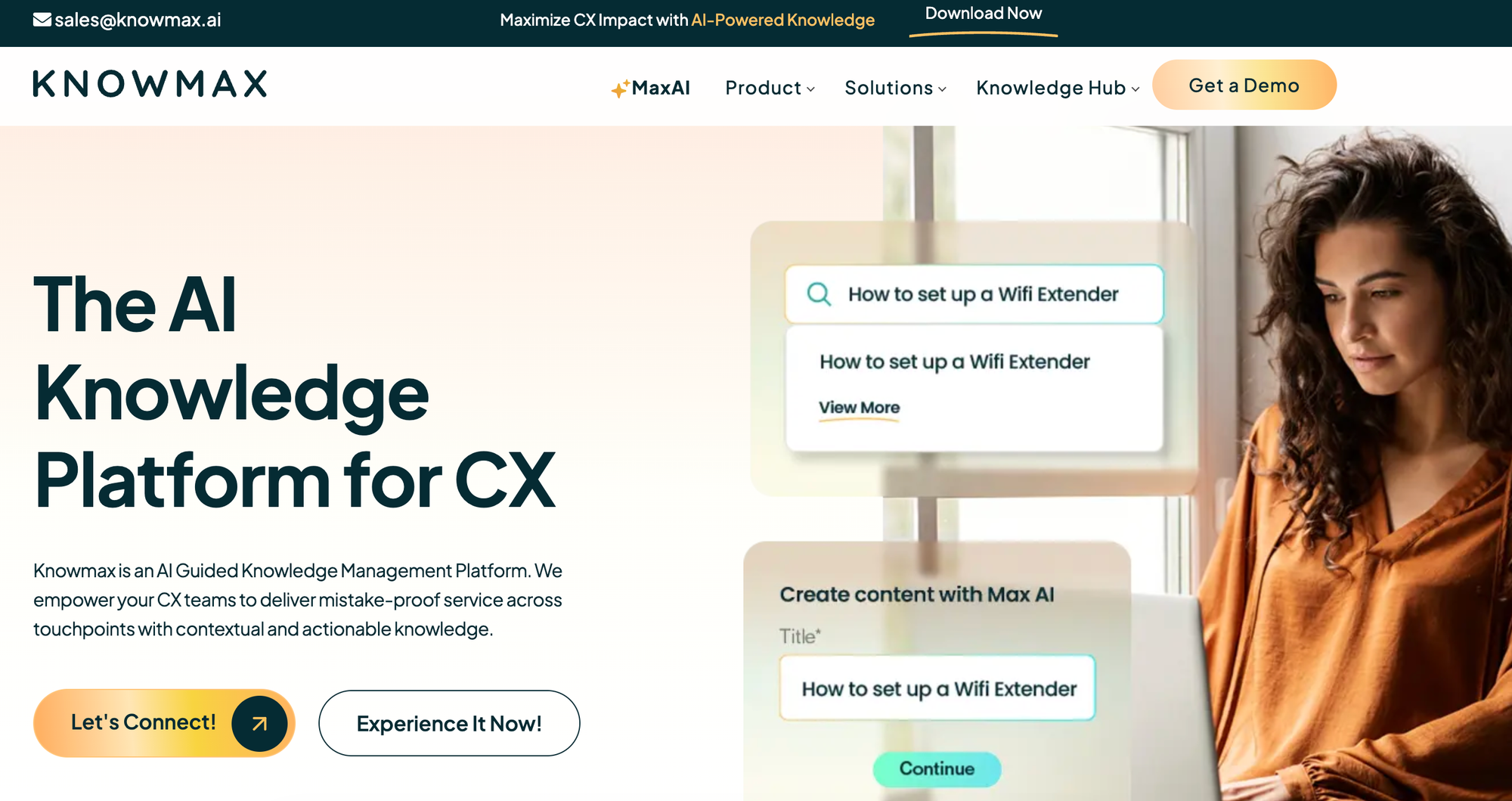
Knowmax is a knowledge management platform that provides customer self-service through guides and AI-powered content. It has an in-document search that helps users locate specific information within articles and AI agents that generate personalized responses. Knowmax integrates with major contact center platforms, but it doesn't include built-in contact forms for submitting support tickets.
Key Customer Self-Service Features
| Types of Self-Service Tools | Knowledge base, AI chatbot, in-app, website widgets |
| Standard Content Articles | Yes |
| Step-by-Step Guides | Yes |
| Content Personalization | Yes (AI agent generates personalized responses based on user data) |
| AI-Powered Answers | Yes (Conversational AI search, AI agent responses, and generative AI-powered self-service articles) |
| Search Capabilities | Search with filtering by title, category, publishing date, and in-document search to find specific content |
| Contact Forms | No |
| Integration and Automation Capabilities | Ticketing systems like Zendesk, Salesforce, and Freshworks, plus contact center platforms like Genesys, SAP, Talkdesk, and Exotel, to surface knowledge in agent workflows |
| Reporting and Analytics | Track content views, user engagement patterns, content performance, and search analytics to identify content gaps |
Advantages
- Has an in-document search that locates exact answers, helping customers access information quickly
- Supports conversational AI search so customers can ask questions in their own words rather than using specific keywords
Shortcomings
- Lacks contact forms, which means customers can't submit support requests directly from the knowledge base when they can't find answers
- Some users say Knowmax's customization options are limited, meaning that in practice, its content personalization options may not be particularly robust
Pricing
Custom pricing available on request.
Best For
Companies with contact center operations that need step-by-step guides, in-document search, and integrations with platforms like Genesys, SAP, and Talkdesk.
Heroic Knowledge Base
Heroic Knowledge Base (Heroic KB) is a WordPress-based solution for customer self-service. It blends simplicity and power into every aspect of the platform.
Heroic Knowledge Base is a top pick for businesses that want a fast, reliable, and well-integrated self-service experience.
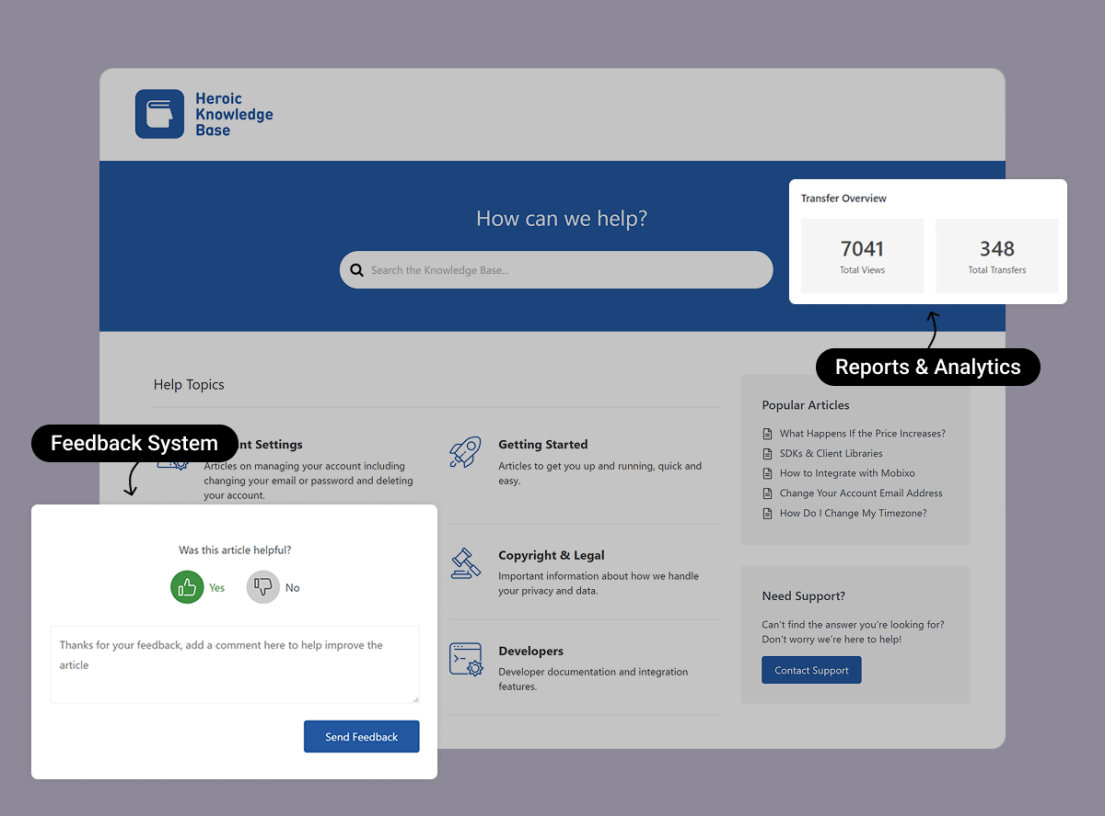
It offers you advanced features like article feedback, analytics, a powerful editor, an AI assistant, and layout flexibility. All while remaining cost-friendly (starting at just $239 per year).
Key Customer Self-Service Features
| Types of Self-Service Tools | Knowledge base |
| Standard Content Articles | Yes |
| Step-by-Step Guides | No |
| Content Personalization | Yes (Search provides suggestions as users type) |
| AI-Powered Answers | Yes (Chatbot provides real-time assistance and instant answers to customer inquiries based on knowledge base content) |
| Search Capabilities | Search articles and categories to find answers |
| Contact Forms | No |
| Integration and Automation Capabilities | Integrations with Slack for notifications, Heroic Inbox and HelpScout for suggested articles in mailboxes, and form plugins for embedding search |
| Reporting and Analytics | Measure popular searches, empty searches, article feedback, and which articles generate support tickets |
Advantages
- Offers knowledge management and self-service functionality at a relatively low cost for small businesses
- Tracks which articles generate support tickets to help teams identify ineffective content and improve customer self-service
Shortcomings
- Lacks step-by-step guides, so customers can't troubleshoot complex problems with branching workflows
- Requires a third-party integration for contact forms, as it doesn't support them natively
Pricing
Starts at $239/year.
Best For
Small businesses that use WordPress and want an affordable, integrated self-service solution.
Frequently Asked Questions About Customer-Facing Knowledge Bases
What is a customer-facing knowledge base?
A customer-facing knowledge base is a library of help content, such as articles, guides, and FAQs, that customers can access on their own. It usually powers a help center on your website, help widgets inside your product, and increasingly the AI that answers customer questions.
How does AI change customer self-service?
AI lets customers ask questions in their own words and get a direct answer instead of a list of articles. Its accuracy depends on the knowledge behind it. AI built on well-organized, current content gives better answers, asks clarifying questions when a situation is ambiguous, and hands off to a person when it can't help.
How do you measure whether your knowledge base is working?
Useful metrics include self-service resolution rate, ticket deflection, searches that return no results, article ratings, where customers drop off in a guide or article, and how often AI resolves each topic. Tracking these over time shows which content works and where gaps are creating tickets.
The Knowledge Platform for Customer Self-Service That Works
Stonly gives customer service teams one platform for customer-facing help.
- Personalized knowledge: Show each customer only the content that applies to their plan, product, region, or role.
- Accurate AI answers: Source-linked answers that ask clarifying questions, Guided Answers for important questions, and Business Process Agents that resolve requests end to end.
- Help at the point of need: Guides, tooltips, banners, and contact forms on your website and in your product, deployed without code.
- Knowledge Agents: AI agents that monitor your knowledge, flag what’s outdated or missing, and draft updates for your team to review.
- Step-by-step guides: Walk customers through processes and troubleshooting with only the steps that apply to them.
- A team behind the platform: Product managers and CSMs who have helped more than 1,000 companies succeed with their knowledge.
Request a demo to see how Stonly helps companies reduce support tickets, improve CSAT, and help more customers find answers on their own.