

Peak season puts more pressure on a retailer's knowledge base than any other time of year. Ticket volume climbs while seasonal and outsourced reps are still learning the basics.
Promotions, shipping cutoffs, and holiday return windows change from one week to the next. Customers with questions about sizing, delivery, or a missing order need quick answers, and a slow or wrong one can cost the sale along with the customer’s next visit.
For most retailers, those weeks expose the same weaknesses. Product details are scattered across spec sheets and supplier documents, policies live in long articles that are hard to keep current, and reps spend the busiest days of the year searching instead of helping. Self-service and AI can absorb much of the extra demand when the content behind them is accurate and easy to find.
Below, we break down what retail and e-commerce companies need from a knowledge base and five tools built to meet those needs, each with a different strength.
What Retailers Need From a Knowledge Base
Retailers manage knowledge for shoppers, for the support reps who help them, and for store teams, and in retail, how well that knowledge works shows up in revenue as well as service costs.
- Product knowledge across large catalogs: Specs, sizing, compatibility, setup, and care instructions span thousands of SKUs that change every season. Reps and customers need to find accurate details for the exact product in question.
- Policies that vary by channel, region, and promotion: Return windows, price matching, warranties, and shipping rules can differ for online, in-store, marketplace, and holiday purchases. Look for knowledge that can be filtered or personalized to the customer’s situation.
- Content that keeps up with promotions and launches: Sales events, new products, and discontinued items make content outdated quickly. Teams need a fast way to find and update everything a change affects.
- Support that holds up through seasonal spikes: Self-service has to absorb peak volume, and seasonal or outsourced reps need to be productive within days of starting.
- Help on product pages and at checkout: Answering questions before purchase reduces cart abandonment and keeps pre-sale questions from becoming tickets.
- Knowledge inside the help desk: Reps need answers alongside the order and customer details they’re already looking at, without switching tabs.
- AI that gets order and policy questions right: Order status, returns, and exchanges are some of the highest-volume AI use cases in retail. A wrong answer about a refund or return window creates a second contact and an unhappy customer.
- Knowledge for store associates: Store teams need procedures, product information, and policy updates on a phone or store device, often between customers.
Very few tools cover all of this well, and many retailers end up with more than one. The tools below are grouped by what each does best.
The Best Knowledge Base Software for Retail at a Glance
- Stonly: Best for high-volume retail and e-commerce customer service teams that want faster resolutions, more self-service, and fewer tickets during peak season
- Gladly: Best for retail brands already running customer service on Gladly that want a built-in knowledge base
- Gorgias: Best for Shopify brands that want a help center built into their e-commerce help desk
- Zendesk Knowledge: Best for retailers already on Zendesk that want a basic built-in knowledge base
- Zipline: Best for store associates and frontline store teams
Stonly
Best for: High-volume retail and e-commerce customer service teams that want support reps to resolve tickets quickly, and help more customers self-serve with personalized knowledge, powerful AI, and process automation.
Stonly is a knowledge management platform built for customer service. One platform serves support reps, shoppers, and AI, so when a policy, promotion, or product changes, a single update can reach the help center, the rep’s workspace, and your AI at the same time.
Personalized Knowledge by Product, Region, and Channel
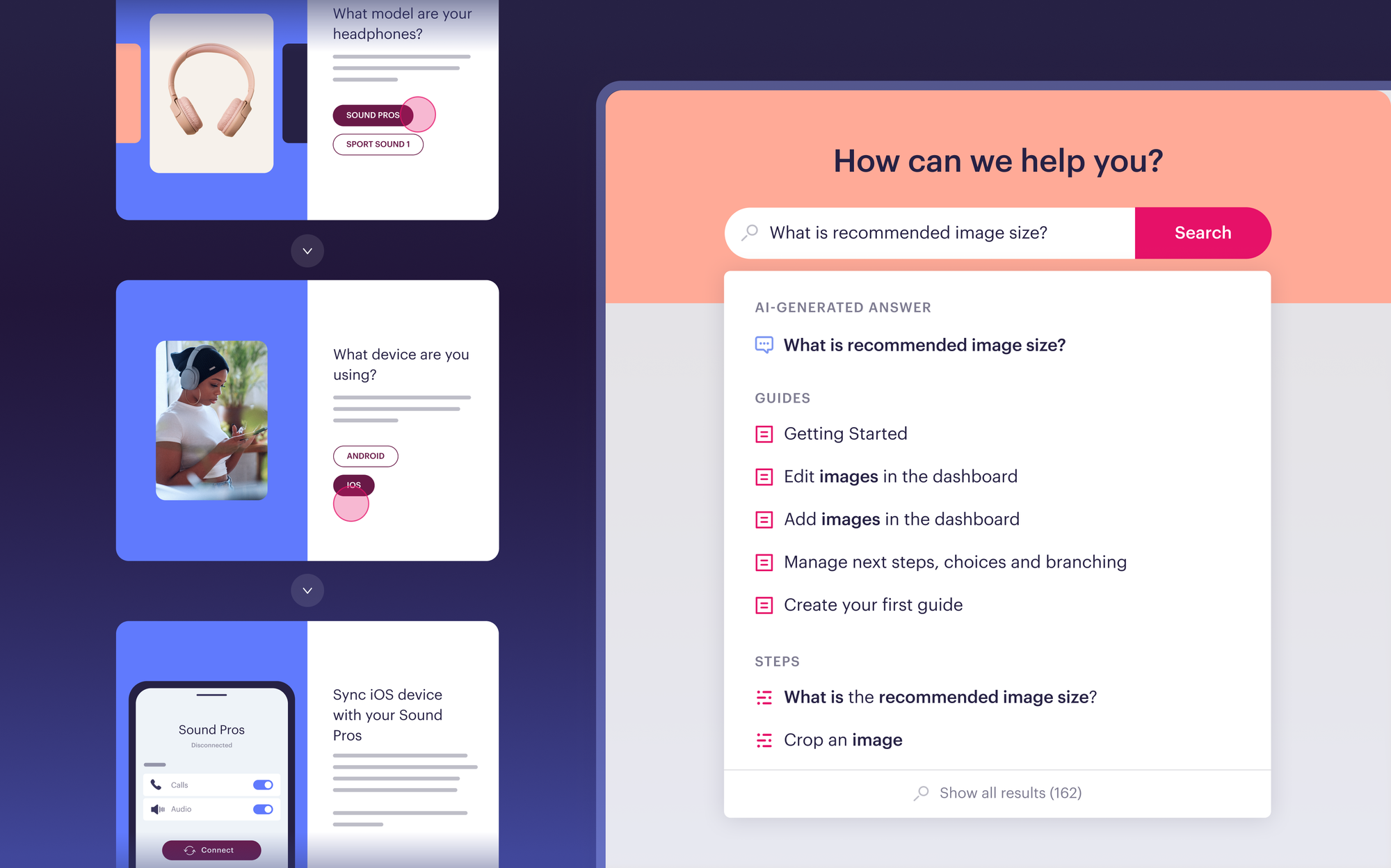
You can personalize individual pieces of content or the entire knowledge base using your customer data. A shopper who bought online in one country and a shopper who bought in-store in another can open the same help center and see the return policy that applies to their purchase.
The same goes for reps. A rep handling a question about a specific product line sees the specs, troubleshooting steps, and policies for that product, without scrolling past content for the rest of the catalog. For retailers selling thousands of SKUs across several channels and regions, this keeps one knowledge base usable instead of splitting it into dozens of versions.
AI Answers and AI Agent Copilot
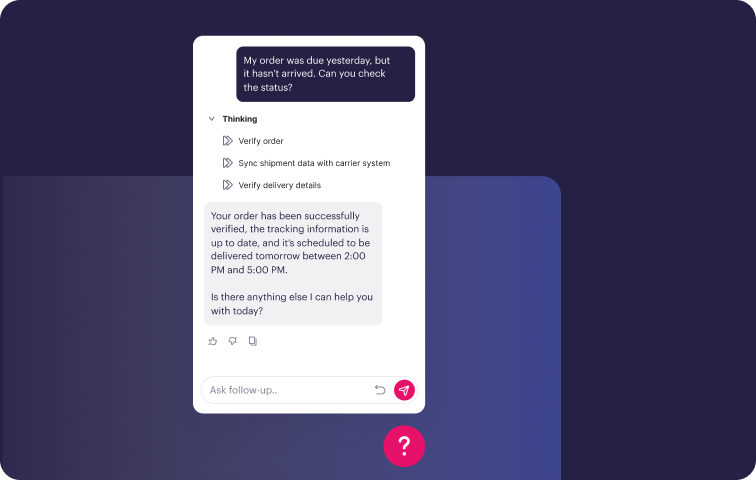
AI Answers gives shoppers conversational self-service in search or as a standalone chat, and gives reps a way to ask questions in plain language during a conversation without digging through product documents.
Several things make it a fit for retail:
- Accurate answers that link to the source: Stonly’s structured knowledge gives AI a reliable foundation, and every answer links to the guide or article it came from.
- Clarifying questions: When more than one answer could apply, such as a return that depends on where the item was bought, AI asks a follow-up question instead of guessing. It also rephrases vague or misspelled questions automatically.
- Guided Answers for important questions: For situations that need a specific process or word-for-word answer, like warranty claims or damaged deliveries, the AI follows predetermined help flows and pre-approved answers.
- Business Process Agents (BPAs) for complex resolutions: BPAs gather the right information, take action in connected systems, and resolve requests like returns or order changes end-to-end, using the same guides your reps follow.
- Targeted experiences by audience: Run multiple AI agents with their own knowledge sources, tone, and instructions for different storefronts, regions, or customer segments.
- Smooth handoff to your team: When AI can’t resolve a question, it creates a ticket or opens a live chat with the full context attached.
- Analytics on every question: Questions are grouped into topic clusters, so you can see what shoppers ask most, how often AI resolves each topic, and where content needs work.
AI Agent Copilot works alongside reps inside the help desk. It suggests relevant guidance based on the ticket and can trigger actions in connected systems.
Both rely on Stonly's structured knowledge. Because each step in a guide holds specific information tied to a specific condition, AI can find the correct answer more reliably on "it depends" questions, which describes most return, exchange, and warranty questions. The same applies if you bring your own AI and feed it Stonly knowledge.
Guidance Inside the Help Desk
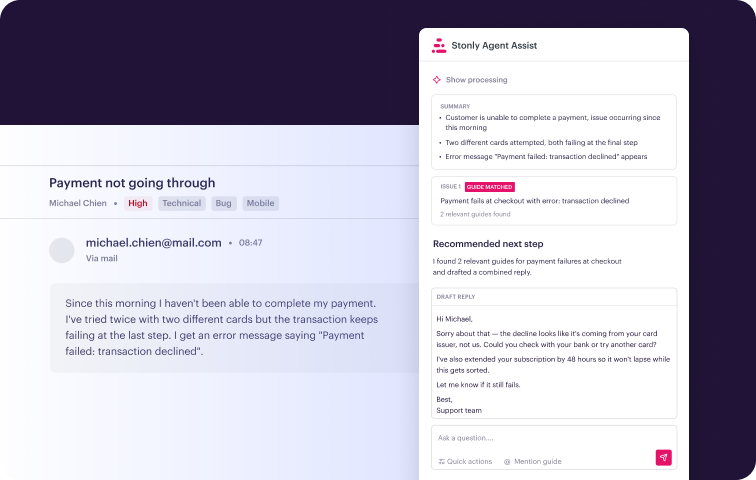
Stonly integrates with Zendesk, Salesforce, Freshworks, ServiceNow, and more. Relevant guidance appears in the ticket view based on ticket context, so reps don’t open another tab to search.
Stonly also connects self-service with assisted support. When a shopper who tried a guide still needs help, the ticket arrives with the context of what they already tried, so the rep can give a useful first response without asking the shopper to repeat those steps.
Knowledge Agents That Keep Content Current
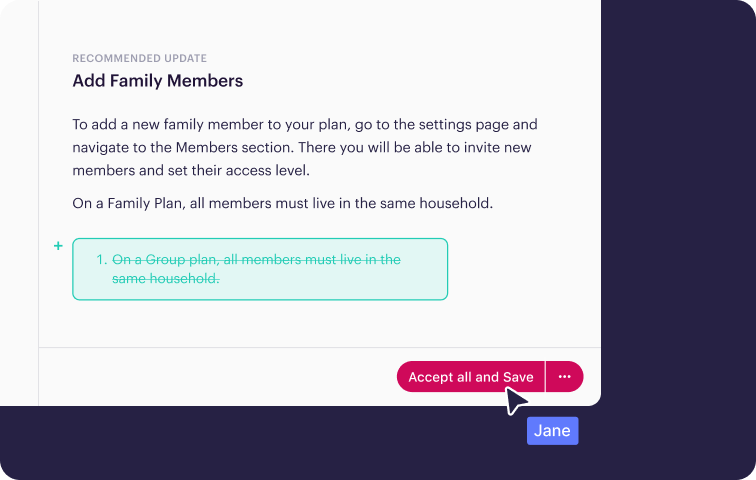
Keeping content accurate through constant promotions, product launches, and policy changes is one of the hardest parts of retail knowledge management, and Knowledge Agents take on much of that work.
They connect to the places where questions and changes come from, including incoming tickets, search results, AI conversations, and policy changes. They scan your knowledge continuously for duplicates, mistakes, outdated content, and topics that have no content yet.
When something needs attention, they outline what’s required and draft an update that follows your brand guidelines. Your team reviews and publishes it, so nothing goes live without human approval.
Your team can also ask Knowledge Agents for help directly. Examples for retail teams:
- Update every article that references last season’s return window
- Turn product spec sheets into troubleshooting guides
- Add a holiday shipping note to every article in a category
- Find articles about discontinued products
- Find content that hasn’t been reviewed in the last six months
Business Process Automation
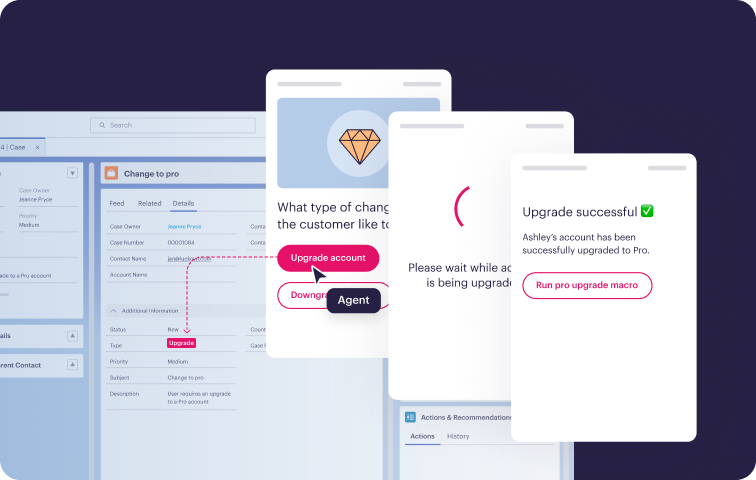
Stonly guides can take actions on behalf of reps and shoppers. A guide can handle data entry, fill in ticket fields, or run a macro as the rep moves through it. Each ticket takes fewer manual steps, and reps can spend their time on the conversations that need them.
Step-by-Step Guides for Setup, Troubleshooting, and Returns
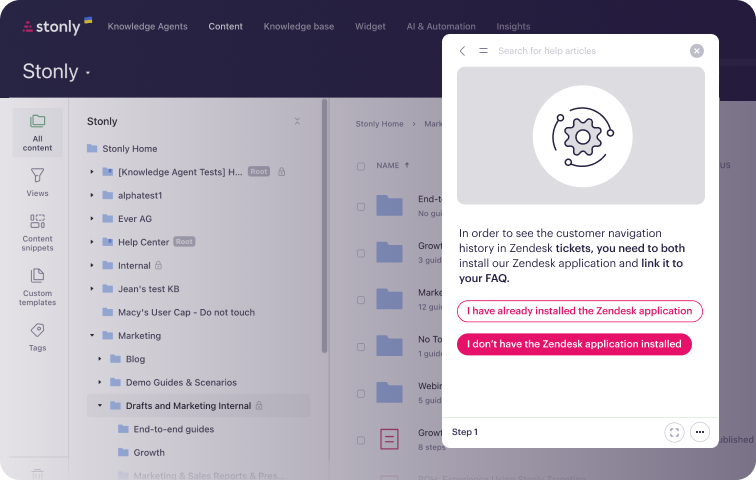
Stonly is the only full-featured knowledge base that offers both standard articles and step-by-step guides. A guide breaks a process into steps, asks what the shopper or rep is working with, and shows only the path that applies.
This works well for product setup, troubleshooting, and returns or exchanges, where the answer depends on the product, the order, and what the customer has already tried. A new seasonal rep follows the same path an experienced rep would, and a shopper can work through the same steps on their own.
Proactive Help on Product Pages and at Checkout
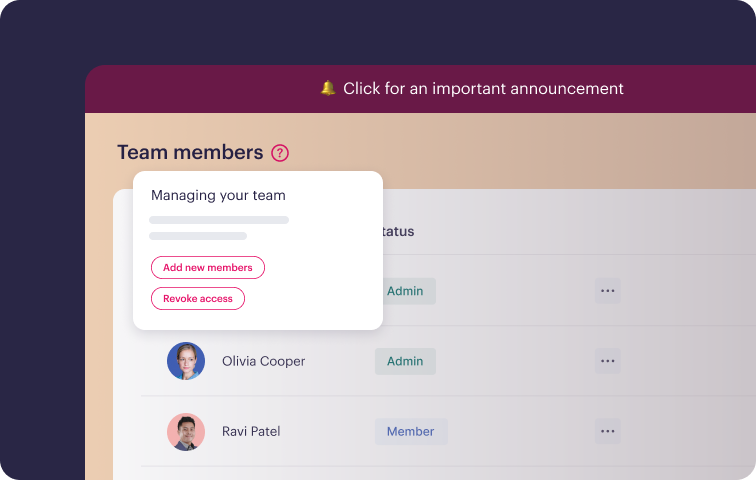
Stonly’s Widget puts your knowledge on your website, in your mobile app, and inside your help center. No-code triggers let you show a specific guide at a specific moment through popups, tooltips, and banners.
On product pages, the widget can answer sizing, compatibility, and delivery questions before they become reasons to leave. At checkout, it can help shoppers through payment or shipping questions without opening a ticket. During peak season, site-wide announcements and custom contact forms catch repetitive questions before they reach your team.
Analytics by Content, Step, and Rep
Stonly shows which content gets used, where shoppers drop off in a guide, which searches return nothing, and how individual reps use knowledge. After each promotion or launch, your team can see exactly where content needs work.
Built for Seasonal Spikes
Peak season tests every part of a support operation. Stonly helps on both sides:
- For shoppers: Self-service guides, AI answers, site-wide announcements, and custom contact forms absorb repetitive questions before they reach your team.
- For reps: Guidance inside the help desk helps seasonal and outsourced reps handle tickets correctly within days of starting, without long training sessions led by product experts.
Security and Compliance
Stonly holds SOC 2 Type II certification and is GDPR and HIPAA compliant.
Retail Customer Results
The Bradery cut new tickets on its top issues by 67% with Stonly self-service. Tickets about returns, refunds, and exchanges dropped by 76%, and 99% of customers who completed a guide found a solution without creating a ticket.
“Stonly’s adaptive self-serve enabled my team to reduce support tickets and deliver a top-notch support experience. Customers were sharing glowing feedback!”- Grâce Kutima, Manager of Customer Success, The Bradery
“We wouldn’t be able to live without Stonly. There are no other tools that have the same step-by-step guide capability combined with the ease of setup, AI features, and integrations available.”- Alex Arkhipov, Care Operations, Tonal
Pricing
Stonly offers custom pricing for small businesses and enterprise companies.
Request a demo to see how Stonly works for retail and e-commerce support teams.
Gladly
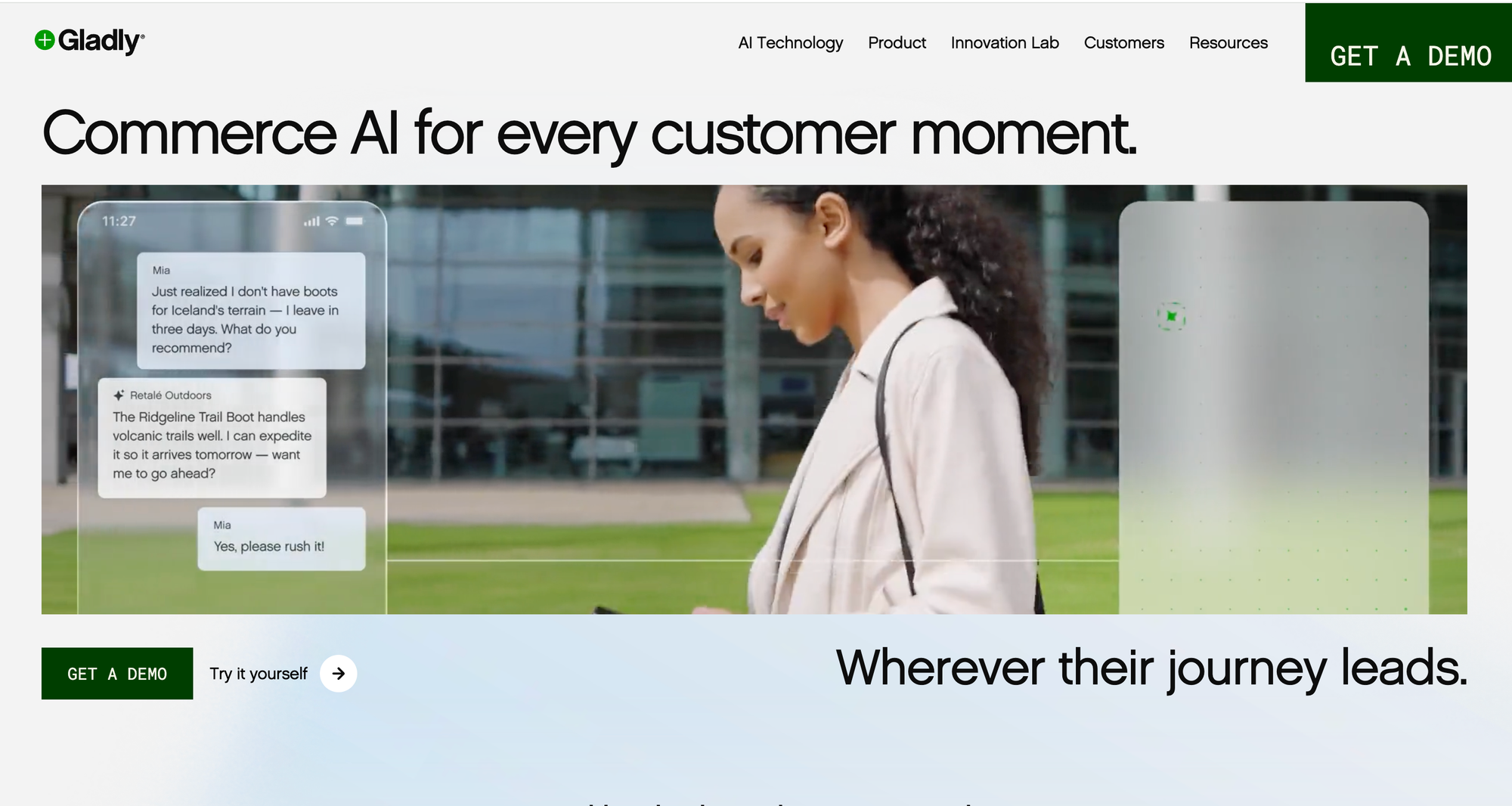
Best for: Retail brands already running customer service on Gladly that want a built-in knowledge base.
Gladly is a customer service platform built around a single, ongoing conversation with each customer across voice, chat, email, and messaging. Its customers include retail brands such as Crate and Barrel, Ulta Beauty, and Ralph Lauren. Gladly’s knowledge base, called Answers, powers both rep assistance and customer self-service inside the platform.
Key Features for Retailers
- One knowledge base for reps and customers: Answers feeds internal FAQs for reps and the customer-facing help center, across multiple languages.
- AI built on the knowledge base: Gladly’s Sidekick AI draws on Answers content to respond to customers.
- Customer history in every conversation: Reps see a customer’s full history across channels, which helps with order and return questions.
- E-commerce integrations: Connects with Shopify and dozens of other tools.
Things to Consider
- Tied to the Gladly platform: The knowledge base is a feature of Gladly’s help desk, so it’s only an option if you run customer service on Gladly.
- Standard article format: Answers is built around articles and FAQs, which are harder to apply to multi-step troubleshooting or setup.
- Cost and minimums: Third-party sources report seat minimums on Gladly’s packages, plus separate charges for AI conversations, voice, and SMS.
Pricing
Gladly doesn’t publish pricing. Third-party reports put its Hero package around $180 per user per month, billed annually, with a 10-user minimum.
Gorgias
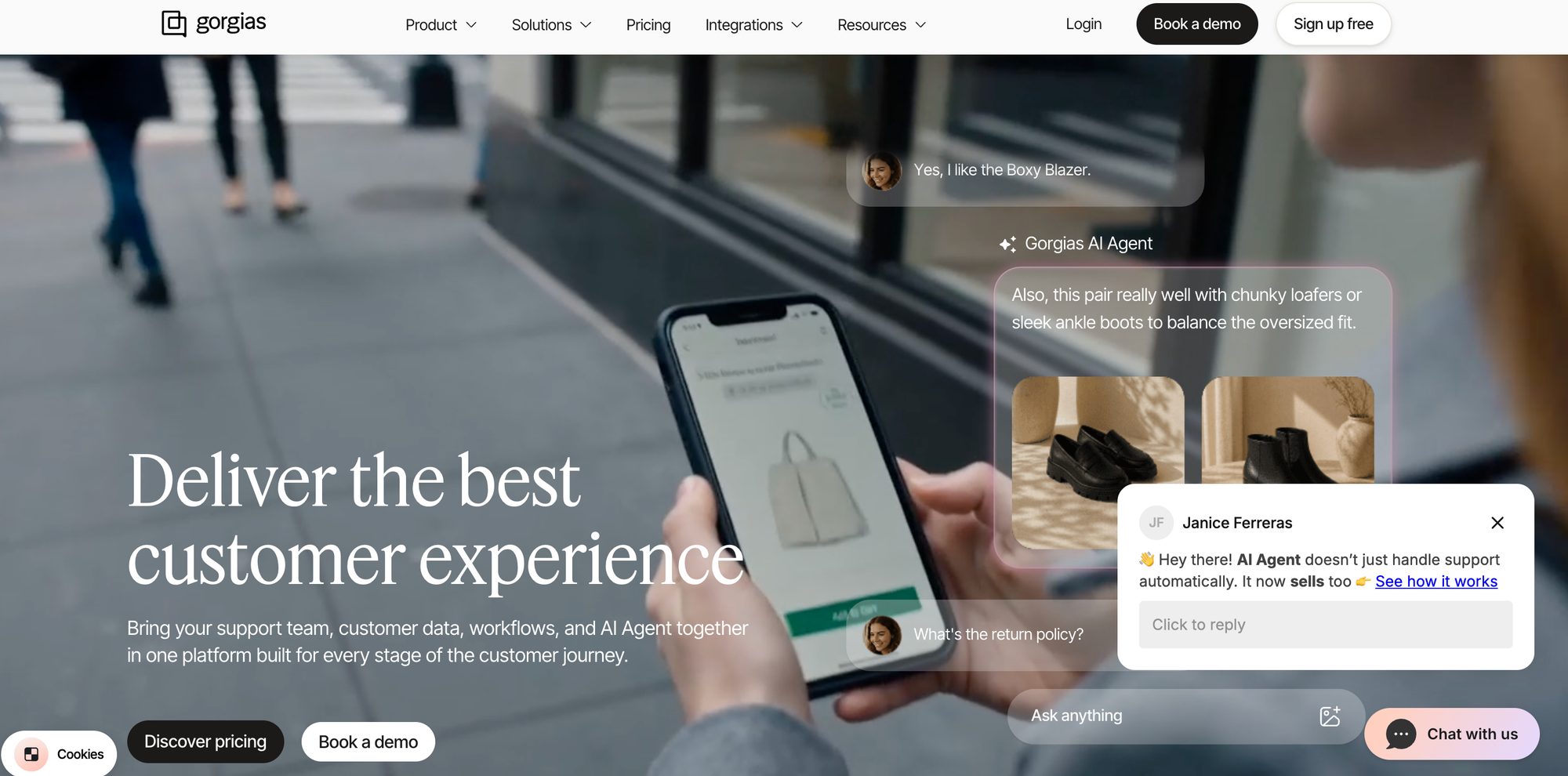
Best for: Shopify brands that want a help center built into their e-commerce help desk.
Gorgias is a help desk built for e-commerce, especially Shopify merchants. Order and customer data appear inside every ticket, and its help center feeds directly into the Gorgias AI Agent, which can answer questions and take actions on Shopify orders.
Key Features for Retailers
- Built-in help center: A customer-facing knowledge base that works with the chat widget and the AI Agent.
- AI that acts on orders: The AI Agent can handle order status and returns questions and take actions like canceling or editing Shopify orders.
- Brand-specific guidance: Teams write “Guidance” that defines tone, return policies, and escalation rules for the AI Agent.
- Seat-friendly pricing: Most paid plans include unlimited user seats, so pricing scales with tickets instead of headcount.
Things to Consider
- Shopify-centric: Gorgias is strongest for Shopify stores, so retailers on other platforms or with large in-store operations may find it a weaker fit.
- Limited AI knowledge sources: The AI Agent learns mainly from the Gorgias help center, Guidance, uploaded documents, individual URLs, and your store website, so knowledge stored in tools like Confluence, Notion, or Google Docs may need to be migrated.
- AI billing: Reviewers note that a conversation the AI resolves can be billed both as a ticket and as an AI resolution.
Pricing
Gorgias prices plans by monthly ticket volume, with AI Agent usage billed per resolution on top of the helpdesk plan. Enterprise plans are quoted.
Zendesk Knowledge
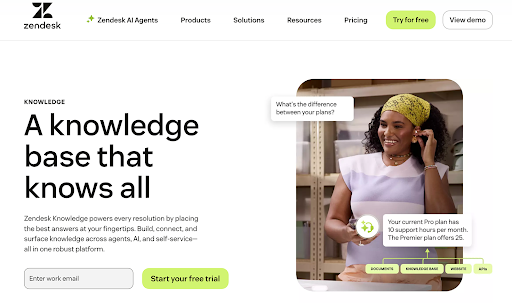
Best for: Retailers already on Zendesk that want a basic built-in knowledge base.
Zendesk Knowledge is the knowledge base inside the Zendesk Suite. It combines help center articles, community forums, and external sources into one searchable system that both human reps and Zendesk’s AI agents draw from.
Key Features for Retailers
- Native to the agent workspace: Knowledge surfaces automatically in the Zendesk agent view and across Zendesk channels, with no integration to set up.
- Built-in AI: AI-powered search and AI agents are part of the Suite, with more advanced capabilities sold as add-ons.
- Fast to launch: If you already pay for Zendesk, you can publish a help center without buying or connecting another tool.
Things to Consider
- Standard articles only: Step-by-step or branching content requires custom development, so setup and troubleshooting content is harder to support.
- Tied to Zendesk: Zendesk Knowledge can pull in content from outside sources, but it delivers that knowledge through Zendesk’s own help center, AI agents, and agent workspace, so it’s a poor fit if you use another help desk or want to keep that option open.
- Reporting sits behind upgrades: Detailed analytics on search and AI performance aren’t part of the base plans.
Pricing
Zendesk Knowledge is included in all Zendesk Suite plans, which start at $55 per agent per month, billed annually. The Copilot add-on costs an additional $50 per agent per month and requires Suite Professional ($115 per agent per month) or higher.
Zipline
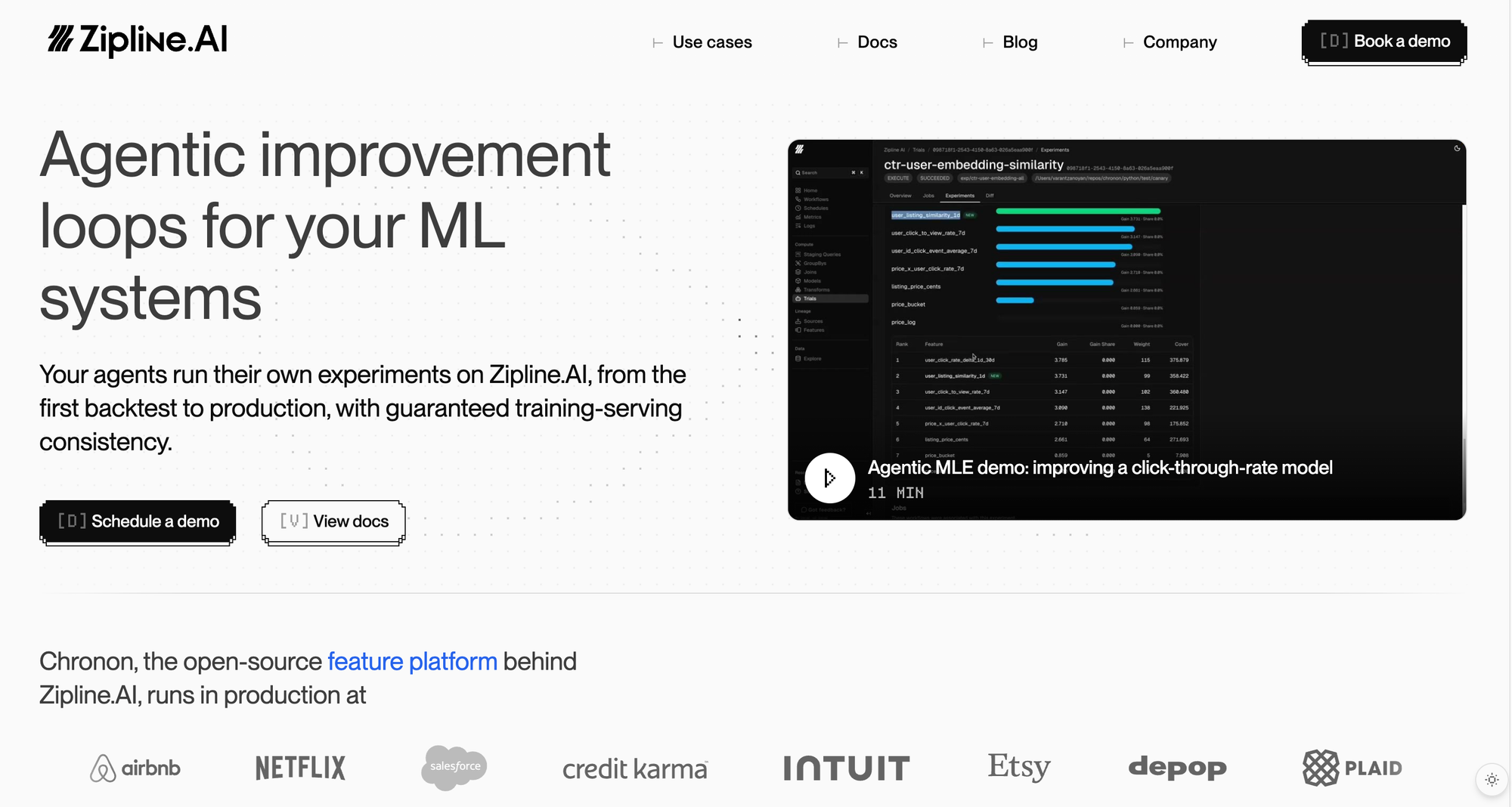
Best for: Store associates and frontline store teams.
Zipline is a communications and operations platform built for multi-location retailers, used by brands such as L.L.Bean, Sephora, and The Container Store.
Its AI-powered knowledge base gives store associates access to handbooks, procedures, planograms, product information, and policies. Its focus is keeping store teams informed and consistent, while the customer service tools above answer shoppers directly.
Key Features for Retailers
- Knowledge on any store device: Associates can search handbooks, procedures, and product information from a phone or store device.
- AI assistant: Answers associates’ questions using the brand’s own content.
- Communications and tasks in one place: Store messages, task management, and knowledge live together, so associates see what to do and how to do it in one app.
- Reporting: Visibility into task completion and message read rates across stores.
Things to Consider
- Built for store teams: Zipline isn’t designed to serve as a customer-facing help center or to support reps inside a help desk.
- Part of a broader platform: Retailers looking only for a knowledge base will be buying into a larger communications and task management system.
- Multi-location focus: It’s built for retailers with dozens to thousands of stores, so smaller retailers may not need its scope.
Pricing
Zipline provides pricing on request.
The Knowledge Platform for Faster Retail Customer Service
Stonly gives retail and e-commerce customer service teams one platform for rep and shopper knowledge.
- Personalized knowledge: Show each shopper and rep only the content that applies to their product, region, and purchase channel.
- AI answers and rep assistance: Accurate, source-linked answers for shoppers, Business Process Agents that resolve requests like returns end to end, and a copilot for reps inside the help desk.
- Proactive help where shoppers buy: Guides, tooltips, and banners on product pages and at checkout, deployed without code.
- Delivery where reps already work: Guidance inside the help desk, with context passed from self-service.
- Knowledge Agents: AI agents that monitor your knowledge, flag what’s outdated or missing, and draft updates for your team to review.
- Step-by-step guides and process automation: Walk reps and shoppers through setup, troubleshooting, and returns, and take actions for them along the way.
- A team behind the platform: Product managers and CSMs who have helped more than 1,000 companies succeed with their knowledge.
Request a demo to see how retailers use Stonly to cut ticket volume, get through peak season, and help more shoppers find answers on their own.