
Teams that run customer service on ServiceNow have invested in the platform, built their case workflows there, and hired admins who know it well. They usually want a knowledge base that works inside it, with guidance that shows up in the case view, draws on what ServiceNow already knows about the customer, and keeps support reps from hunting through another tab.
ServiceNow includes its own knowledge base, and for some teams that's enough. Others need more because their processes branch by product, region, or customer type, their knowledge lives in several systems, or they want reps guided through a process step by step instead of reading a long article mid-call.
Below, we cover what to look for in a knowledge base that integrates with ServiceNow and five tools to consider, including ServiceNow’s own option.
What to Look For in a ServiceNow Knowledge Base Integration
“Integrates with ServiceNow” can mean anything from a fully embedded app to a browser extension that sits on top. Here are a few things to consider as you assess different knowledge bases:
- Where the knowledge shows up: Check whether the tool works inside the CSM or FSM Configurable Workspace where reps handle cases, in the Customer Service Portal where customers look for help, in Virtual Agent, or only in a separate window.
- How deep the integration goes: Apps certified by ServiceNow and listed in the ServiceNow Store are built to run on the platform. API connectors and browser extensions usually sit beside the case view.
- Two-way case data: The most useful integrations read case data to show relevant guidance and write results back, such as updating fields or applying templates. Read-only integrations still leave reps copying information by hand.
- How it works with ServiceNow Knowledge Management: Some tools replace the native knowledge base, some work alongside it, and some search it without moving content. Know which approach fits your team before you start migrating articles.
- AI that fits your ServiceNow AI plans: If you use or plan to use ServiceNow Otto (formerly Now Assist), understand whether a tool’s AI complements it or overlaps with it, and how each is licensed.
- Admin effort: ServiceNow releases new versions twice a year. Ask what installation requires, who maintains the app, and how it handles upgrades and security reviews.
- Total cost: Account for ServiceNow licenses, the knowledge tool itself, and any implementation work.
The Best Knowledge Base Software for ServiceNow at a Glance
| Best For | Integration Type | Where It Works in ServiceNow | Two-Way Case Data | |
|---|---|---|---|---|
| Stonly | Customer service teams on ServiceNow that want reps to solve cases faster, more consistently, and with fewer touches | Custom integration installed by Stonly in your CSM/FSM Configurable Workspace | Case view in the workspace | Reads case data, updates fields, and applies templates |
| ServiceNow Knowledge Management | Teams that want to keep knowledge entirely on the ServiceNow AI Platform | Native | Workspace, portals, Virtual Agent, and AI Search | Native to the platform |
| eGain Knowledge Hub | Large contact centers that need governed, compliance-heavy knowledge | Built on Now certified app | Agent Workspace and classic interface | Guidance in the case flow, but case write-back isn't publicly documented |
| Coveo for ServiceNow | Teams with knowledge spread across many systems that want unified search inside ServiceNow | Built on Now certified app | Portals, agent consoles, and Virtual Agent | Search and recommendations only, with no case updates |
| Guru | Teams that want a lighter, mostly internal knowledge layer alongside ServiceNow | Source connector and browser extension | Browser extension on top of ServiceNow | Reads incidents, requests, and articles as a source |
Stonly
Best for: Customer service teams on ServiceNow that want every support rep to solve cases faster, more consistently, and with fewer touches.
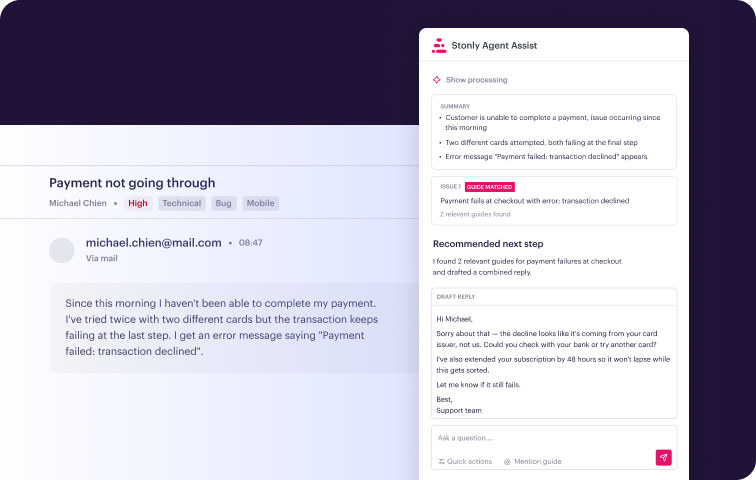
Stonly is a knowledge management platform built for customer service. Its ServiceNow app brings Stonly’s knowledge base, step-by-step guides, and AI into the case view, and it connects in both directions, so guidance can use case data and update the case as the support rep works.
How Stonly Works Inside ServiceNow
Stonly installs as an app inside the CSM/FSM Configurable Workspace and embeds the full knowledge base, so reps can reach any guide or article without leaving the case.
- Reads case data: Stonly pulls data from ServiceNow and uses it in guide variables, conditional choices, and automations. A guide can skip questions the case already answers and show only the steps that apply.
- Writes back to the case: As a rep moves through a guide, Stonly can update case fields and apply templates in ServiceNow, so reps don’t fill them in by hand.
- Suggests updates from cases: Knowledge Agents review incoming cases and draft content updates when they spot gaps or outdated guidance.
- Acts in other systems: Reps can complete actions in other tools from inside ServiceNow, without being given separate access and permissions in each one.
- Records every step: Every action taken during a guided process is logged, with data by rep and by guide for audits and coaching.
Guidance Personalized by Case Data
Stonly surfaces knowledge and customer information based on the case in front of the rep. A rep handling a case about one product line in one region sees the troubleshooting steps and policies for that situation, without scrolling past content for everything else.
Guides can branch on ServiceNow case fields directly. If a troubleshooting process depends on the customer’s location, product, or account type, the guide shows only the choices that match that field, without the rep re-entering anything. For companies supporting many products across several regions, this keeps one knowledge base usable instead of splitting it into separate versions that drift out of sync.
AI Answers and AI Agent Copilot
Inside ServiceNow, Stonly’s AI searches your knowledge base, finds the answer, and drafts a reply for the rep, with sources cited so the rep can check the details before sending.
AI Agent Copilot works alongside reps in the case view. It suggests relevant guidance based on the case and can trigger actions in connected systems. For teams running their knowledge in Stonly, AI Agent Copilot is the assistant that works from that knowledge inside the case view.
AI Answers also works inside ServiceNow. Support reps can ask a question in plain language and get an answer from Stonly knowledge without leaving the case. Several things make it a strong fit for teams on ServiceNow:
- Accurate answers that link to the source: Stonly's structured, metadata-rich knowledge gives AI a reliable foundation, and every answer links to the guide or article it came from, so reps can verify details before they respond to the customer.
- Clarifying questions: When more than one answer could apply, AI asks the support rep a follow-up question instead of guessing. It also rephrases vague or misspelled searches automatically.
- Guided Answers for important questions: For situations that need a specific process or word-for-word answer, such as account security, billing disputes, or compliance topics, AI follows predetermined help flows and pre-approved answers, so every rep gives the same approved response.
- Business Process Agents (BPAs) for complex resolutions: BPAs gather the information each request needs, take action in connected systems, and resolve requests end to end, using the same Stonly guides your reps follow.
- Targeted experiences by team: Run multiple AI agents, each with its own knowledge sources, tone, and instructions, for different rep teams, regions, or customer segments.
- Smooth handoff to your team: When AI can’t resolve a question, it creates a ticket or opens a live chat with the full context attached, so the rep picking it up doesn’t have to ask the customer to repeat themselves.
- Analytics on every question: See which questions AI answers well and where content is missing, so your team knows what to fix.
AI Answers and AI Agent Copilot both rely on Stonly’s structured knowledge. Because each step in a guide holds specific information tied to a specific condition, AI finds the correct answer more reliably on “it depends” questions.
The same applies if you bring your own AI and feed it Stonly knowledge. Because reps in ServiceNow and customers in your help center draw on the same knowledge, the answer a customer gets from AI matches what a rep would tell them on a case.
Step-by-Step Guides for Complex Cases
Stonly is the only full-featured knowledge base that offers both standard articles and step-by-step guides. A guide breaks a process into steps, asks what the rep is working with, and shows only the path that applies.
Reps follow the same process every time, which keeps regulated or high-risk workflows consistent and helps new reps handle cases correctly within days of starting.
Knowledge Agents That Keep Content Current
Knowledge Agents connect to the places where questions and changes come from, including incoming cases, search results, AI conversations, and product or policy changes. They scan your knowledge continuously for duplicates, mistakes, outdated content, and topics with no content yet.
When something needs attention, they draft an update that follows your brand guidelines, and your team reviews and publishes it. That keeps the guides reps open in the ServiceNow case view accurate as products and policies change, without a separate content audit.
Analytics by Guide, Step, and Rep
Stonly shows which content gets used, where reps and customers drop off in a guide, which searches return nothing, and how individual reps use knowledge.
Security and Compliance
Stonly holds SOC 2 Type II certification and is GDPR and HIPAA compliant. Your ServiceNow team can point to those certifications during its security review of new apps.
Customer Results
Tonal saw a 62% lift in workflow adherence, a 90% overall QA score, and a 7% increase in agent CSAT with Stonly.
“We wouldn’t be able to live without Stonly. There are no other tools that have the same step-by-step guide capability combined with the ease of setup, AI features, and integrations available.”- Alex Arkhipov, Care Operations, Tonal
Pricing
Stonly offers custom pricing. Request a demo to see how Stonly works inside ServiceNow.
ServiceNow Knowledge Management
Best for: Teams that want to keep knowledge entirely on the ServiceNow platform.
ServiceNow Knowledge Management is the knowledge base built into their own platform. It powers articles across ServiceNow’s customer service, IT, and HR products, and it’s the default starting point for most ServiceNow customers.
How It Works With ServiceNow
Because it’s native, there’s nothing to install or connect. In the CSM Configurable Workspace, reps can read knowledge articles attached to their cases, and the same articles feed the customer portal, Virtual Agent, and AI Search.
ServiceNow also released Knowledge Center, a single interface for managing articles with dashboards and AI-powered features, available through the ServiceNow Store and included in the Australia release.
Key Features for Teams on ServiceNow
- Articles connected to cases: Reps attach articles to cases as they work them.
- Knowledge from resolved cases: With ServiceNow Otto, reps can generate a draft knowledge article from a resolved or closed case in the CSM/FSM Configurable Workspace, which supports Knowledge-Centered Service (KCS) practices.
- Content health tools: Knowledge Center scans articles for quality and recommends improvements, and a newer editor supports drag-and-drop content blocks.
- One platform to govern: Permissions, workflows, and reporting all live in the same system as your cases.
Things to Consider
- AI features require ServiceNow Otto: Knowledge Center’s basic editing and scripted scans work without ServiceNow Otto, but duplicate detection, gap insights, AI optimization, and article generation require it.
- AI is tied to each product’s tier: ServiceNow includes its AI in the Foundation, Advanced, and Prime tiers, but each product line is licensed separately. AI that comes with your IT service management tier doesn’t cover customer service or HR cases.
- Standard article format: Processes that branch by customer situation usually need separate ServiceNow tools or custom development to guide reps step by step.
- Knowledge outside ServiceNow: Content stored in other systems has to be migrated or connected through a separate search tool.
- Configuration required: AI article generation in the CSM workspace depends on the ServiceNow Otto for CSM plugin, KCS system properties, and article templates being set up by an admin.
Pricing
ServiceNow doesn’t publish pricing. Third-party estimates put Customer Service Management at roughly $150 to $200 per fulfiller per month, and since its 2026 repackaging, ServiceNow Otto usage draws on consumption-based pools included with each tier.
eGain Knowledge Hub
Best for: Large contact centers that need governed, compliance-heavy knowledge across reps, chatbots, and self-service.
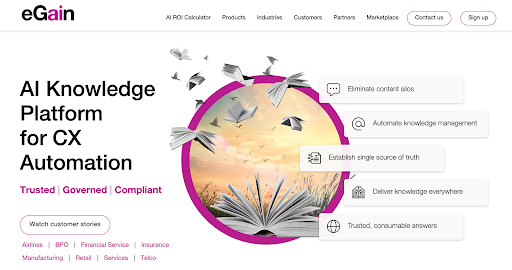
eGain Knowledge Hub is an enterprise knowledge management platform for customer service. The publicly traded company serves customers in financial services, telecommunications, government, healthcare, and other regulated industries.
How It Works With ServiceNow
eGain Knowledge Hub for ServiceNow holds ServiceNow’s Built on Now certification and is available on the ServiceNow Store. It’s embedded in ServiceNow’s Agent Workspace or classic interface and delivers answers and guidance to reps as they work a case. In November 2026, eGain also launched a service that assesses and improves existing ServiceNow Knowledge content so AI can use it.
Key Features for Teams on ServiceNow
- Guided conversations for compliance: Inside the ServiceNow Agent Workspace, eGain walks reps through step-by-step dialogs and required questions for regulated processes.
- Personalized views: Reps see answers tailored to their role and the clients they serve.
- One source across channels: The knowledge reps see in ServiceNow also powers eGain’s chatbots and self-service, so answers stay consistent across channels.
- Low-risk trial: eGain offers a free 30-day pilot of Knowledge Hub for ServiceNow.
Things to Consider
- Enterprise scale: eGain is built for large contact centers, and its implementation and governance model can be more than smaller teams need.
- Separate knowledge platform: Content and governance live in eGain, so teams need to decide how it relates to any existing ServiceNow Knowledge content.
Pricing
eGain offers custom pricing on request.
Coveo for ServiceNow
Best for: Teams with knowledge spread across many systems that want unified search inside ServiceNow without moving content.
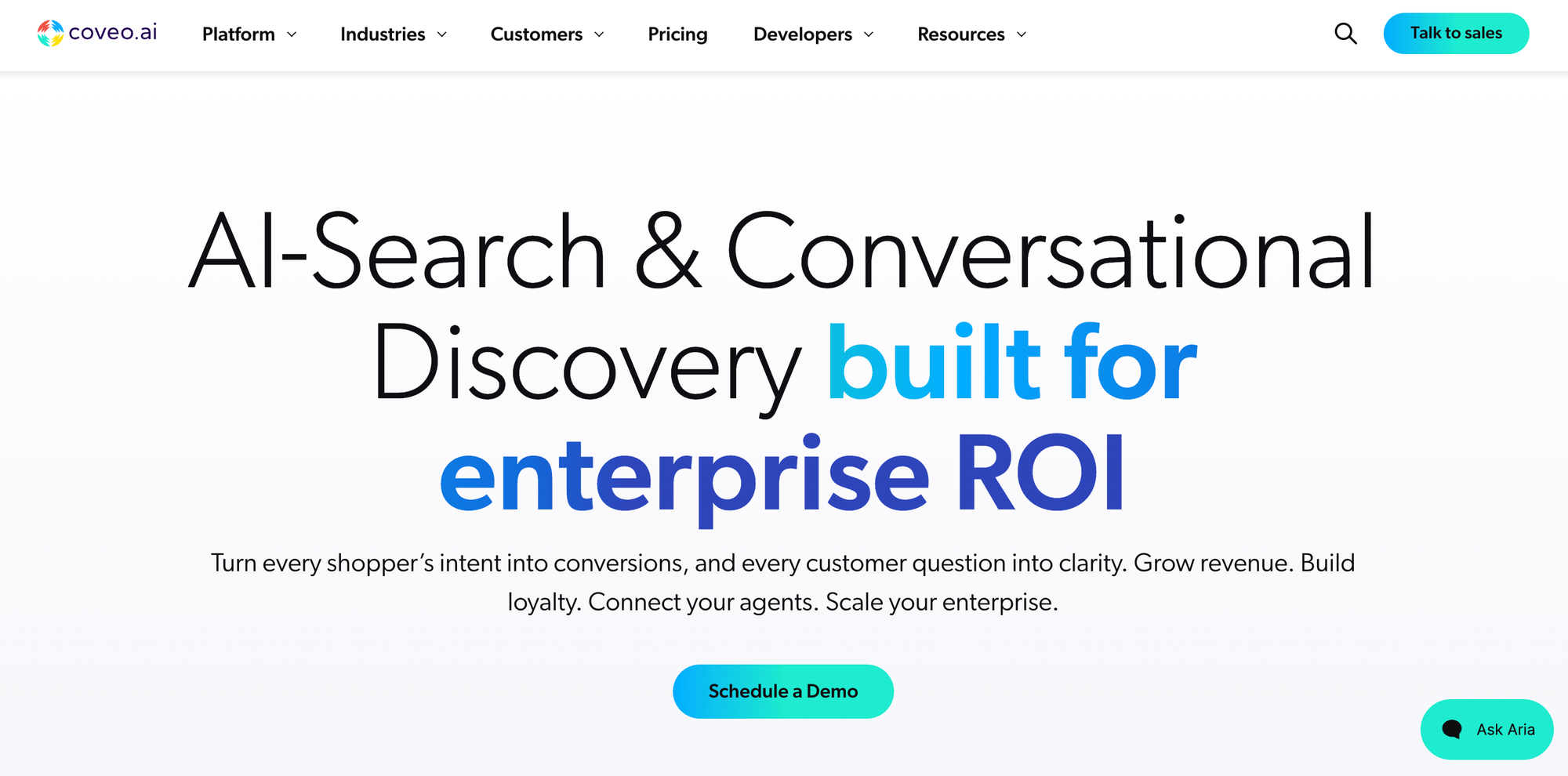
Coveo is an AI-powered search and recommendations platform. Its ServiceNow integration brings search and generative answers across all of your content into ServiceNow, for both reps and customers.
How It Works With ServiceNow
Coveo for ServiceNow is a Built on Now certified app. It adds Coveo search pages, search boxes, and insight panels to ServiceNow, including the Service Portal, and can power results in Virtual Agent. Coveo indexes ServiceNow content alongside other sources, such as website pages, cloud-hosted files, and emails, so users can search all of it from one place.
Key Features for Teams on ServiceNow
- Unified search without migration: Reps and customers find answers from many repositories without moving content into ServiceNow.
- Machine learning ranking: Coveo learns which content resolves cases and portal searches, and ranks results for reps and customers accordingly.
- Generative answers: Coveo can generate answers from indexed content in search and self-service.
- Self-service analytics: Reporting covers content gaps, knowledge usage, self-service success, and case deflection from the ServiceNow portal.
Things to Consider
- Search layer only: Coveo finds and ranks content, and your team still writes and maintains that content in a separate knowledge base.
- No guided processes or case updates: Coveo surfaces answers but doesn’t walk reps through processes or write data back to cases.
- Admin-installed releases: Coveo for ServiceNow releases typically track ServiceNow releases and must be installed by an instance administrator or developer.
Pricing
Coveo offers custom pricing on request, with a free 30-day trial available through the ServiceNow Store.
Guru
Best for: Teams that want a lighter, mostly internal knowledge layer alongside ServiceNow.
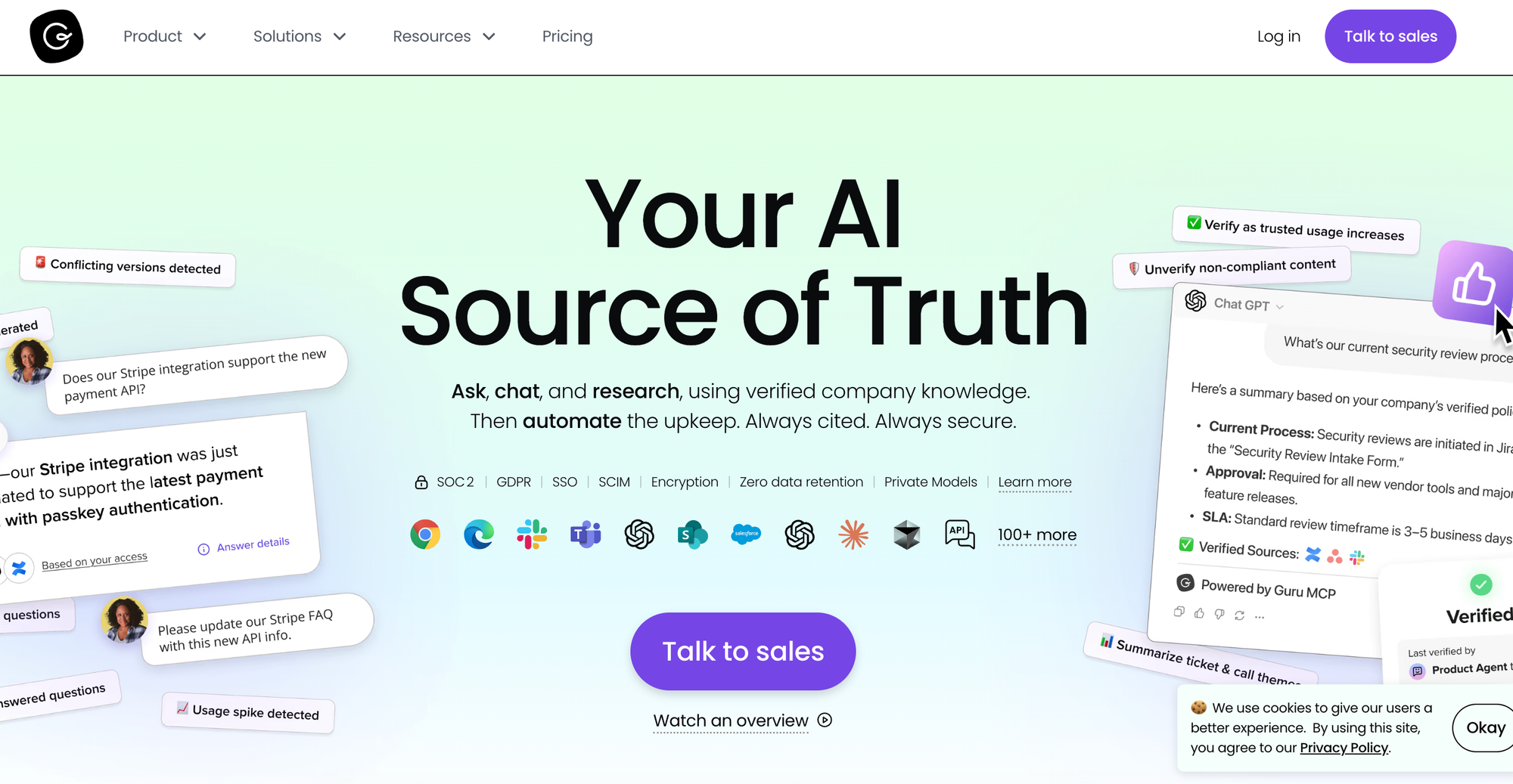
Guru is an AI-powered knowledge platform for internal teams. It connects to the tools a company already uses and gives employees AI answers from that content, with a verification workflow to keep answers trustworthy.
How It Works With ServiceNow
Guru can connect ServiceNow as a source, pulling in incidents, requests, and knowledge articles so Guru's AI can draw on them. Guru's browser extension also works on top of ServiceNow, so users get answers and suggestions without switching tools.
Key Features for Teams on ServiceNow
- AI answers across systems: Guru answers questions using ServiceNow content alongside other connected sources.
- Content verification: Experts verify content on a schedule, so reps working in ServiceNow know which answers are current.
- Knowledge in any tool: The browser extension brings Guru knowledge into ServiceNow and the other web apps reps use.
Things to Consider
- Not embedded in the workspace: Guru works through a browser extension and a source connector rather than an app inside the ServiceNow case view.
- Mostly internal: Guru focuses on employee knowledge and doesn’t provide a customer-facing help center or self-service in the ServiceNow portal.
- No case updates: Guru reads ServiceNow content but doesn’t update case fields or guide reps through processes in the case.
- Leans toward IT use cases: The ServiceNow connector pulls incidents, requests, and knowledge articles, which fits IT service desks more naturally than customer service cases.
Pricing
Guru now offers custom pricing only. Its last public rate, from January 2026, was $25 per seat per month billed annually, with a 10-seat minimum.
The Knowledge Platform Built for ServiceNow Teams
Stonly gives customer service teams on ServiceNow knowledge built to help reps resolve cases faster, more consistently, and with fewer touches.
- Guidance in the case view: Stonly’s app embeds your full knowledge base in the CSM/FSM Configurable Workspace.
- Two-way case data: Guides use ServiceNow data to show the steps that apply, then update fields and apply templates as reps work.
- Personalized knowledge: Show each rep and customer only the content that applies to their product, region, or situation.
- AI answers and rep assistance: Source-linked AI answers, Guided Answers for important questions, Business Process Agents that resolve requests end to end, and AI Agent Copilot for reps.
- Step-by-step guides: Walk reps through complex processes the same way every time, so new reps handle cases correctly from the start.
- Knowledge Agents: AI agents that monitor your knowledge, flag what's outdated or missing, suggest updates based on incoming cases, and draft updates for your team to review
- A team behind the platform: Product managers and CSMs who have helped more than 1,000 companies succeed with their knowledge.
Request a demo to see how Stonly helps ServiceNow teams resolve cases faster and more consistently.