
eGain is an enterprise knowledge management platform with a long track record in customer service and contact center operations. But for many support teams, it comes up short in some important areas.
Teams often struggle with the portal-based knowledge model, which requires users to leave their workflow to find answers. Many find eGain has a large-scale, complex implementation that's slow to deploy and difficult to iterate on, and others dislike its article-based content that doesn't adapt to complex, variable support scenarios. The platform also tends to create separation between customer-facing and agent-facing knowledge experiences, making it harder to maintain one consistent knowledge base.
If these limitations are causing frustration for your team or keeping you from choosing eGain in the first place, there are better-fit alternatives worth evaluating. This article examines the top eGain alternatives designed to solve these exact problems. For each tool, we'll cover how its key features stack up against eGain, the pros and cons of each, pricing, and much more.
Shortcomings of eGain
eGain is a well-known knowledge management platform, but several common frustrations drive teams to explore other options:
- Portal-based knowledge delivery that lives outside the workflow: eGain typically operates as a centralized knowledge hub where users have to leave what they're doing, navigate to the portal, search, and read. That "destination knowledge" model means lower adoption, since customers and agents need to actively seek out help rather than receiving it when they need it.
- Heavier to deploy and slower to evolve: As a legacy enterprise platform, eGain often comes with significant implementation overhead. This means longer rollouts, a more rigid structure, and more friction when teams need to update workflows and content quickly. For support teams that need to iterate continuously as products and policies change, that rigidity can slow everything down.
- Article-based content that doesn't resolve complex issues: eGain handles traditional knowledge articles well, but its core content model is still largely static pages and structured documentation. When support scenarios are variable, multi-path, or process-heavy, article-based content forces users to interpret and apply information on their own rather than being guided through the right steps based on their specific situation.
- Separate experiences for customers and agents: eGain can support multiple channels, but deployments often end up with distinct, siloed knowledge experiences for customer self-service versus agent-assisted support. That separation creates more places for content to drift out of sync and more overhead to maintain consistent guidance across both audiences.
With that in mind, let’s look at some popular alternatives to eGain and what they offer.
Best eGain Alternatives at a Glance
| Alternative | Best For |
| Stonly | Customer support teams that need interactive, embedded knowledge for both agents and customers, with fast setup and deployment. |
| Document360 | Small companies and startups that need a straightforward, self-service knowledge base with a modern editor. |
| Bloomfire | Teams focused on internal knowledge sharing, searchability, and cross-departmental collaboration. |
| Guru | Organizations that need to centralize scattered knowledge and surface verified information inside existing tools like Slack and CRM. |
| Zendesk Knowledge | Support teams already using Zendesk that want a tightly integrated, native knowledge base for their help center. |
| Shelf | Enterprise support teams that want AI-powered knowledge automation with a focus on answer accuracy and content health. |
| KMS Lighthouse | Large contact centers that need structured decision trees and guided knowledge for agents handling complex call scripts. |
eGain Alternatives for Customer Support
Stonly - Best for Customer Support at Scale
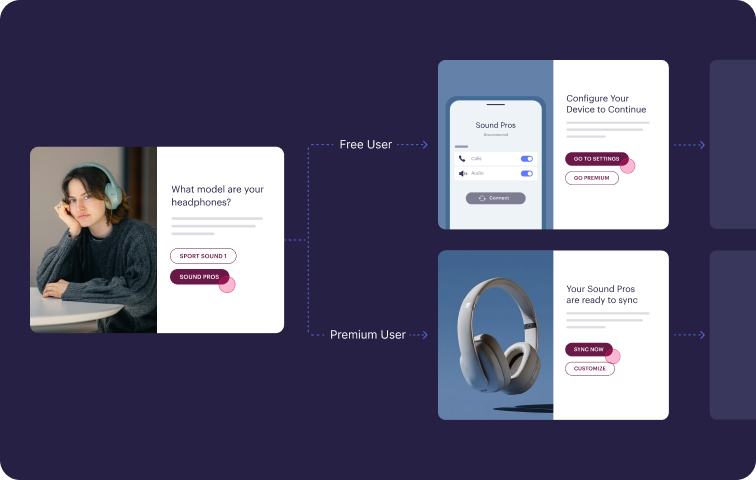
Stonly is a knowledge base platform built for customer service teams and the customers they support. It combines standard articles with interactive, step-by-step guides that adapt based on the user's situation. Knowledge can live in a help center, inside embedded widgets, or directly in tools like Zendesk, Salesforce, and ServiceNow.
Here's how Stonly helps customer service teams distribute knowledge and resolve issues at scale.
1. Knowledge that meets people where they are
Stonly puts knowledge directly into the workflows where work happens, rather than asking people to go find it. You can embed help on your site or in your product, surface the right content based on context, and deliver guided flows so customers get answers right where they're stuck.
Knowledge only creates value when people actually use it. When you remove the step of "go to the portal and search," adoption goes up, issues get resolved faster, and fewer tickets get created.
2. Interactive guides that drive resolution
Stonly lets you create both traditional articles and interactive, branching guides that walk someone through the right next step. Complex processes and troubleshooting scenarios often depend on the situation, so static articles force people to interpret and adapt on their own.
With interactive flows, the content adapts to the user. Customers self-solve more often, and agents follow the correct process every time. That turns knowledge into resolutions, not just documentation.
3. One system for customers and agents
Stonly powers both customer self-service and agent-assisted support from a single knowledge base. You maintain one set of content, one set of logic, and keep what customers see aligned with what agents do.
That means less duplication, less risk of outdated information, and a cleaner operation overall. When you update a process once, both audiences see the change immediately.
4. Modern platform, faster results
Stonly is a modern SaaS platform built for how support teams work today. Teams typically start with their top ticket drivers, publish and embed guidance quickly, and iterate from there. Just as importantly, it stays easy to update and improve over time.
Support teams succeed by continuously improving knowledge, not by launching it once. Stonly gives you an enterprise-ready platform that still feels agile: faster to deploy, faster to improve, and easier for customers and agents to use every day.
Stonly vs eGain at a Glance
| Stonly | eGain | |
| Knowledge Delivery | Embedded in-app, in-workflow, and on-site via widgets and contextual triggers. Knowledge appears where people need it, not in a separate portal. | Primarily delivered through a centralized portal/help site. Reinforces agents and customers to navigate to the portal to search and read. |
| Content Formats | Standard articles + interactive guides with branching logic, decision trees, checklists, and in-app walkthroughs. | Primarily article-based content and knowledge pages. Strong content management, but limited interactive or branching guidance formats. |
| Unified Internal + External Knowledge | Single platform powers both customer self-service and agent-assisted support. Reuse the same content and logic across audiences. | Supports multiple channels, but often deployed with separate self-service and agent desktop knowledge workflows. |
| Ease of Setup & Time to Value | Modern SaaS platform. Teams can go live quickly, publish guidance around top ticket drivers, and iterate fast. | Enterprise-grade but heavier to implement. Configuration, governance, and taxonomy setup require more upfront investment. |
| AI Capabilities | AI-powered search, AI Answers (conversational AI), AI Agent Assist (agentic copilot for agents). | Strong AI and ML capabilities, including guided search, virtual assistant, content generation, and content recommendations. |
| Analytics & Reporting | Tracks how users interact with content step-by-step (where they get stuck, drop off, or complete). Focused on resolution outcomes, not just page views. | Traditional knowledge analytics (views, searches, agent productivity). Supports continuous monitoring, but metrics are more consumption-focused. |
| Contextual Help | Embed specific guides at exact points of need inside any web app or site. No-code triggers surface the right knowledge based on context. | Knowledge is accessible through the portal/help center. Less focus on deep contextual embedding at the point of need within customer journeys. |
What Real Customers Are Saying About Stonly
"We evaluated several options and chose Stonly because it’s amazingly efficient for our team and customers. In only a few days, we have seen our client requests drop by 30%."
- Matthieu Marquenet, Co-Founder & CEO, Kombo
"We wouldn’t be able to live without Stonly. There are no other tools that have the same step-by-step guide capability combined with the ease of setup, AI features, and integrations available."
- Alex Arkhipov, Care Operations, Tonal
"With Stonly as our always up-to-date source of truth, client-facing teams can respond twice as fast and more accurately."
- Thomas Thieffry, Head of Product, Bpifrance
Pricing
Custom pricing is available upon request.
Stonly combines interactive guides, AI-powered search, and contextual delivery to turn your knowledge base into a tool that actively drives resolutions for customers and agents. Learn more about Stonly's knowledge base product here.
Document360 - Best for Small Companies & Startups

Document360 is a knowledge base platform with a modern editor designed for teams that need to create and manage self-service documentation. It works well for small companies and startups that want a clean authoring experience with AI tools for drafting, improving, and summarizing content.
The platform handles API docs, version control, and SEO management, which makes it a solid pick for SaaS and technical writing teams. It's less suited for teams that want to deliver knowledge proactively inside the tools where agents and customers are already working.
Doc360 vs eGain at a Glance
| Document360 | eGain | |
| Knowledge Delivery | Delivered via a knowledge base site with AI-powered search, a chatbot, and a ticket deflection widget. | Primarily delivered through a centralized portal/help site. Reinforces agents and customers to navigate to the portal to search and read. |
| Content Formats | Articles, API docs, and interactive decision trees. Supports both rich text and markdown editing. | Primarily article-based content and knowledge pages. Strong content management, but limited interactive or branching guidance formats. |
| Unified Internal + External Knowledge | Supports both internal and external knowledge base projects within the same account. | Supports multiple channels, but often deployed with separate self-service and agent desktop knowledge workflows. |
| Ease of Setup & Time to Value | Done-for-you content migration and knowledge base creation, with onboarding complete in less than a week. Enterprise plans include dedicated onboarding support but may require more extensive setup. | Enterprise-grade but heavier to implement. Configuration, governance, and taxonomy setup require more upfront investment. |
| AI Capabilities | AI-powered search, chatbot, content generation, article summarization, and FAQ and glossary creation. Most AI capabilities require a higher-tier plan or add-on. | Strong AI and ML capabilities, including guided search, virtual assistant, content generation, and content recommendations. |
| Analytics & Reporting | Article performance, search analytics, team activity, and ticket deflection tracking. | Traditional knowledge analytics (views, searches, agent productivity). Supports continuous monitoring, but metrics are more consumption-focused. |
| Contextual Help | Help is available via the knowledge base site and an embeddable assistant widget. Less focus on in-app triggers such as tooltips, banners, or behavior-based pop-ups. | Knowledge is accessible through the portal/help center. Less focus on deep contextual embedding at the point of need within customer journeys. |
Pros
- Markdown and rich text editing give technical writers the flexibility to work the way they prefer
- Interactive decision trees let teams create branching guidance for troubleshooting and process documentation
- Supports API documentation as a native content type, which is useful for product and engineering teams
Cons
- Knowledge delivery is portal-based, with no native way to push content proactively into apps or workflows via tooltips, banners, or triggers
- The platform is documentation-focused, so teams looking for deep help desk integration or agent-facing workflow tools may need to supplement
- The AI suite covers search and content creation, but lacks agent-facing AI capabilities like ticket summarization, response generation, or real-time guidance during support interactions
Pricing
Three subscription tiers, with custom pricing available on request.
Zendesk Knowledge - Best for Teams Already Using Zendesk
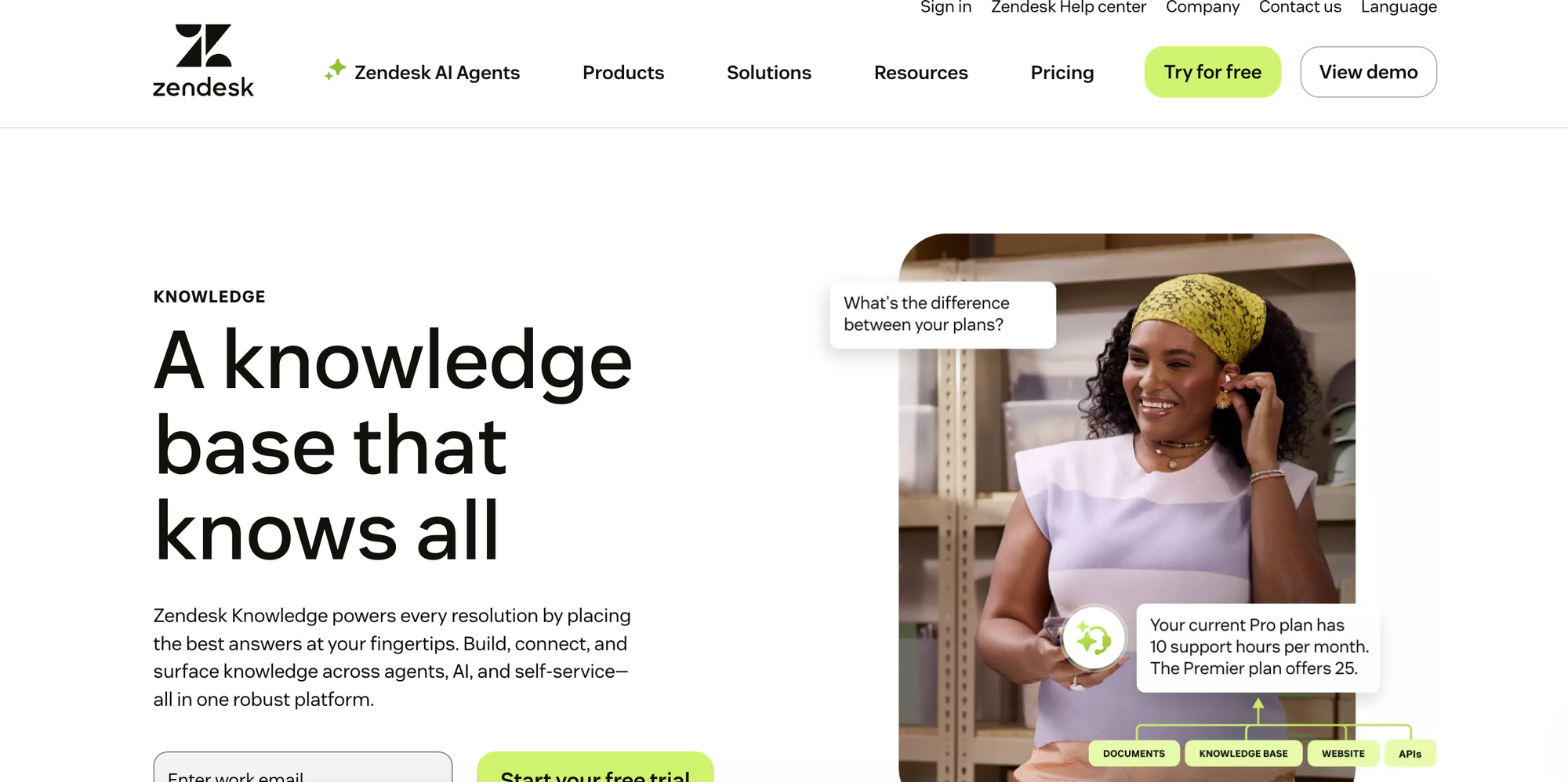
Zendesk Knowledge is the knowledge base built into the Zendesk customer service suite. It connects knowledge directly to ticketing, messaging, and voice, making it a natural fit for teams that already run their support operations on Zendesk.
Because it's a module within a larger platform rather than a standalone knowledge base, it trades depth for convenience. Teams that need more flexibility in content formats, design, or how knowledge is delivered outside the help center may want to consider a Zendesk Knowledge alternative.
Zendesk Knowledge vs eGain at a Glance
| Zendesk Knowledge | eGain | |
| Knowledge Delivery | Built into the Zendesk suite, with knowledge accessible in the help center, within tickets, and via AI agents. Content auto-suggested to agents based on URL context. | Primarily delivered through a centralized portal/help site. Reinforces agents and customers to navigate to the portal to search and read. |
| Content Formats | Static articles only. No native support for interactive content or branching guidance. | Primarily article-based content and knowledge pages. Strong content management, but limited interactive or branching guidance formats. |
| Unified Internal + External Knowledge | Not optimized for multi-audience use. Internal and external content lives in the same system but lacks tools to tailor delivery by audience. | Supports multiple channels, but often deployed with separate self-service and agent desktop knowledge workflows. |
| Ease of Setup & Time to Value | DIY migration tools with professional onboarding available at an extra cost. Some functionality requires add-ons to unlock. | Enterprise-grade but heavier to implement. Configuration, governance, and taxonomy setup require more upfront investment. |
| AI Capabilities | GenAI integrated into search, plus AI agents and a copilot for agent assistance. Advanced AI features like triage, summarization, and suggestions are sold as an add-on. | Strong AI and ML capabilities, including guided search, virtual assistant, content generation, and content recommendations. |
| Analytics & Reporting | Basic content performance and agent usage tracking. AI and search reporting are available with an add-on. | Traditional knowledge analytics (views, searches, agent productivity). Supports continuous monitoring, but metrics are more consumption-focused. |
| Contextual Help | Widget and extension support with content auto-suggested based on URL. No native in-app triggers like tooltips, banners, or behavior-based pop-ups. | Knowledge is accessible through the portal/help center. Less focus on deep contextual embedding at the point of need within customer journeys. |
Pros
- Natively embedded in the Zendesk ticketing system, so agents can access and contribute to knowledge without leaving the ticket view
- Process automation via triggers, macros, and APIs lets teams build workflows around their knowledge base
- Pulls content from help centers, community forums, and external sources into a unified knowledge graph
Cons
- Content is limited to static articles, with no native way to create interactive guides, decision trees, or branching content
- Advanced AI and analytics are sold as add-ons, so the base knowledge product is relatively basic out of the box
- Customization is limited to basic theming, with advanced design changes requiring code
Pricing
Zendesk Knowledge is available in all Zendesk Suite plans, which start at $55/user per month (billed annually). Advanced AI agents are available as a separate add-on with custom pricing.
eGain Alternatives for Knowledge Management
Bloomfire - Best for Internal Knowledge Sharing & Collaboration

Bloomfire is a knowledge management platform designed to help organizations share internal knowledge across departments. It serves teams from sales and marketing to HR and customer success, with a focus on searchability, cross-departmental collaboration, and making company knowledge accessible via AI-powered search and conversational AI.
The platform is built primarily for internal use. Teams that need a customer-facing help center, interactive content formats, or the ability to push knowledge contextually into support workflows will need to consider a Bloomfire alternative.
Bloomfire vs eGain at a Glance
| Bloomfire | eGain | |
| Knowledge Delivery | Primarily for internal employee use, with knowledge delivered through a centralized platform. Conversational AI provides answers grounded in approved content. Can support external-facing use cases like portals and communities. | Primarily delivered through a centralized portal/help site. Reinforces agents and customers to navigate to the portal to search and read. |
| Content Formats | Static articles and documents. Includes a Q&A engine for capturing collective knowledge. No interactive or branching guidance formats. | Primarily article-based content and knowledge pages. Strong content management, but limited interactive or branching guidance formats. |
| Unified Internal + External Knowledge | Primarily designed for internal knowledge sharing. Can be extended to external partners and communities, but not optimized for customer-facing self-service. | Supports multiple channels, but often deployed with separate self-service and agent desktop knowledge workflows. |
| Ease of Setup & Time to Value | Enterprise-scale platform with dedicated implementation services. Expect a more involved setup process given the scope of deployment. | Enterprise-grade but heavier to implement. Configuration, governance, and taxonomy setup require more upfront investment. |
| AI Capabilities | Conversational AI for finding answers, AI-powered enterprise search, AI-powered authoring tools, hallucination detection, and content reliability features. | Strong AI and ML capabilities, including guided search, virtual assistant, content generation, and content recommendations. |
| Analytics & Reporting | Analytics suite covering engagement, content performance, and search activity. | Traditional knowledge analytics (views, searches, agent productivity). Supports continuous monitoring, but metrics are more consumption-focused. |
| Contextual Help | Knowledge is accessed through the Bloomfire platform and integrations. No native in-app triggers like tooltips, banners, or behavior-based pop-ups. | Knowledge is accessible through the portal/help center. Less focus on deep contextual embedding at the point of need within customer journeys. |
Pros
- Conversational AI provides answers grounded in approved content with source links, plus hallucination detection to flag unreliable responses
- Q&A engine captures collective knowledge from employees, so expertise doesn't stay siloed
- Serves teams across the entire organization, not just support, making it a good fit for company-wide knowledge sharing
Cons
- Primarily an internal tool, with limited capabilities for building a customer-facing help center or self-service experience
- No interactive content formats like decision trees or step-by-step guides for troubleshooting or process documentation
- No native way to push knowledge proactively into apps or workflows via tooltips, banners, or triggers
Pricing
Custom pricing is available on request.
Shelf - Best for AI-Powered Knowledge Automation
Shelf is a knowledge management platform built around content quality, answer accuracy, and data governance. It helps enterprise support teams identify and fix issues in their knowledge content, like duplicates, outdated information, and compliance risks, so that GenAI tools can deliver more reliable answers. It's designed for large organizations with contact centers that need to verify the accuracy of AI-generated responses.
The platform focuses heavily on making content ready for AI consumption. Teams looking for a traditional knowledge base with customer-facing self-service and interactive content for end users will find that Shelf's strengths lie elsewhere.
Shelf vs eGain at a Glance
| Shelf | eGain | |
| Knowledge Delivery | Delivers knowledge via agent assist tools, bots, or search. Connects to existing content sources rather than requiring migration. | Primarily delivered through a centralized portal/help site. Reinforces agents and customers to navigate to the portal to search and read. |
| Content Formats | Articles, decision trees, and reusable content blocks. Templates available for standardized content creation. Supports 50+ file types. | Primarily article-based content and knowledge pages. Strong content management, but limited interactive or branching guidance formats. |
| Unified Internal + External Knowledge | Primarily focused on internal knowledge for agents and AI. Not optimized for customer-facing self-service. | Supports multiple channels, but often deployed with separate self-service and agent desktop knowledge workflows. |
| Ease of Setup & Time to Value | Enterprise-scale platform with pre-built content connectors. Connects to existing repositories without requiring content migration. | Enterprise-grade but heavier to implement. Configuration, governance, and taxonomy setup require more upfront investment. |
| AI Capabilities | AI-powered content quality assurance, answer quality monitoring, hallucination detection, content improvement, and auto-translation in 100+ languages. | Strong AI and ML capabilities, including guided search, virtual assistant, content generation, and content recommendations. |
| Analytics & Reporting | Content quality dashboard with 22 categories of analytics. Answer quality dashboard for monitoring GenAI output. Custom reports with data lake export. | Traditional knowledge analytics (views, searches, agent productivity). Supports continuous monitoring, but metrics are more consumption-focused. |
| Contextual Help | Knowledge delivered through agent assist tools, bots, and search. No native in-app triggers like tooltips, banners, or popups. | Knowledge is accessible through the portal/help center. Less focus on deep contextual embedding at the point of need within customer journeys. |
Pros
- Automated content governance continuously flags duplicates, outdated content, and compliance risks without waiting for users to report problems
- Analytics go beyond usage tracking, with 22 categories of content quality insights and a dedicated dashboard for monitoring GenAI answer accuracy
- Connects to existing content repositories via pre-built connectors, so teams can audit and improve knowledge without migrating everything to a new system
Cons
- Primarily an internal, agent-facing tool with limited capabilities for customer-facing self-service or help center delivery
- The platform's strength is content quality and AI readiness, not knowledge delivery, so teams may need a separate tool for the reader-facing experience
- No native way to push knowledge into apps or workflows via tooltips, banners, or triggers
Pricing
Custom pricing is available on request.
Guru - Best for Centralizing Information Across Scattered Platforms
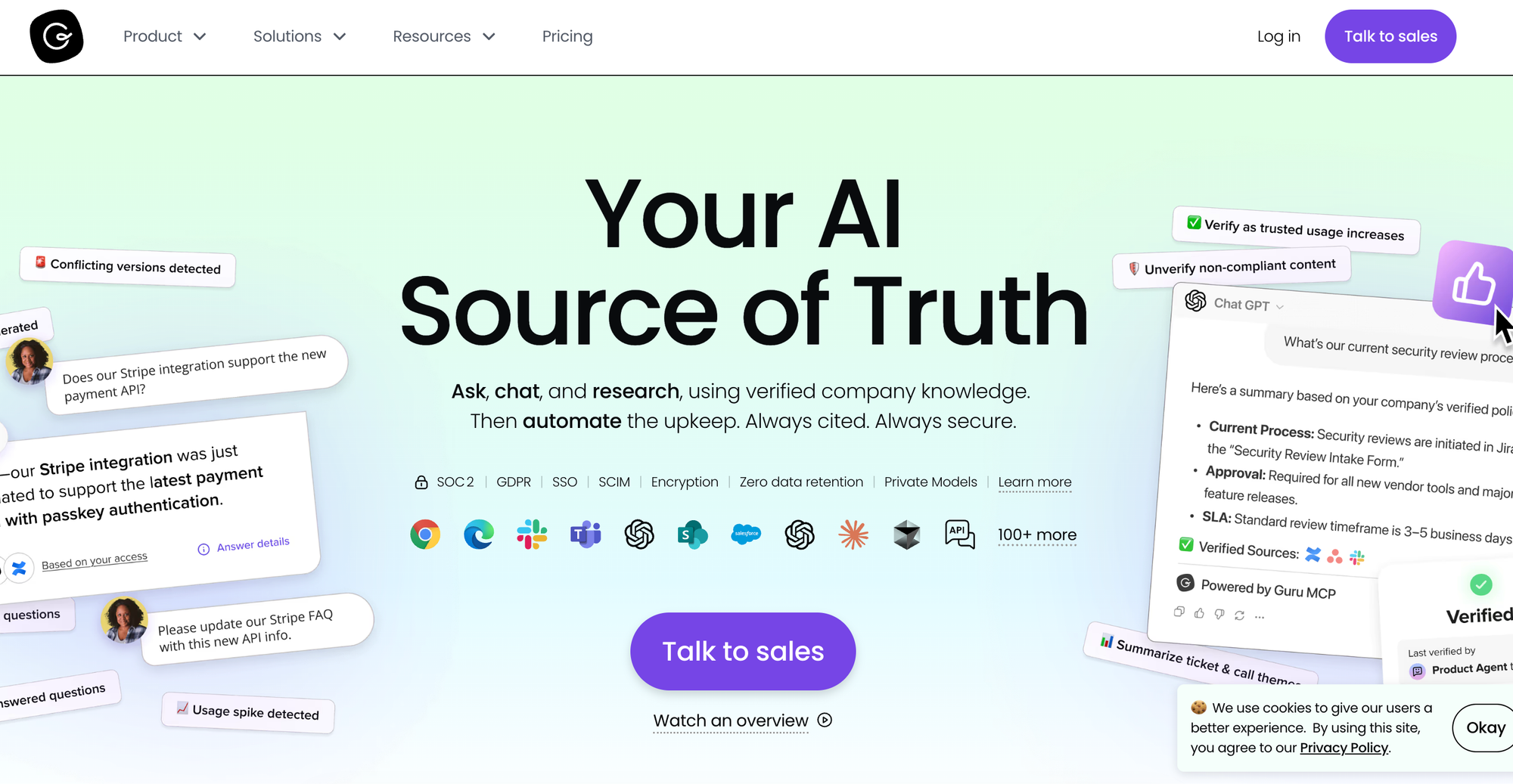
Guru is an internal knowledge platform built to centralize scattered information into a single, verified source of truth. It organizes knowledge into short-form content cards that teams can create, verify, and share across the tools they already use. It integrates deeply with Slack, Microsoft Teams, browser extensions, and help desk platforms so employees can find answers without leaving their workflow.
Guru is designed for internal teams, not customer-facing support. There's no public help center or self-service portal, no interactive content formats, and limited branding or customization options. Teams that need to deliver knowledge externally or guide customers through complex processes will need a separate tool.
Guru vs eGain at a Glance
| Guru | eGain | |
| Knowledge Delivery | Internal knowledge delivered via browser extension, Slack, Microsoft Teams, and native integrations with help desk platforms like Zendesk, Salesforce, and Freshdesk. Cards surface contextually based on teams, roles, or app context. | Primarily delivered through a centralized portal/help site. Reinforces agents and customers to navigate to the portal to search and read. |
| Content Formats | Short-form cards and collections. Includes callouts, checklists, mentions, and tags. Designed for quick consumption rather than long-form documentation. No interactive or branching guidance formats. | Primarily article-based content and knowledge pages. Strong content management, but limited interactive or branching guidance formats. |
| Unified Internal + External Knowledge | Internal knowledge only. No customer-facing help center or self-service portal. | Supports multiple channels, but often deployed with separate self-service and agent desktop knowledge workflows. |
| Ease of Setup & Time to Value | Guided onboarding with migration assistance. The card-based format is quick to populate. | Enterprise-grade but heavier to implement. Configuration, governance, and taxonomy setup require more upfront investment. |
| AI Capabilities | AI-powered search across collections. Knowledge Agents provide conversational answers in workflow. Automated verification and quality checks. AI content creation and trending topic detection from Slack conversations. | Strong AI and ML capabilities, including guided search, virtual assistant, content generation, and content recommendations. |
| Analytics & Reporting | Insights on usage, verification status, and engagement. Dashboards by team, content type, and user. | Traditional knowledge analytics (views, searches, agent productivity). Supports continuous monitoring, but metrics are more consumption-focused. |
| Contextual Help | Cards surface contextually in apps like Zendesk, Salesforce, and Slack. Browser extension triggers content based on the page being viewed. No native tooltips, banners, or popups on external sites. | Knowledge is accessible through the portal/help center. Less focus on deep contextual embedding at the point of need within customer journeys. |
Pros
- Turns Slack conversations into knowledge by detecting trending topics and surfacing suggested answers directly in threads
- Customizable AI agents for specific team use cases, like HR, sales, or regulatory compliance, with cited and permission-aware answers
- MCP Server connects Guru's knowledge to external AI systems via open standards, giving developer teams more flexibility
Cons
- Internal only, with no customer-facing help center or public self-service portal
- Card format is designed for quick consumption, which limits its usefulness for long-form documentation, detailed SOPs, or complex troubleshooting
- No custom domain support and limited branding, so the knowledge experience is always hosted on Guru's platform
Pricing
Starts at $25/user per month (billed annually).
KMS Lighthouse - Best for Large Contact Centers with Complex Call Scripts
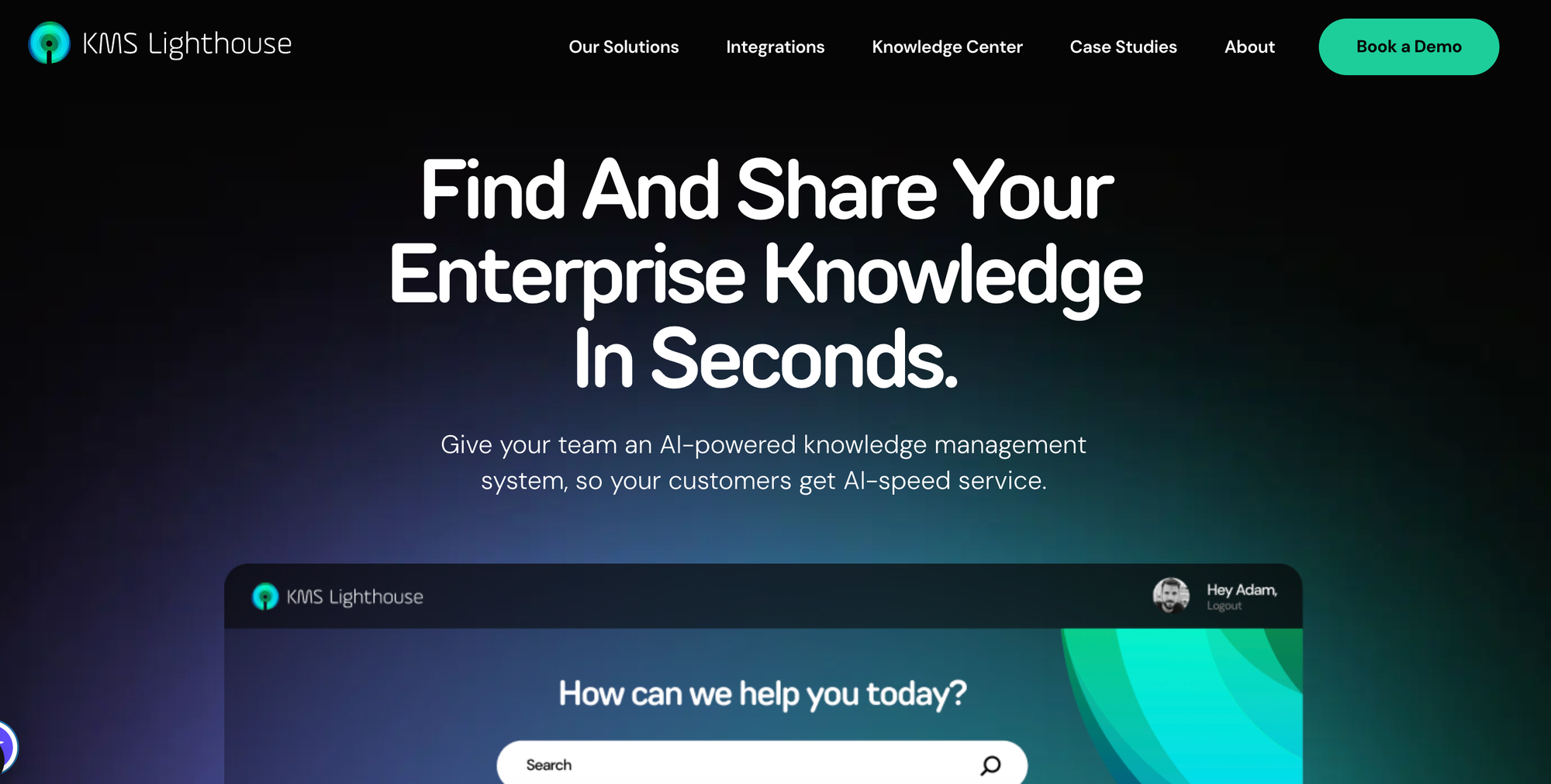
KMS Lighthouse is an enterprise knowledge management platform built for large contact centers where agents handle complex, high-volume interactions. It provides guided knowledge and troubleshooting resources so agents can navigate complicated call scripts and resolve customer issues faster. The platform also covers customer self-service, employee onboarding, and field service.
The platform prioritizes speed and accuracy in high-volume service environments. Teams that need more flexibility in how content is structured or want to deliver knowledge outside of the contact center and field service context will find it more limited.
KMS Lighthouse vs eGain at a Glance
| KMS Lighthouse | eGain | |
| Knowledge Delivery | Serves both agents and customers, with dedicated solutions for call centers, self-service, onboarding, and field service. | Primarily delivered through a centralized portal/help site. Reinforces agents and customers to navigate to the portal to search and read. |
| Content Formats | Articles, knowledge pages, decision trees, and a side-by-side comparison tool for helping agents compare packages or products. | Primarily article-based content and knowledge pages. Strong content management, but limited interactive or branching guidance formats. |
| Unified Internal + External Knowledge | Supports both internal (agents, field technicians, new hires) and external (customer self-service) knowledge delivery from a single platform. | Supports multiple channels, but often deployed with separate self-service and agent desktop knowledge workflows. |
| Ease of Setup & Time to Value | Enterprise-scale platform. Includes Lighthouse University for training and onboarding on the platform itself. | Enterprise-grade but heavier to implement. Configuration, governance, and taxonomy setup require more upfront investment. |
| AI Capabilities | AI-powered search and information retrieval for agents and customers. | Strong AI and ML capabilities, including guided search, virtual assistant, content generation, and content recommendations. |
| Analytics & Reporting | Usage metrics, search analytics, performance dashboards, and AI-driven insights. | Traditional knowledge analytics (views, searches, agent productivity). Supports continuous monitoring, but metrics are more consumption-focused. |
| Contextual Help | Knowledge served to agents within the call center workflow and to customers via self-service. | Knowledge is accessible through the portal/help center. Less focus on deep contextual embedding at the point of need within customer journeys. |
Pros
- Covers call center, self-service, onboarding, and field service from a single platform, which is a broader operational range than most knowledge base tools
- Built-in comparison tools help agents walk customers through package or product options side by side
- A dedicated field service solution gives technicians access to real-time knowledge on-site, a use case that most knowledge base platforms don't address
Cons
- Heavily focused on contact center and field service workflows, which makes it less versatile for teams outside of service operations
- The platform is built for agent-facing and technician-facing use cases, so the self-service experience is secondary to the contact center focus
- Per-named-user pricing in an environment with high agent and technician headcount can add up quickly
Pricing
Custom pricing is available on request.
Consider The Knowledge Base Solution Purpose-Built for Customer Service Teams
eGain splits internal and external knowledge into separate workflows, which means more to maintain and more room for information to fall out of sync. If you need one system that serves both your customers and your agents from the same AI knowledge base software, that's where Stonly comes in.
Stonly lets you build interactive guides that adapt to each situation, deliver them inside the tools your team already uses, and keep everything aligned between what customers see and what agents do. No separate portals, no duplicated content, no drift. And it's up and running quickly, so you can keep improving without heavy overhead.
Your agents follow guided processes right inside Zendesk, Salesforce, ServiceNow, or Freshdesk. Your customers get help at the exact moment they need it through embedded widgets, tooltips, and AI-powered search. And your analytics show you exactly how knowledge is driving resolutions, so you know what's working and what to fix.
Schedule a demo to see how Stonly can turn your knowledge base into a key part of every customer interaction.