

Support agents are expected to resolve tickets quickly, stay on-brand in every reply, and retain knowledge across dozens of constantly changing internal processes. Yet many teams still rely on scattered docs, tribal knowledge, and sheer memory to get through each shift.
The pressure is even higher now that customers expect near-instant responses. When agents have to pause mid-ticket to search for an answer, rewrite a clunky response, or flag an issue they don't know how to escalate, resolution times spike and customer satisfaction drops.
Most teams start by searching for AI for customer support tools and end up evaluating solutions that all look the same on the surface. The problem is that agent assist software spans very different categories: knowledge surfacing, writing quality, coaching, analytics, and QA. A tool that's excellent at one of those won't compensate for gaps in another, and many teams don't realize what they're missing until metrics start slipping.
This article breaks down 7 AI tools across different support functions so you can see where your team's biggest gaps are and which tools actually address them.
How We Chose These Tools
We selected these 7 tools because they each solve a distinct problem in the agent workflow. One handles knowledge surfacing, another focuses on writing quality, another on QA, and so on across coaching, operations analytics, response consistency, and staffing optimization.
This reflects how customer service teams operate in practice. No single platform covers every function, so we prioritized showing the best option for each job rather than comparing 7 products that do the same thing.
Here’s a quick overview of the tools we'll cover below and the key areas where they help your support agents improve:
| Solution | Primary Function | Key KPI Impacted |
| Stonly | Knowledge surfacing + AI assist | Average handle time, CSAT |
| Grammarly | Response writing quality | CSAT, brand consistency |
| TextExpander | Response speed + consistency | Average handle time, response time |
| TheLoops | Root cause analytics | Escalation rate, repeat contact rate |
| MaestroQA | QA + coaching | QA score, agent performance |
| Cresta | Real-time agent coaching | Agent ramp time, average handle time |
| Assembled | Workforce management + scheduling | SLA adherence, staffing efficiency |
Stonly: AI Trained on Your Knowledge Base to Help Agents Resolve Cases Faster
Product Overview:
Stonly is an AI knowledge base platform built for customer service. It supports two primary use cases: agent-facing knowledge (internal) and customer-facing knowledge (external), both managed from a single system.
The platform supports both standard articles and interactive guides. These guides break complex topics like troubleshooting flows, standard operating procedures (SOPs), and how-to processes into branching, step-by-step paths that adapt to each reader's situation. You can also personalize content using customer data or agent roles, so readers only see what applies to them.
Stonly focuses on delivering knowledge where people already work. Agents can access guides and articles directly inside their ticketing system and open the knowledge base with one click in any web-based tool. On the customer side, no-code widgets, tooltips, and banners push relevant content into your website or app at the moment someone needs help.
Stonly's AI-powered Agent Assist works as a copilot inside your agents' existing workflow. It relies on a single, accurate source of truth, your company’s knowledge base, so every AI-generated response reflects your actual products, policies, and processes, rather than pulling from multiple sources that may contain inconsistencies. Stonly also offers a customer-facing AI chatbot you can train on the same knowledge base and deploy across your web and mobile properties.
Key AI Features to Assist Support Agents:
- Automatic ticket analysis and summarization: Stonly's AI reads incoming tickets and provides a concise summary based on support ticket content and customer context, so agents can start working right away instead of re-reading long threads.
- AI-recommended guides: Based on its ticket analysis, the AI suggests the most relevant knowledge articles and interactive guides directly inside the agent's workflow. No more switching tabs or hunting through a knowledge base.
- One-click reply generation: Agents can generate complete, accurate responses based on your knowledge base and either send them directly or use them as a starting point for a more personalized reply.
- Knowledge gap identification: When the AI can't find relevant documentation for a topic, it flags the gap. This lets knowledge managers continuously improve the knowledge base based on real agent needs rather than guesswork.
- Structured knowledge that improves AI accuracy: Stonly's step-by-step guide format organizes your knowledge so AI can read and interpret it more effectively than unstructured articles or scattered docs. Since it breaks relevant information into discrete steps with a single source of truth, the AI can locate the exact answer needed for a given situation rather than pulling from multiple conflicting sources. This is especially valuable for complex or conditional topics where the answer depends on the customer's specific circumstances.
Integration Context:
- Stonly fully integrates with Zendesk, Salesforce, and Freshdesk. It works inside the ticketing system, so agents never need to leave their workspace.
- Stonly also offers an in-app widget and triggers for customer-facing knowledge delivery.
What Stonly Is Best For: Teams that have invested in building a knowledge base but aren't seeing adoption because agents can't find what they need fast enough, or teams whose AI tools hallucinate because they aren't grounded in structured, company-specific knowledge.
Honest Limitation: Stonly's value scales with the quality of your knowledge base. If your documentation is sparse or severely outdated, you'll want to invest in building it out to get the full benefit of the AI features. That said, the platform's knowledge gap detection helps you identify where to focus first.
The Compound Effect: Stonly pairs naturally with Grammarly to polish AI-drafted replies before sending and with TheLoops to identify which knowledge gaps are causing the most escalations.
Primary KPI Impact: Average handle time and customer satisfaction score (CSAT)
- 50% Improvement in Average Handle Time: "With Stonly, client-facing teams can respond twice as fast and more accurately." - Marco Ricciardi, Senior Program Manager, Personio
- 21% Lift in CSAT: "Stonly is intuitive, user-friendly, and provides significantly better guidance for our customers." - Patrick O'Keefe, VP of Customer Experience, Anedot
Stonly combines structured knowledge, AI-powered assistance, and one-click reply generation in a single platform that works inside your agents' ticketing system. Learn more about Stonly's AI Agent Assist here.
2. Grammarly: AI Writing Assistance for Clear, On-Brand Agent Responses
Product Overview:
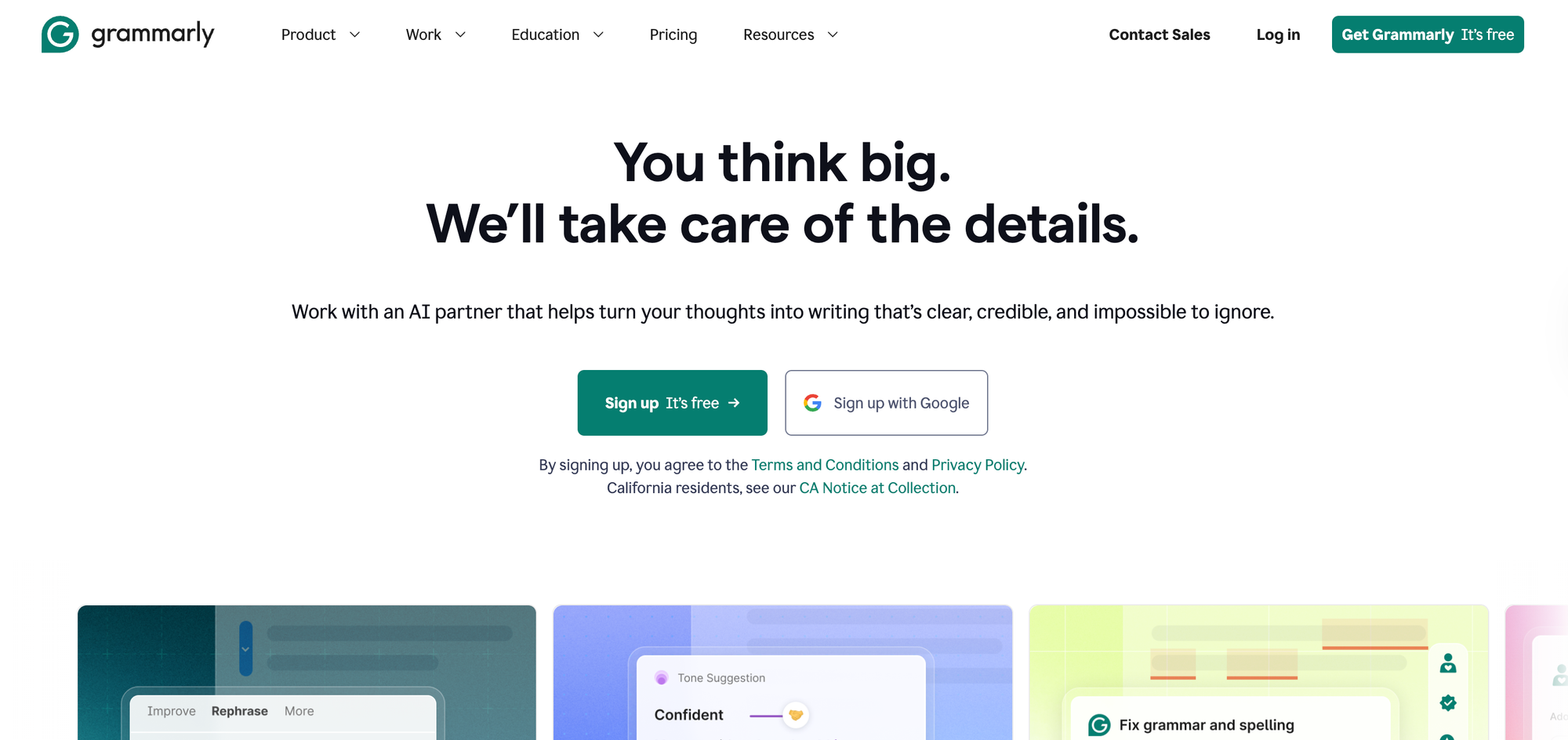
Grammarly is an AI writing assistant that works across browsers, desktop apps, and mobile devices, providing real-time grammar, clarity, and tone suggestions wherever your team writes. For support team members, it helps agents produce clear, professional, on-brand responses without adding extra steps to their workflow.
Beyond basic spell-check, Grammarly's AI can rewrite full sentences for clarity, detect tone, generate draft replies, and enforce your company's style guide rules. Once admins set up brand voice profiles and style rules, agents can apply on-brand suggestions automatically as they type in tools like Zendesk, Salesforce, or Slack.
Key AI Features to Assist Support Agents:
- Full-sentence and paragraph rewrites: Agents can accept AI-generated rewrites with one click, turning rough drafts into polished replies without manual editing.
- Tone detection and adjustment: The AI flags when a reply's tone doesn't fit the situation and suggests specific shifts, like moving from blunt to empathetic.
- AI-driven brand voice enforcement: After admins set up a style guide or tone profile, the AI reads each reply's context and suggests rewrites that match your brand's voice, going beyond simple word substitution.
- Generative AI reply drafting: Agents can generate a first draft response from a prompt and then refine it before sending. This is useful for repetitive ticket types where the structure stays the same, but details change.
- Multilingual AI writing and translation: The AI assists in multiple languages and can translate or rewrite full paragraphs inline, helping international teams or second-language agents produce fluent responses without a separate tool.
What It's Best For: Teams with a wide range of writing skill levels, international teams writing in English as a second language, or brands with strict voice and tone guidelines that are hard to enforce manually.
Honest Limitation: Grammarly improves how agents write, but doesn't help them find the right answer. An agent can send a perfectly worded reply that's factually wrong if they didn't have the right knowledge to begin with.
Adoption Speed: Very fast. Grammarly's browser extension installs in seconds and starts working immediately. Brand voice profiles take a bit more setup.
Primary KPI Impact: CSAT, brand consistency score
3. TextExpander: Consistent, Instant Responses Through Text Shortcuts
Product Overview:
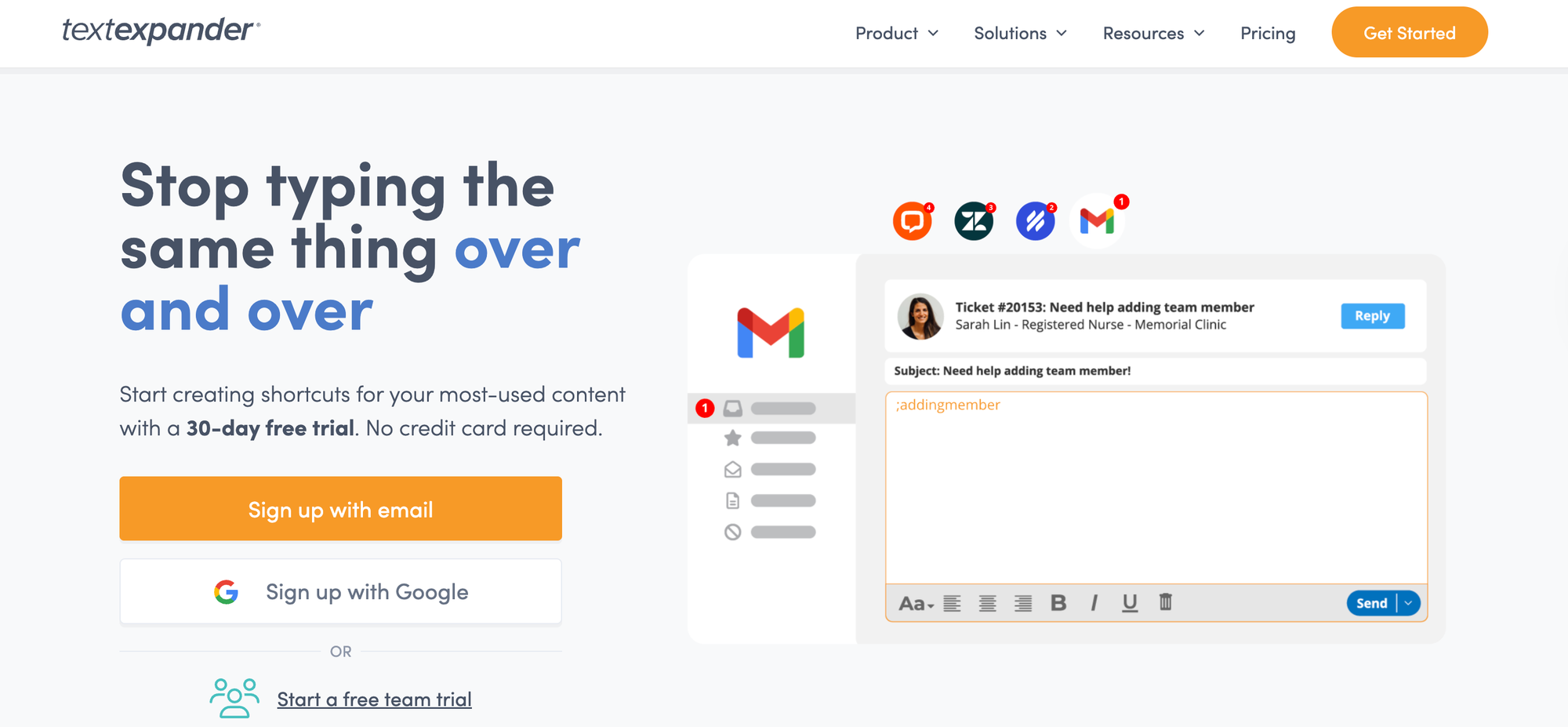
TextExpander is a text expansion tool that lets support teams build a shared library of pre-approved responses, templates, and boilerplate content. Agents insert these snippets anywhere they type, using short abbreviations or a quick search. This means agents can stop rewriting the same responses and start pulling from a single, centrally managed library.
The platform also includes AI features that build on top of the snippet library. When an agent opens a ticket or starts a reply, the AI analyzes the page content and surfaces the most relevant snippet from the library without requiring a manual search. It runs locally using Gemini Nano, so no customer data leaves the agent's computer.
Key AI Features to Assist Support Agents:
- Context-aware snippet recommendations: Rather than requiring agents to remember abbreviations or search manually, the AI uses page content to match snippets to the situation. This is especially useful for teams with large snippet libraries where finding the right response can slow agents down.
- AI-assisted snippet creation: When the AI can't find an existing snippet that fits, it can generate new draft content for human review. Agents or admins approve and organize the new snippet before it enters the shared library.
- Admin-controlled AI settings: Admins control whether AI features are enabled for their organization and can provide two layers of customization: direct instructions (like formatting rules and tone preferences) and contextual information (like your company's knowledge base content) that shape how the AI generates and recommends snippets.
What It's Best For: Teams that handle a high volume of repetitive inquiries where consistency and speed matter more than customization. Especially useful for quickly onboarding new agents.
Honest Limitation: Snippets can become stale without regular maintenance. If your policies or products change frequently, the snippet library needs an owner who keeps it current. Also, overreliance on snippets can make responses feel robotic if agents don't personalize them.
Adoption Speed: Fast. Most agents can get comfortable within a day or two.
Primary KPI Impact: Average handle time, response time
4. TheLoops: AI-Powered Analytics to Diagnose Root Causes and Agent Performance Gaps
Product Overview:
TheLoops is an agentic AI platform focused on support operations and customer experience. It connects to your ticketing system, engineering tools, knowledge base, and customer relationship management (CRM) platform to build a real-time picture of what's happening across your support team. The platform then uses that data to power AI agents that assist with everything from individual ticket handling to organization-wide trend analysis.
Where most agent assist tools focus on helping agents write replies, TheLoops helps them understand tickets and take smarter action. Its AI analyzes case context from multiple data sources, generates summaries, suggests next steps, and surfaces patterns across your ticket volume. It also feeds insights back to managers and product teams, turning support data into a cross-functional resource.
Key AI Features to Assist Support Agents:
- AI-generated case summaries: The AI produces multiple summary types per ticket (including current issue, historical context, and prior resolution attempts) so agents understand the full picture without reading through long threads.
- Next-step recommendations: TheLoops builds a resolution graph from your past interactions, knowledge base, and support processes. The AI uses this graph to suggest the most likely path to resolution for each new ticket.
- Automated case intelligence: The AI classifies tickets across multiple languages by topic, symptom, sentiment, impact, and feedback type. Agents can use these signals to prioritize their queue, and managers can track trending issues in real time.
- AI-powered knowledge generation: When an agent closes a case, the AI can draft a new knowledge article based on the resolution. Teams review and publish the draft, keeping the knowledge base current without dedicated authoring time.
- Feature request detection and routing: The AI identifies when a ticket contains a feature request and flags it for the product team automatically. This creates a direct feedback loop between support and product without manual tagging or escalation.
What It's Best For: Mid-to-large support orgs that have enough ticket volume for pattern analysis to be meaningful. Especially useful for teams that need to make the case to product or engineering about recurring customer issues.
Honest Limitation: TheLoops is more of an operations tool than a direct agent assist. Agents won't interact with it daily. Its value is in surfacing insights that leaders act on.
The Compound Effect: Insights from TheLoops can directly inform what knowledge gets built in Stonly (closing the gaps causing escalations) and what coaching focuses on in MaestroQA.
Primary KPI Impact: Escalation rate, repeat contact rate
5. MaestroQA: AI Quality Assurance and Agent Coaching
Product Overview:
MaestroQA is an AI-powered QA and agent coaching platform that analyzes customer conversations at scale. It ingests data from ticketing systems, chat platforms, customer calls, and chatbot interactions, then scores them against custom criteria to identify coaching opportunities and compliance risks. The platform gives QA teams and managers a structured way to evaluate performance across every conversation, not just a random sample.
It approaches agent assist from a different angle than most tools on this list. Rather than helping agents draft replies in real time, it evaluates conversations after the fact to surface coaching opportunities, compliance risks, and customer sentiment trends. The AI also powers an ad-hoc analysis tool that uses natural language understanding to let anyone in the organization query conversation data directly.
Key AI Features to Assist Support Agents:
- Custom AI metrics at scale: Teams define their own AI-powered scoring criteria using large language model (LLM) prompts, then run them across all conversations continuously. This replaces manual QA sampling with full-coverage evaluation of compliance, tone, and resolution quality.
- AI-Powered coaching insights: The AI surfaces specific coaching opportunities per agent based on scored conversations. Managers can identify skill gaps and deliver targeted feedback tied to real interactions.
- AskAI for ad-hoc conversation analysis: Anyone in the organization can ask natural language questions about conversation data and get immediate answers. Follow-up prompts let users drill from high-level patterns into individual ticket details.
- Churn and escalation detection: The AI analyzes sentiment and friction signals across conversations to flag tickets at risk of escalation or churn.
- AI chatbot monitoring: MaestroQA applies the same AI scoring to bot-handled conversations as it does to human ones. This gives teams visibility into where chatbots fail, hallucinate, or create poor customer experiences.
What It's Best For: Teams that have outgrown manual QA sampling and need to evaluate quality across every conversation. Also strong for organizations with business process outsourcing (BPO) or outsourced teams, where quality consistency is harder to maintain.
Honest Limitation: QA scoring is only as good as the criteria you define. Teams need to invest time upfront in building meaningful scorecards. Also, some AI features require additional purchase beyond the base platform.
Primary KPI Impact: QA score, agent performance consistency
6. Cresta: Real-Time AI Coaching During Live Conversations
Product Overview:
Cresta is a real-time AI coaching and agent assist platform built for enterprise contact centers. It works across voice, chat, and email, providing behavioral guidance during live conversations. The platform trains on your organization's own data to identify the specific behaviors and language patterns that drive the best outcomes.
Its agent assist tool connects to your telephony, CRM, and knowledge systems. During a live call or chat, it delivers contextual prompts, suggested phrasing, and knowledge answers in real time, without the agent needing to search or prompt. The platform also includes conversation intelligence and quality management tools that feed insights back into coaching workflows.
Key AI Features to Assist Support Agents:
- Real-time guidance: The AI delivers contextual prompts and next-step suggestions during live conversations based on proven patterns from top performers.
- Generative AI knowledge assist: Cresta pulls precise answers from your connected knowledge sources and delivers them inline during live interactions, with no agent searching required.
- AI-generated conversation summaries: The AI produces structured, customizable summaries immediately after each interaction, reducing after-call work and capturing cleaner data.
- AI-powered typing efficiency for digital channels: On chat and email, the AI suggests full responses based on conversation context. Agents accept, edit, or skip to cut manual typing time.
- Real-time translation: The AI translates both the customer's messages and the agent's responses during live conversations, allowing agents to handle interactions in languages they don't speak.
What It's Best For: Large contact centers (especially voice-heavy) with high agent turnover and long ramp times. Cresta's biggest value is in helping mid-level agents perform closer to top performers, faster.
Honest Limitation: Cresta is enterprise-focused with custom pricing and a non-trivial implementation. It's not built for small teams or companies looking for a quick self-serve setup.
Adoption Speed: Moderate to slow. Requires integration with your telephony/chat systems and calibration of coaching models to your business. Once deployed, agents see value quickly.
Primary KPI Impact: Agent ramp time, average handle time
7. Assembled: AI-Powered Workforce Management and Scheduling
Product Overview:
Assembled is a support operations platform that combines AI-powered workforce management with AI agents and an agent copilot. It helps support teams schedule staff, forecast demand, and manage a blended workforce of in-house agents, BPO partners, and AI agents from a central dashboard. The platform uses machine learning (ML) to predict ticket volume and optimize coverage across channels and teams.
Assembled also offers AI agents that handle customer interactions across chat, email, and voice; plus an AI copilot that assists human agents in real time. The copilot lives inside the help desk, surfacing knowledge, drafting replies, and adding workflow automation to post-interaction tasks like summaries and ticket tagging.
Key AI Features to Assist Support Agents:
- AI copilot with contextual reply drafting: The copilot drafts responses using customer tone, sentiment, account history, and company policies. Agents review and send without searching or writing from scratch.
- ML-based demand forecasting: ML models predict ticket volume by channel, time of day, and team, so managers can build schedules that match actual demand.
- AI-powered scheduling: The platform generates optimized schedules based on forecast data, agent availability, and coverage requirements across in-house, remote, and outsourced staff.
- Automated wrap-up and summarization: The AI generates summaries, wrap-up notes, and next steps after each interaction, eliminating manual documentation.
- Real-time translation: The copilot detects customer language and translates messages in both directions during live conversations, with no tool-switching required.
What It's Best For: Teams of 50+ agents (especially those using a mix of in-house, remote, and outsourced staff) that need to forecast demand and optimize staffing decisions. Also valuable for teams actively deploying AI agents alongside human agents and needing to understand the balance.
Honest Limitation: Assembled is a strategic operations tool, not a direct agent-facing assist. Individual agents won't interact with it beyond viewing their schedules. Smaller teams may not have enough data or complexity to justify the investment.
Primary KPI Impact: Service level agreement (SLA) adherence, staffing cost efficiency
Final Comparison Table
| Stonly | Grammarly | TextExpander | TheLoops | MaestroQA | Cresta | Assembled | |
| Primary Function | Knowledge AI Assist | Writing Quality | Response Templates | Root Cause Analytics | QA + Coaching | Real-Time Coaching | Workforce Management |
| Who Uses It Daily | Agents | Agents | Agents | CX Leaders / Ops | QA Managers / Leads | Agents + Managers | Workforce Management / Ops |
| Works Inside Ticketing System | Yes | Yes (browser extension) | Yes (browser extension) | Dashboard | Yes (sidebar) | Yes (overlay) | Dashboard + agent view |
| AI-Powered | Yes | Yes | Partial | Yes | Yes | Yes | Yes |
| Setup Complexity | Moderate | Low | Low | Moderate | Moderate | High | Moderate-High |
| Best for Team Size | Any | Any | Any | 20+ agents | 20+ agents | 50+ agents | 50+ agents |
| Key KPI | AHT, CSAT | CSAT | AHT, Response Time | Escalation Rate | QA Score | Ramp Time, AHT | SLA Adherence |
| Pricing Model | Custom | Per seat | Per seat | Custom | Custom | Custom (enterprise) | Custom |
Resolve Cases Faster and More Consistently with Stonly’s AI Agent Assist
Each tool in this roundup addresses a different agent assist function. Grammarly improves how agents write. MaestroQA evaluates how they performed. Cresta coaches them in real time. But most of these tools depend on accurate, well-organized knowledge to function at their best.
Stonly provides that foundation. AI Agent Assist draws from structured, company-specific knowledge to help agents resolve cases faster, with fewer errors and less time spent searching. Because the AI trains on your knowledge base rather than generic data, the answers it provides reflect your products, policies, and processes.
Here's what Stonly's AI does for agents inside their ticketing workflow:
- Summarizes incoming tickets so agents understand the issue and customer context before they start working
- Recommends the most relevant guides and articles based on its analysis of each ticket
- Generates complete replies grounded in your knowledge base that agents can send or edit
- Flags knowledge gaps when it can't find documentation for a topic, giving knowledge managers a clear improvement roadmap
- Delivers more accurate answers on complex topics because its structured guide format gives the AI organized, single-path knowledge to pull from
Request a demo of Stonly to see how AI grounded in structured knowledge can help your team reduce AHT and improve CSAT.