

Nothing halts productivity like constantly hunting for the right information and answers when you need them. For most organizations, knowledge lives all over the place, buried in docs, scattered across tools or stuck in someone’s brain. The best knowledge base software helps you organize what your team knows, deliver answers at the right moment and keep everything up to date.
There are a lot of options out there, and while many tools offer similar features, the best one for your team should feel like it was built for how you actually work. It should make knowledge easier to create, maintain and find—whether that’s for support agents in a ticket, customers trying to self-serve, or teammates looking for a doc they wrote six months ago.
In this guide, we’ll walk you through everything you need to know to make an informed decision. We’ll start with the key features to look for when evaluating tools, break down the main types of knowledge management platforms, and highlight top-rated solutions based on different use cases, from customer support to internal collaboration to personal productivity.
If your goal is to create better, more actionable knowledge for your teams and users, this guide is built to help you get there. Let’s get started.
Features to look for in the best knowledge management software
Choosing the best platform is about finding a solution that empowers your teams and customers with the right answers, right when they need them. When evaluating different solutions, keep an eye out for these practical features that will make your knowledge more impactful.
1) Powerful and flexible content options
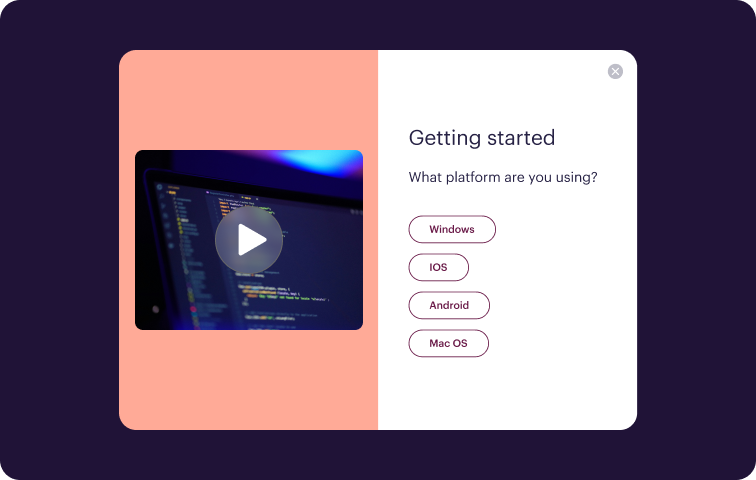
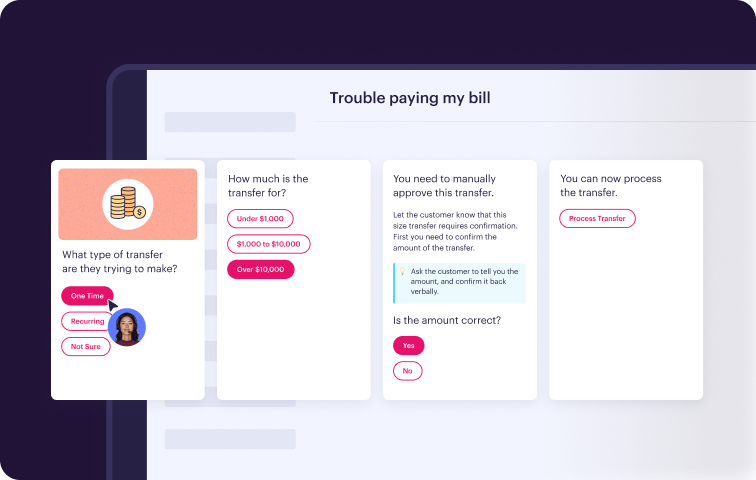
Resolving issues effectively depends on the quality and format of your content. A leading platform should offer more than just static articles to make the knowledge more digestible.
Interactive guides: Look for the ability to create interactive guides in addition to standard articles. This unique format is ideal for breaking down troubleshooting processes, SOPs and step-by-step procedures into easy-to-follow paths.
Rich content creation: The platform should include a user-friendly text and media editor with advanced features like an image editor, internal notes, callouts, drop-downs and checklists to build more engaging content.
2) Easily integrated at the point of need
The more often knowledge is used, the more powerful it is. The best software providers integrate smoothly into your company’s existing workflows and the tools your teams use every day.
Deep application integration: Find a solution that connects with the core applications your teams rely on, such as communication hubs (like Slack or Microsoft Teams), CRMs or customer service ticketing systems. This way, you can surface relevant knowledge directly within their natural workflow.
Contextual knowledge delivery: Placing knowledge directly in the context where it’s helpful increases the chances people will use it. This can be achieved through browser extensions, embedded widgets on internal sites and applications, or chatbots within your team's primary communication channels.
Workflow automation: Look for integrations that allow your systems to communicate. Leveraging data from one system to automatically suggest relevant documents, personalize information for different roles or streamline steps in a process.
3) Strong content management and maintenance
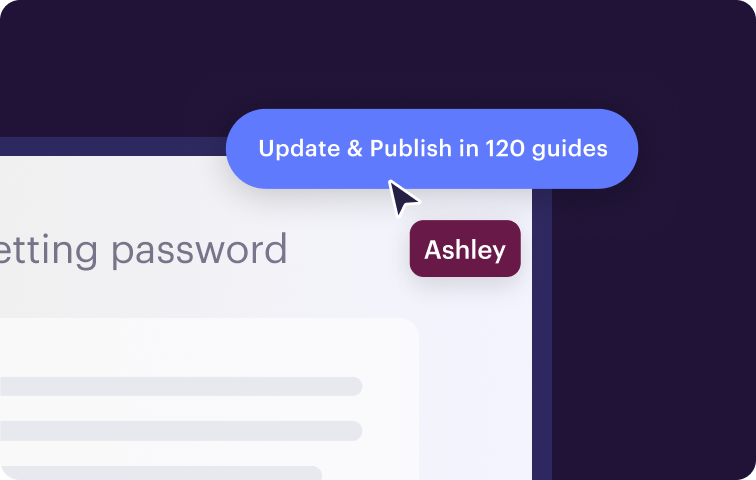
Maintaining accurate and up-to-date knowledge is critical. During your search, keep in mind the content management capabilities that will give you control over the entire lifecycle of your content.
Reviews & approvals: The ability to create approval flows with multiple steps and stakeholders ensures content is properly vetted before publishing.
Workflow management: Your platform should provide access and version control, localization for multiple languages if needed, and clear reports on what content needs to be reviewed or updated.
4) AI that enhances knowledge
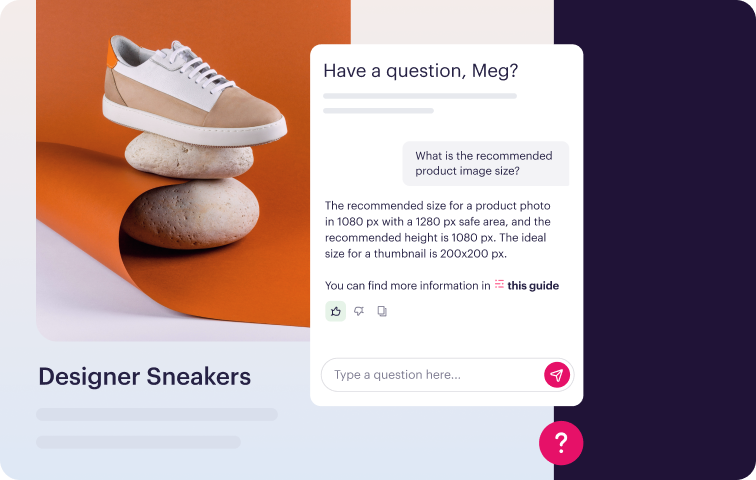
The best platforms use AI to streamline how knowledge is created, delivered and maintained, so your teams and customers get faster, more accurate answers.
AI-powered search: Look for AI that improves search accuracy by understanding intent, not just keywords. The right system should help people find what they’re looking for, even if they don’t phrase it perfectly.
Content suggestions: AI should work in the background to suggest helpful content based on the context of a conversation or actions being taken to reduce the time spent hunting for answers.
Generative capabilities: Platforms with GenAI can help your team save time by drafting outlines, summarizing content, or providing answers that follow your brand voice and formatting—ready for review and publishing.
5) Analytics and Reporting
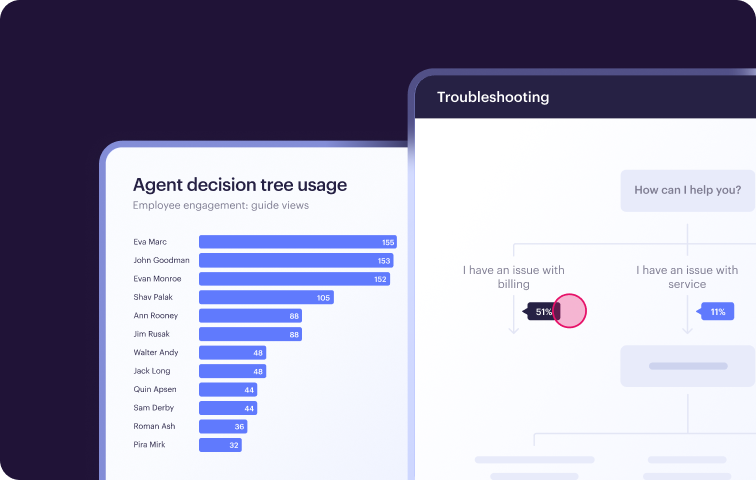
To better understand your return on investment and keep the solution you selected running smoothly, it’s important to have clear, outcome-based reporting. Having these insights helps promote long-term success.
Standard Dashboards: The solution should include dashboards covering content performance, utilization by audience type, search performance and AI reporting.
Content management reports: Obsolescence and workflow management reports that show the status of your current and upcoming knowledge to keep the creation process streamlined.
Custom reporting: The ability to create customer dashboards and send the data directly to your analytics tool or data warehouse for a more holistic view if needed.
6) Unmatched Partnership and Support
Beyond features and functionality, the best software provider should feel like a partnership where they’re equally invested in your success. Implementing a new solution can be daunting, so asking for clarity on the implementation process early on will help make sure you go live as quickly as possible.
Full-Service Onboarding: Look for a provider that offers full-service onboarding and a managed process for migrating your current knowledge. There should be clearly defined goals and a plan to accomplish them.
Expertise in your specific use case: Working with a solution that is tailored to your use case means access to more experienced help and let’s you tap into the accumulated best practices the provider has learned from resolving your exact issue with other companies.
Dedicated Success Manager: After onboarding, having a dedicated customer success manager ensures you have a strategic advisor and product expert for ongoing help.
Types of knowledge management software
To help narrow your search for the right knowledge management software, it’s important to understand the different sub-categories. Given the many different types of knowledge a company houses, the software to manage it is not a one-size-fits-all. The good news is that there are a variety of solutions that specialize in the specific use case and goals you’re trying to accomplish.
Whether you’re focused on customer self-service with a help desk, improving internal efficiency, or team collaboration—we’ll help find the right software type that will drive the best results for your company.
Knowledge base software for customer service
Knowledge base software (KB) is designed to organize and deliver answers for customer service. This software functions as the centralized source of company knowledge, including articles, FAQs, how-to guides and troubleshooting manuals. KBs can be used both externally to support customers and internally to empower agents.
Internal knowledge base: This version of knowledge base software is set up to be used exclusively by employees and outsourced teams. The primary goal is to make customer support agents more efficient and consistent by making institutional knowledge easily accessible. A practical internal KB ensures that agents can find the correct answer at the moment of need, often directly within their workflow, to resolve issues quickly.
External knowledge base: Frequently referred to as a help center, a public-facing KB gives customers the option for self-service support, helping them solve more issues on their own. By providing a searchable library of product information, guides and solutions to common problems, companies can reduce the burden on their customer support team and improve customer satisfaction.
Prominent Examples: Stonly, Document360, Zendesk Guides, Salesforce Knowledge
Knowledge collaboration platform
The tribal knowledge of employees is often the most valuable information, but hard to capture formally. Collaboration platforms provide a virtual space for teams to work together, share ideas and build upon each other's knowledge in real-time. Features like flexible page creation, collaborative editing and organized folder systems are central to these platforms, which can significantly break down departmental silos and encourage the sharing of institutional knowledge.
Prominent Examples: Confluence, Guru, Notion
Document management platform (DMP)
While sometimes overlapping with knowledge bases, document management systems house all internal working documents within an organization. They provide a structured environment for storing, tracking, and managing various file types, including contracts, reports and marketing collateral. Key features often include version control, access control and robust search functionalities, ensuring the integrity and security of critical business documents.
Prominent Examples: Microsoft SharePoint, Google Drive
Learning management systems (LMS):
Focused on the delivery and tracking of educational content, learning management systems are a specialized form of knowledge management software. They are used to create, distribute and manage training programs, courses and assessments for employees, partners or customers. By formalizing the learning process, organizations can ensure consistent onboarding processes and track the development of skills across their workforce.
Prominent Examples: Moodle, TalentLMS, Docebo,
Comparison of knowledge base management software for customer service
Getting started with Stonly
Stonly helps you drive fast, accurate resolutions with step-by-step guides, decision trees, and reliable AI Answers for agents and customers.
Find out why thousands of companies support millions of customers with Stonly by booking a consultation with us today.