
Your support team is drowning in tickets that customers could easily answer themselves if only they could find the right information. Meanwhile, your agents waste hours answering the same questions repeatedly instead of tackling complex issues that truly need their expertise.
Most knowledge base software promises to solve this problem, but here's what support teams really need from an AI-powered knowledge base:
- Customer-facing AI that actually works: Your users should be able to ask questions in natural language and get accurate answers from your documentation, without creating a ticket or waiting for an agent.
- Intelligent content suggestions for agents: When agents open tickets, AI should instantly surface relevant articles, past resolutions, and internal notes so they don't have to dig through multiple systems.
- Real metrics on what's working: Your ideal platform should track which questions customers ask the AI chatbot most, show you exactly how many tickets get deflected through self-service, and automatically group issues into topics so you can spot patterns and fix recurring problems.
This guide compares seven knowledge base platforms that use AI to help both your customers self-serve and your agents work more efficiently. You're likely to run into these platforms as you're researching the top options out there, so you can compare their key AI features, pros, cons, and pricing here.
1. Stonly
Stonly is an AI-powered knowledge management platform built for customer service teams. With both agent- and customer-facing solutions, Stonly helps teams provide personalized knowledge and more efficient support.
For support teams, Stonly provides AI Agent Assist, a copilot that summarizes tickets, suggests relevant knowledge, and generates responses. The platform also offers detailed analytics that show which topics drive the most queries and where customers successfully self-serve versus where they need additional help.
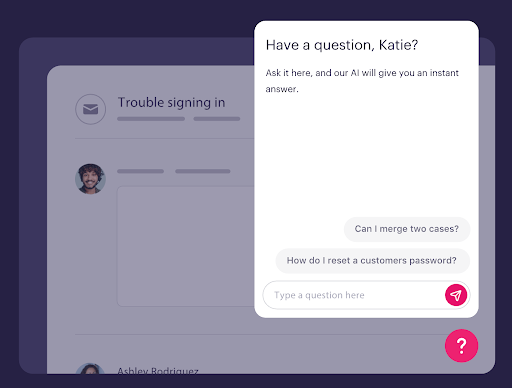
For customers, you can launch an AI-powered chatbot that understands each customer's questions and provides the ideal experience every time. We do this in 4 key ways:
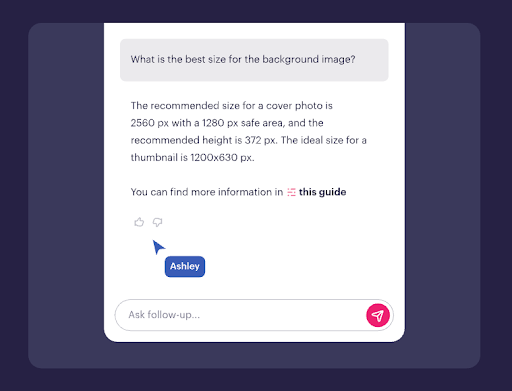
1. Pairing our structured step-by-step knowledge with the latest OpenAI models
This means Stonly’s AI chatbot is able to handle more complex questions and make it more accurate than others on the market. It backs up that promise by linking directly to the precise source or step.
2. Asking clarifying questions when answers could vary
When the AI detects multiple possible answers based on your knowledge base, it asks follow-up questions to understand exactly what the customer needs.
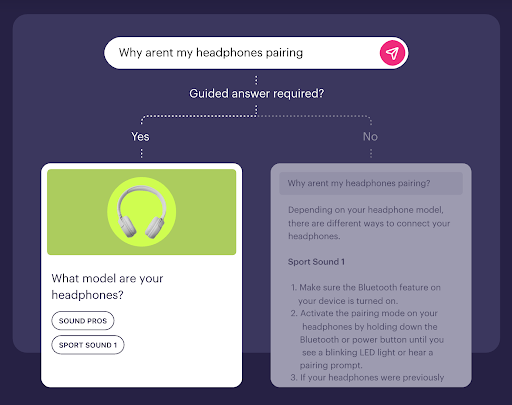
Let's say a customer asks, "How do I reset my account?" The AI might ask whether they need to reset their password, their settings, or their entire account data, thus ensuring they get the specific answer they need rather than generic information.
3. Creating guided workflows for critical processes
For situations where customers must follow specific steps or receive predetermined answers, you can set up controlled workflows. For example, if a customer reports a security breach, you can ensure the AI follows your exact incident response protocol rather than generating its own suggestions. This keeps you in control when accuracy and compliance matter most.
4. Customizing the AI experience to match your brand
Stonly’s AI lets you create different profiles for different use cases. You might set up a friendly, casual chatbot for your community forum while maintaining a professional tone for enterprise support tickets. Custom instructions let you define exactly how the AI handles specific situations.
Key AI Knowledge Base Features for Support Teams
| Knowledge Base Use Cases | Internal (for customer support agents/employees) & external (for self-serve content for customers/users) |
| AI-Powered Search | Yes |
| GenAI in Standalone Chat | Yes (uses structured knowledge and OpenAI models to deliver reliable, source-linked answers) |
| Where the AI Chatbot Can Be Used | Your software, website, knowledge base, ticketing system, and any web or mobile app |
| Clarifying Questions | Yes (AI asks a clarifying question when a query could have different answers or when there's ambiguity) |
| Custom Instructions or Guided Answers | Yes (define how AI Answers should behave around certain topics and set boundaries for what conversations are not suitable for handling by AI) |
| Customize AI for Brand Voice | Yes |
| Knowledge Sources for AI | Stonly content, your other knowledge bases, your website, and internal docs in tools like Zendesk Guides and Google Docs |
| AI-Powered Knowledge Base Content Creation | No |
| Dashboards & Analytics for AI Product | Questions from AI chats are automatically grouped into topic clusters so you can spot trends and drill down |
| Security & Compliance for AI | GDPR, HIPAA, and SOC 2 compliant & supports SSO |
What Real Customers Are Saying About Stonly
"We wouldn’t be able to live without Stonly. There are no other tools that have the same step-by-step guide capability combined with the ease of setup, AI features, and integrations available."
Alex Arkhipov, Care Operations, Tonal
"With Stonly’s knowledge base, guides, and AI Agent in place, Anderson America has seen an 80% reduction in daily ticket volume. Our customers love getting instant, interactive help rather than searching through a long text document. It’s a big deal because no one else in our industry has anything like this at the moment. So we’re leading the charge."
Justin Wilder, Service Manager, Anderson America
Pricing
Custom pricing available upon request.
Stonly uses generative AI and guided answers to transform your knowledge into fast, accurate resolutions wherever customers and support teams need help. Learn more about Stonly’s AI knowledge management here.
2. Document360

Document360 is a knowledge management system that helps small teams set up professional help centers. Its AI-powered chatbot sources information for internal and external users, relying on generative AI to provide contextual answers.
The platform also has an AI writing agent that automatically populates knowledge bases. It can capture information from product walkthroughs, feature demos, or recorded meetings, turning them into searchable knowledge base articles.
Key AI Knowledge Base Features for Support Teams
| Knowledge Base Use Cases | Not optimized for internal and external use |
| AI-Powered Search | Yes |
| GenAI in Standalone Chat | Yes |
| Where the AI Chatbot Can Be Used | Knowledge base and website (via widget) |
| Clarifying Questions | Yes |
| Custom Instructions or Guided Answers | Yes |
| Customize AI for Brand Voice | Yes |
| Knowledge Sources for AI | Document360 content, existing knowledge bases, and web-based sources |
| AI-Powered Knowledge Base Content Creation | Yes |
| Dashboards & Analytics for AI Product | AI Analytics tracks conversations, answered/unanswered queries, and content performance |
| Security & Compliance for AI | SOC 2 and GDPR compliant, supports SSO |
Advantages
- AI writing agent transforms videos, audio recordings, and text files into finished documentation, eliminating the manual work that typically goes into transcribing product demos or training sessions
- Pre-built article templates and AI content generation mean teams can start generating content quickly, without needing to figure out structures from scratch
Shortcomings
- Technically has multi-audience capabilities, but isn't optimized to support internal and external knowledge simultaneously
- Some users say the search function relies on exact keyword matching rather than understanding natural language queries, which can make searching difficult
Pricing
Custom pricing available on request. Note that the platform's AI premium suite is an add-on that isn't built into any of the standard subscription tiers.
3. eGain
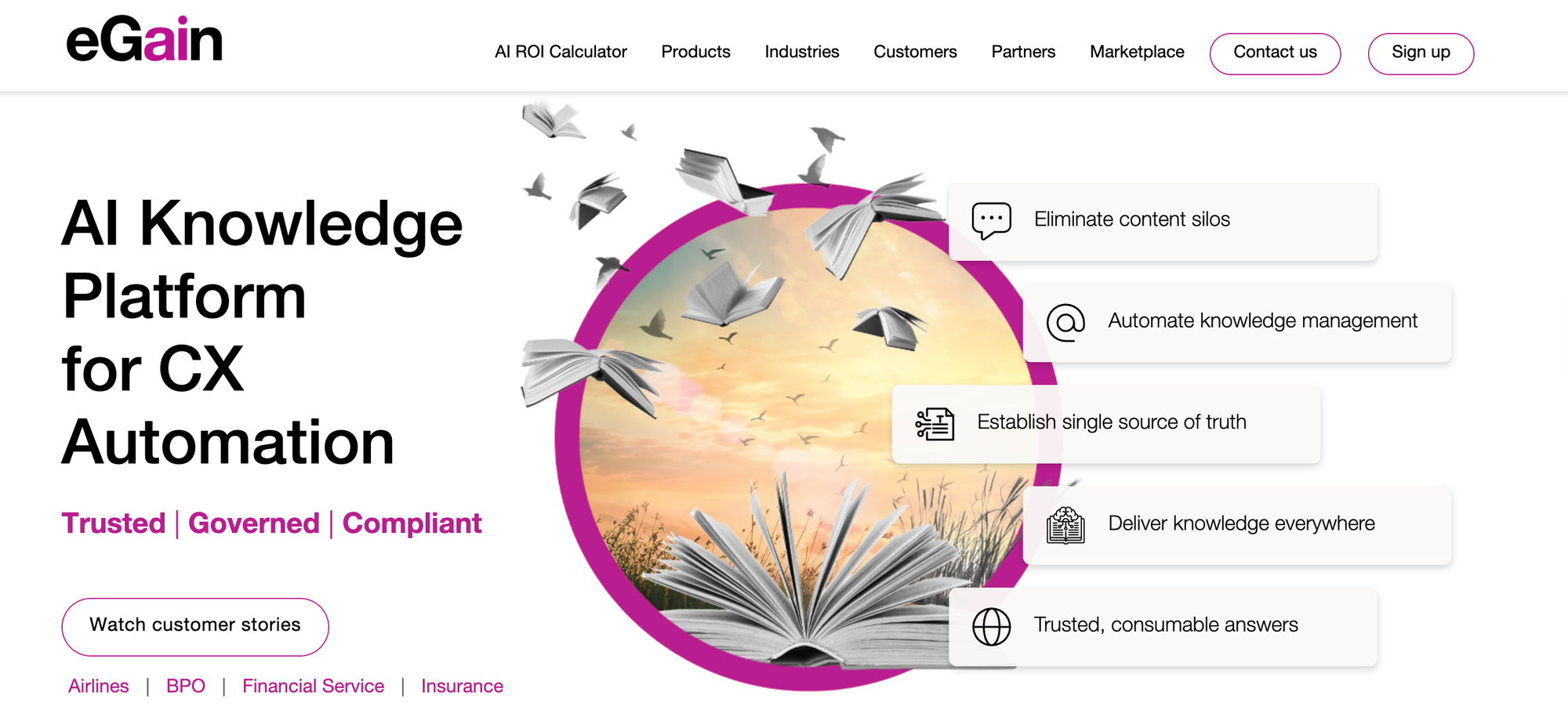
eGain is a knowledge management solution that transforms scattered content into trusted answers using AI and human expertise. Its real-time AI assistant monitors conversations and surfaces relevant guidance as agents work.
The platform also uses AI to pull relevant answers from existing documents, websites, and knowledge portals. This lets companies centralize content from multiple disconnected systems, creating a single knowledge base that makes retrieval easy.
Key AI Knowledge Base Features for Support Teams
| Knowledge Base Use Cases | Internal agent knowledge and external customer self-service |
| AI-Powered Search | Yes |
| GenAI in Standalone Chat | Yes |
| Where the AI Chatbot Can Be Used | Customer-facing websites and contact center agent desktop |
| Clarifying Questions | Yes |
| Custom Instructions or Guided Answers | Yes |
| Customize AI for Brand Voice | Yes |
| Knowledge Sources for AI | Documents, websites, eGain knowledge portal, and integrations like Salesforce and Confluence |
| AI-Powered Knowledge Base Content Creation | Yes |
| Dashboards & Analytics for AI Product | Tracks AI instant answer usage, confidence scores for AI answers, and agent AI usage |
| Security & Compliance for AI | SOC 2 and GDPR compliant |
Advantages
- Generative AI authoring tools speed up content creation, helping team members transform raw information into polished knowledge articles faster
- Tools for customer self-service and contact center agents provide a single AI-powered solution for internal and external users
Shortcomings
- The pricing model is based on resolutions and self-service sessions rather than standard per-user subscriptions, which may be challenging to budget for
- Integration with contact centers is limited to Amazon Connect, Genesys Cloud, and Salesforce, so teams using other platforms may face compatibility issues
Pricing
Pricing is based on users, starting at $12.50/user per month; resolutions, available in blocks of 100 for $50; and self-service sessions, available in blocks of 1000 for $200.
4. Shelf
Shelf is a knowledge management platform designed to identify quality issues in content before it reaches AI systems. It scans knowledge repositories for problems like duplicate files, outdated information, and compliance risks. It also monitors content continuously and alerts you to issues in real time.
The content management platform connects to existing knowledge base tools and has features for creating, editing, formatting, and translating content into multiple languages. It integrates with agent assist tools, copilots, bots, or search interfaces.
Key AI Knowledge Base Features for Support Teams
| Knowledge Base Use Cases | Internal and external knowledge bases |
| AI-Powered Search | Yes |
| GenAI in Standalone Chat | No (Provides generative AI-enabled content that agents, copilots, and bots can use) |
| Where the AI Chatbot Can Be Used | N/A |
| Clarifying Questions | No |
| Custom Instructions or Guided Answers | No |
| Customize AI for Brand Voice | No |
| Knowledge Sources for AI | Internal knowledge base and external sources via API: SharePoint, Google Drive, Confluence, Notion, Box, Zendesk, ServiceNow, Salesforce, and more |
| AI-Powered Knowledge Base Content Creation | Yes |
| Dashboards & Analytics for AI Product | Tracks conversations impacted by bad data, identifies problematic documents and hallucination causes, and shares usage insights |
| Security & Compliance for AI | SOC 2 Type II certified |
Advantages
- Always-on governance monitors knowledge base content quality in real time, alerting teams to issues before they cause customer-facing problems
- The answer quality dashboard provides transparency into which documents cause generative AI hallucinations, providing feedback to continuously improve support
Shortcomings
- Since it's primarily designed to integrate with and manage content from external platforms, using it exclusively to create knowledge base content may not let users capture the full value
- Built mainly as an internal knowledge management tool and doesn't offer a standalone chatbot or AI-powered self-serve options
Pricing
Custom pricing available on request.
5. Bloomfire

Bloomfire is a knowledge base solution that handles both internal agent knowledge and external customer self-service. It offers AI-driven search and AI-enhanced authoring tools that help create content and automated indexing that tags and organizes articles.
The platform also has an AI-assisted intelligent search tool that understands natural language queries and offers recommendations for relevant content. Its analytics show which content gets used and where knowledge gaps exist.
Key AI Knowledge Base Features for Support Teams
| Knowledge Base Use Cases | Internal knowledge management and external support communities |
| AI-Powered Search | Yes |
| GenAI in Standalone Chat | Yes |
| Where the AI Chatbot Can Be Used | Internal knowledge base, external customer communities, and websites and tools via API integration |
| Clarifying Questions | No |
| Custom Instructions or Guided Answers | Yes |
| Customize AI for Brand Voice | No |
| AI-Powered Knowledge Base Content Creation | Yes |
| Knowledge Sources AI | Internal knowledge base and integrations with SharePoint and Google Drive |
| Dashboards & Analytics for AI Product | Tracks content usage and efficacy, search queries, and user engagement; also helps identify knowledge gaps |
| Security & Compliance for AI | GDPR and SOC 2 compliant; supports SSO |
Advantages
- Generative AI-enhanced authoring tools support content creation and automated deep indexing organizes content
- Users can easily contribute to the knowledge base or update answers, which can help keep information current, but requires additional oversight
Shortcomings
- Some users say the platform's search filters are insufficient for large knowledge bases, making it difficult to manage complex queries or find relevant information quickly
- Limited AI customization options mean teams can't adjust tone or response patterns to match brand voice
Pricing
Custom pricing available on request.
6. Salesforce Knowledge
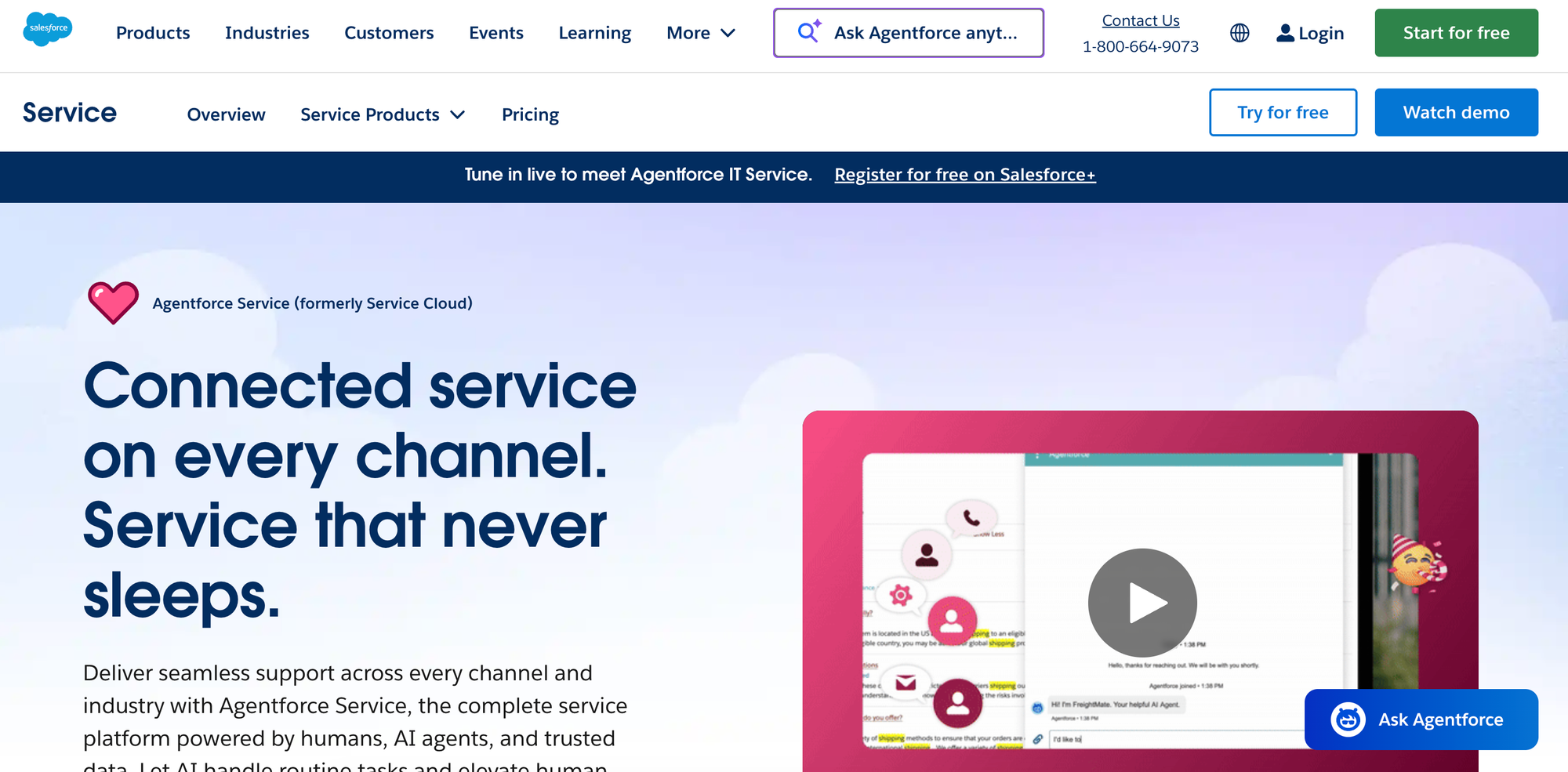
Salesforce Knowledge is a knowledge management system built into the Salesforce ecosystem. It's designed for organizations that use the Salesforce Service Cloud and that need a simple way to manage knowledge. Agents can access relevant articles without leaving their ticketing window, keeping them focused on resolving customer issues and minimizing delays.
While Salesforce Knowledge doesn't have native AI capabilities, it can use Einstein AI (available as an add-on) to provide intelligent search results and generate response drafts based on ticket context. With this AI add-on, the platform can turn static information into a dynamic knowledge base.
Key AI Knowledge Base Features for Support Teams
| Knowledge Base Use Cases | Designed mainly for internal use by customer service teams |
| AI-Powered Search | Yes (Available as an upgrade) |
| GenAI in Standalone Chat | Yes (Available as an upgrade) |
| Where the AI Chatbot Can Be Used | Salesforce ecosystem only |
| Clarifying Questions | Yes |
| Custom Instructions or Guided Answers | Yes |
| Customize AI for Brand Voice | Yes |
| Knowledge Sources for AI | Salesforce Knowledge content |
| AI-Powered Knowledge Base Content Creation | Yes |
| Dashboards & Analytics for AI Product | Tracks views, engagement, and time savings; Einstein add-on has customizable dashboards with options to monitor AI usage |
| Security & Compliance for AI | SOC 1 Type II, SOC 2 Type II, SOC 3, and GDPR compliant; supports SSO |
Advantages
- Einstein Search uses AI to understand search intent and deliver more accurate article results, while proactive suggestions surface relevant content before agents even search
- Everything is in one ecosystem, so agent workflows stay uninterrupted—tickets, customer data, and knowledge all connect without switching systems
Shortcomings
- Only integrates with Salesforce (no external help desk systems), so it isn't an option for teams that use third-party tools or that don't want to invest in Salesforce
- Doesn't have built-in AI capabilities, so adding AI requires an extra investment
Pricing
Salesforce Knowledge is available in the Unlimited tier of Salesforce Service Cloud, which starts at $350/user per month (billed annually). The full AI suite is available with the Agentforce 1 Service tier, which starts at $550/user per month (billed annually).
7. Zendesk Knowledge
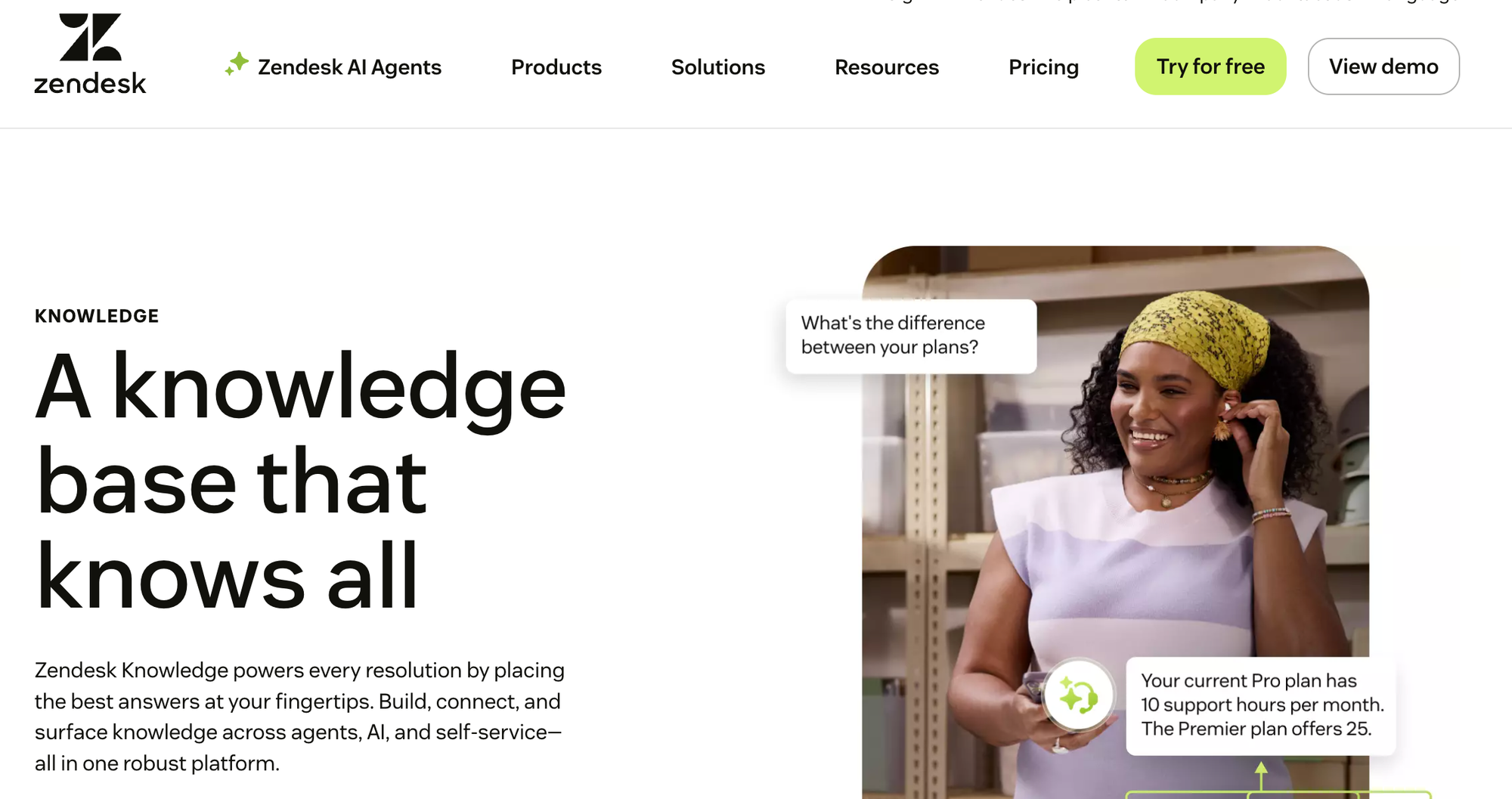
Zendesk Knowledge is a knowledge base platform that uses AI to help create, organize, and deliver content. The system can generate articles from historical support tickets, then translate, edit, and update them. It consolidates knowledge from help centers, community forums, and external sources into a unified knowledge graph that both human agents and AI systems can access.
The platform surfaces answers through AI agents, help centers, and agent workspaces. AI-powered search identifies relevant content and provides ready-to-use responses for agents during ticket resolution. Analytics track content performance and identify gaps in the knowledge base. The system integrates with Zendesk's ticketing and messaging tools to deliver answers across different support channels.
Key AI Knowledge Base Features for Support Teams
| Knowledge Base Use Cases | Customer self-service, agent support, employee service |
| AI-Powered Search | Yes |
| GenAI in Standalone Chat | Yes |
| Where the AI Chatbot Can Be Used | Zendesk knowledge base, website (via widget and extension support, auto-suggests content based on URL) |
| Clarifying Questions | Yes |
| Custom Instructions or Guided Answers | Yes |
| Customize AI for Brand Voice | Yes |
| Knowledge Sources for AI | Zendesk Guide content, community forums, and external resources, as well as integrations with Slack, Gainsight, UserGuiding, and others |
| AI-Powered Knowledge Base Content Creation | Yes |
| Dashboards & Analytics for AI Product | Tracks content performance and agent usage; AI and search reporting available with advanced AI add-on |
| Security & Compliance for AI | SOC 2, GDPR, HIPAA compliant, supports SSO |
Advantages
- Works with customer support tools your team already uses daily, keeping knowledge accessible in Slack conversations, Jira tickets, or Zendesk support queues
- AI suggestions appear right where agents are working on tickets, so they don't have to remember to search or switch tabs to find helpful content
Shortcomings
- Not optimized for multi-audience use, as it has separate AI-enabled systems for internal and external knowledge
- Advanced AI features require an additional purchase that may make it more expensive than other Zendesk alternatives
- Knowledge only deeply integrates with Zendesk products, so keeping things in Zendesk makes it very difficult to switch systems as your other needs change
Pricing
Zendesk Knowledge is available in all Zendesk Suite plans, which start at $55/user per month (billed annually). Advanced AI agents are available as a separate add-on with custom pricing.
How Stonly Helps You Create AI-Powered Answers for Customer Service
Stonly transforms your organization's customer service knowledge into instant, accurate answers wherever customers and agents need help. AI Answers help support teams resolve over 70% of customer questions through AI, reducing call volume by 80% while maintaining 92% accuracy in responses.
Stonly's AI Answers features:
- Instant, accurate answers with GenAI: Stonly pairs structured knowledge with OpenAI models to deliver highly accurate AI chat. Users get easy-to-follow answers that link directly to source content, and the artificial intelligence asks clarifying questions when multiple solutions apply.
- Controlled AI for important questions: Set up guided answer flows for complex issues that require specific processes. Pre-approve answers for critical questions, and automate workflows that currently need agent action.
- Analytics that drive improvement: Questions get automatically grouped into topic clusters to reveal trends. Track exactly how many tickets your AI deflects, monitor resolution success rates by topic, and see how performance evolves over time.
- Smooth handoff to live support: When AI hits a knowledge gap, it connects customers to your support team through ticket creation or live chat, automatically passing along full conversation context.
- Customization for your brand: Name your chatbot, set the tone from professional to casual, and use custom instructions to control how AI handles specific scenarios. Deploy multiple targeted bots across different properties for maximum control.
Learn more about Stonly's AI Answers or request a demo to see how you can improve your organization's knowledge management.